



Ask AI about your custom systems.
Connect your internal systems or products to Claude through a custom MCP connector, so users can ask questions in natural language and get answers directly in the AI tool or through an assistant inside your system.
Start a Conversation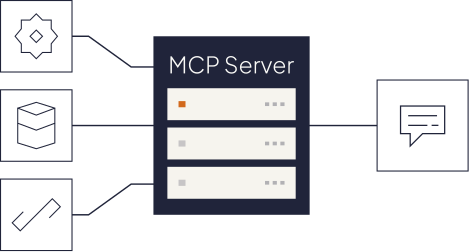
When getting an answer means navigating the system
Your users know the information is there. But getting to it means knowing where to click, what filters to use, or which report to run.
You, through your AI


Claude · ChatGPT


Natural language

Built by Kaizen
One secure bridge between AI and your systems

Secure access

ERP & records

Operations

Carrier data

Claims

Policy & rules

CRM & portal

Usage

Billing
Your systems, now connected to AI
We build custom MCP connectors that let Claude or ChatGPT query your internal systems and products in natural language.

Your sources
Custom products
Legacy systems
Databases
Internal APIs


MCP server we build
Data and tools exposed in a controlled way.
Permissions
Citations
Audit Trail

Where users can ask
An assistant inside your custom product or internal system.
Or
Directly in Claude or ChatGPT.
AI with your rules
01
Grounded answers
Responses are generated from the connected sources, not from general model knowledge.
02
Sources included
Users can see where the answer came from and verify it.
03
Permissions respected
Users only access the data they’re already allowed to see.
04
Read-only by default
The AI can query information without changing anything unless write access is explicitly enabled.
What you get after three weeks

Custom MCP connector
Built for your internal system or product.

Claude or ChatGPT integration
So users can query your system directly from the AI tool.

Permissions and access controls
Defined around what each user is allowed to see.

Grounded answers with sources
Responses based on the connected systems, with traceability.

Production deployment
Connector running in your environment, with documentation for your team.

Next connection recommendation
We identify which system or data source would add the most value to connect next.
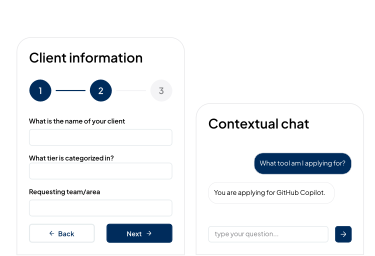
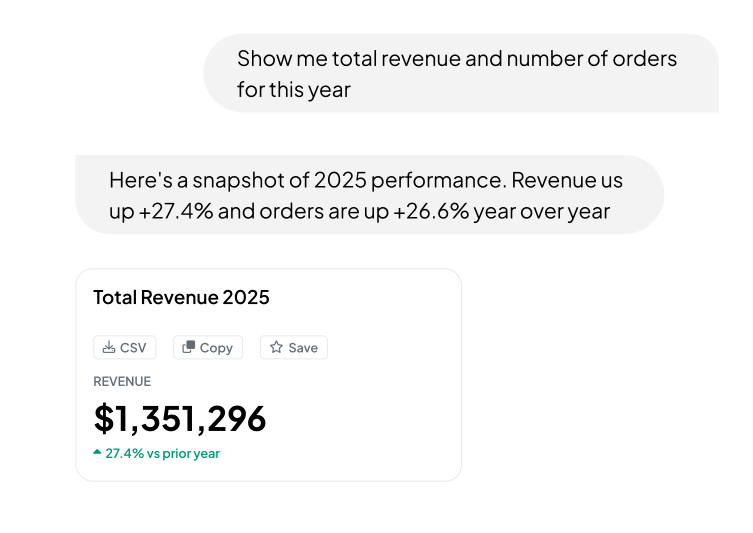
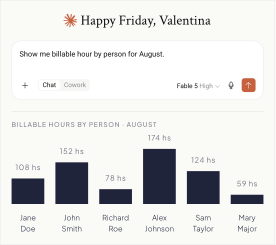
How teams are using it


How to start
Tell us what you want users to be able to ask or understand from your systems. We’ll define what to connect, how to make it available through AI, and build it with you.
Week 1 · Scope
Week 2 · Build
Week 3 · Validate & Launch
What would you want users to ask your systems?
Start a conversation