




Visual answers built from a question
Users describe what they want to see in plain language. The system responds with an interactive view built from approved charts, tables, filters, and summaries.
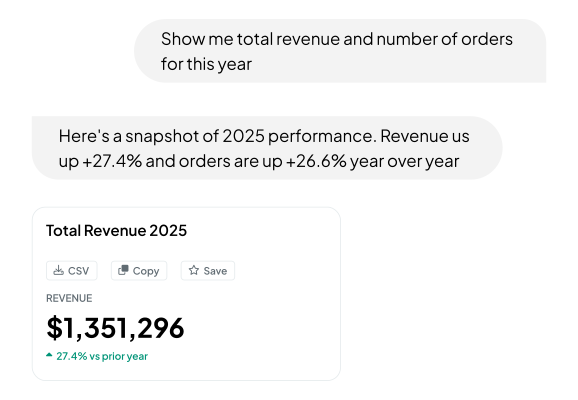

From a request to an interactive view
We tested whether users could describe the information they needed and receive a visual response built for that request. This approach is known as Generative UI.
A user can ask for a comparison, report, or summary in plain language. The system then combines the relevant charts, tables, filters, and cards into an interactive view.
For the user
They can ask for a specific comparison, report, or breakdown without navigating several screens or learning how every filter works.
For the product team
The same component library can handle more variations without requiring a separate screen for every possible question.
For engineering
Data access, permissions, queries, business rules, and component code remain inside the application. Teams can extend the system by adding approved components.
Tested in two settings
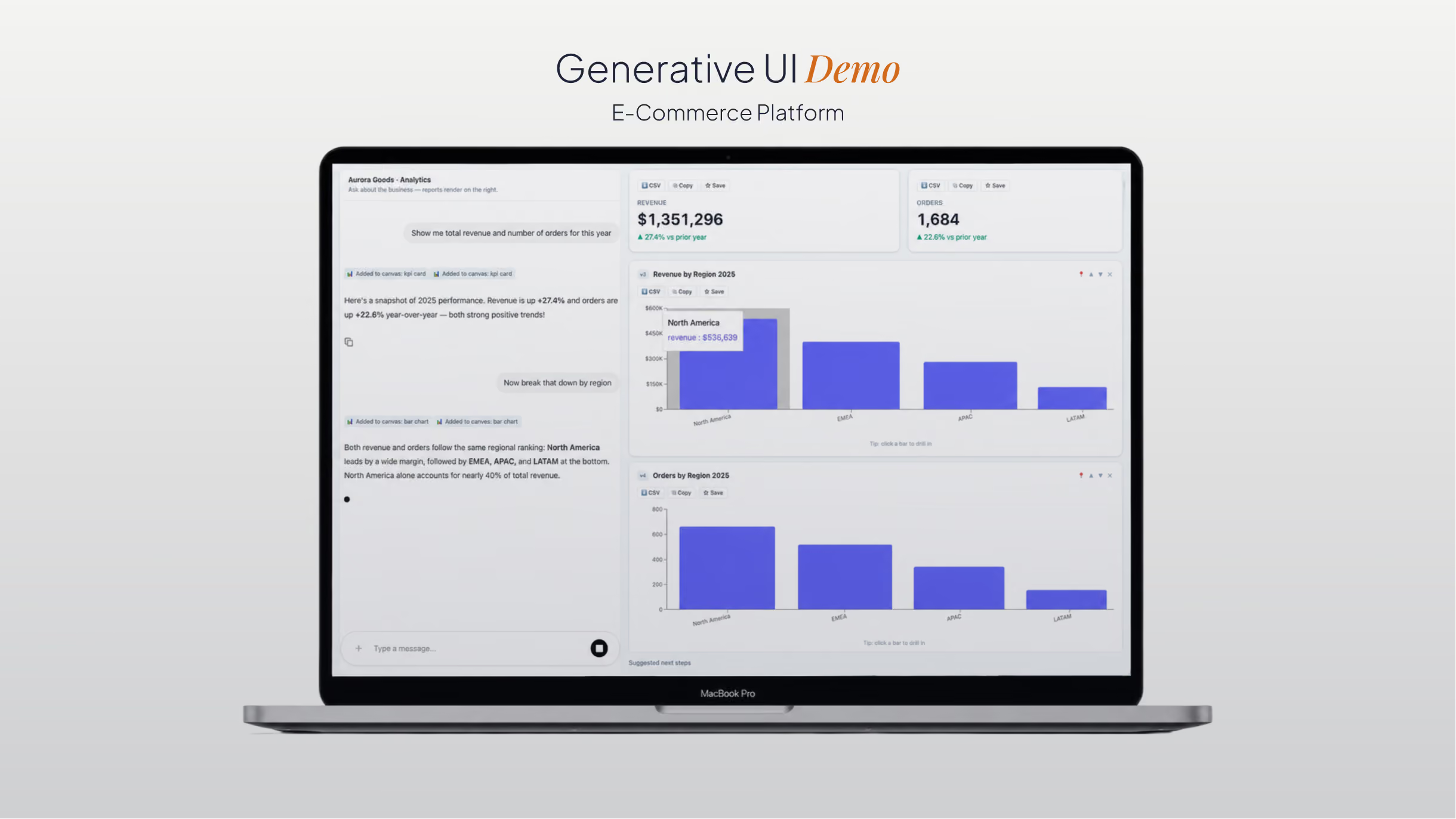

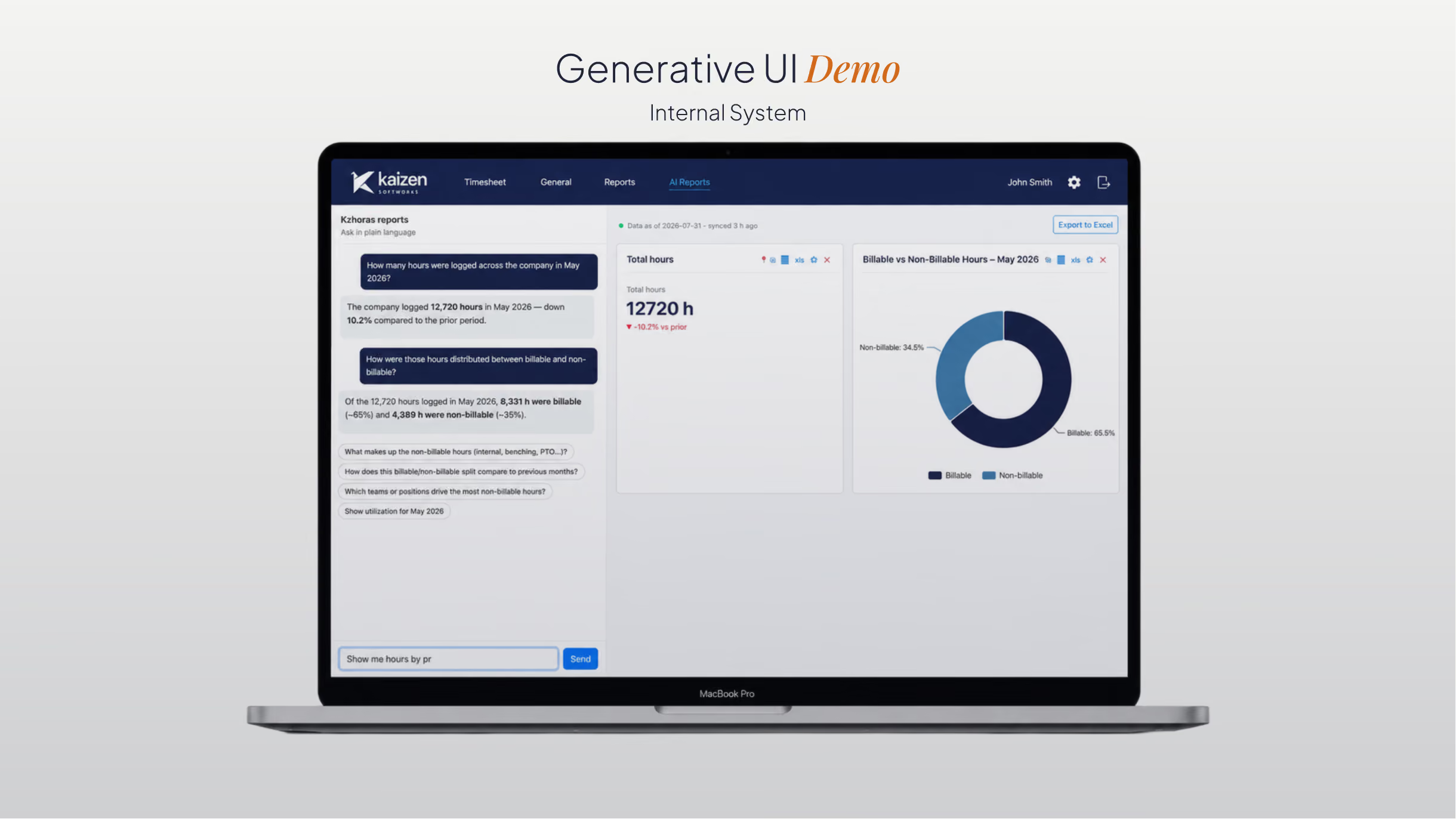


Request to interface
Approved components only
The model selects from a registry created and tested by the product team. It can only use the charts, tables, filters, and cards defined there.
Structured output
The model does not generate interface code. It returns a structured set of instructions that the application can validate before rendering the view.
Backend-controlled data
The model never connects directly to the database. Queries, credentials, permissions, and business rules remain in the backend.

Anthropic API · AI
Turns the user’s request into a structured UI specification.


Angular and React · Frontend
Maps the specification to registered components and renders the screen.


.NET with C# · Backend
Validates the model output, applies permissions, and resolves queries.

PostgreSQL and SQL Server · Data
Store and provide the data used in the reports.

AG-UI · Protocol
Coordinates state, events, and responses between the agent and the interface.
Let users request the view they need
Start a conversation