


.avif)





How We Make Decisions Without Managers
We don’t have traditional managers. This is how we make decisions and keep things moving.

12 min read
Read more

![Illustration of expert content creation for the [Your Company Name] blog, featuring articles on software development and technology insights.](https://cdn.prod.website-files.com/6846d4fc5449e72dcdad7d99/6883e43726396202465e6dce_IMG.svg)

No blogs matched this category, try applying different filters.

Insights, stories, and experiments from our team.

About Us
We don’t have traditional managers. This is how we make decisions and keep things moving.

·

Mar 13, 2026
·
12 min read

There's a myth that in flat organizations, everyone decides on everything.
That's not how it works. At least not at Kaizen.
When people hear "no managers," they often picture one of two extremes: either total chaos where nobody is accountable, or endless meetings where 80 people vote on which coffee to buy. The reality is neither.
Not everyone decides on everything. Not everyone votes. What we do have is a clear set of decision-making methods that we choose based on context.
Before choosing how to decide, we ask ourselves a few questions:
These dimensions help us pick the right method. Not every decision deserves the same process.
Over the years, we've landed on a few methods that we use depending on the situation:
Some decisions belong to a specific role. If someone owns a responsibility, say, office logistics or hiring for a team, they decide within that domain. No committee needed. The key is that roles are transparent: everyone knows who owns what, and the scope of each role's authority is clear.
When a decision doesn't clearly belong to one role, or when it crosses boundaries, we use the advice process. Here's how it works:
The decision-maker is not a committee. It's one person (or a small group) who takes responsibility. But they don't decide in isolation, they bring in the perspectives that matter.
We sometimes call this "Team Advice" when a working group forms around an issue that doesn't naturally fall into anyone's area, and "Area Advice" when a team opens up a topic that exceeds their own scope.
Consent is not "everyone agrees." Consent means "no one has a strong enough objection to block this." We do use a poll, but not to count votes — we use a 1-to-5 scale to measure the level of agreement and surface objections, not to let the majority rule.
We use it in two flavors:
Not everything needs participation. When a decision has already been made through a legitimate process, the right move is to inform, not to fake-consult. One of the fastest ways to kill self-management is to ask for feedback and then ignore it. If you're not going to change course based on input, don't ask for it, just be transparent about the decision and the reasons behind it.
We didn't adopt these methods because they're trendy. We adopted them because they solve real problems:
Transparency is the foundation. Every method we use, from role-based decisions to high-participation consent, works because information flows openly. People know what's being decided, who's deciding it, and how they can participate.
Horizontal doesn't mean structureless. It means fewer hierarchical levels, clearer roles, and intentional decision-making processes that match the weight of each decision.
Not everyone decides on everything. But everyone knows how things get decided.
About Us
We don’t have traditional managers. This is how we make decisions and keep things moving.
12 min read
.avif)
AI

·
Jan 26, 2026
We needed a better way to handle internal workflows, so we built FormBot. Here’s how it came together.
12 read time
At Kaizen Softworks, the adoption of AI tools is a central topic. To efficiently manage their usage and licensing requests, we created an internal form. However, the classic problem with this type of workflow is misalignment. Collaborators often have very specific questions about internal policies or need to validate their use cases against documentation that is scattered across various drives or wikis.
The goal was to prevent team leaders from becoming the "human knowledge base" for every request, which creates a bottleneck. We needed a conversational AI assistant that could combine the answers from a form with dynamic knowledge, delivering accurate and verifiable responses. This is where FormBot was born.
At a high level, FormBot is a solution that integrates a multi-step form with an accompanying chat assistant. The user interacts with a dual interface: while completing the form fields, they can converse with a bot to resolve questions in real time.
The experience is centered on two key capabilities:
When handling internal documents from different users and teams, knowledge isolation is a non-negotiable requirement. A user who uploads their team's policies must never be able to access or influence the knowledge base of another user who is uploading documentation for a different project.
This need for absolute privacy was the pillar upon which we designed FormBot's entire technical architecture, ensuring that every interaction was completely private and isolated.
To achieve robust data isolation and a fluid experience, we built FormBot on a RAG (Retrieval-Augmented Generation) architecture with a multi-tenant focus.
We selected a set of flexible and powerful tools to bring FormBot to life:
The RAG concept involves using a retriever (in our case, Pinecone) to fetch relevant data from a knowledge base before sending the question to the LLM. This ensures that the answers are based on verifiable information and not on the model's general knowledge.
To guarantee privacy, we implemented a total isolation process using Pinecone's Namespaces. Here is how it works:
"On the fly" indexing means the bot learns instantly from the knowledge the user provides at the moment they are completing the form. This is the process that allowed FormBot to go from not knowing what Kaizen Softworks is, to providing a detailed, sourced answer in a matter of seconds.
The flow is as follows:
This dynamic flow is the basis for scaling the solution to other departments like Human Resources or IT Support, where policies and documentation may be specific to a small group of people and change quickly.
Get in Touch to explore how to build privacy-first AI for your organization.
AI
Technology

·
Jan 22, 2026
We went from spreadsheet to working AI vision app faster than expected: here’s how.
12 read time
"What if we could build an app in days instead of weeks, using AI not just as a feature, but as a full-stack development partner?"
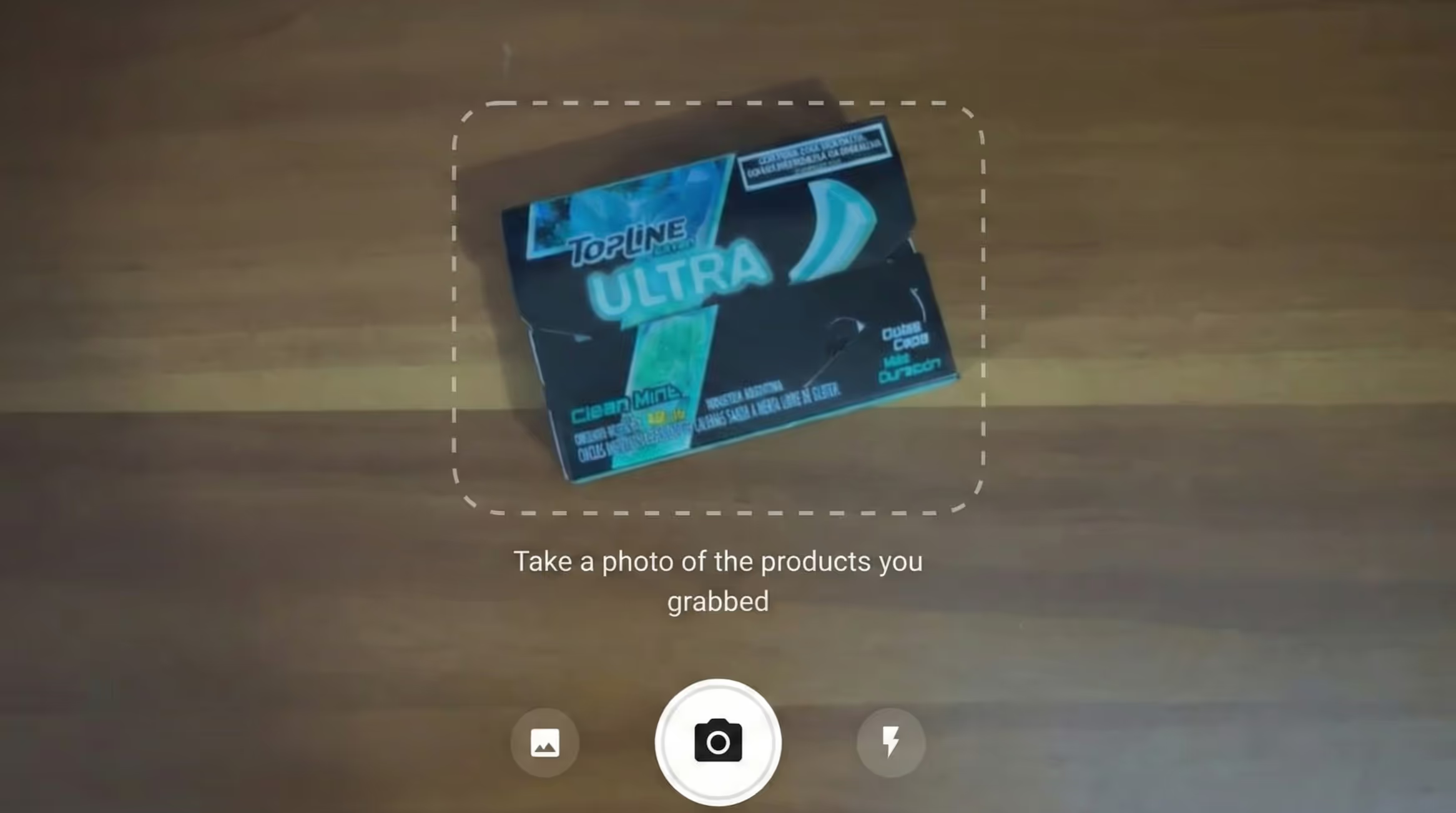
That's the question that sparked Super Ultra Kiosco, a proof of concept (POC) that digitized our company's beloved manual snack corner using the latest AI development tools.
We sat down to document exactly how we used tools like Figma MCP (Model Context Protocol) and Vercel AI SDK to build a working product detection system.
In our office, "El Kiosco" is a small corner with snacks, drinks, and other goodies. The system was manual: grab an item, find the shared spreadsheet, and manually log your debt. It was error-prone, tedious, and ripe for modernization.
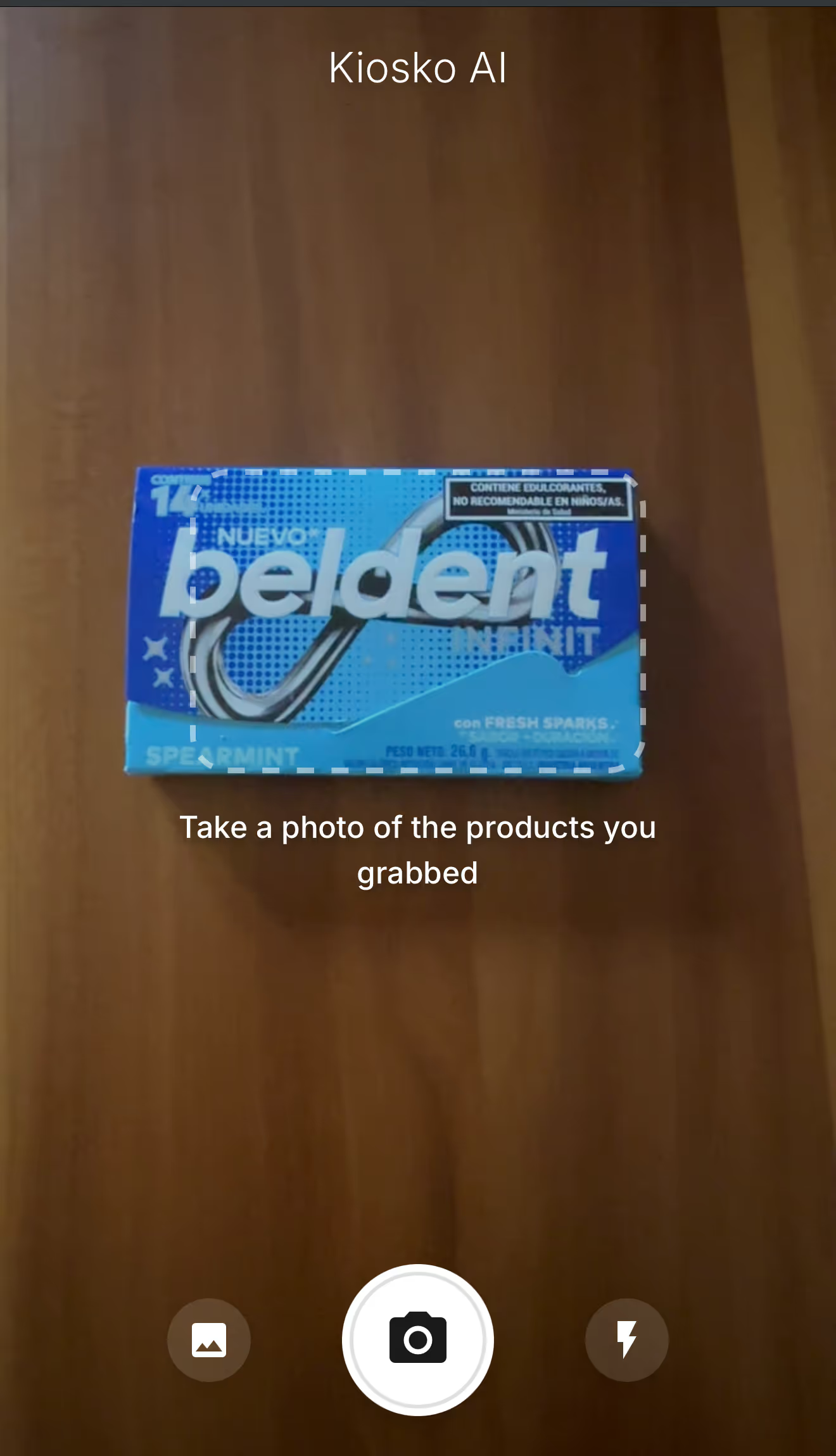
The Solution: A mobile-first web app where you simply point your phone at the snacks. AI identifies the products via camera, calculates the total, and confirms your order with one tap. No spreadsheets, no typing.
To achieve this, we moved beyond standard web development into an AI-native workflow. Here is the core technology stack:
This combination allowed us to treat the AI as a collaborator that could "see" our designs and "understand" our business logic.
The "magic" of the app is its ability to recognize a bag of chips or a soda can instantly. For this, we used the Vercel AI SDK coupled with Google’s Gemini Vision model.
Traditional AI integrations often struggle with unstructured text responses. We solved this using the SDK's generateObject function. This allows you to define a schema (using Zod) to force the AI to return structured, typed JSON data instead of a conversational string.
Here is the actual implementation code:
JavaScript
const result = await generateObject({
model: google('gemini-2.5-flash'),
messages: [
{
role: 'user',
content: [
{ type: 'text', text: prompt },
{ type: 'image', image }
]
}
],
schema: AnalysisResultSchema,
temperature: 0.1
});
The Trade-off: Using the AI SDK provides incredible flexibility to switch model providers (e.g., swapping Gemini for GPT-4o) without rewriting code. However, if you need bleeding-edge features specific to a provider—like accessing a brand new beta model or a very specific configuration—you might find it limited. You gain high availability of providers, but you might have a smaller pool of models available within each provider compared to using their native SDKs.
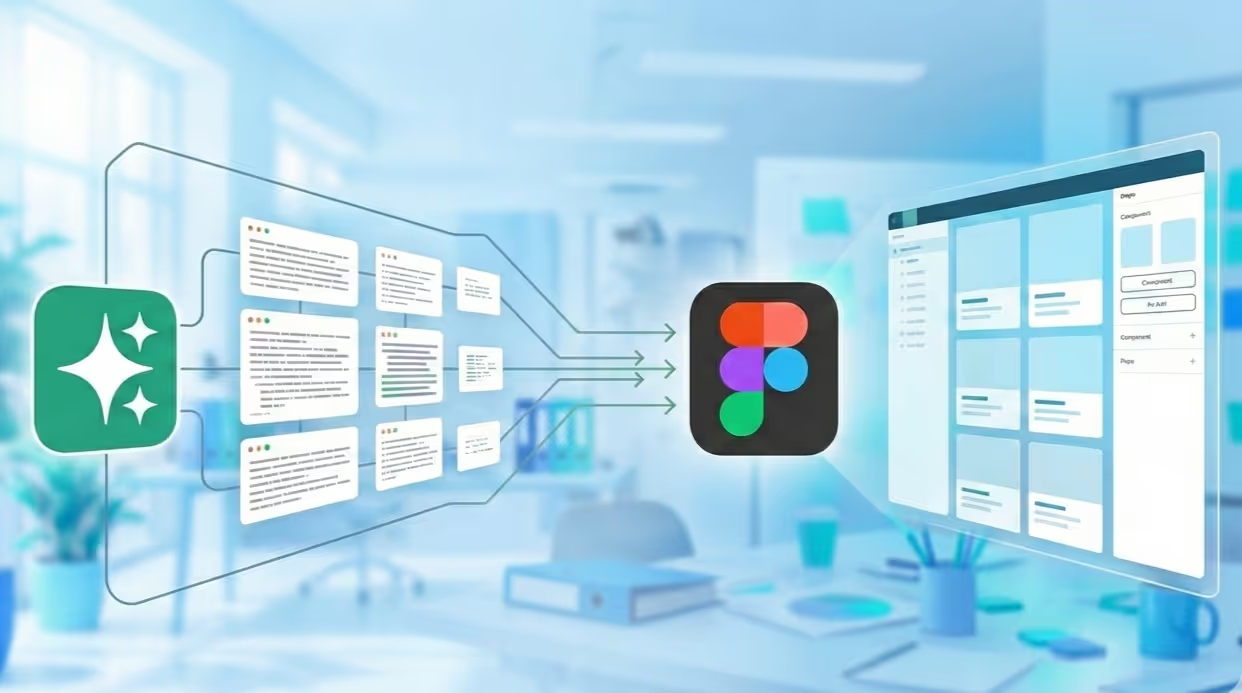
Figma MCP (Model Context Protocol) creates a bridge between your Figma designs and your AI coding assistant (like Windsurf or Cursor).
In technical words, Figma MCP is a standard that connects AI assistants directly to external data sources. The Figma MCP server exposes your actual design files—component properties, layout tokens, and visual hierarchy—as a resource the AI can "read."
Instead of us manually coding CSS from mockups, the workflow looked like this:
Key Learning: While Figma MCP helped us move fast, it wasn't magic. We found that we still had to iterate a few times to match the designs 100%. The AI captures the general structure well, but it can fail on specifics like exact paddings, button states, or color nuances. It gets you very close, but the final polish to ensure the implementation matches the design perfectly still requires a developer's eye.
Building Super Ultra Kiosco validated four core hypotheses about the state of AI development:
Is Figma MCP ready for production apps? It is excellent for rapid prototyping and setting up component libraries. For complex, custom animations or highly specific accessibility requirements, human oversight is still mandatory.
Why use Vercel AI SDK instead of the official Google SDK? For a POC or a multi-model application, Vercel AI SDK offers a unified API that saves significant time. If your app relies 100% on unique, deep features of a single model (like Gemini's 1M context window specific caching), the native SDK might be better.
What is the cost implication of using Vision models for this? Vision models are more expensive than text models. We implemented client-side image compression before sending requests to the API to balance performance and cost.
We'd love to hear about your experience with AI development tools.
AI

·
Jan 22, 2026
Meta-prompting can turn Figma’s AI agent from frustrating trial and error into a clearer, more usable design workflow.
12 read time
"I’m still learning how to integrate these new AI tools into my actual daily workflow." That’s probably one of the phrases every UX designer is repeating right now.
The promise of Figma’s "Prompt to Edit" feature is incredible, but the operational reality can be... different. At first, I struggled to understand how to get real value out of it without feeling like I was wasting time.
This article documents how I transformed a frustrating "trial and error" process into an efficient workflow using a technique called Meta-Prompting.
I started exactly how we all do: typing exactly what I needed directly into the Figma prompt bar.
The real challenge emerged when I tried to iterate. I quickly realized that Figma’s current agent struggles to interpret chained corrections. If I asked it to adjust a specific section, it would often "hallucinate" and alter elements that were already perfect, or the final design would lose visual coherence.
I felt like I was running in circles, spending more energy explaining the changes to the AI than it would have taken to just design them manually. My direct approach wasn't working.
I realized the problem wasn't the tool, but the lack of structure in my request. Figma’s AI needs dense, precise context in a single shot to function effectively.
I decided to test Meta-Prompting.
What is Meta-Prompting in Design? Instead of trying to craft the perfect prompt myself ("User to Tool"), I use a conversational LLM (like Gemini, ChatGPT or Claude) as an intermediary ("User to AI to Tool").
It was a learning process, but the results were immediate. It is far more effective to iterate the text in ChatGPT until the logic is bulletproof, and only then pass it to Figma for clean execution.
There is a second variable in this equation: the quality of your base file. We learned that AI cannot perform magic if the underlying structure is chaotic.
Why? Because the agent finally had solid components (with Auto Layout and properly named variants) to "latch onto." The AI understands logical structures better than loose pixels.
(Technical Note: Even with a good system, we found bugs. For example, the agent still struggles to correctly map FontAwesome icons, often requiring manual adjustment).
If you are struggling with design agents, consider these points:
Is "Prompt to Edit" ready for complex projects? For generating initial structures or rapid variations, yes. For final "pixel-perfect" polish, human oversight is still mandatory.
What is a "One-Shot Prompt"? It is a single instruction that contains all necessary information (style, constraints, content) for the AI to complete the task in one attempt, without needing follow-up questions.
Why use ChatGPT to write Figma prompts? Language Models (LLMs) are better at structuring logic. They ensure your prompt is unambiguous, preventing Figma's agent from misinterpreting your intent.
Have you found a seamless workflow, or are you still in the trial-and-error phase like me?
.avif)
About Us

·
Jan 21, 2026
Code reviews aren’t just checks, they’re how we keep each other sharp.
12 read time
At Kaizen, we don’t believe software quality is enforced by a checklist or a single gatekeeper. It’s something we build together, day in and day out, as a team.
We’ve been working on this platform for years. What started with two developers has grown into a 30+ person team building a large-scale logistics system. And like any growing team, we faced a big question:
How do you keep quality high without turning into a slow, over-regulated machine?
We chose trust over set in stone rules. And in doing so, we learned something simple but powerful: Our strongest safety net isn’t a process. It’s each other.
When systems get complex, legacy code, multiple teams, tight deadlines, it’s tempting to respond with more rules. But heavy oversight kills initiative. Instead of building a team that takes ownership, you get one that’s just trying not to mess up.
We took a different approach. We built a system where quality doesn’t rest on one person, it’s shared, distributed, and reinforced by the people around you.
Code review is just one part of that system, but it’s where this mindset comes to life.
For us, code review isn’t about nitpicking, it’s a technical conversation between teammates.
When I open a PR, I’m not bracing for criticism. I’m inviting collaboration. Together, we’re asking: “Are we solving this clearly, cleanly, and in a way that makes life easier for the next person?”
Code reviews are done by other developers from the same sub-project. That means the person reviewing already has context, and because the reviewer role rotates, everyone gets to both give and receive feedback. It’s collaborative by design, and part of how we grow as a unit.
We review with a few key principles in mind:
We refer to our internal Wiki often, not as a rulebook, but as a shared language.
One of our core beliefs:
“Ownership starts with the person who says it’s done, but quality is everyone’s job.”
We say it often: “The ownership falls mainly on the person who tests it and says it’s okay.”
It’s not about blame. It’s about trusting each dev to be accountable, knowing the team has their back. That shared responsibility creates a culture where people step up, not out of fear, but because they’re supported.
Let’s be honest: we’re human. Not every issue gets caught in review. But that doesn’t break our system, it proves why it works.
Because someone else will catch it later. And when they do, they won’t ignore it, they’ll flag it, fix it, and keep moving.
We log cleanup tasks in our tech debt backlog. It’s not a black hole, it’s a to-do list for continuous improvement. A way to keep tightening the net.
In our team, code review it’s where learning happens.
New devs get real-time, contextual feedback. Seniors reflect on their habits. We share ideas, challenge each other, and improve as a unit. It’s ongoing, hands-on knowledge transfer, baked into the flow of work.
We don’t trust the code because it’s perfect. We trust it because of how it’s built:
by a team that shows up, collaborates, and looks out for each other.
Our confidence doesn’t come from tools or top-down rules. It comes from people who care. People who ask questions, challenge decisions, and leave the codebase better than they found it.
The team is the system. The team is the process. The team is the safety net.
And when that’s in place, you can scale without fear.
.avif)
AI

·
Dec 1, 2025
We asked a developer what it’s really like using AI tools daily: the good, the bad, and what no one talks about.
12 read time
"Stack Overflow on steroids." That’s the best way to describe it. But is AI the ultimate productivity hack, or just a faster way to create complex code? From parsing tricky regex in seconds to figuring out how much context to feed the bot, integrating these tools is a skill we are all learning in real-time.
I sat down (virtually) to discuss the art of prompt engineering and the nuances of relying on generated solutions. We dive into why using AI effectively isn't just about getting answers, it's about knowing how to ask the right questions to build better, sustainable software.
*Note: This interview with Dan was conducted by Claude, an AI assistant. Yes, the irony of using AI to discuss using AI is not lost on us.*
"Stack Overflow on steroids" - honestly, that's what it is for me. It's like having that incredibly knowledgeable senior developer available 24/7, but you need to know how to talk to them.
For quick, isolated problems, it's incredible. Need to parse a tricky regex? Convert between date formats? Understand an error message? Just ask. No context needed, instant answer. These small, specific queries are where AI shines brightest with minimal effort.
The big challenge is context, especially for larger projects. That's where things get interesting - and harder.
My initial approach was exhausting. I'd dump everything into the prompt: "Here's my entire file structure, here's the relevant code, here's what I'm trying to do..." I'd spend 10 minutes crafting a prompt, constantly worried I'd forget some crucial detail. It worked, but it was draining.
A fellow developer showed me a completely different approach: let the AI build its own context through questions. Instead of front-loading everything, you start with something simple like "I need to add authentication to my Express app," and the AI asks what it needs to know - what auth strategy, existing middleware, whatever. The conversation naturally builds the needed context. You only provide what's actually relevant.
Honestly? I'm still figuring it out. The truth is, I still struggle with prompt engineering. For larger features or refactors, I haven't found the perfect workflow. Sometimes the "let AI ask questions" approach works great. Other times, I need to provide upfront context. It really depends on the complexity and how well I can articulate what I need.
Because it's not about getting complete solutions - it's about changing how I problem-solve. It's like having a knowledgeable pair programmer who's always available. The skill isn't in knowing everything anymore; it's in knowing what questions to ask and when to ask them.
It's wild, honestly. I've seen colleagues build entire projects from scratch in just days, even hours. I've also seen someone migrate a whole Angular project to a newer technology without writing a single line of code themselves. It sounds amazing, right?
But here's the catch - if you don't review what AI generates carefully, you can accumulate massive technical debt. The code works, sure, but it might not follow your team's patterns, might have hidden performance issues, or make architectural decisions that don't fit your specific needs. AI can move fast, but someone still needs to be the critical reviewer.
I'm still learning, we all are. The tools are evolving, and so is my approach to using them. But one thing's clear: understanding how to interact with AI is becoming as important as understanding the code itself. It's a skill we're all developing in real-time.
.avif)
About Us
·
Dec 1, 2025
As the team grows, keeping quality high gets harder. This is how code reviews help us do it.
12 read time
I’ve been on this project for years. I was here when "the team" was just two developers in a room, and I'm here now as part of a 30+ person force building a critical logistics platform for our client.
Most stories about scaling a dev team are war stories. They’re all about shipping fast, racking up technical debt, and eventually having to rewrite the whole thing from scratch. Ours is different. It’s about how a deliberate (some might say stubborn) commitment to code quality from day one helped us grow without burning ourselves later.
When Kaizen joined this project, we weren't starting with a blank slate. We were tasked with merging and modernizing several legacy systems into one cohesive platform. The codebase had layers, each with its own quirks and logic. In that kind of environment, the “move fast and fix later” approach would’ve been a disaster.
We knew that if we wanted to build something scalable and sane to work with long-term, quality couldn’t be optional. It had to be baked in.
So from day one, we made it a rule: every single line of code gets reviewed. Whether it’s a new feature or a legacy refactor, it goes through a second pair of eyes.
We framed this to our client not as a slowdown, but as an investment. Spending an extra hour reviewing a PR, especially one touching old code, saves days (sometimes weeks) of tracking down weird bugs later. It was the only way to build a modern, maintainable codebase.
Fortunately, our client’s technical. They got it. And that trust? It became one of the most valuable things in our partnership. It gave us room to do things right, not just fast.
We needed a process, a way to keep standards high, share knowledge, and catch issues early. So we built a structured code review system, grounded in Kaizen’s core principle: continuous improvement.
This wasn’t about nitpicking or finger-pointing. It was about creating a feedback loop and turning every review into a learning opportunity.
Here’s what that looks like today:
Going from 2 to 30 devs is one thing. Scaling a culture of quality across all of them? Way harder.
Our code review process became the backbone of both onboarding and team growth.
Was this a quick win? No. It took time and buy-in. But the impact has been huge.
“I remember a case where we brought a function’s execution time down from 10 seconds to under three. The client was thrilled,” one of our devs shared. “That’s when it clicks. This isn’t just about ‘clean code’, it’s about delivering real value.”
Some of the benefits we’ve seen:
And yeah, we still have technical debt. We even have a “tech debt bucket” in Jira. But it’s not this ominous, growing monster anymore. It’s a manageable list. A conscious decision, not a side effect of bad habits.
Code reviews aren’t magic. They won’t solve everything. But done right, they can become the heartbeat of a team that cares about quality, about learning, and about building something that lasts.
That’s how we did it. That’s how we’re still doing it.
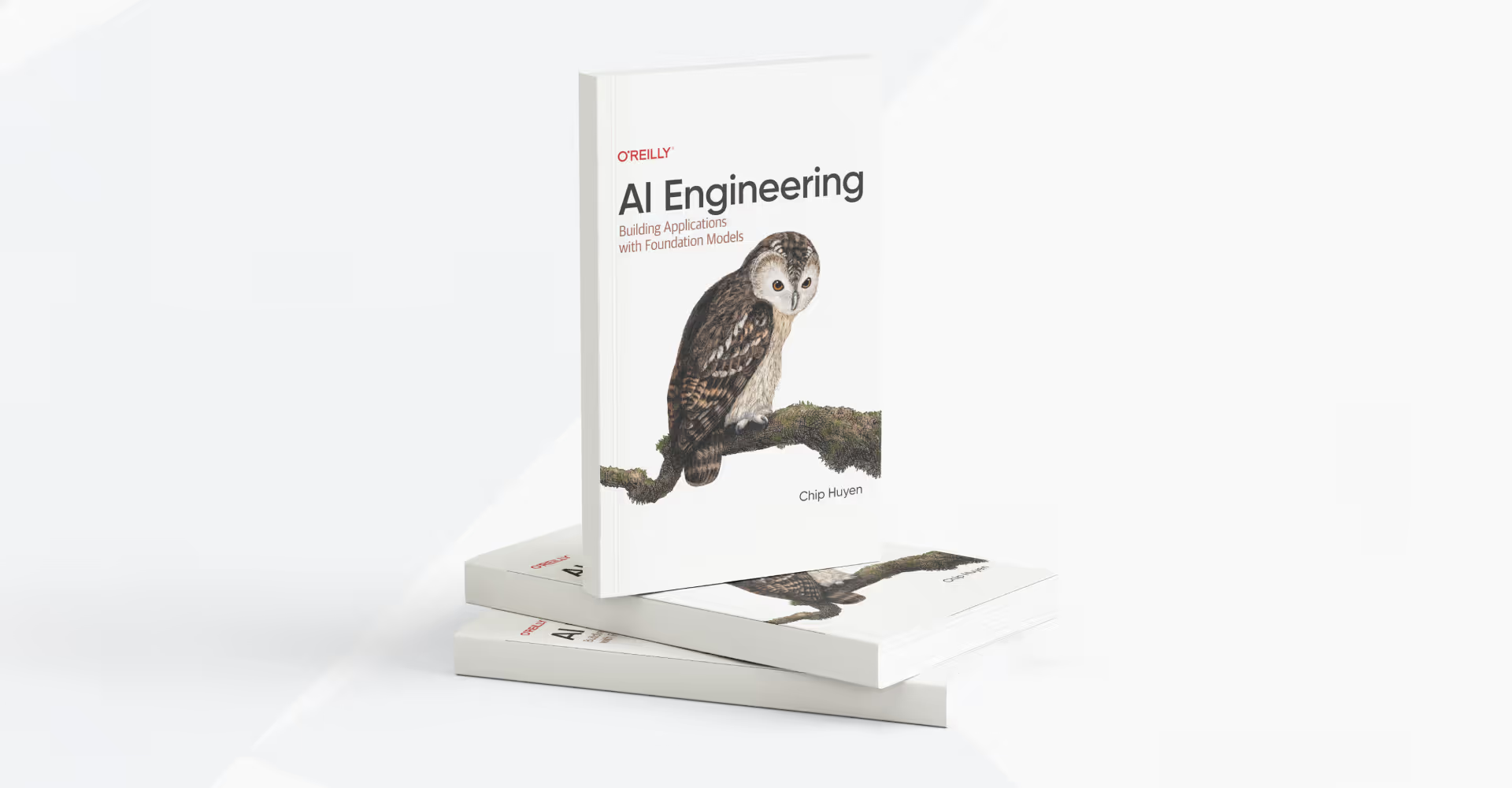
AI
·
Nov 20, 2025
There’s a lot of AI noise out there. These 4 books are the ones that actually helped us understand what matters.
12 read time
AI is evolving fast, and it's easy to get lost in the sea of online hype and conflicting advice. To help you cut through the noise and start building solid foundational knowledge, our Innovation Hub has curated a list of four essential books. Each one tackles a different but interconnected layer of the AI stack, offering the practical knowledge you need to stay ahead of the curve.
Get a complete guide to "AI Engineering," the new discipline of building powerful applications with readily available foundation models, and understand how it differs from traditional ML engineering.
This book teaches you how to:
Jay Alammar moves past abstract theory and superficial prompts to teach you how to build modern, end-to-end AI applications. His famous visual style makes complex architectures and cutting-edge techniques easy to understand and implement.
This book teaches you how to:
This book takes you to the next level of AI development. It goes beyond simple chatbots to teach you how to build and orchestrate fully autonomous, production-ready AI agents. Micheal Lanham’s guide focuses on creating trustworthy systems capable of handling complex, real-world tasks like high-stakes negotiations.
This book teaches you how to:
Get a practical, example-rich guide that bridges the gap between a promising concept and a successful, scalable product, focusing squarely on the MLOps strategies needed for real-world deployment.
This book teaches you how to:
The world of AI won't be slowing down. Getting grounded in the fundamentals is the best investment you can make in your career. We hope this list of AI books for developers gives you a clear starting point to take these concepts, experiment with them, and start creating
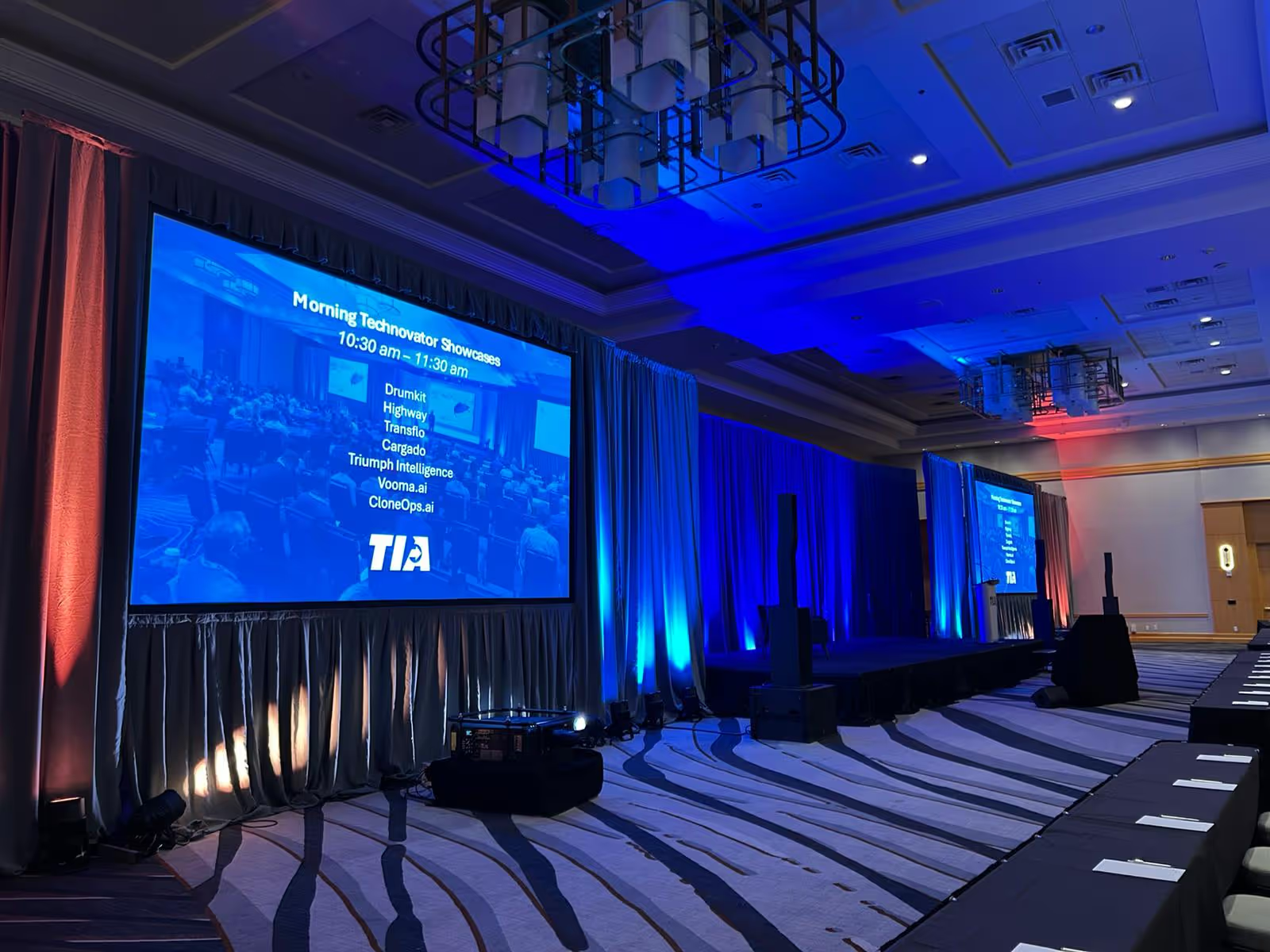
Events
Business

·
Nov 7, 2025
TIA Technovations 2025 showed that AI is now the cost of entry in logistics, but custom tech is where real differentiation starts.
12 read time
The Transportation Intermediaries Association (TIA) Technovations 2025 Conference in Phoenix, AZ, was a highly focused and valuable event. Held at the JW Marriott Phoenix Desert Ridge Resort & Spa, this gathering, while smaller and intimate with an estimate of 200 attendees, was a powerful showcase for the best of logistics technology.
The central theme was clear: Automation and AI are driving the industry forward, and the sheer volume of high-quality, off-the-shelf software available is impressive.
The conference structure was engineered for engagement, primarily through product-focused interaction:
The consensus across the keynotes and educational sessions was clear: AI and automation are the cost of entry for survival and scaling.
While the product ecosystem is robust, our conversations with leaders across the industry revealed a clear, unmet need:
This is the true next step for growth: building proprietary technology that hard-codes a competitive edge directly into the business model.
At Kaizen Softworks, we partner with logistics leaders to:
TIA Technovations 2025 confirmed that the logistics industry is healthy and focused on innovation. We look forward to working alongside our peers to help freight leaders build the tailored solutions necessary to thrive in the complex, digital landscape ahead.
UX Design

·
Oct 31, 2025
Giving feedback on design isn’t always easy. This is how we approach it as a team.
12 read time
At Kaizen, design critiques began as a simple idea for peer learning, but quickly became the most valuable part of our UX culture. Our philosophy is to build by co-building. Feedback isn’t something we fear; it’s something we train for. We prefer to face tough input at the right time rather than too late.
We use design critiques to connect, exchange perspectives, and train our critical eye. It's not about one UXer working alone; it’s about bringing diverse viewpoints together to strengthen ideas early, before they go live. We hold these sessions weekly across all projects, from small features to large redesigns.
A design critique is a structured, collaborative review where peers evaluate a design, prototype, or concept. Its main objective is to gather constructive feedback to identify strengths and weaknesses, leading to significant product improvements.
Our sessions last one hour. One person moderates while others present their work. Each presentation is about 15 minutes, split evenly between context and feedback.
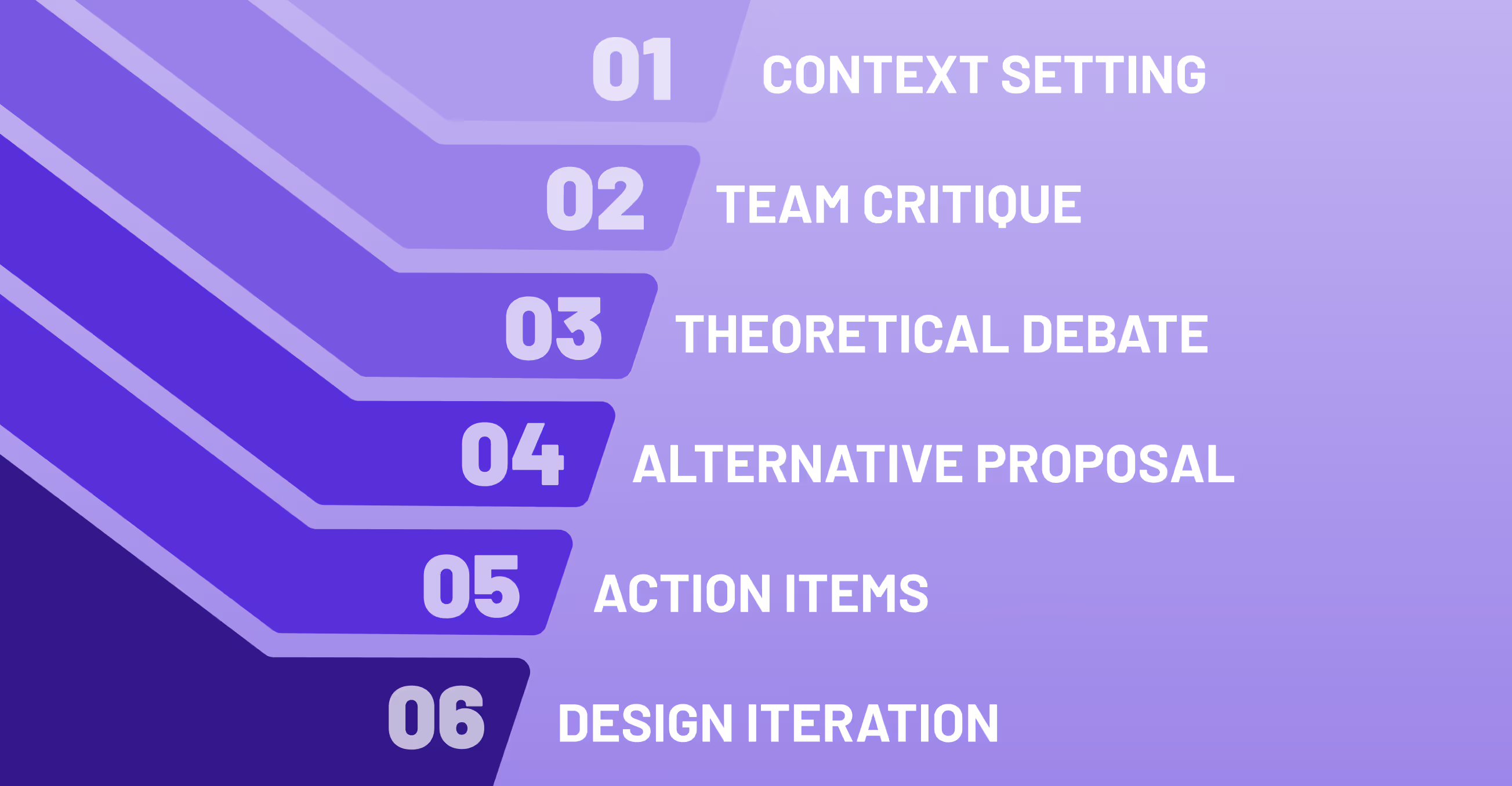
Every UX design critique follows a three-part structure. The core rule is that feedback must be objective analysis (e.g., based on user needs and UX principles) and never personal judgment:
What makes the Kaizen design critique process unique is the dual purpose it serves:
Our golden rule for giving a design critique remains simple: “Critique, explain, propose.” It’s how we stay grounded, theoretical, and solution-oriented at once.
When the critique ends, the feedback doesn't vanish, it's immediately actionable:
Every session becomes part of our collective learning system, building a repository of UX design best practices.
For us, design critiques are not mere meetings; they are a ritual of learning. They remind us that good design doesn't happen in isolation, and that growth comes from openness, respect, and shared curiosity.
When asked how Kaizen’s UX team achieves consistent quality, we point to this practice: a warm group of people, united by listening deeply, questioning respectfully, and building better designs together.
No blogs matched this category, try applying different filters.