



Generative UI: What it is, how it works, and when to use it
Generative UI lets AI build the screen each user needs, in real time. What it is, how it works, the trade-offs, and two working demos we built.

12 min read
Read more

Insights, stories, and experiments from our team.
AI
UX Design
Generative UI lets AI build the screen each user needs, in real time. What it is, how it works, the trade-offs, and two working demos we built.

Santiago Chiappa
·

Jul 17, 2026
·
12 min read

Generative UI is a full-stack architecture that lets AI create, modify, and render user interfaces in real time, based on what each user needs at that exact moment. Instead of static, predefined screens, the interface assembles itself on the fly: a bar chart, a table, a comparison card when you're comparing things.
We've been building proofs of concept with it for the past few weeks. Most of what's written about generative UI is either too abstract or too exciting, so this is our attempt at neither: what it is, how it works, where it helps, where it doesn't, and what we learned from two demos we built.
Generative UI is a full-stack architecture: the backend talks to the LLM, decides what the answer should look like, and picks the components, while the frontend renders them and handles how the user interacts with what’s on screen.
Compare that with how interfaces have always worked. A designer decides what goes on each screen, a developer builds it, and every user sees the same thing. Forever, or until the next redesign.
Generative UI flips that. The interface becomes dynamic and personal instead of static and universal. The AI doesn't just answer your question, it designs the screen that answers your question.
Dashboards and reporting are the most common use cases, but they're far from the only one. The same pattern works for dynamic forms, onboarding flows, and customer support, as it takes input just as easily as it presents output. It can even adjust font size, contrast, or layout for users with low vision, color blindness, or cognitive load.
There are three levels of generative UI, from most constrained to most open (Google Cloud, 2026):
Most production systems today use the declarative approach, and that's what this post assumes from here on. The AI isn't writing HTML or CSS freestyle. It selects components, fills in pre-designed widgets, and composes them into the right screen.
Generative UI works by turning a user request into structured data that describes an interface, then rendering that data as real components. The flow looks like this:
To the user, the result feels like magic. Behind the scenes, it's structured data flowing through a well-defined pipeline. We prefer the second description. It's the one you can build on.
Generative UI trades real personalization and faster development for added latency, inference costs, and less predictable layouts. That's the honest version. Here are the details.
None of these are dealbreakers. There are known techniques to mitigate each one.
We built two demos. One with fictional data, one on top of a tool we use every day.
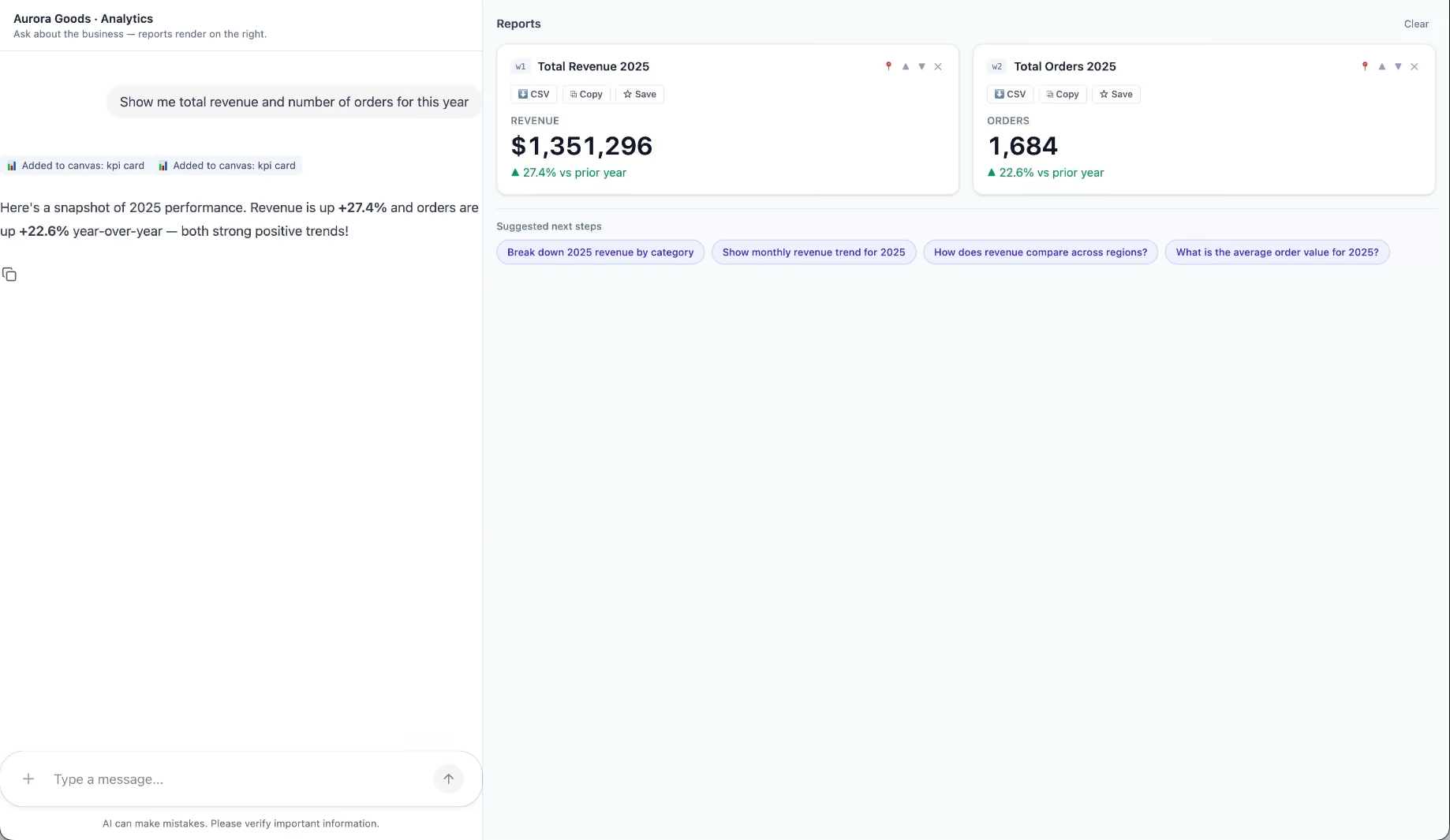
Aurora Goods is a fictional consumer e-commerce platform we created for the demo. The interface is simple: chat on the left, canvas on the right. You ask about the business, the LLM figures out what you need, pulls the data, and renders it visually.
Ask about 2025 sales and it shows the numbers on cards, with a short note on anything relevant. Ask it to break that down by region and it extends the same view instead of starting over, because it understands the second question builds on the first. This part took us a while to get right, and it's what makes the whole thing feel like a conversation rather than a search box.
The canvas isn't output-only either. You can click into any element and drill down: revenue by category, then inside electronics, then which products sold most.
You configure the widgets once. The system combines them and adds relevant commentary on the spot.
The second demo is closer to home: a generative reporting layer on top of the time-tracking tool we use every day at Kaizen. The questions in this demo are questions someone here has actually asked.
Instead of building dozens of hyper-specific reports, a small amount of code now handles virtually unlimited queries. How many hours were logged in May? Which anomalies showed up in April? How do billable and non-billable hours compare across two months? Who worked on a given project last month, and for how long? Each answer arrives as the right visualization: cards, lists, bar charts, plus a short summary that's easy to scan.
Two details won us over. The LLM suggests next steps, so exploring the data becomes a conversation. And when it's not sure, it asks instead of assuming. Ask for the hours of someone named Alex and, since we have more than one Alex on the team, it asks which one before answering.
Generative UI is a complement, not a replacement. Standard interfaces still win for stable, repetitive workflows where consistency matters. Nobody wants their checkout button to be creative. Generative UI wins where the workflow is complex and the questions are unpredictable.
It also changes what design systems are for. Beyond designing components and screens, teams will need to define semantic rules: how the AI should react to uncertainty, which interfaces match which intentions, and the guardrails that keep generated screens functional and safe.
That's a new kind of design work. And it's already starting.
We build working proofs of concept in two weeks. Your data, your workflows, a real thing you can click.
Generative UI lets AI build the screen each user needs, in real time. What it is, how it works, the trade-offs, and two working demos we built.
12 min read
AI
Technology

·
Apr 30, 2025
We tried Windsurf, an AI-first IDE. Here’s what stood out.
12 read time
If you’re a software developer, you’ve probably used an Integrated Development Environment (IDE) like Visual Studio Code to write, test, and debug code.
Now imagine that same workspace, but with an intelligent assistant that does some of the work for you. That, in essence, is Windsurf. Let’s go over the essentials of this new AI tool.
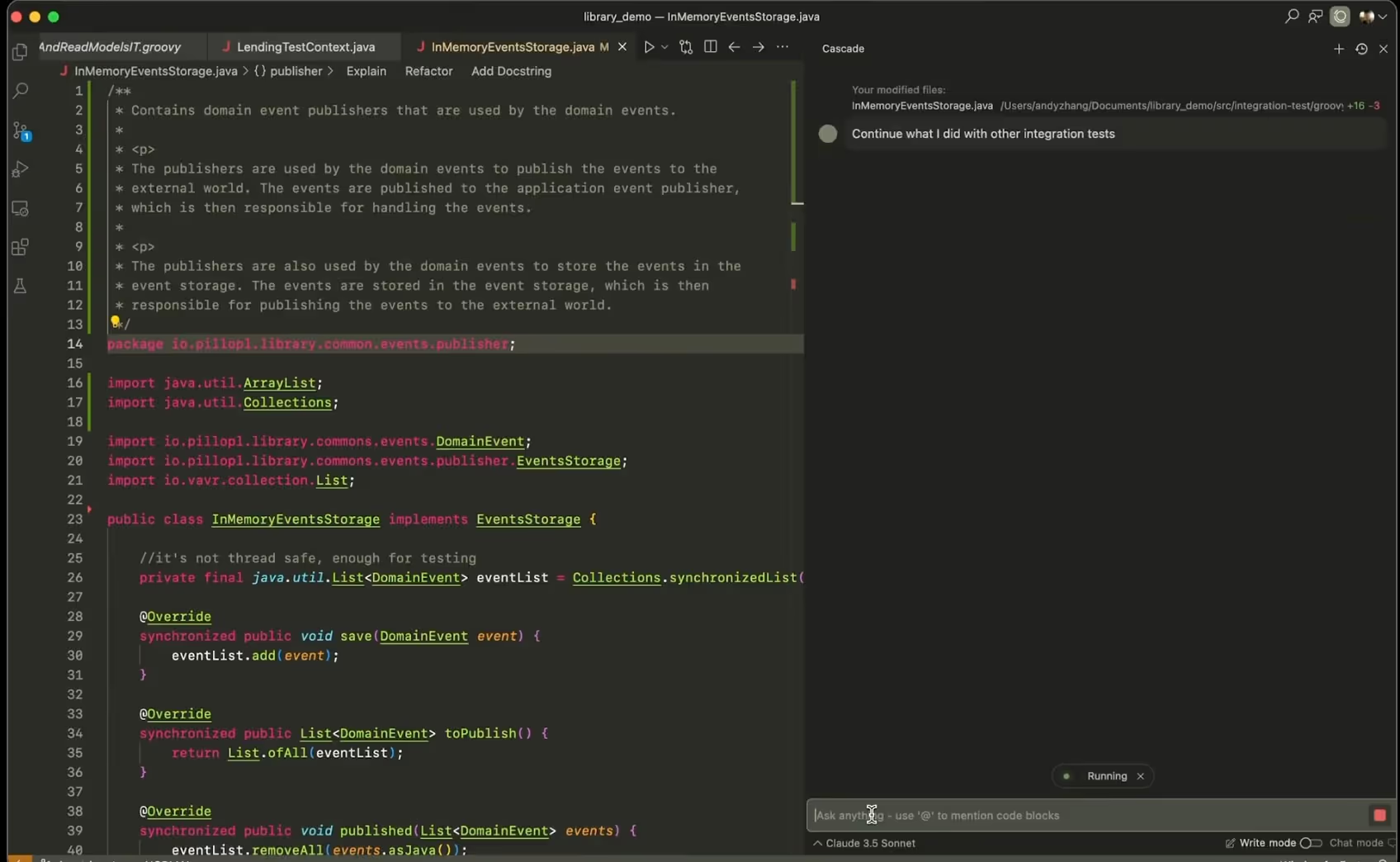
To give you a quick idea, Windsurf is like a Visual Studio Code pumped up with AI on steroids. Technically, it's a fork of VS Code, which means it takes the solid, open-source foundation of VS Code and adds new AI-powered functionalities.
Windsurf’s standout feature is its autonomous AI agent, called Cascade, that can understand natural language, perform complex coding tasks, and interact with your project. Think about having a virtual programming buddy you can talk to and ask to do things.

This agent not only understands your commands but is also capable of chaining together several complex actions to achieve your goals, like:
💡This autonomous agent isn't here to replace you as a programmer. Instead, it aims for an intelligent collaboration. You NEED to give them the context and instructions, MUST review its suggestions, and HAVE TO accept or decline the results.
To carry out these complex tasks, Windsurf provides its autonomous agent with a series of specialized tools:
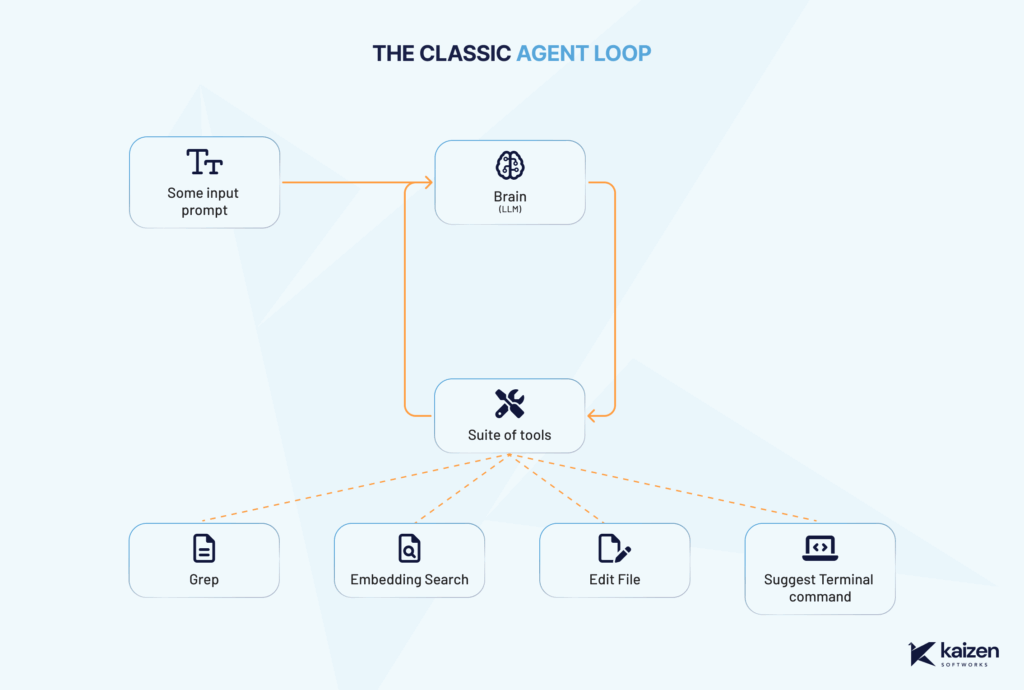
Windsurf’s workflow has three key parts:
It's important to understand that LLMs are probabilistic, meaning that given the same instruction, they won't always generate the same response.
In the context of programming, where we seek precise results, this highlights the importance of clear human guidance and careful review of what the agent proposes. If your instruction is ambiguous, the result could be either useful or completely wrong.
Windsurf runs on different large language models (LLMs), like the ones behind ChatGPT or Gemini. These are foundational models trained on massive amounts of data, giving them broad general knowledge.

Each prompt uses "credits" that get renowned each month if you have a pro or enterprise plan. Be careful as more advanced models are more expensive and cost more credits per prompt.
However, they don’t know everything. If something wasn’t part of the training data, or if it happened after the model’s cutoff date (e.g., June 2024), the model won’t know it unless you tell it. This means it wont be able to use the latest version of some libraries so always ask the model "what’s the latest version of x" to double check.
Also, no AI model fully understands the current state of your code or documents out of the box. That’s why Windsurf uses the tools mentioned above to explore your project and understand it, just like a developer would.
Windsurf relies heavily on context, meaning what you've asked before, what files it has seen, and any information you’ve shared in the session. But it doesn't "learn" new information permanently. For example, if you send it a link, it might use that content during the current conversation, but it won’t remember it afterward. It treats that as temporary context, not long-term memory.
Being among the first IDEs to fully integrate an autonomous AI agent, Windsurf offers a unique approach to coding. Used well, it can help you stay in flow, reduce context-switching, and explore solutions faster.
Ready to start programming with Windsurf? Check out our step-by-step guide and tips here.
Events

·
Apr 11, 2025
Key takeaways from TIA Capital Ideas 2025 on AI adoption, freight fraud, cybersecurity, and the tech shifts shaping logistics.
12 read time
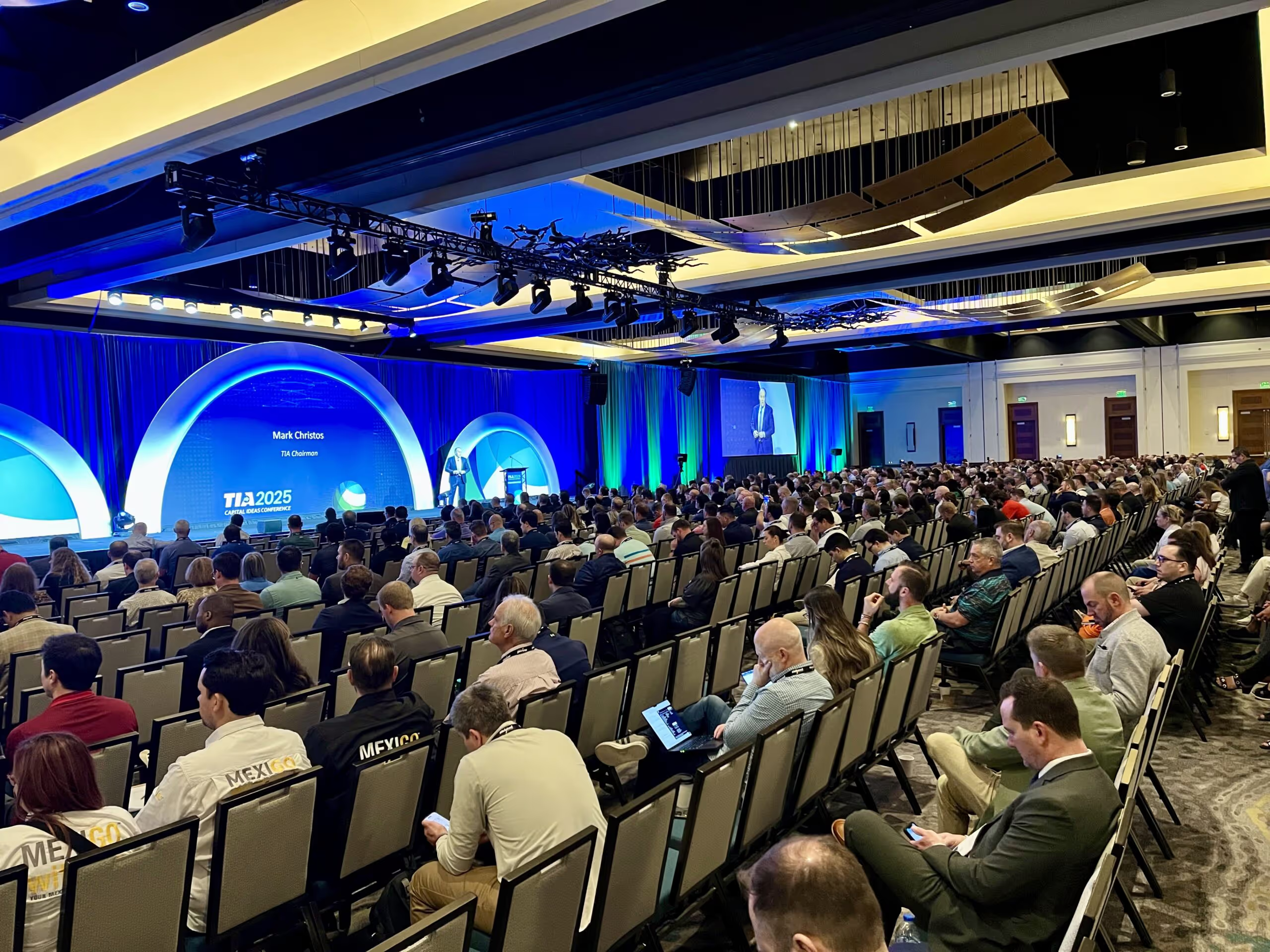
The 2025 TIA Capital Ideas Conference kicked off with powerful messages, sharp insights, and clear calls to action for the logistics industry. With over 1,500 attendees gathered, Day 1 delivered impact and inspiration, especially in a time when freight fraud, cybersecurity, and tech adoption are reshaping how 3PLs and carriers operate.
Here’s what stood out, what we’re still thinking about, and what it means for the future of freight.
TIA Chairman Mark Christos opened the event with a warm welcome, celebrating the organization’s 40+ year legacy. With over 3,500 CTB (Certified Transportation Broker) professionals certified, TIA continues to invest in education and elevate industry standards.
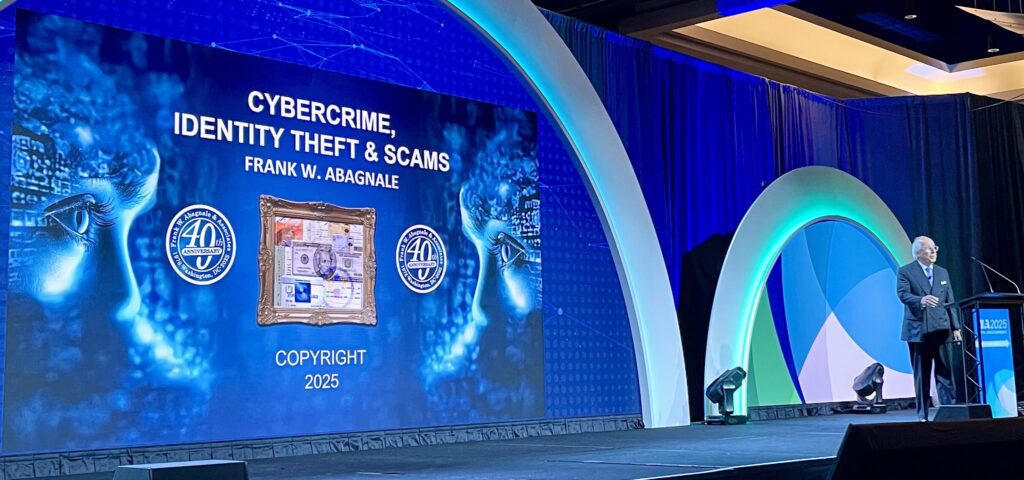
Frank Abagnale, the real-life inspiration behind Catch Me If You Can, opened the conference with a sobering keynote on cybercrime, identity theft, and scams. A bestselling author and FBI educator for over 40 years, Abagnale’s formula was simple but urgent:
Prevention. Verification. Education.
He left the room with alarming stats:
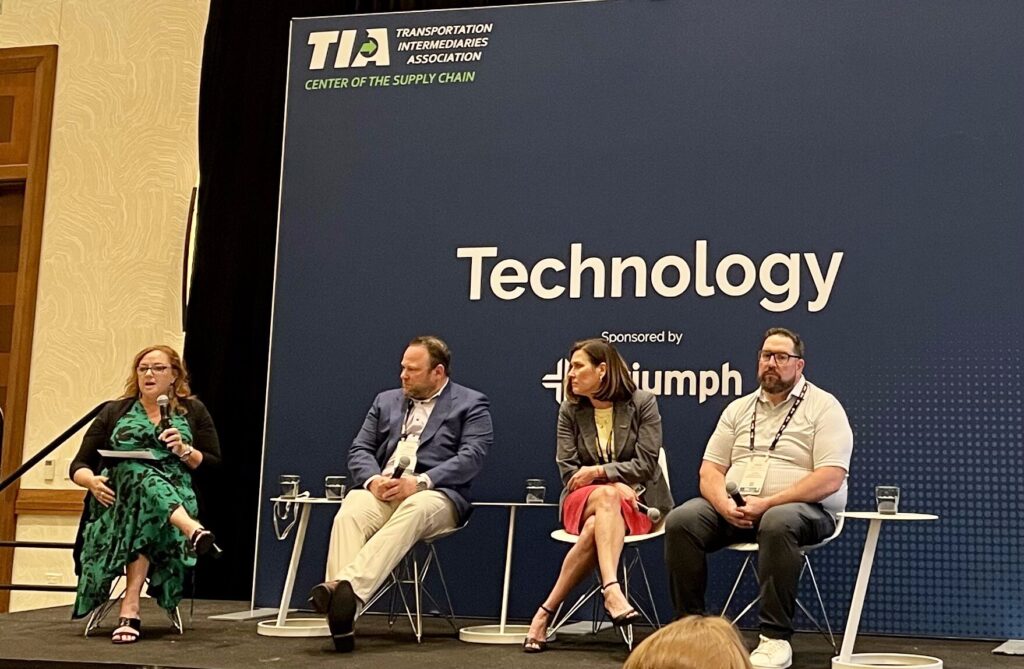
Moderated by Dawn Salvucci-Favier (CEO, Greenscreens), the panel brought together Kevin Sendre, Julia Hoult, and Greg Finnerty to tackle the real-life challenges of implementing AI in freight.
Key takeaways:
“AI is your teammate. It’s the cost of doing business—your competitors are already using it.”
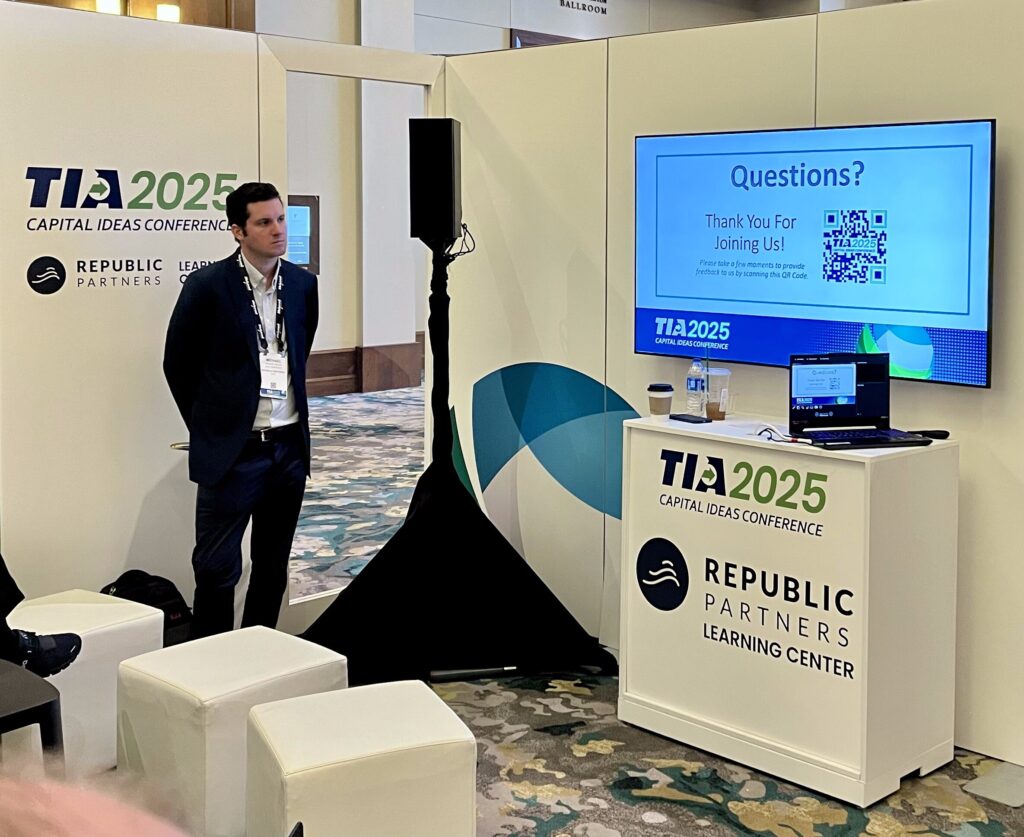
Michael Nolan from Republic Partners shared valuable insight into M&A trends in logistics—especially for family-owned firms.
Highlights:
Open questions we’re still reflecting on:
In a heated political panel, Scott Jennings (CNN), Seth Clevenger (Transport Topics), and other experts unpacked the future of global trade and domestic manufacturing.
Main takeaways:
"This is a restructuring of the world trade order that works for working Americans."
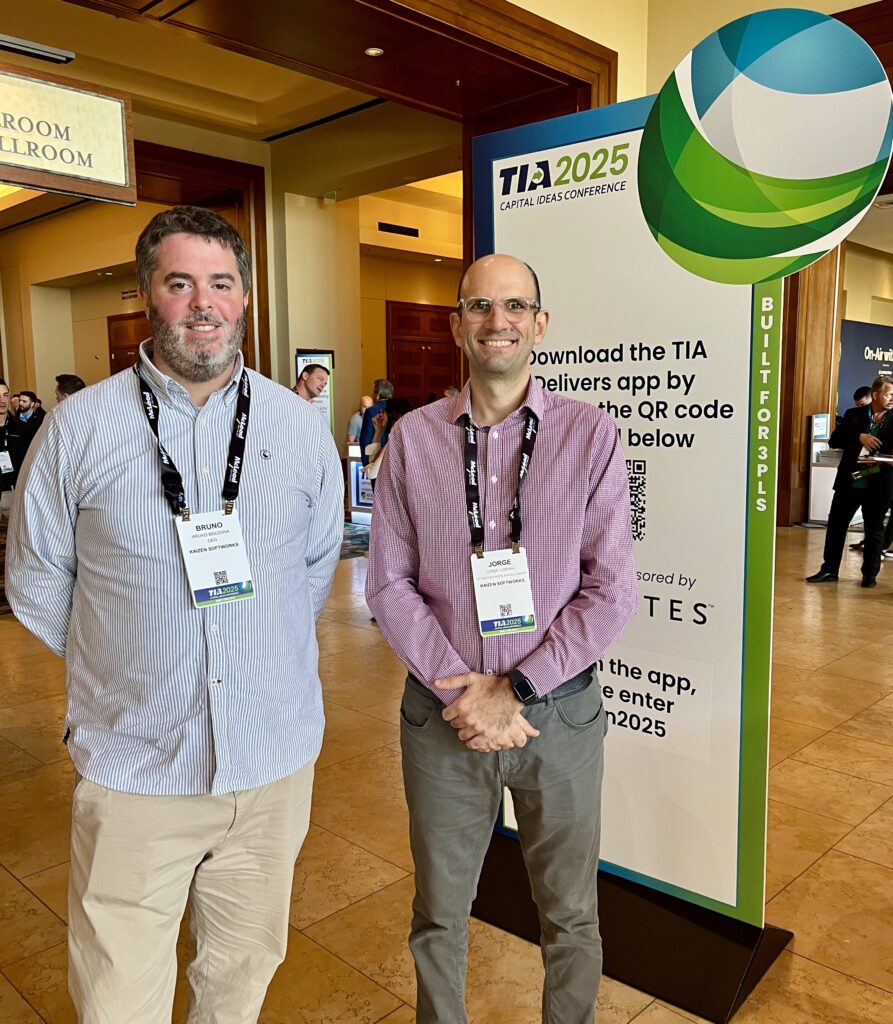
Day 1 of the TIA Capital Ideas Conference set the stage for big conversations in logistics—from cybercrime to AI, M&A to political strategy. Whether you’re a broker, a carrier, or somewhere in between, one thing is clear:
The future of logistics will be shaped by how well we adapt, protect, and innovate—together.
Technology
·
Mar 31, 2025
If your logistics ops feel messy, your software might be the problem.
12 read time
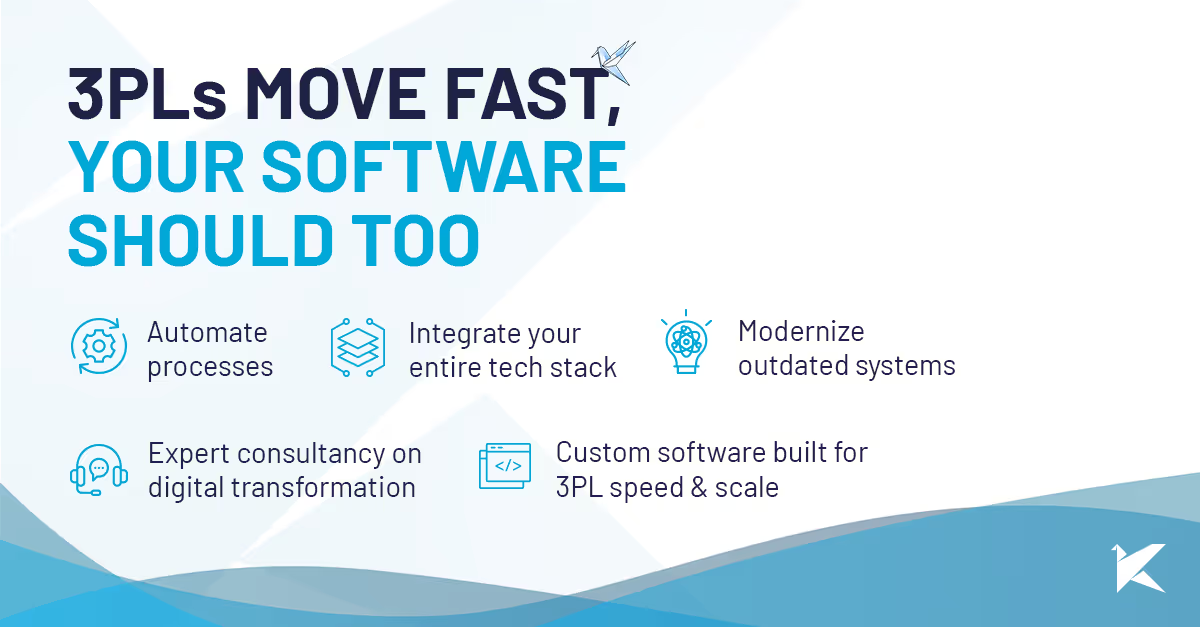
If you’re still dealing with disconnected systems, outdated tech, and manual workarounds, you already know the pain. Missed deadlines, frustrated customers, and unnecessary costs stack up fast. What you might not know? There’s a better way.
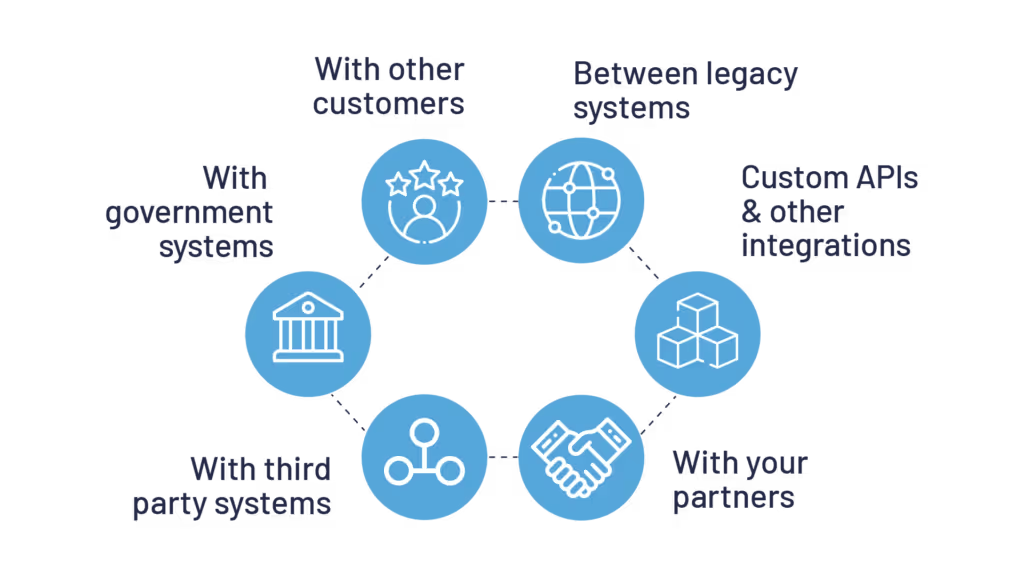
Jumping between platforms, copying and pasting data, dealing with errors, it’s a nightmare. Your WMS, TMS, CRM, and ERP should work together, not fight against each other. When systems don’t communicate, shipments get delayed, customer inquiries take longer to resolve, and decision-making suffers.
We integrate your systems so your data flows automatically. No more repetitive tasks, no more hunting for the right information. Just real-time visibility, and faster decisions, so you can stay ahead of demand and keep your customers happy.
Repetitive tasks like data entry, tracking shipments, or fixing billing issues waste time and cause errors. They also keep your team from focusing on real priorities—optimizing operations and improving customer relationships.
We automate processes that slow you down. From AI-powered customer service bots that handle routine inquiries to cost optimization models that continuously adjust for the best setup, we build solutions that deliver real impact.
Faster workflows, fewer mistakes, and no wasted time. Your team focuses on what matters. Customers get accurate updates without the back-and-forth.
Generic software can be too rigid or too broad, and may not support the specific workflows or integrations that your operations require. Adapting to rigid systems often means clunky workarounds, inefficiencies, and missed opportunities.
We take the time to understand how you operate before building anything. Our free, no-commitment assessment includes three consultation calls:
Legacy systems are slow, expensive to maintain, and full of security risks. They limit your ability to scale, increase operational costs, and put you at risk of compliance violations. Meanwhile, your competitors are upgrading, innovating, and pulling ahead.
We help you migrate to modern, secure, cost-efficient technology. That means:
At Kaizen Softworks, we’ve been partnering with logistics companies, guiding them through digital transformations.
Not sure if your software is helping or holding you back? We’ll give you an honest, expert assessment before you spend a dime.
Let’s make your logistics operation work for you, not against you.

AI

·
Mar 26, 2025
Adopting GenAI isn’t trivial. Here’s how we approach it with clients.
12 read time
Seeing the benefits of GenAI in software development without actively exploring how to implement them in our processes feels like ignoring the obvious.

For this reason, starting this year, Kaizen is investing in developing this competency and understanding how we can apply GenAI in our day-to-day operations and leverage its benefits within software development.
We see two key ways GenAI impacts our discipline:
In short we want to:
To be clear: This exploration focuses specifically on GenAI, excluding other areas like Machine Learning, Computer Vision, Natural Language Processing, and Robotics.
This is not a post about the benefits of GenAI applied to software development, so I won't delve into that. I'll take it as obvious that the impact is expected to be massive and inevitable.
Faced with this large-scale transformation, it's natural that both the people who make up our teams and our clients feel curious, question its scope, and actively seek ways to incorporate this technology into their daily work.
This drive has two key engines: on one hand, the sheer magnitude of the technological disruption we are witnessing and, on the other, people's innate curiosity to explore its potential. We want to channel this energy in a structured way, ensuring that the adoption of generative AI is carried out with an organized and sustainable long-term approach within Kaizen.
Our commitment is to guide this revolution responsibly, protecting the privacy of data and the security of our clients and collaborators. The key is not just to integrate the technology, but to do so in a way that enhances human capabilities and generates a real and positive impact in our industry.
One challenge in adopting this technology is that its process is completely different from cloud solutions, specific frameworks, or programming paradigm changes that we are already familiar with.
A priori, the difference mainly lies in that:
Therefore, we understand that adopting GenAI cannot be done in a deterministic way. Instead, it's better to see it as a wicked problem (complex problem, without a clear or definitive solution), because there is no clear process for achieving adoption and we don't know what needs to happen or should have happened to affirm that we have adopted GenAI and that we are using it in an appropriate and productive way.
To carry out this adoption process in an organized and effective way, we are leveraging a company area called Innovation Hub. In this space, projects are developed and teams are formed to work on different initiatives. The goal of this group is to help us expand our offerings, support the technical pre-sales team, take advantage of opportunities to improve the company's administrative and operational efficiency, and simultaneously acquire knowledge about new technologies.
This group seeks elasticity, where different people from various teams can work on a common project. It proactively encourages participation from different people, which promotes cross-pollination and a culture of innovation.
Additionally, to address the AI adoption project given the characteristics of this technology, inspiration was drawn from Henrik Kniberg's book "Generative AI in a Nutshell", especially the chapter referring to "Leading the Change."
We found in this approach a mechanism that tackles the complexity of adopting something as disruptive as AI, promotes experimentation, responsible use, and is quite compatible with our culture and organizational structure. A key characteristic is that it is bottom-up and top-down approach, seeking to viralize adoption through demonstrations of what can be done while making formal mechanisms available to make time and tools available to learn how to use it.
Generative artificial intelligence is transforming the software industry, and at Kaizen we are not passive spectators: we are actively exploring how to apply it in concrete, useful, and responsible ways.
As a client, this means that:
We will create spaces for dialogue to discover together how GenAI can bring real value to your business. The future is inevitable, but we can choose how to build it. And at Kaizen, we want to build it together with you.
Events
·
Feb 14, 2025
Manifest 2025 showed how AI, automation, resilience, and sustainability are shaping the next stage of logistics and supply chain.
12 read time
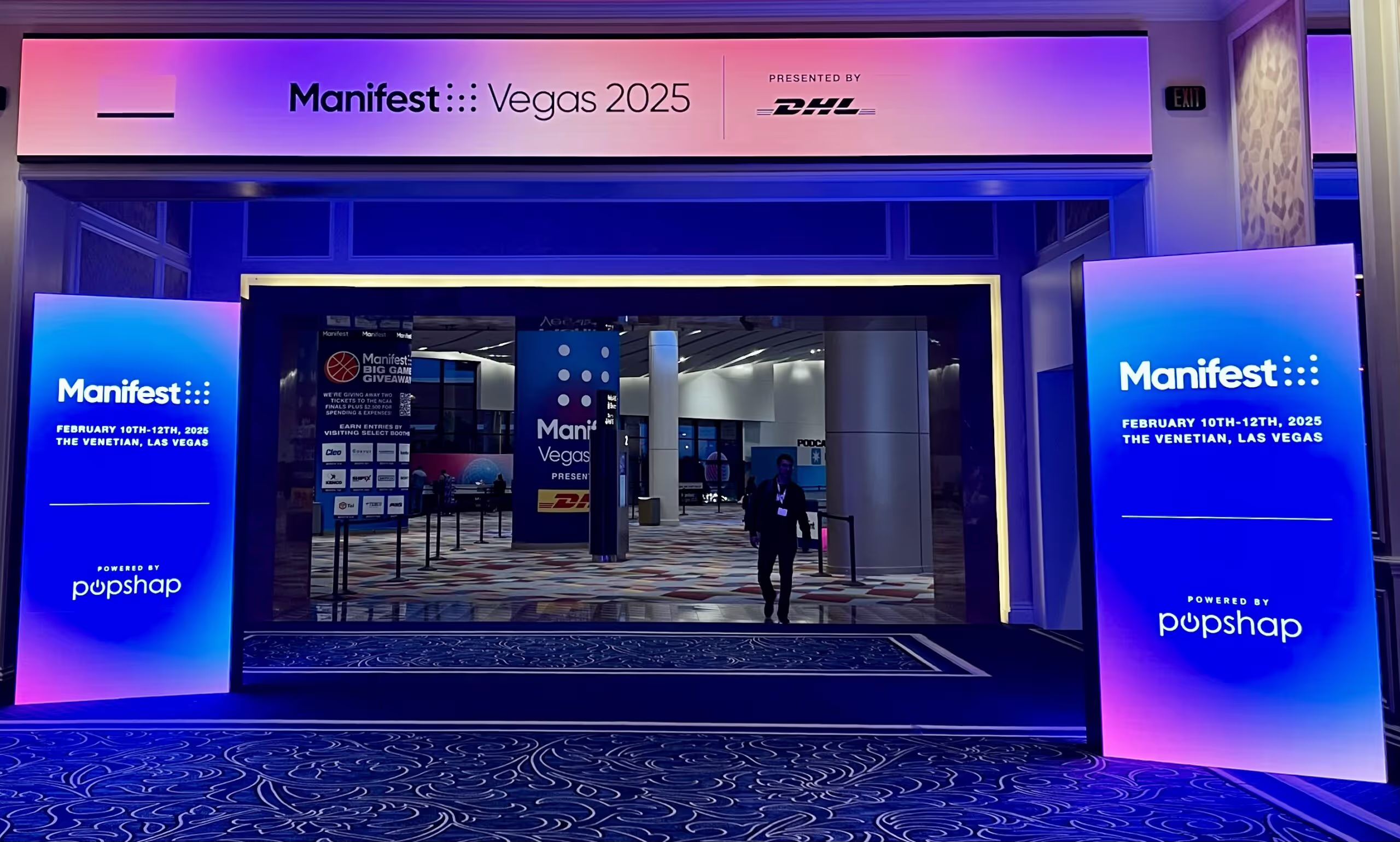
Manifest 2025 by DHL brought together over 7,000 industry leaders from top logistics, technology, and retail companies, solidifying its status as one of the most influential supply chain events of the year. Held at The Venetian in Las Vegas over two days, the conference featured insightful keynotes, expert panels, and hands-on tech showcases, addressing the most pressing challenges and innovations shaping the industry.
The message was loud and clear: AI and automation are now a necessity, not a luxury. Companies that fail to integrate AI-driven analytics, robotics, and automated workflows risk falling behind.
The past few years have proven that supply chains must be prepared for disruptions—whether from pandemics, geopolitical tensions, or climate events. The most resilient companies are focusing on:
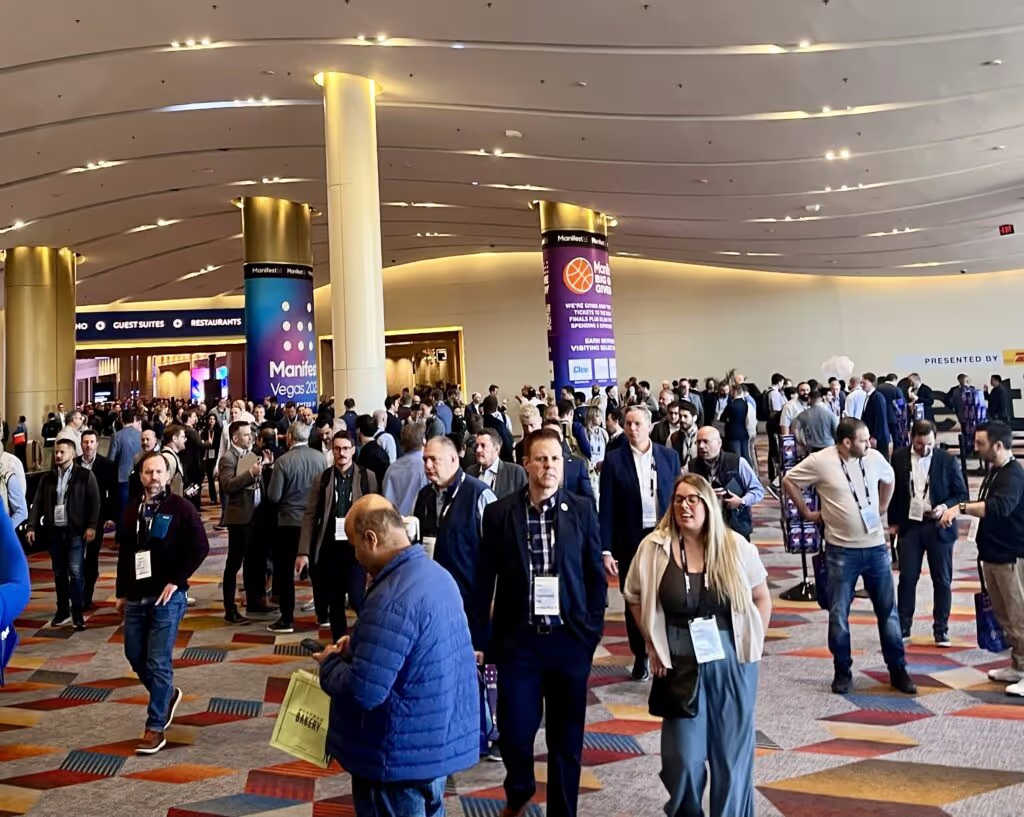
Sustainability is no longer just a corporate responsibility—it’s a business imperative. Customers and regulators are demanding greener solutions, and companies that take action are gaining a competitive edge.
Real-time data and analytics are empowering businesses to make smarter, faster decisions across the entire supply chain.
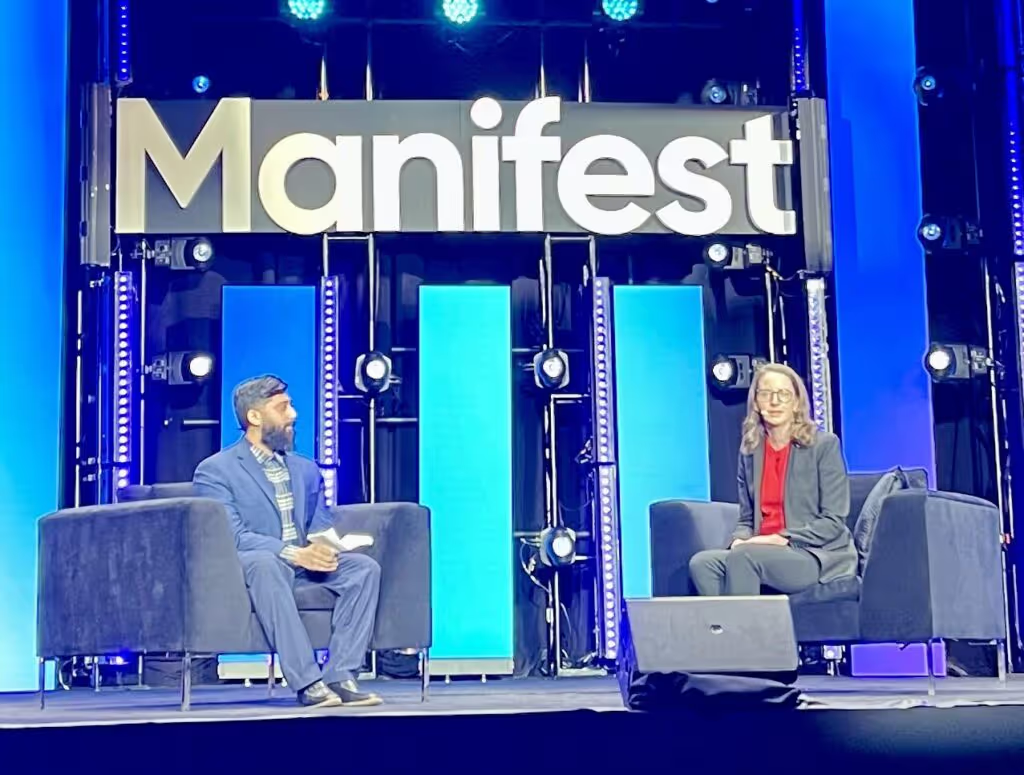
Despite rapid technological advancements, human expertise remains critical. Workforce training, change management, and leadership in digital transformation were recurring themes at the event.
Manifest 2025 made it clear: the future of logistics and supply chain is tech-driven, resilient, sustainable, and data-powered. Companies that embrace these trends will lead the industry forward.
Want to know exactly how software can help in logistics? Check out our projects to see how we're driving innovation in the industry.

Events
·
Feb 1, 2025
We looked into JumpStart 2025. Here’s what to expect from this logistics-focused event.
12 read time
I had the chance to attend JumpStart 2025, organized by SMC³, in Atlanta from January 27-29. It was an amazing event that brought together professionals from all parts of the supply chain—carriers, shippers, logistics service providers, and tech innovators. I wanted to share a few key insights from the event that really stood out to me.
A major theme at the event was the growing role of AI and automation in the industry. The keynote by Zack Kass, an AI futurist and former Head of Go-To-Market for OpenAI, highlighted how artificial intelligence is transforming supply chains. And it wasn’t just in the keynote; this topic came up in several other sessions.
What I found particularly interesting is that AI and automation aren’t being used to cut jobs—they’re being used to free up employees so they can focus on higher-value tasks. The cost savings from these technologies are being reinvested into improving processes and creating new opportunities for people.
One cool example I saw was how companies are using AI to turn unstructured data, like emails, into structured data. This really helps businesses manage the huge amounts of information they deal with on a daily basis.
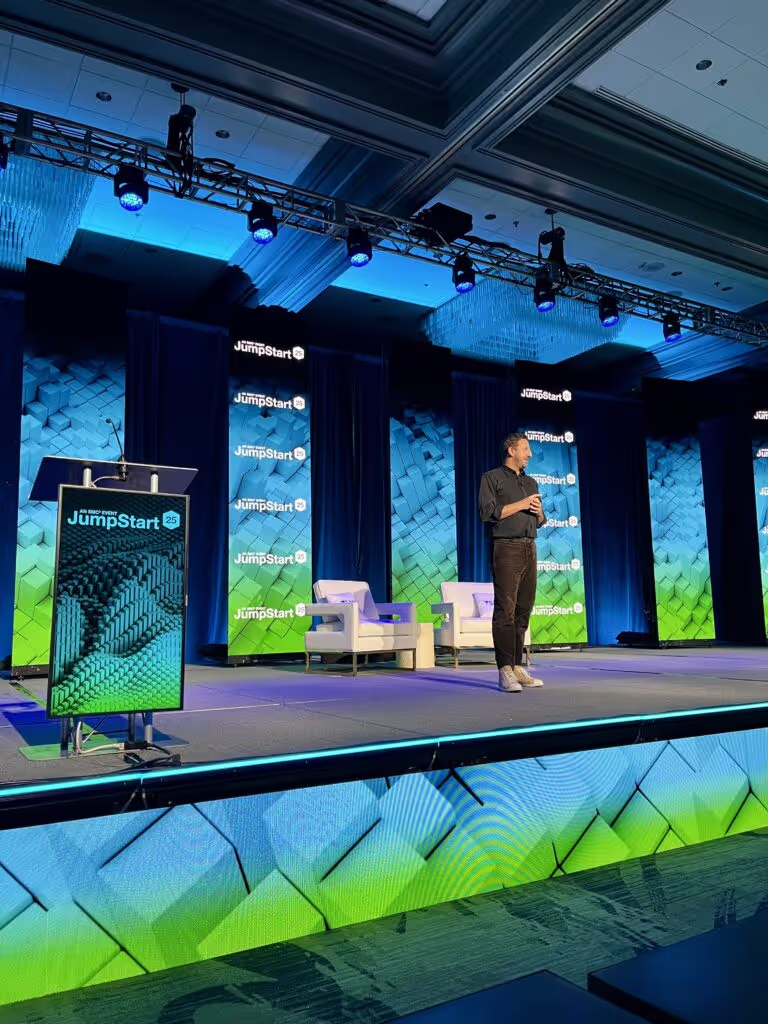
It was also clear that AI is no longer just used externally (like chatbots talking to customers). Companies are now applying AI internally, too.
For example, some are using it to speed up onboarding for new salespeople by analyzing past customer interactions. Others are using AI for route optimization or forecasting shipment volumes, and these systems continuously learn and improve over time.
I also noticed a shift in the way 3PL (third-party logistics) clients view their service providers. Everyone’s using a TMS (Transport Management System) these days, so it’s no longer a differentiator. What clients are really looking for now is a more consultative approach—a service provider who can offer strategic insights and solutions beyond just the basic operational needs.

In the past, there’s been some tension between 3PLs and carriers, but that’s starting to change. Now, both sides are learning to collaborate more effectively. One panelist even mentioned that 3PLs now represent a third of a carrier’s transport bookings, showing just how much the relationship has evolved.
When it comes to the top concerns of shippers, it hasn’t changed much: it’s all about making sure goods arrive on time and in one piece. Despite all the advancements in tech, reliability and service quality are still at the forefront of everyone’s minds.
One of the most valuable insights from the event was the reminder that you need to understand and optimize your processes before implementing new technology. A speaker made a point that really hit home: if you automate a broken process, all you’re doing is making mistakes faster. Technology needs to be integrated thoughtfully to improve workflows, not just speed them up.
The LTL (Less Than Truckload) sector is making progress with digitalization, but there’s still a long way to go. For example, one major carrier shared that they only receive about one-third of their Bill of Lading (BOL) documents digitally. But the trend is moving in the right direction, and those who don’t adopt technology will likely face higher costs in the future.

JumpStart 2025 was an incredible event that gave me a deeper understanding of where the logistics and supply chain industry is headed. The discussions around AI, automation, and digital transformation were eye-opening, and it’s clear that major changes are on the horizon. For anyone in the supply chain space, the insights gained from this event are crucial for staying ahead of the curve.
If you want to stay on top of the trends shaping the future of logistics, I’d definitely recommend attending events like JumpStart. It’s a great way to stay informed and connect with others who are driving change in the industry.
Project Management
UX Design

·
Jan 16, 2025
Design and dev don’t always click. This workshop helped us close that gap and work better together.
12 read time
Keeping product, design, and development teams aligned can be challenging. Even with the best intentions, teams often have different goals, methods, and definitions of success, which can lead to disconnects that ultimately impact the product’s ability to meet user needs.
At Kaizen Softworks, I recently led a Design Thinking workshop focused on improving collaboration among cross-functional teams by aligning their goals and reducing misalignments. We used one of our client’s product teams as a case study to apply Design Thinking. Here’s a breakdown of how we approached each stage, with examples and takeaways.
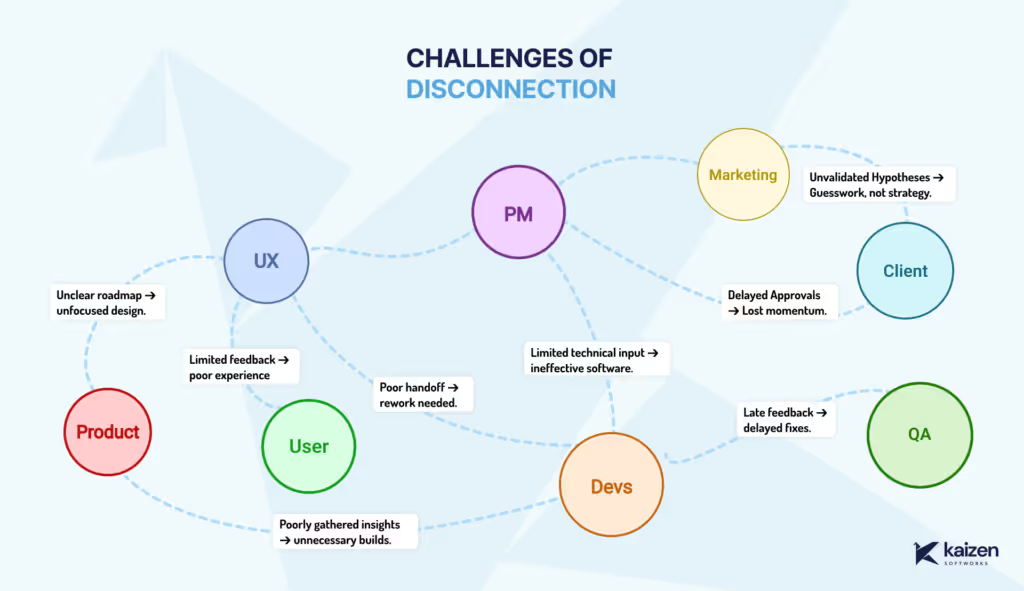
Cross-functional disconnects can arise from unclear roadmaps, limited technical input, and delayed feedback loops. Product may envision one outcome, design may prioritize another, and development faces technical constraints in between. To kick off, we discussed these challenges openly, exploring how they impact alignment, feature quality, and user experience.
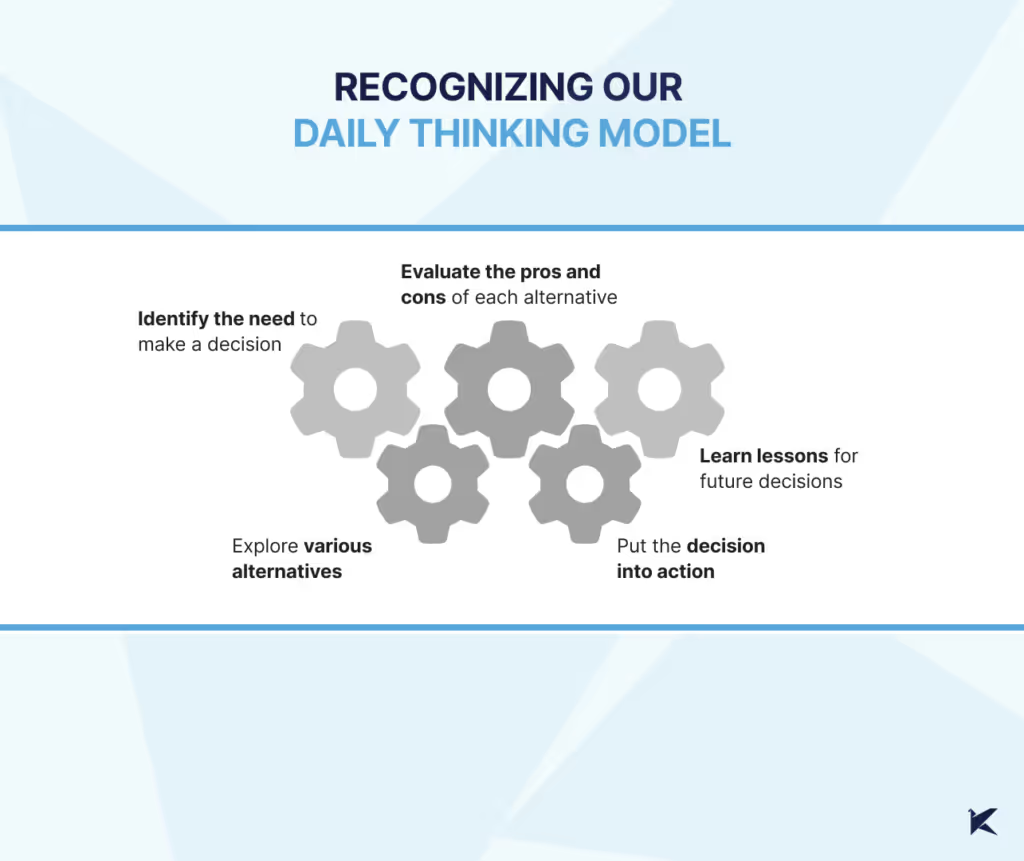
Every team member brings a unique thinking style to the table, shaped by their daily challenges and responsibilities: product might focus strategically, design zeros in on details, and development leans towards solution-oriented thinking. This awareness helps us understand each other’s perspectives
In this workshop, we each shared how we approach decision-making in our roles. This awareness helped us see where our natural modes might cause friction and allowed us to step into each other’s shoes, fostering empathy and a willingness to adapt our thinking for the collective goal.
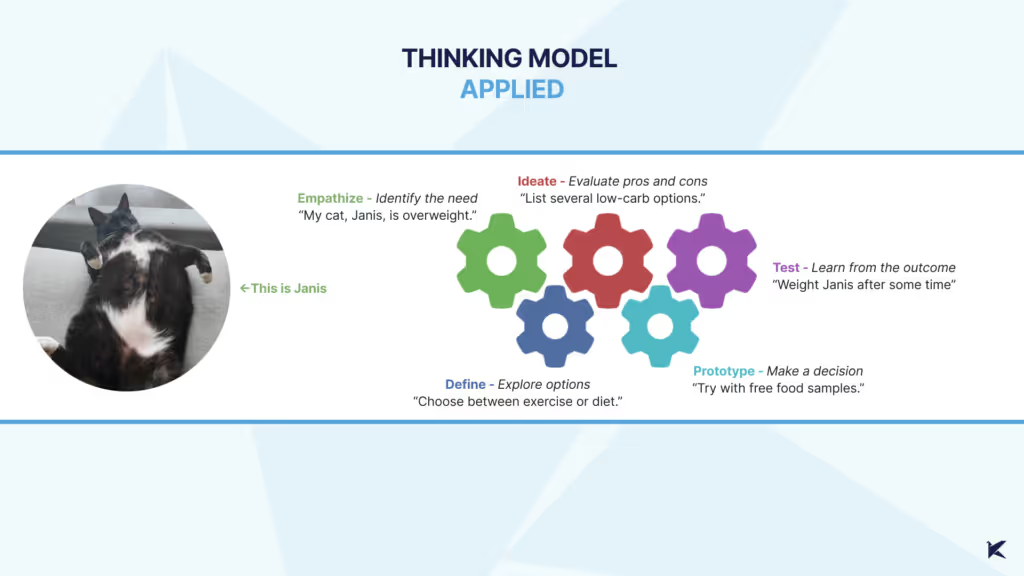
Here’s how each stage played out in our client’s project
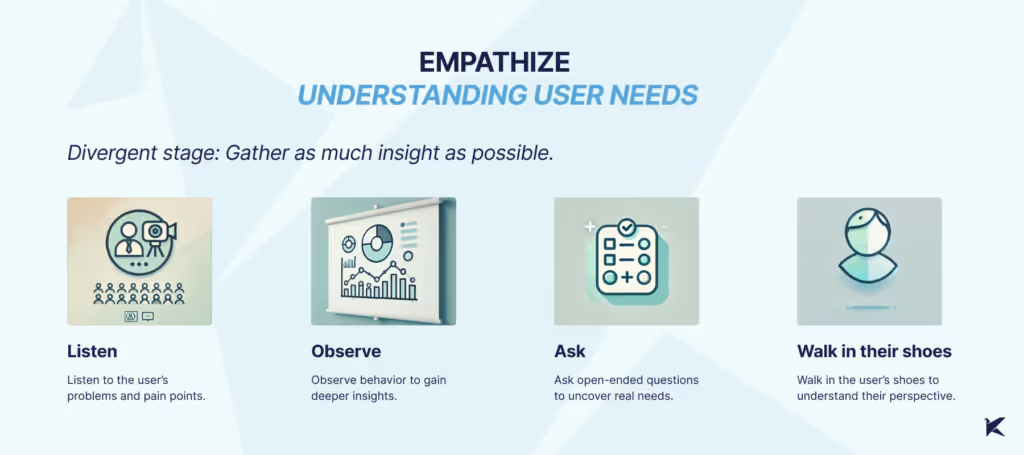
What We Did: We started gathering data on device usage by app users, allowing the UX team to conduct a Design Review. This uncovered issues with the UI on smaller screens, which hadn’t been fully considered. The result? Usability problems and frustration for users who needed to complete tasks on smaller devices.
What Could Have Been Improved: Earlier metric analysis could have highlighted these usability issues sooner, leading to a more user-focused approach from the start.
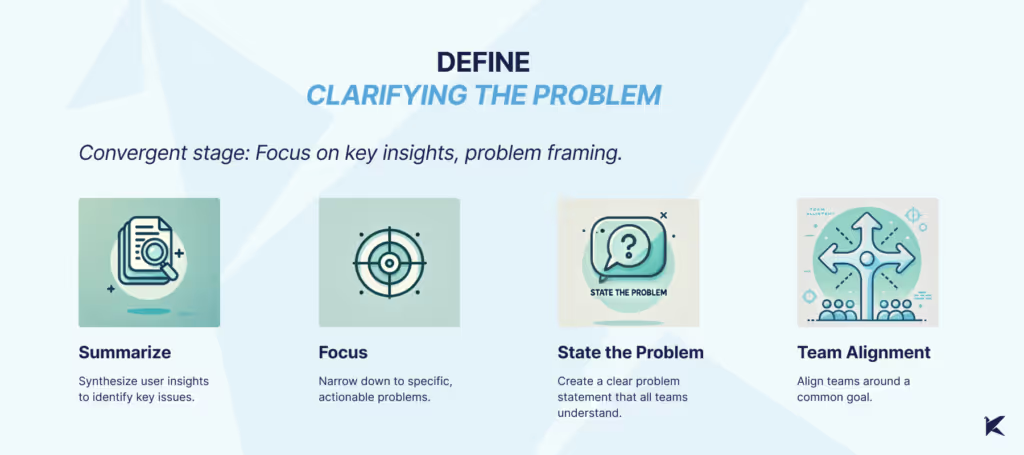
What We Did: With a clearer view of user pain points, we pinpointed specific issues, such as tasks left incomplete on smaller screens, which resulted in penalties and manual fixes. We defined the problem as a need for a feature allowing managers to exclude certain tasks from reports—a clear problem statement that helped all teams align on a common purpose.
What Could Have Been Improved: Better communication across teams could have surfaced this problem earlier, minimizing the need for manual workarounds
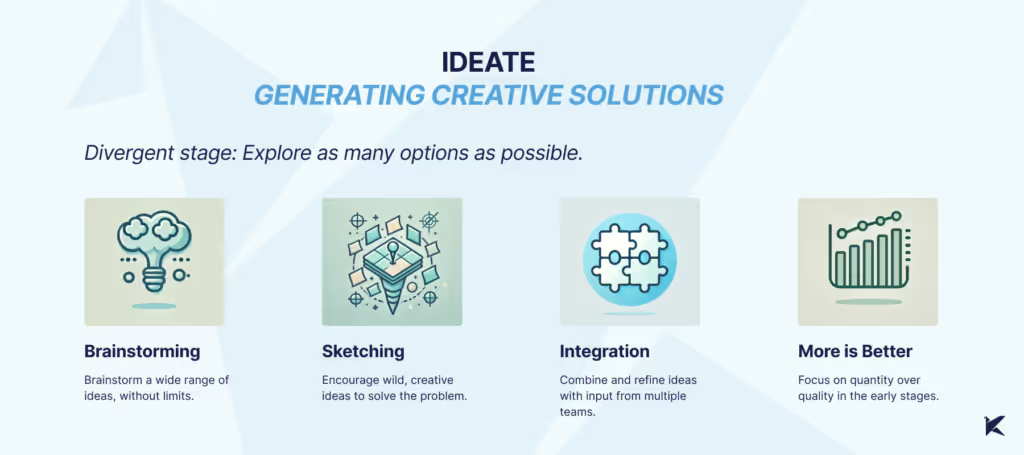
What We Did: We used techniques like Crazy 8s and mind mapping to generate a wide array of ideas, fostering a creative environment where all perspectives were valued. By the end, we had a solid list of potential solutions and a better cross-team understanding.
What Could Have Been Improved: Gathering more user feedback at this stage could have helped us focus on user-centered ideas. Cross-team ideation sessions could have further enriched our perspectives.
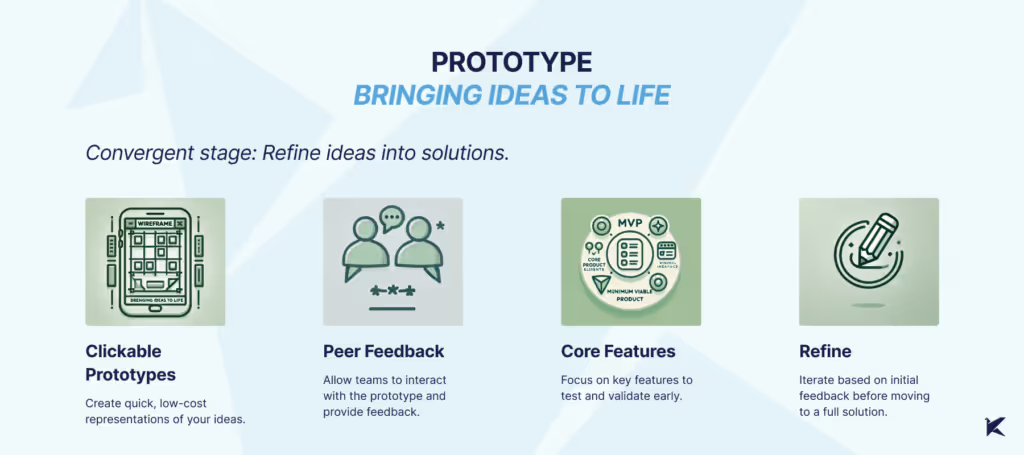
What We Did: Our UX team created low-fidelity prototypes, enabling early testing and feedback without heavy resource commitment. This gave each team a tangible starting point to discuss and refine.
What Could Have Been Improved: Staying in low-fidelity longer could have allowed for more experimentation, helping us catch usability issues before moving to high-fidelity designs.
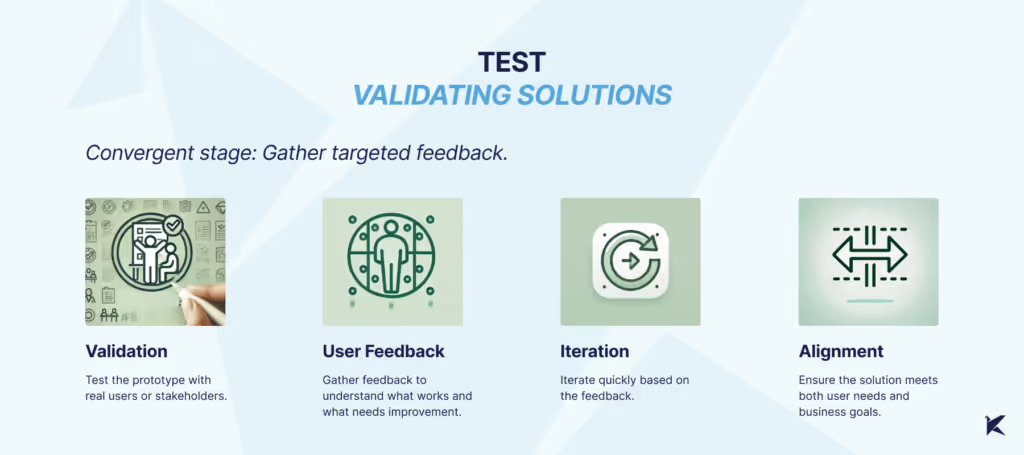
What We Did: Finally, we tested our prototypes with users, which surfaced usability issues on smaller screens that might have otherwise gone unnoticed. This feedback was essential in fine-tuning the design to meet both user and technical requirements.
What Could Have Been Improved: More in-depth testing during the Empathize phase could have brought some of these issues to light earlier, leading to a more robust and user-friendly solution.
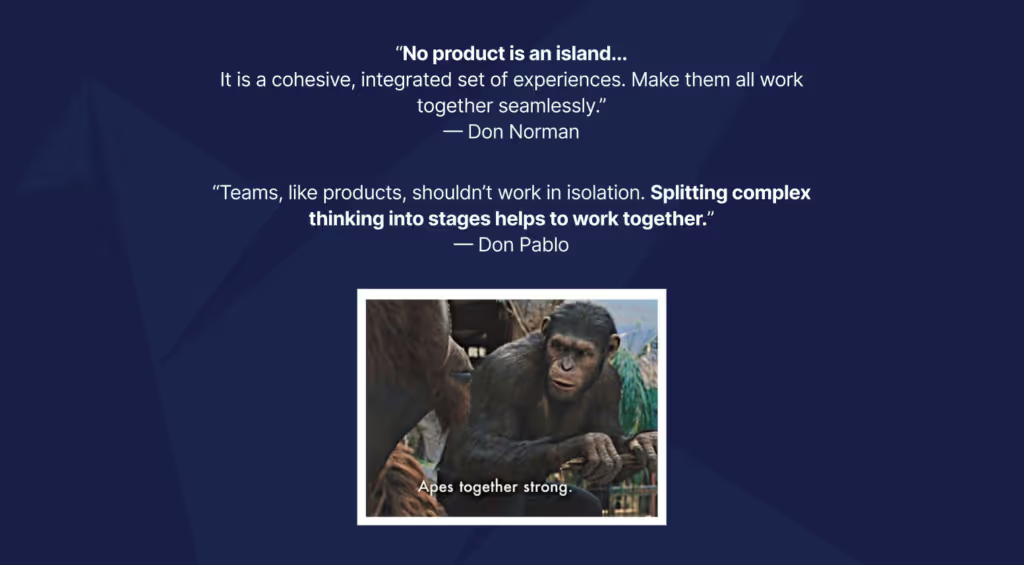
The idea behind this workshop wasn’t just to solve a problem—it was to understand the structure of how we think. Thinking often feels automatic, something that happens so quickly we barely notice it. By breaking it down into clear, identifiable stages, we created a way to not only recognize our own thought processes but also align as a team.
Technology
Business
·
Jan 6, 2025
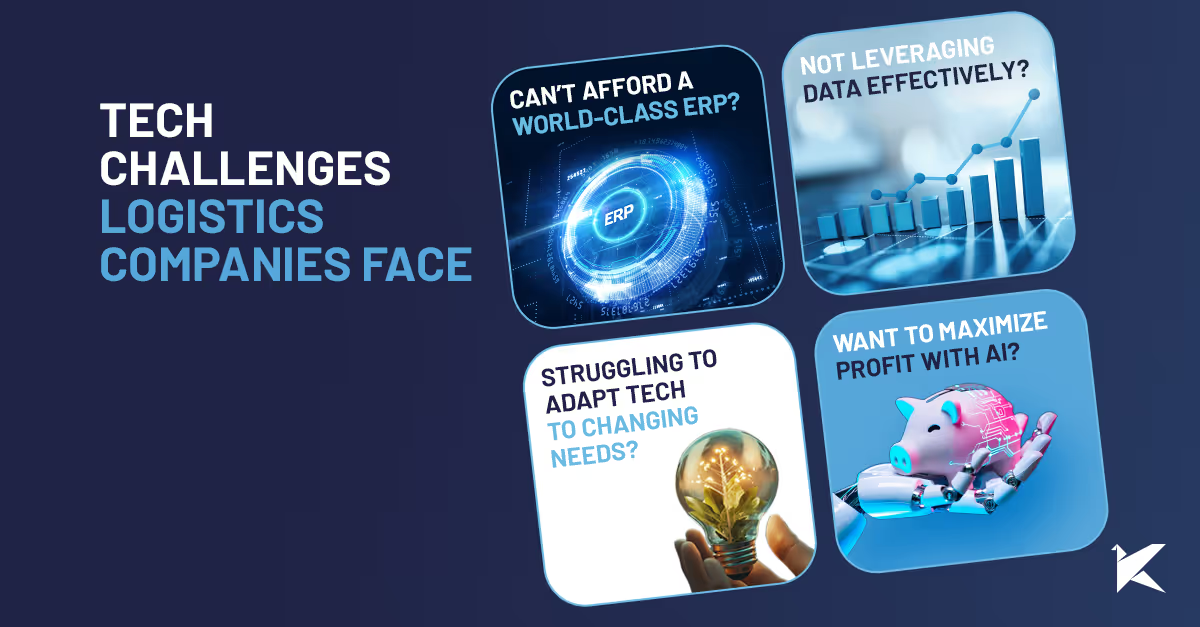
Most small logistics companies run into the same tech issues: these are the ones we keep seeing again and again.
12 read time
Running a logistics business is tough—tight margins, unpredictable demand, and evolving customer expectations make it even harder. Outdated technology only adds to the challenge.
At Kaizen Softworks, we’ve spent years helping logistics leaders like Livingston, Smartborder and SmartSense by Digi tackle these issues. Here are the most common tech pain points and how we can help.
If you’ve ever looked into off-the-shelf software, you know the deal: it’s expensive, bloated with features you’ll never use, or missing the key ones you need most. So, what’s the alternative?
The fix:
Custom software can give you the functionality of a world-class ERP without the hefty price tag.
Outdated systems that don’t talk to each other are more than just frustrating—they hold your business back. You’ve probably seen it: siloed data, manual workarounds, and delays that cost you time and money. And let’s face it, no off-the-shelf solution truly fits your unique and evolving needs.
The fix:
This hybrid approach gives you the stability of your legacy systems while providing the flexibility to adapt and grow.
The logistics industry generates vast amounts of data, and even more with IoT. But many companies struggle to make sense of it, leading to missed opportunities for optimization and cost savings.
The fix:
The right data-driven solutions help you make smarter decisions and boost efficiency.
Every dollar counts in logistics, and your tech investments should be pulling their weight. But are they?
The fix:
The right tech investments pay for themselves by reducing waste and improving efficiency.
When your services are a mix of in-house resources and third-party logistics (3PL) providers, keeping everything running smoothly can feel like a constant uphill battle. How do you ensure seamless communication, transparency, and accountability across different teams and systems?
The fix:
When integration is done right, you’ll feel like your 3PLs are part of your own team—reducing inefficiencies and improving performance.
Staying compliant with environmental regulations, customs requirements, and other industry standards is critical—and complex. Non-compliance can cost you big time in penalties and damage your reputation.
The fix:
Custom solutions can help you manage compliance seamlessly and avoid costly mistakes.
AI and machine learning aren’t just for big companies with endless budgets—they can make a real difference for logistics companies of any size. From predicting demand to optimizing routes, these tools can help you save money and improve customer satisfaction.
The fix:
The result? Smarter decisions, lower costs, and a competitive edge.
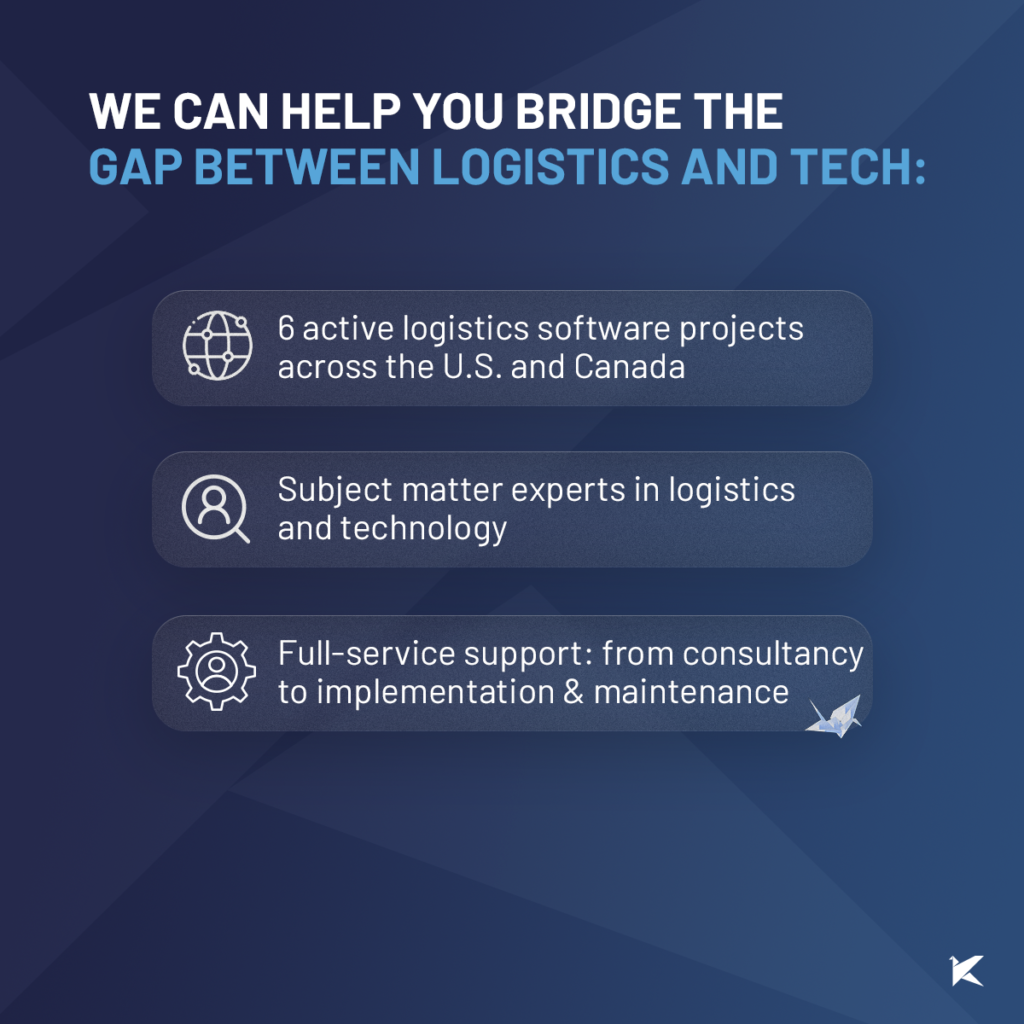
We understand logistics and the tech challenges you face. At Kaizen Softworks, we specialize in custom software solutions that solve your unique problems. Whether it’s integrating 3PLs, modernizing systems, or leveraging AI, we’re here to help you take your logistics operations to the next level.

About Us
·
Dec 19, 2024
10 years in, this is what the journey has really looked like from our side.
12 read time
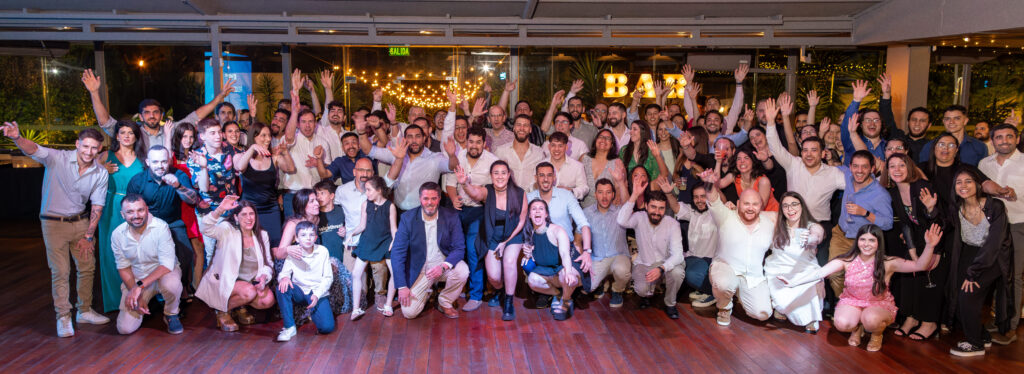
Last December 1st we celebrated our 10-year anniversary. Reaching a milestone like that is no small feat. It’s a moment to pause, reflect, and celebrate the journey we’ve taken together. Today, I’m honored to share some personal reflections, as I addressed our team during our celebration party.
Today, I want to share some thoughts that came to mind when I was asked to say a few words at this very special event. Ten years don’t come around every day, and I think it’s worth taking a moment to look back.
When I started thinking about these 10 years, so many memories came flooding in—different kinds of memories. From client conversations to the time I got thrown into a pool. And, of course, many anecdotes that are now immortalized on Kaizen’s t-shirts, full of boldness and humor.
I also reflected on how we’ve grown—through crises, the pandemic, and challenging moments—and how we navigated those challenges together.
I won’t dive into every single memory, but I felt the need to categorize them, to see what they tell us.
Through this exercise, I noticed that while our journey has been diverse, certain elements consistently stand out and define us as a company. I grouped them into four categories:

What ties these categories together? It’s not about being better or worse but about reflecting our priorities and how we do things.
If I think about what these categories have in common, the word that comes to mind is different. At Kaizen, we don’t strive to be different just for the sake of it—it’s our priorities and values that naturally lead us in that direction.
This difference is not better or worse, but it’s ours. It’s reflected in how we build relationships, how we think about solutions for our clients, and how we work together.
What do we want to protect at Kaizen? We want to protect our relationships and our ability to make a positive impact.
Our relationships with clients, where trust and respect are our top priorities. And our internal relationships, where we aim to create an environment that allows us to grow as professionals and as people.
This focus on relationships is reflected in their longevity. It’s easy to measure how long a relationship lasts, and we’ve seen and measured this over the years. But longevity isn’t the only thing that matters—it’s also about the depth of those relationships and what they leave behind.
For me, Kaizen has been so much more than a workplace. It’s been a space for learning, challenges, and personal growth. The last 10 years have transformed me not only as a professional but also as a person. And as part of this personal reflection, I invite you to ask yourselves:
What do you take away from Kaizen?
How do you imagine Kaizen 10 years from now?
Where can we go together?
I’m confident that the future we build will be as unique as the journey we’ve taken so far. Thank you for being part of co-creating this story.
And as a small example of what makes us different, would it be possible to sing ‘Happy Birthday’ the Kaizen way?
No blogs matched this category, try applying different filters.
