







How We Make Decisions Without Managers
We don’t have traditional managers. This is how we make decisions and keep things moving.

12 min read
Read more

![Illustration of expert content creation for the [Your Company Name] blog, featuring articles on software development and technology insights.](https://cdn.prod.website-files.com/6846d4fc5449e72dcdad7d99/6883e43726396202465e6dce_IMG.svg)

No blogs matched this category, try applying different filters.

Insights, stories, and experiments from our team.

About Us
We don’t have traditional managers. This is how we make decisions and keep things moving.

·

Mar 13, 2026
·
12 min read

There's a myth that in flat organizations, everyone decides on everything.
That's not how it works. At least not at Kaizen.
When people hear "no managers," they often picture one of two extremes: either total chaos where nobody is accountable, or endless meetings where 80 people vote on which coffee to buy. The reality is neither.
Not everyone decides on everything. Not everyone votes. What we do have is a clear set of decision-making methods that we choose based on context.
Before choosing how to decide, we ask ourselves a few questions:
These dimensions help us pick the right method. Not every decision deserves the same process.
Over the years, we've landed on a few methods that we use depending on the situation:
Some decisions belong to a specific role. If someone owns a responsibility, say, office logistics or hiring for a team, they decide within that domain. No committee needed. The key is that roles are transparent: everyone knows who owns what, and the scope of each role's authority is clear.
When a decision doesn't clearly belong to one role, or when it crosses boundaries, we use the advice process. Here's how it works:
The decision-maker is not a committee. It's one person (or a small group) who takes responsibility. But they don't decide in isolation, they bring in the perspectives that matter.
We sometimes call this "Team Advice" when a working group forms around an issue that doesn't naturally fall into anyone's area, and "Area Advice" when a team opens up a topic that exceeds their own scope.
Consent is not "everyone agrees." Consent means "no one has a strong enough objection to block this." We do use a poll, but not to count votes — we use a 1-to-5 scale to measure the level of agreement and surface objections, not to let the majority rule.
We use it in two flavors:
Not everything needs participation. When a decision has already been made through a legitimate process, the right move is to inform, not to fake-consult. One of the fastest ways to kill self-management is to ask for feedback and then ignore it. If you're not going to change course based on input, don't ask for it, just be transparent about the decision and the reasons behind it.
We didn't adopt these methods because they're trendy. We adopted them because they solve real problems:
Transparency is the foundation. Every method we use, from role-based decisions to high-participation consent, works because information flows openly. People know what's being decided, who's deciding it, and how they can participate.
Horizontal doesn't mean structureless. It means fewer hierarchical levels, clearer roles, and intentional decision-making processes that match the weight of each decision.
Not everyone decides on everything. But everyone knows how things get decided.
About Us
We don’t have traditional managers. This is how we make decisions and keep things moving.
12 min read

Business
12 read time
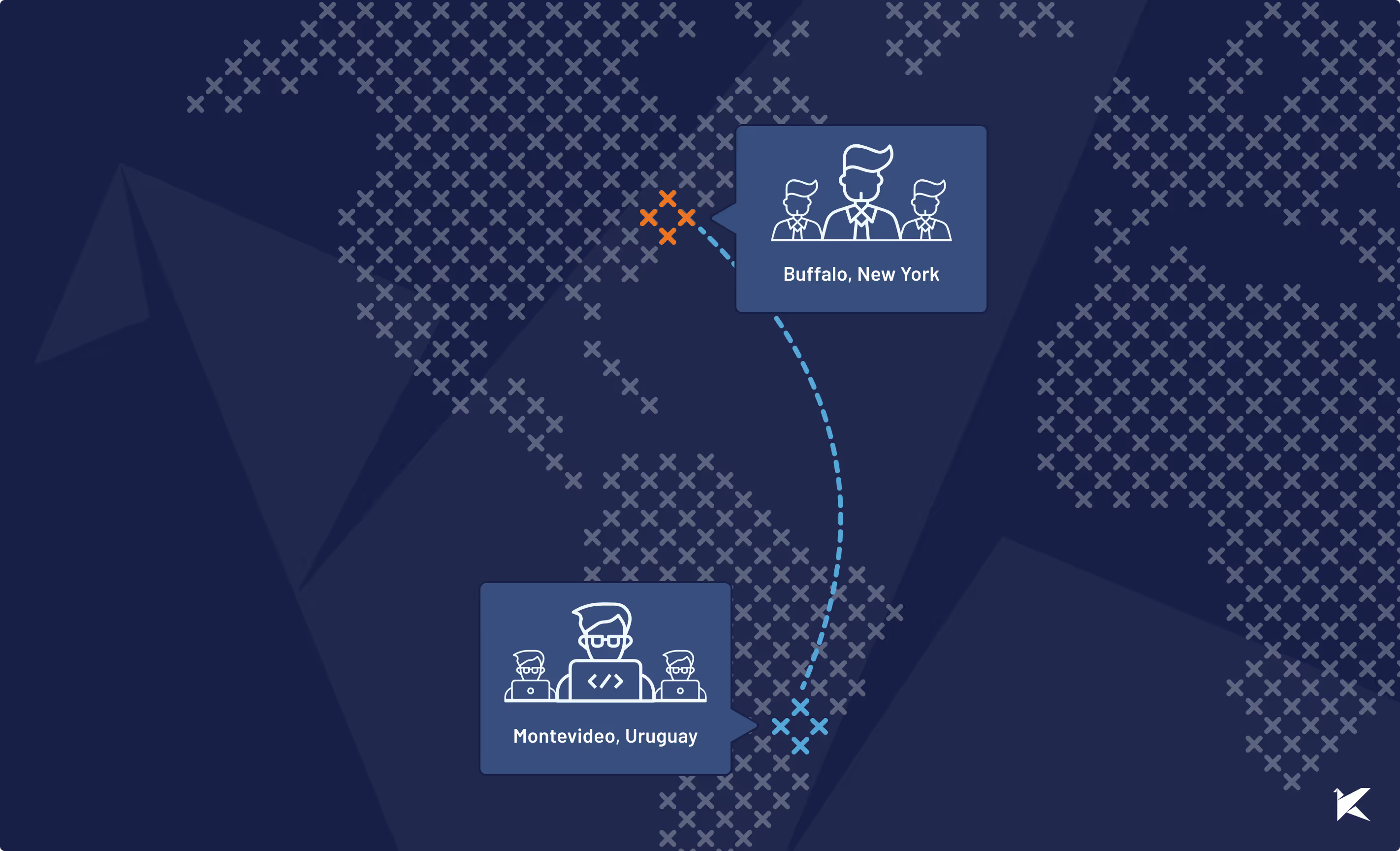
Uruguay is a relaxed country, digitally connected, and globally competitive across a range of industries—like software development. Kaizen Softworks in Montevideo embodies these trends by building apps for U.S. customers with advanced technical needs.
It is a niche business that requires a rare blend of programming excellence, global business acumen, and a willingness to customize solutions. Kaizen Softworks favors this niche, because like Uruguay itself, the company thrives on an open and collaborative atmosphere.
Guest post by: Sean Goforth
In the early 2000s, several global businesses began making investments in Uruguay, based on the belief that the small country would make a good hub of operations for service delivery to the rest of South America. Tata Consultancy Services was among the first to set up its regional headquarters in Montevideo.
Quietly, other multinationals followed suit. Meanwhile, a succession of governments from both sides of the political aisle made a series of long-term investments to boost Internet access and expand educational opportunities.
In October of 2009 President Tabare Vazquez handed out the last of the vaguely lunchbox looking XO laptops, at Escuela 28/80, making good on the government’s one-laptop-per-child (OLPC) pledge. With this, Uruguay became the first country in Latin America to fulfill the OLPC pledge.
The occasion brought a wave of international media attention, as did The Economist’s declaration that Uruguay was its “country of the year” in 2013.
Notwithstanding these moments of fanfare, it’s been business as usual in Uruguay. Even as the rest of South America rode commodity exports from boom to bust, Uruguay just trod along.
Yet, slowly over the years the progressive social policies, and sustained commitment to technological access and education, have helped remake the country.
Open, accepting and tech savvy, Uruguay has the feel of a Scandinavian country located in South America. And more improvements are in the offing. Currently ANTEL, the state telecom provider, is carrying out a nationwide fiber optic Internet plan. If all goes according to plan, the additional investments will give Uruguay 100% fiber-to-the-house connectivity by 2022.
Owing to the educational and tech investments, Uruguay offers a thriving tech culture of software programmers and a budding startup ecosystem. This helps explain why the business technology sector in Uruguay has become increasingly fragmented since the early 2000s.
Stellar programmers may start out at multinationals, but many eventually launch their own firms in order to exploit underserved niches in the market. So unlike Argentina, Chile or Mexico, where large software development firms rule the roost, in Uruguay it is an array of small players–many with fewer than 30 programmers– that collectively drive the market.
One such firm is Kaizen Softworks. Over the past three years, the firm has grown steadily based on its offerings in full-stack Microsoft & Open Source solutions, a core element of a world-class developer team.
Robust and scalable architectures are another specialty, and in recent years Kaizen has expanded its client list by working with partners whose JavaScript-based apps demand a forte in Angular and React. All of this is supported by multi-disciplinary, self-managed, and agile teams.
When Indianapolis-based CuroGens was looking for a partner to develop its cloud-based learning application, it initially focused on options across Eastern Europe. But then one of its contacts in Canada recommended that the firm consider Uruguay.
That led CuroGens to discover Kaizen Softworks, and it is extremely happy with the result. ‘Not only did they have the required technical skills’, says CuroGens director Søren Hjorth, ‘but more importantly they went above and beyond to truly understand the application design often resulting in suggesting minor tweaks that allowed us to save both time and money‘.
Today, Kaizen is building on its technical expertise to reach further into the realms of programming and data science, an emerging differentiator between software development firms.
Its strength in Microsoft-based programming has enabled a transition to offerings that include machine learning, artificial intelligence, chatbots (based on the Microsoft bot framework), security, and big data. Still, for all of its technical prowess, Kaizen Softworks remains a small firm based in a small country.
Technical solutions matter, a lot. But the ethos of cooperation between the client and programmers, and the willingness to tailor solutions to meet a client’s needs, counts too.
Kaizen Softworks founder Fabian Fernandez points toward the firm’s recent work with SmartBorder, a leader in compliance software for imports and exports.
Kaizen is building a SaaS version of its products, a project that has advanced based on sync meetings, Agile methods, chats through Slack, and the occasional trip to SmartBorder headquarters in Buffalo, NY.
‘Understanding the business of SmartBorder and having the Kaizen team fly to their office in the US for short periods of time has been another factor that played a main role in understanding exactly what needs to be built, and how to deliver value that fits our client’s needs’, says Fernandez.
To ensure it stays on the cutting edge, Kaizen plays an active role in the programmer conferences. For example, the firm Co-Founded .NET Conf Global. Since 2014, the Microsoft programmer conferences in Uruguay, Argentina, Colombia and Chile have brought together more than 3,000 programmers in total, making it the largest tech conferences in the region.
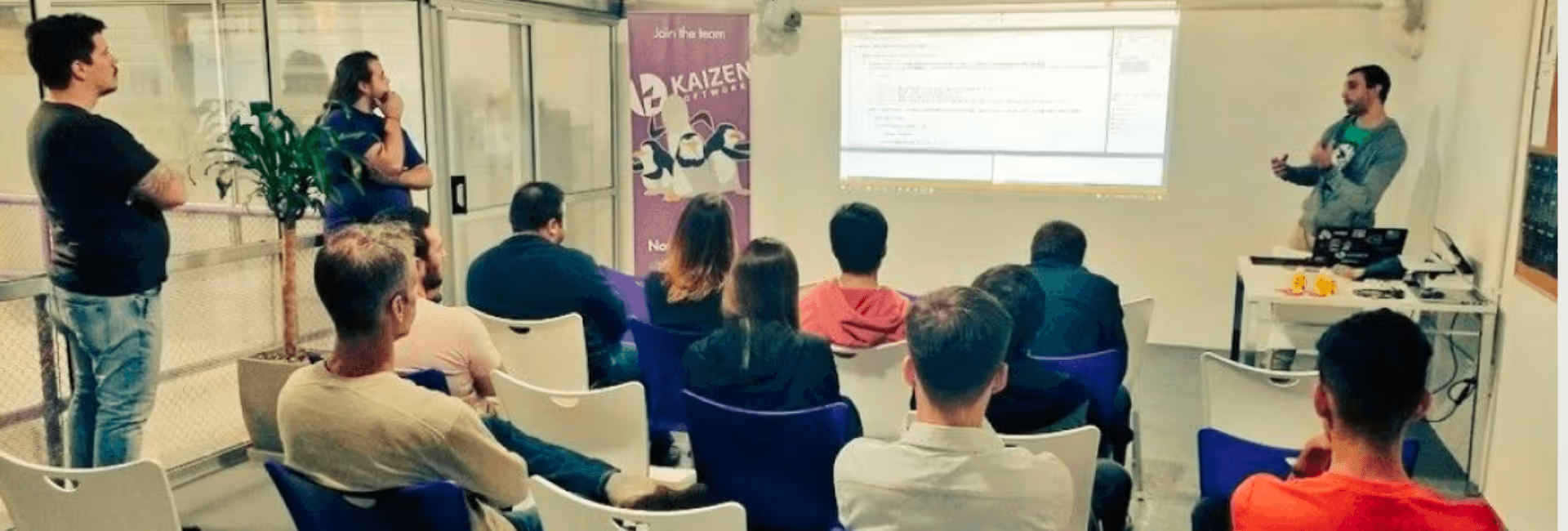
Other smaller events abound in Montevideo, and Kaizen’s programmers actively take part. It helps ensure world-class programming skills and the early adoption of the latest trends.
Indeed, in 2018 Kaizen will be opening a “tech hostel” to host programmers from the rest of the country in a space next to the company’s new headquarters so that they can stay queued in to the latest developer trends.
These moves are helping to spread the firm’s expertise to the larger programmer community. Because like Uruguay itself, Kaizen Softworks prefers an open and collaborative atmosphere.
Technology

·
Apr 11, 2018
We needed push notifications with a .NET backend. This is how we set it up.
12 read time
At Kaizen Softworks, we are currently working on a site that uses Angular 2, .NET and Azure as main technologies.
In addition to this project, one of our partners was needing a mobile application that was going to use the same database as the web app. To facilitate communication between the backend and all of their applications, we needed a robust solution for sending notifications with concealed information to the mobile app.
After a thorough proof of concept, we decided to harness the capabilities of Firebase to bridge the gap between our backend and various applications.
Firebase serves as a Backend as a Service (BaaS) that simplifies the creation of a backend with minimal coding expertise. It offers seamless integration with various platforms, including iOS, Android, Unity, and C++.
Firebase's extensive range of services spans authentication, storage, real-time database, crash reports, and Firebase Cloud Messaging (FCM), which is instrumental for push notifications.
FCM gives us many advantages, here is the list of the most important:
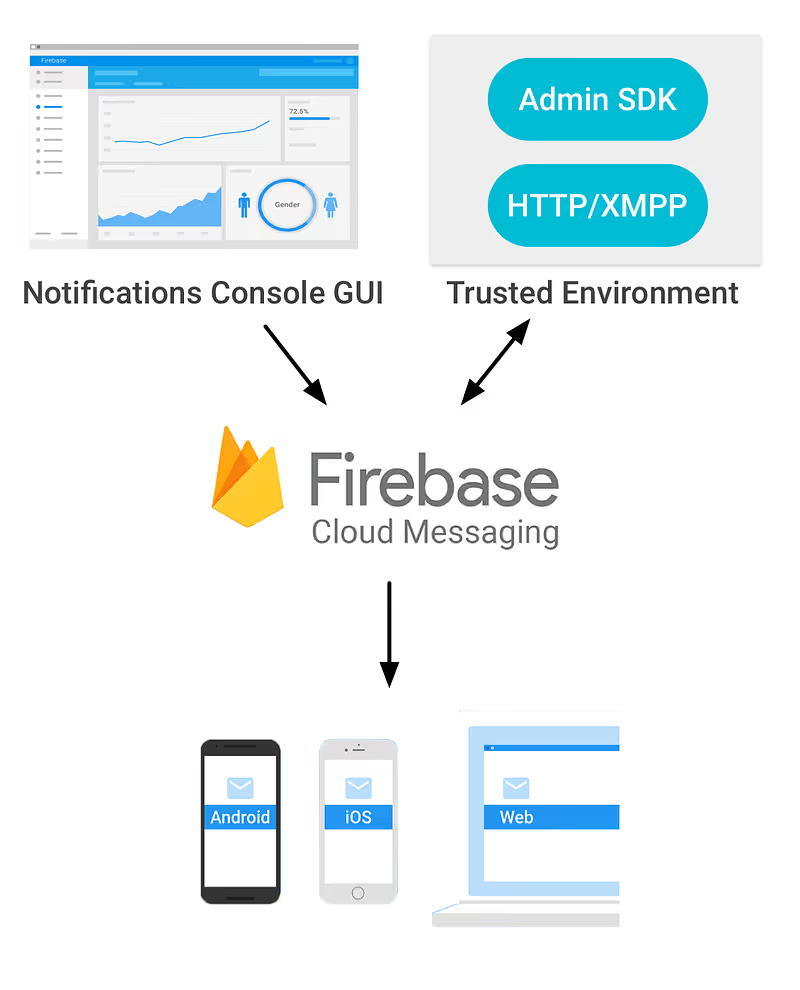
Here's the FCM flow:
Now that the Firebase introduction is finished, it’s coding and configuring time.
To begin, create a Firebase Console project using your Google account. Once in the Firebase dashboard, select 'Add project'. Specify your project's name and region, and then click on 'Create project'.
Ok, you’re done! You have your project created, so now you are able to use all Firebase functionalities!
You must register each platform you intend to configure Firebase for. In this tutorial, we'll focus on configuring an Android project.
During app registration, you'll need to fill in the package name according to your app's specifications. Firebase's initial project already contains the package name, typically set as 'com.google.firebase.quickstart.fcm'. You can find these projects in the documentation samples section.
Following app registration, you'll need to download and add the 'google-services.json' file to your project. If you haven't already received it from Firebase, they will provide it.
Additionally, don't forget to add FCM dependencies, as they are essential for Firebase to function seamlessly within your app.
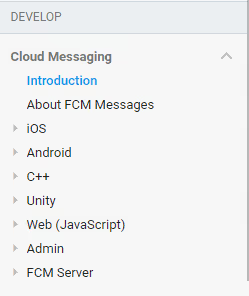
Well done, your client side is ready, if you want more information about client side configuration you can get it on the documentation guide for Android or for iOS or other platforms you will find on the side panel of the Cloud Messaging documentation page.
For each app-installation, Firebase is going to create a token that identifies it, so in case of sending a notification to that specific app-installation, you will need that token.
To learn about getting this token, please read 'Access the device registration token' part on the setting up section of the platform you want to configure Firebase to.
Well done, your client side is ready, if you want more information about client side configuration you can get it on the documentation guide for Android or for iOS or other platforms you will find on the side panel of the Cloud Messaging documentation page.
We can send push notifications without a fully configured backend, using the Firebase console.
To do this, navigate to your Firebase project, select 'Notifications' in the side panel, and click 'Send your first message'. This will take you to this configuration panel:
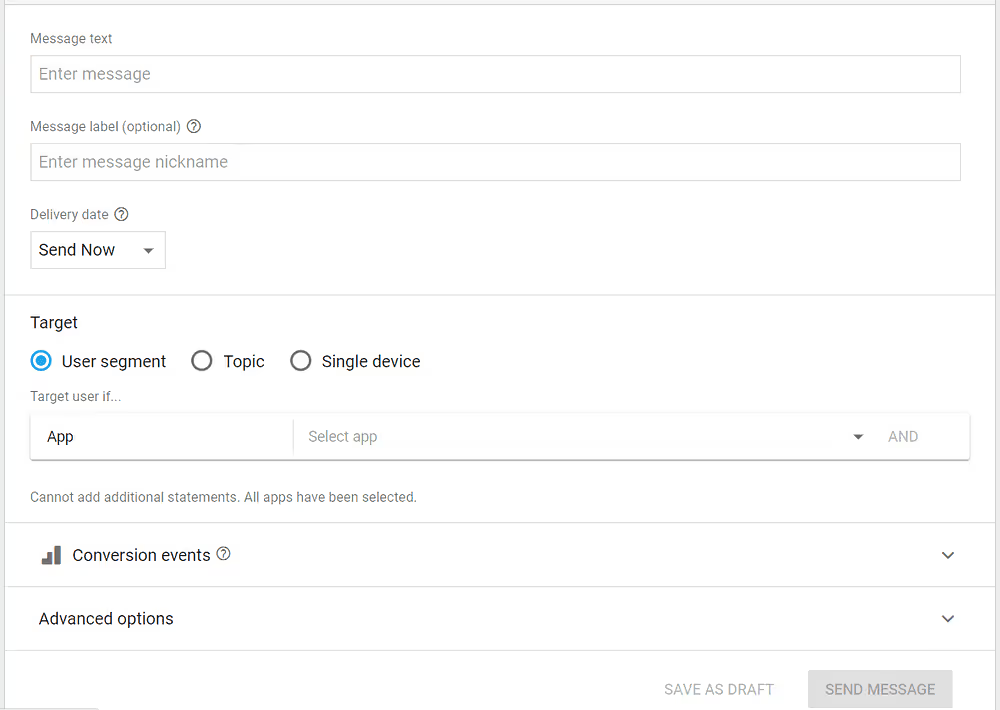
Here you'll need to provide the following details:
Once you've filled in these fields, click 'SEND MESSAGE'.
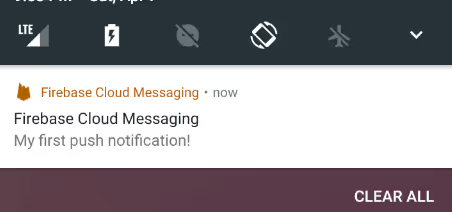
A pop-up will display, summarizing the key details of your notification. Click 'SEND', and your push notification is on its way!
For this example, we'll use a .NET backend – a console project designed specifically for a .NET Meetup in Uruguay.
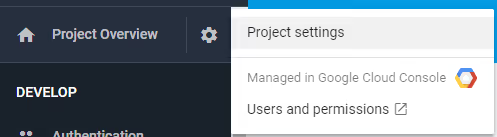
To access the Firebase API, you'll need critical information from Firebase, including the API URL (https://fcm.googleapis.com/fcm/send) and a unique server key that authenticates your Firebase project for security purposes.
To obtain the server key:
In addition to the API URL and server key, you'll require a method with specific parameters to communicate with the Firebase API. For this purpose, create a static class named "PushNotificationLogic.cs" containing the following method:

These parameters are:
For the method, I am going to suppose that all parameters are correct without bad values (you can add all the validations you want). The first thing we have to do is to create an object with all the data we need to send to the API, I created two classes for that:
public class Message
{
  public string[] registration_ids { get; set; }
  public Notification notification { get; set; }
  public object data { get; set; }
}
public class Notification
{
  public string title { get; set; }
  public string text { get; set; }
}
Then, just create a new object of type 'Message' and serialize it as I did it here:
var messageInformation = new Message()
{
  notification = new Notification()
  {
    title = title,
    text = body
  },
  data = data,
  registration_ids = deviceTokens
};
//Object to JSON STRUCTURE => using Newtonsoft.Json;
string jsonMessage = JsonConvert.SerializeObject(messageInformation);
Now we just need a request to Firebase API and we’re done.
The request has to be as a "Post" Method to the Firebase API-Url, we have to add a Header which is "Authorization" and use a value like: “key={YourServerKey}”.
Then we add the content (jsonMessage) and you are ready to hit the api.
Here it is the code you need to do the last part:
// Create request to Firebase API
var request = new HttpRequestMessage(HttpMethod.Post, FireBasePushNotificationsURL);
request.Headers.TryAddWithoutValidation(“Authorization”, “key=” + ServerKey);
request.Content = new StringContent(jsonMessage, Encoding.UTF8, “application/json”);
HttpResponseMessage result;
using (var client = new HttpClient())
{
  result = await client.SendAsync(request);
}
About Us
12 read time
In early March 2018, Kaizen Softworks achieved a remarkable milestone by securing a spot among the Top 30 Custom Software Development Companies in all of Latin America.
This prestigious recognition was announced by Clutch, a globally recognized B2B Ratings & Reviews company, in collaboration with the Embassy of Uruguay in the United States.

Clutch, a U.S.-based research company, plays a pivotal role in providing businesses with invaluable decision-making information, particularly when it comes to selecting a software services company.
They excel in delivering top-tier analytics that effectively organize data on software vendors, pinpointing trustworthy and experienced partners in the field. The result? Highly informative ratings of software companies, highlighting those who stand out in various categories.
With a vast pool of more than 7,000 companies under scrutiny, it's a remarkable achievement to secure a place in the Top 30 Custom Software Development firms ranking, and this success is entirely attributed to our valued customers.
Our Clutch profile goes the extra mile by showcasing candid client reviews in an interview format.
These reviews provide essential insights and firsthand experiences for anyone in search of a reliable and proficient software services company.
At Kaizen Softworks, our commitment to delivering exceptional software solutions is not just our mission; it's our track record, as endorsed by the voices of our satisfied clients.
About Us
Events

·
Dec 16, 2017
What stood out at Microsoft Inspire 2017, and what actually mattered.
12 read time
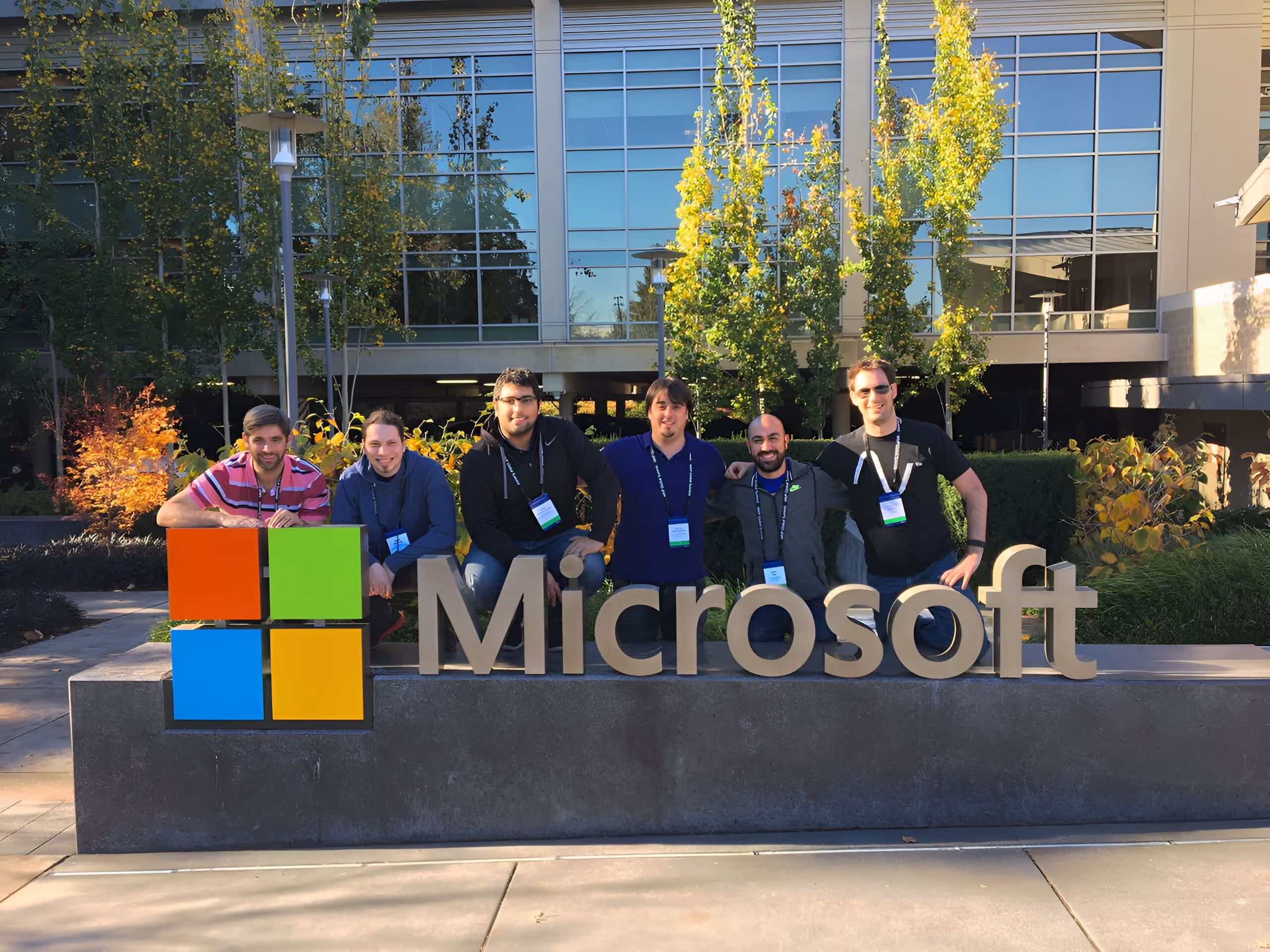
From July 8th to 13th, we had the privilege of attending Microsoft Inspire 2017 in Washington, D.C.
It was Kaizen Softworks first time at this event, formerly known as the Microsoft World Partner Conference (WPC), marked Kaizen Softworks' inaugural presence and proved to be a valuable experience.
In this article, our CTO, Rolando Larrainci, and I will reflect on various aspects of our time at the conference.
Securing tickets to Microsoft Inspire is an investment, but a worthwhile one. This is the annual event where Microsoft unveils its plans for Partners in the upcoming fiscal year, bringing together over 18,000 attendees from global companies.
Our tickets, purchased a month and a half in advance, cost us $1,900 each. Tickets sell out rapidly, so we recommend securing yours at least a month before the conference. Furthermore, purchasing tickets well in advance can save you money.
Next year's event is set for Las Vegas, and tickets are already available during the current year's conference.
You can book your hotel while purchasing your ticket. While the hotels available are really great, the prices range from USD 250 to USD 350 per night per person, rooms available tend to run out pretty fast too. We stayed 9 nights in a really good Airbnb two blocks from the main conference location, the Walter E. Washington Convention Center and paid USD 198 per night for two people.
If you decide to stay in one of the hotels that Microsoft offers while purchasing your ticket, you will have a bus coming to your door to take you to the conference locations. If do not stay at one of these hotels, don’t worry, you can still take those buses but have to move to your nearest hotel bus stop.
Each year, Microsoft selects a different location for Inspire, and this time, it was the vibrant city of Washington, D.C. We took the opportunity to explore the city, renting bikes to visit the National Mall with its monuments and The White House.
It was an excellent decision, highly recommended. The conference venues, including the expansive Walter E. Washington Convention Center, the Verizon Center for keynotes, and Nationals Park for the final party, were impressive and conveniently located.
Get. There. Early.
You really want to get a good seat so plan smart and try to be there early. All keynotes were great and if you are first time attendee you get the benefit of being in a preferential location, being a couple meters from Satya was awesome!
There were hundreds of sessions during the week that allow us to understand even more how Microsoft technologies can help our partners.
Having the chance to engage in conversations not only with the Microsoft teams behind it, but also with other partners who are working with the same is priceless.
You can have a glimpse at the session topics at the Microsoft Inspire Session Catalog. The top 10 sessions of Microsoft Inspire 2017 include topics like Cybersecurity, the Digital Transformation, Azure, the new Commercial Sales Strategy for Partners, Microsoft 365 and more.
This was one of the main aspects of the experience that we were interested in. You could login into the MyInspire web or mobile app, go to the Networking section, Attendee Directory & Connect Meetings and start working to schedule some meetings with potential partners & clients.
It’s great as you can filter by Job Category, Competency, Business Focus, Company Size, Country and more to later invite to meet and send messages across the platform. We had several meetings in 3 days and it really worth it.
The Expo Hall was a great place where you could connect with exhibitors and sponsors that were showcasing their products and solutions.
Other interesting areas were the Regional Lounges, where you could connect with partners or even use as point of meeting to receive and chat with partners and potential clients.
I just want to add that many if not every booth were giving away swag and we practically had to buy a new luggage to bring everything to Uruguay :)
In conclusion, we are eager to attend Microsoft Inspire again, and here's why:
Will we see you in Las Vegas for Microsoft Inspire 2018? Remember, always wear your badge!
About Us
·
Dec 9, 2017
Expanding into the U.S. has been a big step for us. Here’s how that’s been going.
12 read time
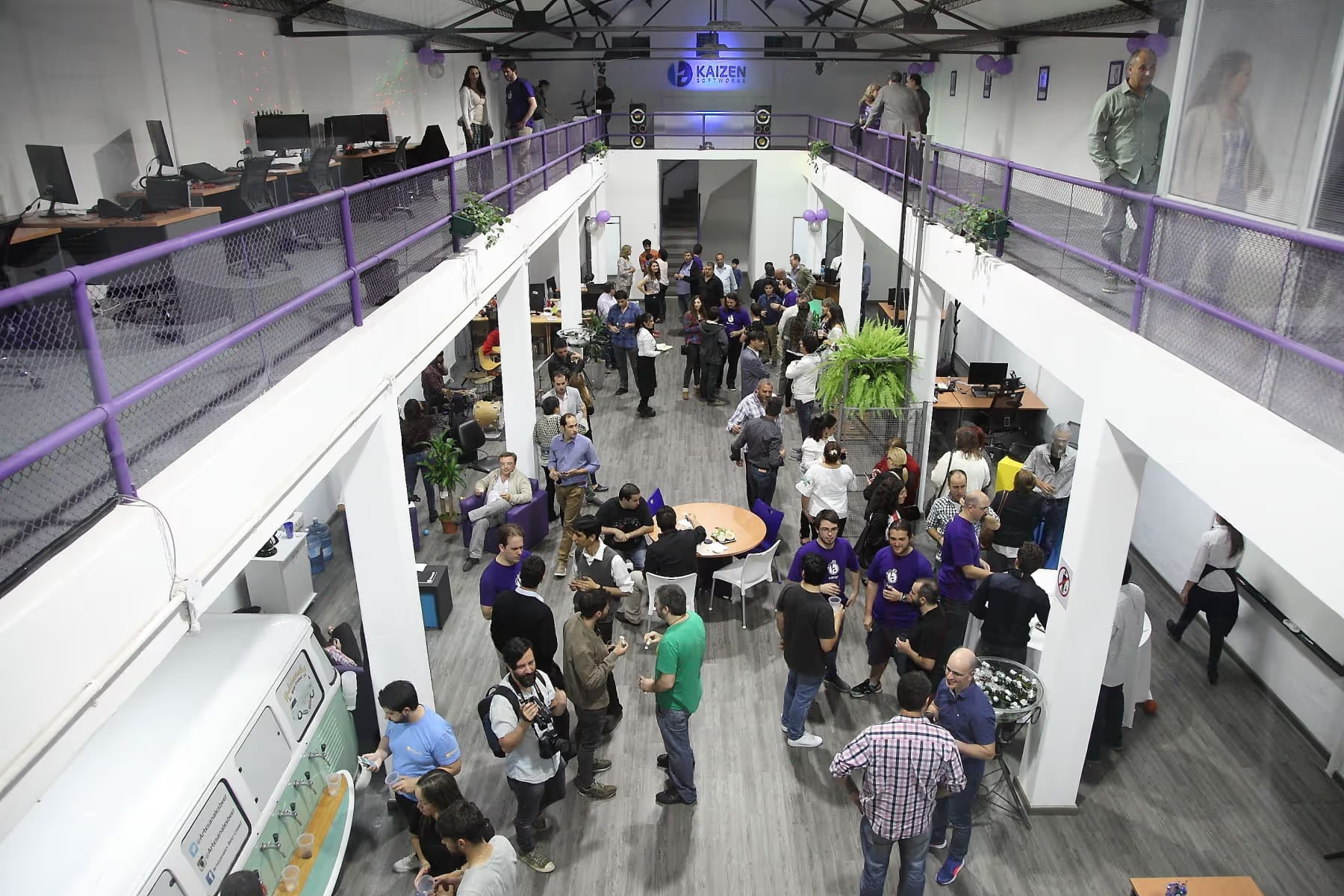
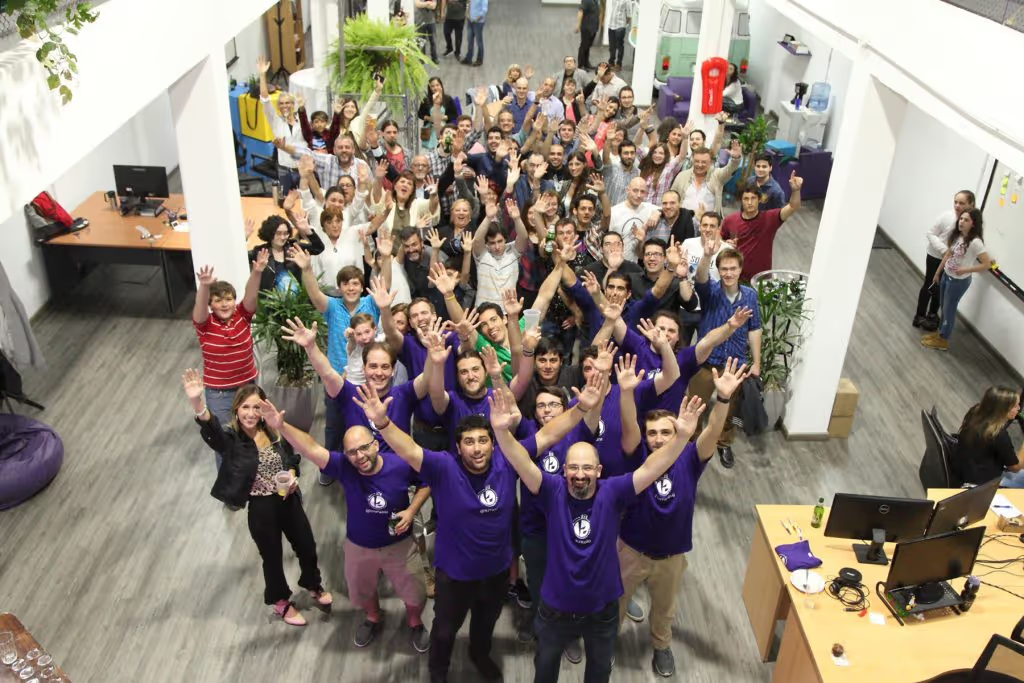
The Uruguayan company, Kaizen Softworks, dedicated to software development, inaugurated its new offices and plans for 2018 to open a “technological hostel” that will house young people coming from other cities who work for the company.
First seen on InfoNegocios (Spanish).
Fabian Fernandez, CEO of Kaizen Softworks told InfoNegocios that the search for a new location for their offices took more than a year. 'We started as a startup in the house of my partner’s father, we were running out of space in his house where we were already 17 people working there', he said.
The new offices are located in Presidente Giro and Juan Ramon Gomez, in the Blanqueada area and have 5900 sq ft (550m2) distributed in six meeting rooms, an open space of approximately 4300 sq ft (400m2), 6 bathrooms, kitchen, dining room and an internal yard with barbecue.
'We seek to make a very relaxed office with meeting rooms, ping pong and common spaces. We like the area of La Blanqueada because the location is tremendously good, we are in the middle of Montevideo where the main avenues meet and that makes any bus leave you at the door', said Fernandez.
https://youtu.be/QfsaCIyLKt0
For next year Kaizen Softworks is already working on a new project that will consist of a 'technological hostel'. As explained by the CEO of the company, the goal is to promote IT careers in other cities of the country by working in conjunction with educational institutions such as the University of Technology of Uruguay (UTEC), the technological high school Anima and Young Programmers (Jovenes a Programar by the Spanish name).
'We want to help promote technology careers in other cities of the country because we know there is a need there and because in Montevideo it is sometimes difficult to get talent either because they are employed and well established or because the tech skill level is not enough good to us', explained Fernandez.
The project will seek to employ young people from the interior of Uruguay who wish to work for Kaizen Softworks remotely, but who have the availability to stay at the 'technological hostel' for one week per month or every two months.
In this regard Fernandez said: 'We believe that besides working remotely is convenient, it is just as important to get involved and meet people in person, so the idea is to come to work in the offices one week per month'.
Regarding the present of the company, Fernandez explained that they are working hard with the U.S. market and that for 6 months is the only market they are dedicated to where they expect to continue growing during 2018.
'We are achieving the vision we had when we started that was to create a company made by software developers for software developers. We are aiming to be twice as many people by the end of 2018 so we are going to have to step on the bottom and accelerate', concluded the businessman.
Events
·
Nov 1, 2017
What it was actually like to be at .NET Conf Uruguay 2017: the biggest Microsoft event in South America, started by our team.
12 read time
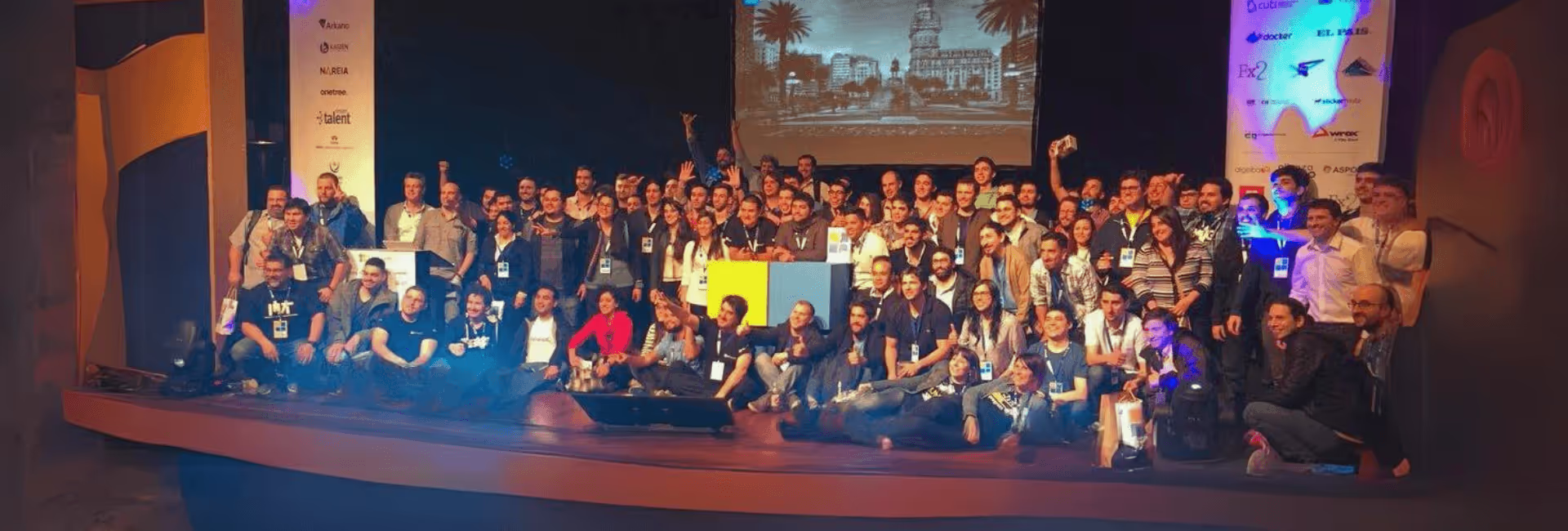
In the past week, the tech world witnessed the 4th edition of the .NET Conf UY v2017, the most significant community conference dedicated to Microsoft technologies in South America.
This nonprofit venture was founded by Kaizen Softworks in 2014 with an audacious idea to foster the Microsoft community in Uruguay, and since then, it has expanded its reach to Argentina and Colombia, with aspirations to include Chile and Peru by 2018.
More than 450 enthusiastic participants registered for the .NET Conf UY v2017 These attendees had diverse backgrounds, with 47% being software developers, followed by 18.5% IT students. The rest were spread across roles such as software architects, team leaders, managers & executives, directors & owners, and other industry functions.
This edition of the conference played host to 39 speakers from four different countries. It offered nine hands-on labs (workshops) over three days, including two Keynotes highlighting Microsoft's innovations on Day 1 and focusing on Women in Technology on Day 2.
In total, the conference featured 34 talks over two days, culminating in a memorable After Party. Since 2017, .NET Conf Global, the umbrella organization for all editions, has attracted over 130 speakers from 12 different countries, with the collective effort of more than 30 organizers and collaborators. This ambitious undertaking has led to six editions in three countries, backed by the support of over 120 sponsors from various parts of the world.
Some additional numbers about attendees:
The conference traditionally kicks off with Hands-On Labs (HOL). In this edition, nine workshops were conducted over three days, with three workshops held each day. The location for these enriching sessions was the education institute of one of the sponsors, Cultural Alliance Uruguay-United States.
The HOL sessions covered a wide range of topics, including .NET Standard, Azure, Xamarin, Progressive Web Apps, Microservices, Power BI, and SQL Server.
The heart of the conference was the 34 talks that unfolded over two information-packed days.
Eduardo Mangarelli delivered a keynote speech on Day 1, providing insights into four innovation projects that Microsoft had been actively working on. These projects served as excellent examples of how Microsoft technology is being applied and were highly inspiring for the audience.
Other topics covered on Day 1 included Data Science, Docker, Cognitive Services, Facial-Speech-Image recognition, Machine Learning, Microservices, Progressive Web Apps, Mobile Development, and .NET Core, among others.
Day 2 continued the momentum, beginning with Carolina Bañales's talk on Women in Technology, a topic of great significance to the conference.
This was followed by many engaging speakers who covered subjects like Azure Cosmos DB, Angular, ASP.NET Core, Chatbots, Big Data, DevOps, TypeScript, Infrastructure as Code, and Open Source, among others.
Sponsors played a significant role in the event, with several opting to set up booths to engage with attendees.
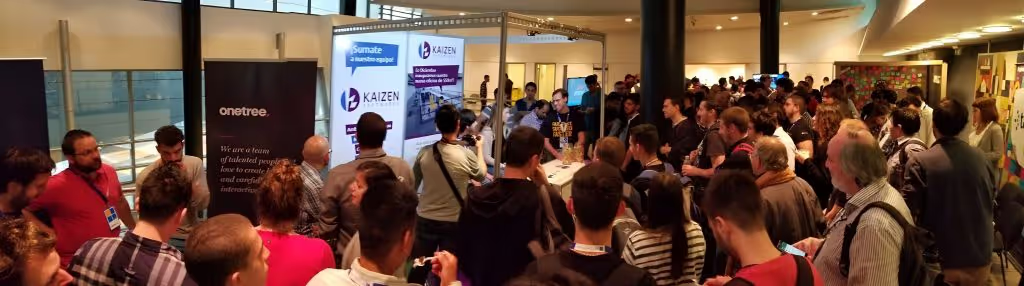
Gold sponsors like Kaizen Softworks made the most of this opportunity, with attendees visiting their booths to learn more about the company and participate in exciting raffles. Kaizen Softworks, for instance, raffled off prizes such as a Fire 7 tablet, an Amazon Echo Dot, and a Chromecast.
Moreover, the main raffle of the conference offered attendees a chance to win two flight tickets to Rio de Janeiro. To enter, attendees simply needed to install the official conference sponsor app and have their QR codes scanned by the sponsors. This creative approach encouraged attendees to explore every sponsor booth.
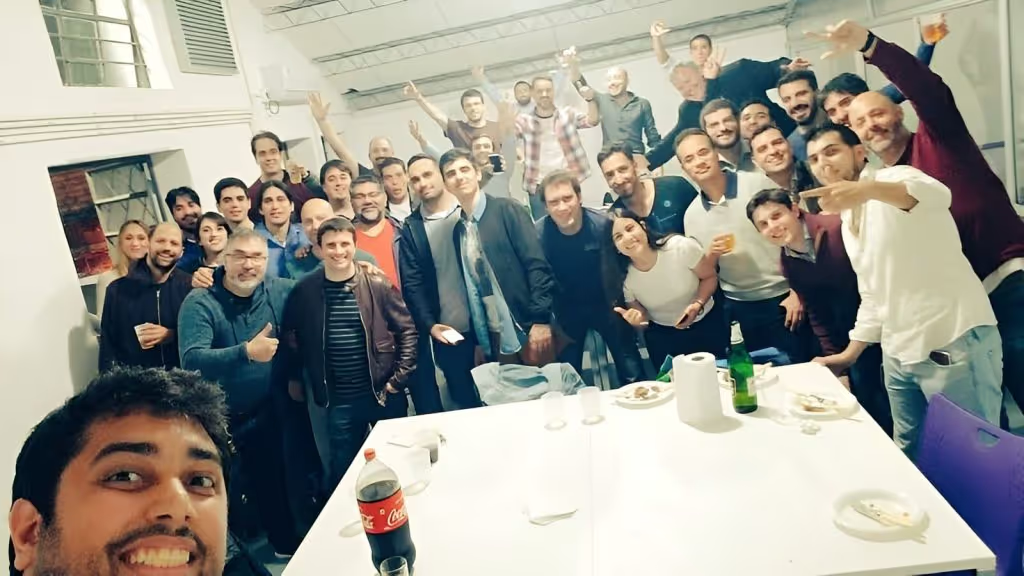
We love to take good care of our speakers and sponsors, that’s why at night on Day 1 of Conference we invite every speaker and gold sponsors to enjoy some food, music, fun and networking on a more private space. This time, Kaizen Softworks new office was the place where we enjoyed typical food from Uruguay!
After 5 days packed of information and learning, we ended with a beautiful After Party where every attendee, sponsors, speakers, organizers and collaborators enjoyed and celebrated another fun conference! Food, drinks and music were part of this in the 26th floor of ANTEL Tower enjoying a 360 degree view of the city like no other.
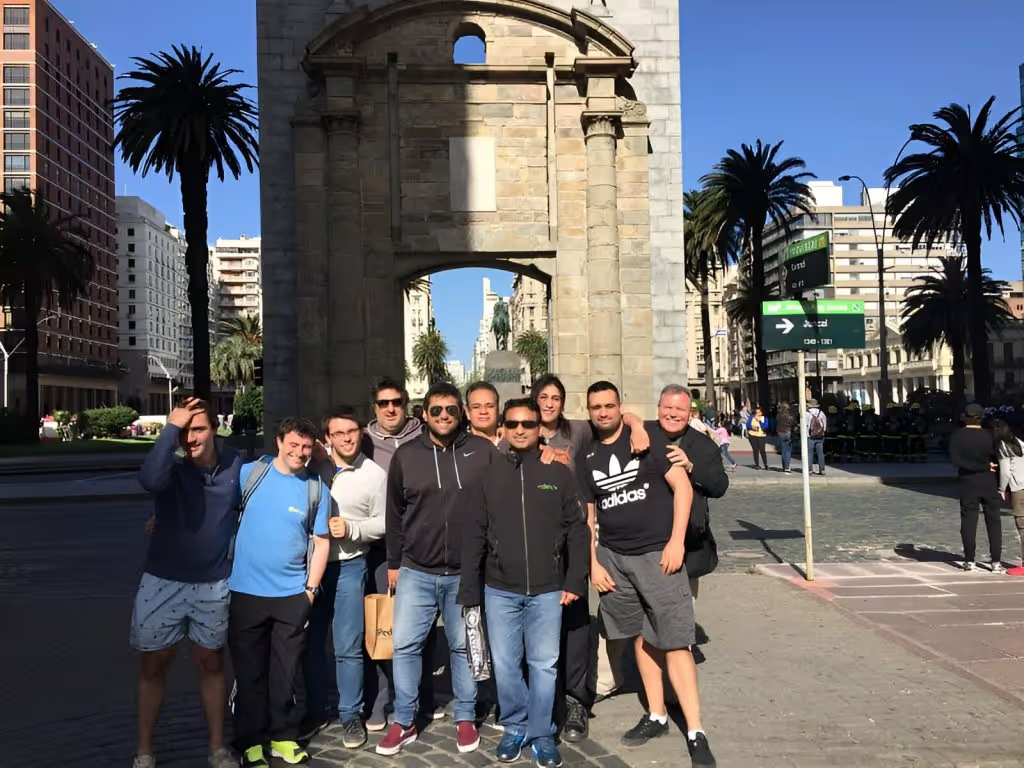
We know our foreign speakers had traveled pretty far from home to come to our conference and we value that a lot. In order to make their long trip worth it we say thanks by spending one day with them showing the city and having lunch together.
The .NET Conf UY v2017 marked the 4th edition of the conference, solidifying its reputation as the largest and most important community-organized event focusing on Microsoft technologies in South America. Inspired by this success, other communities in the region have launched their versions, such as .NET Conf AR and .NET Conf in Argentina and Colombia.
Looking ahead, the roadmap includes bringing the conference to Chile and Peru, promising more challenges and achievements in the future.
Who knows what else is waiting for us? I can’t wait for more challenges like this. See you at the next conf in who knows which country ;)
Technology
·
May 8, 2017
A clear overview of Microsoft Azure and how its cloud services help teams build, scale, secure, and modernize software systems.
12 read time
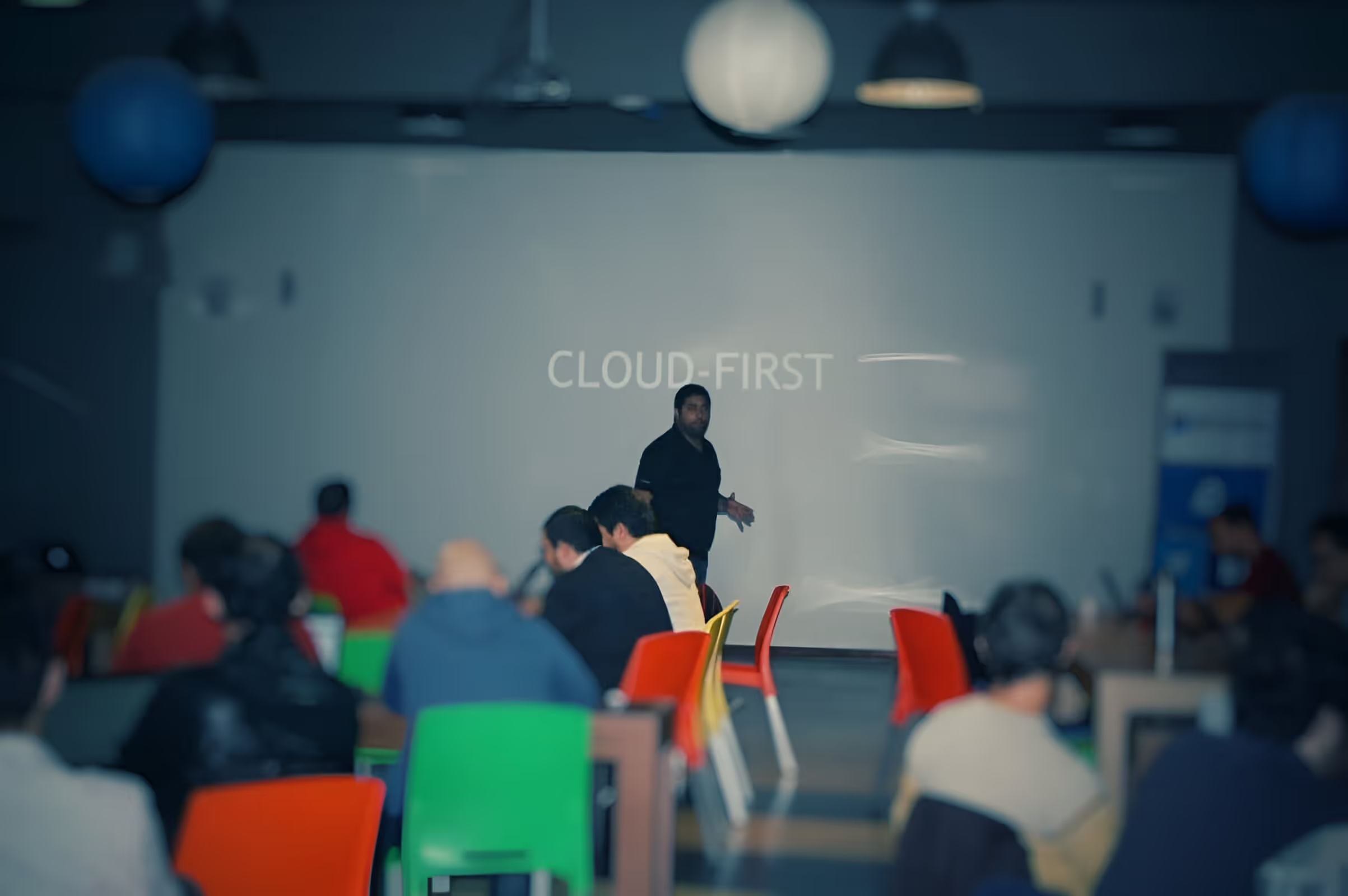
In today's tech-driven world, the Cloud-First approach has become the norm. If you haven't yet considered moving your existing systems to the cloud or integrating cloud services into your software architecture, you're missing out on opportunities to enhance agility, reduce costs, and gain a competitive edge.
I recently had the pleasure of being the keynote speaker at the Global Azure Bootcamp Montevideo , and this article is inspired by that presentation.
Gartner defines cloud computing as: 'A style of computing where scalable and elastic IT-related capabilities are provided ‘as a service’ to external customers using Internet technologies'. The cloud has five key attributes:
To make the most of these cloud attributes, you need a well-thought-out strategy for migration. Every company must decide how to leverage the cloud, focusing on three primary approaches:
By working on these three areas is how we really can transform our business.
At Kaizen Softworks , we are firm believers that Microsoft Azure offers one of the most comprehensive cloud solutions. Gartner has recognized Microsoft as a Leader in three Magic Quadrants of the Cloud: Cloud Infrastructure as Service, Public Cloud Storage Services, and Enterprise Application Platform as a Service.
Microsoft's SaaS solutions, such as Office 365, Microsoft Dynamics, and Power BI, are deployed globally and used by millions of customers.
For the other two cloud approaches, Microsoft Azure comes into play. Azure is a comprehensive cloud platform offering both higher-level services and infrastructure.
Amazon Web Services (AWS) is a great IaaS, but they don’t have SaaS, Salesforce has SaaS, but no IaaS, and the examples keep coming. By using a Cloud that covers all the three areas is how we can truly find the value of being agile, save money and integrate smoothly to transform our business.
Azure has a distinct advantage with its 34 regions , doubling what Amazon Web Services provides, and more regions are continually being added.
Azure is built on three foundational pillars:
Azure provides an array of tools, technologies, and frameworks to choose from. You can select the best tools, programming languages, and platforms for your specific needs.
Having every Server OS including Linux with 12 different distributions, almost every DB system, so many different programming languages and platforms allows us to choose the best tool for the job and use the open source or commercial version on a case by case.
Here’s some of the tools and frameworks we can choose from:
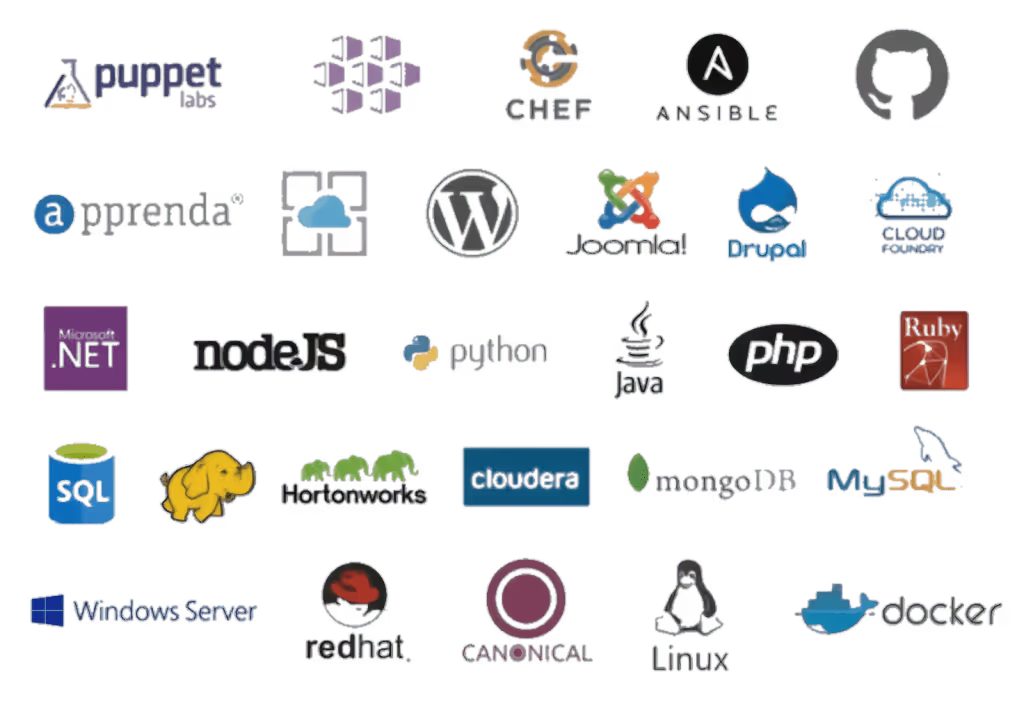
We also have something very particular and unique to the Azure cloud, this is the Azure Stack. With it we get the same experience and power of the public cloud but on-premises or on a server provider hosting service.
Same management portal, same APIs, same apps and same DevOps experience. For government and other companies with particular needs and restrictions this is a huge deal. No other Cloud provider has this type of service.
Azure boasts a multitude of compliance certifications and standards, making it a preferred choice for 85% of Fortune 500 companies.
Security and Privacy are key to enterprise customers and Microsoft has vast experience running online services developing industry-leading security measures and privacy policies.
These are just a few, but you can check them all:

Azure focuses on productivity, allowing teams to work seamlessly with integrations between various tools, services, workloads, and infrastructure, creating an efficient DevOps lifecycle.
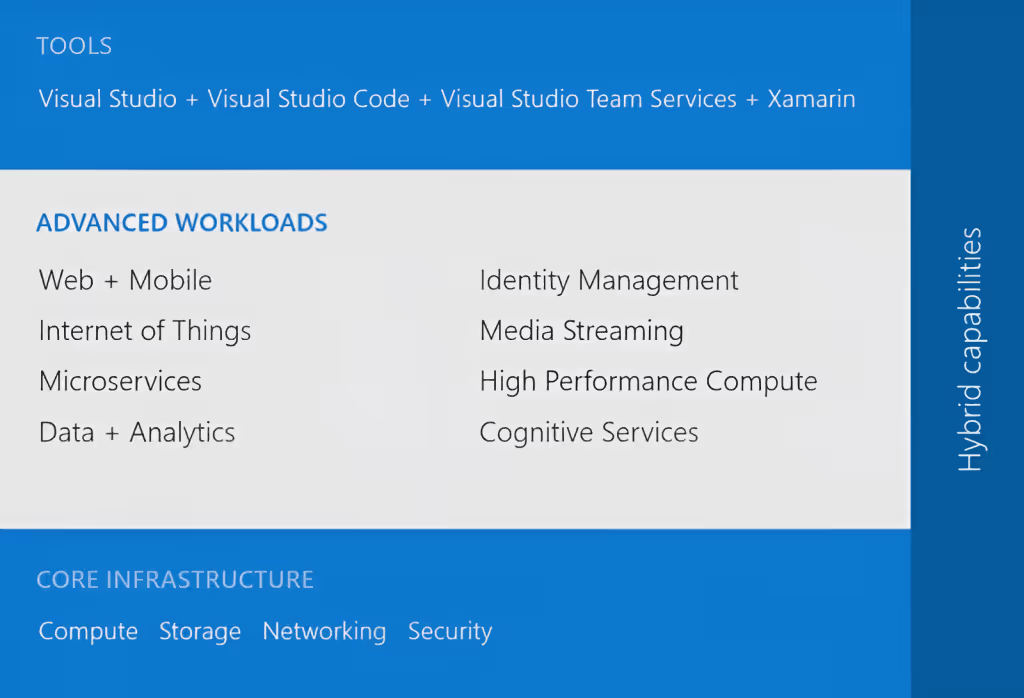
Using Visual Studio Team Services (VSTS) SaaS solution, we can code on a PC or Mac, using Visual Studio (and even Visual Studio for Mac — in preview), Eclipse or XCode; any IDE, any platform, any language, a SaaS solution used by more than 4 million developers worldwide.
We can have all the private repos we want using Git or TFS, without paying anything additional, or we can integrate with our repos from other platforms like GitHub. VSTS offers a full DevOps cycle with build service, deploy and unit testing; and you know what else? We can compile Java, Android, .NET and some more.
After we passed our Unit Tests we can do some Load Testing simulating thousands of users hitting our web app or backend before moving to a Production environment.
Once everything is tested and ok, we can establish and use our own release policies and deploy our apps and backends to the Azure Cloud. While in Production we can use Application Insights to study the performance of it and keep the cycle running.
The numbers speak for themselves:
Now, that’s some serious numbers but I also want to share some cool stories I heard from Scott Guthrie. Azure has been a game-changer for various industries:
AccuWeather, probably the biggest weather company out there, uses Azure to process more than 10 billion data inputs per day and 7 trillion unique data entities where they apply Machine Learning to be able to predict weather, not to mention they are using API services to sell this info to third parties too.
BMW built the whole ConnectedDrive platform using Azure technologies like Azure IoT, Machine Learning services, Data Services and many more.
Rolls Royce, well known for its cars but also for making flight engines are providing their customers a better experience by informing them of engine failures, preventing fails, predicting them, applying analytics and optimizing engine use.
All this by using Azure services like the IoT Suite, Cortana Analytics and Power BI, this last one used to analyze fuel consumption and suggest better routes that optimize it.
Azure's App Platform offers Web Apps, Mobile Apps, Logic Apps and API Apps. You can develop your apps in any language like Python, NodeJS, PHP, Java and .NET.
Azure offers features like:
I would like to give a special mention in the App Platform to Azure Functions. Azure Functions is a serverless computing service that allows you to code functions and pay only per invocation. It supports multiple languages and can be triggered by various events.
With this we forget about Virtual Machines, Apps and all that stuff and we just code some functions and that’s it. Our code runs in the cloud and we just pay per invocation, which can be triggered on certain events in Azure or by external services.
We can code these functions using F#, JavaScript, C#, Python, Batch, Bash, PHP and PowerShell and even code them using a web based interface, so no need for IDE neither — crazy. The Azure Functions runtime is open source and we can basically get it up and running anywhere, including AWS.
My very good friend Rachel Appel is working in the Azure Functions team at Microsoft, be sure to follow her and stay tuned for her speaking appearances.
When it comes to Microservices, Azure doesn’t leave us alone. We have three different approaches to choose from depending of our needs and situation. The most basic one is VM Scale Sets, then we can jump to Azure Container Service or lastly use Azure Service Fabric like many Azure customers chose including BMW, TalkTalk and many more.
The Azure Container Service has standard Docker tooling and API support, you can orchestrate everything thru Azure, and you can use it on Azure or Azure Stack.
Azure Service Fabric is a prescriptive microservice platform which also uses Docker but with more services like sanity state management and more. You have .NET and Java APIs on Windows Server and Linux and you can deploy it to Azure, Azure Stack, VMWare, OpenStack and AWS.
The data management options Azure has to offer is wide. We have some official Microsoft options like SQL Azure, DocumentDB and Azure Redis Cache, but then we also have some other interesting options like Postgres, DB2, Oracle, MySQL, Cassandra, MongoDB, CouchDB and RavenDB.
SQL Azure has more than 1.6 million databases running, it’s a first class citizen developed by Microsoft with high availability, durable and fault tolerant, and you can scale elastically all around the world. For your existing SQl Server databases, fear not my friend, it is compatible and we have a really cool tool to help us: SQL Database Migration Wizard.
DocumentDB is another first class citizen here, a fully managed NoSQL database system made by Microsoft that scales from GBs to 100s of TBs. High performance with support of millions of operations per second.
Another cool thing is that we can scale app data and throughput independently, a feature introduced based on client feedback. I’m also really happy to say that my friend and Microsoft MVP Matías Quaranta is joining the DocumentDB team in Redmond.
The Walking Dead No Man’s Land app that reached number 1 in the Apple App Store is an excellent example of DocumentDB use with 1 billion queries per day with responses of less than 10ms 99% of the time. A video is worth a million words:
We all know systems generate more and more data every day at a pace that only keeps incrementing, but this is really good news if we are clever enough to take advantage of that data, gain insights from it and take intelligent actions.
For this, we have a big suite of options to use depending of our needs to know what happened, why, what will happen and what we should do about it, this suite is called the Cortana Intelligence Suite and includes: Power BI, Machine Learning, SQL Data Warehouse, HDInsight, Data Lake Analytics, Data Lake Store, Stream Analytics, Data Factory, Data Catalog and Event Hubs.
IoT is not left behind in Azure with the Azure IoT Suite offering secure device connectivity and management, business workflow integration and pre-configured solutions to start quickly and customize later to our needs.
Some big names using this Suite but not limited to these are Ford in their newest vehicles and Thyssenkrupp. The market leader in elevator systems uses the Azure IoT Suite to analyze and predict failures so they can optimize the service experience offered to their clients.
If we move into infrastructure services in the Cloud, we can use Virtual Machines, Blob Storage, Active Directory, Virtual Networks, Load Balancers, DNS, Gateways.
I mean… you are a fully covered here too, there’s so many services in the Azure Cloud that we can take advantage from to create all the infrastructure of our systems in one place and manage everything from the same portal.
There’s up to 64 TB of storage per VM with less than 1ms read latency. If we step up, Azure has the largest VMs in the Public Cloud of up to 32 CPU cores and the latest generation of Intel processors, 450 GB RAM and 6.5 TB of local SSD! Crazy!
Companies using Azure Cloud Infrastructure include Walmart, United Nations, Samsung, Toyota, 3M and the list is long.
Nowadays hearing about attacks to companies systems is no surprise and Security has being positioned as a top priority for CIOs. Azure Security Center allows you to have visibility and control to prevent, detect and respond to security threats of your Cloud services.
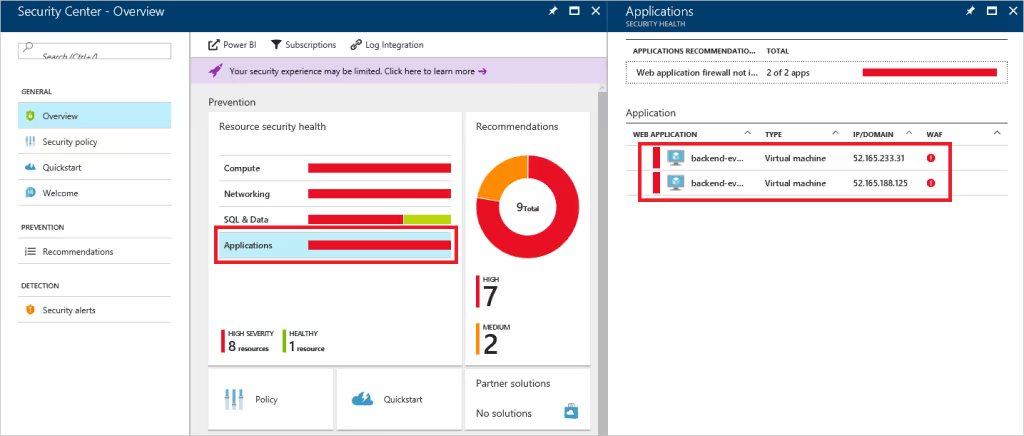
Again, all from the same management portal with integrations to known security solutions like Barracuda, Trend Micro and many more.

I hope I gave you an overview of why Microsoft Azure is a great opportunity to jump into the Cloud, in our experience at Kaizen Softworks it has been a great choice in every project we used it.
We have vast experience using the App Platform and is probably one of the easiest ways to start investigating and doing some tests of your systems with the Azure Cloud. In several of our projects we have used SQL Azure and is not in vain that 1.6M databases are in use in Azure, the experience is practically the same if you are used to work with SQL Server.
Some other great services we have been using for a long time are Azure Active Directory, Blob Storage and Service Bus among other, all of which together allows us to build robust architectures in the Cloud.
As we are big fans of Single Page Applications built using Angular and many other non-Microsoft tech we can also say that serving applications built using these technologies has been a breeze in the Azure Cloud. Choice and flexibility checked.
The DevOps experience while working with Microsoft is great from Source Code Repo options to build, deploy, test and analyze, I think that this well integrated lifecycle in the Cloud is what has let us rely so many aspects of the process in the platform and just take care of what’s really important: building the system. The productivity focus of Microsoft is clearly noticed.
As another remarkable point from our experience, we had the opportunity to work implementing the HIPAA Compliance standard in the Azure Cloud and there are a lot of aspects of it already covered by Azure out of the box, so another great differentiator there. Enterprise Ready verified.
Technology
·
Apr 1, 2017
A practical look at why mobile matters and how Xamarin helps teams build native apps for multiple platforms with less duplicated work.
12 read time
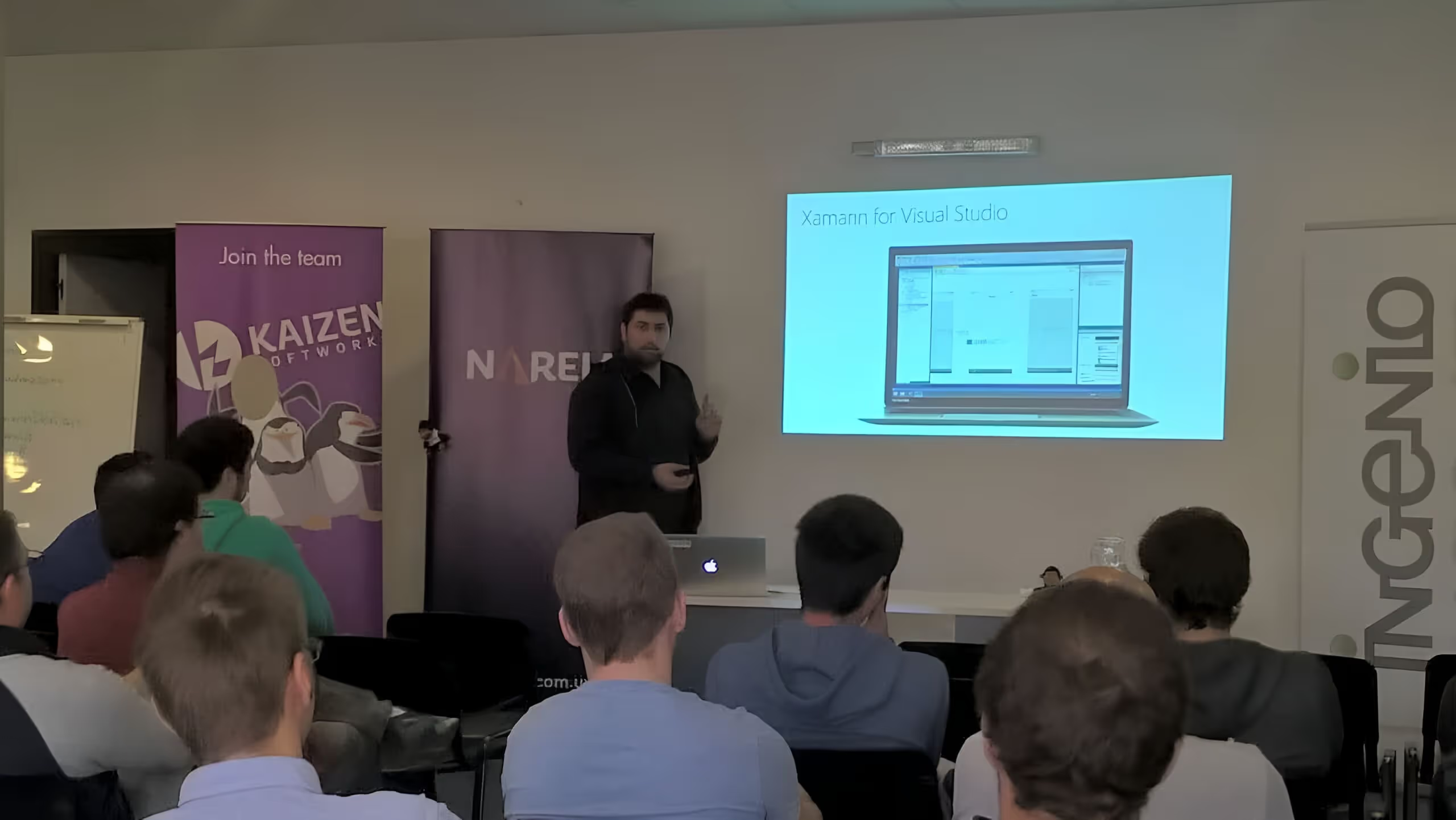
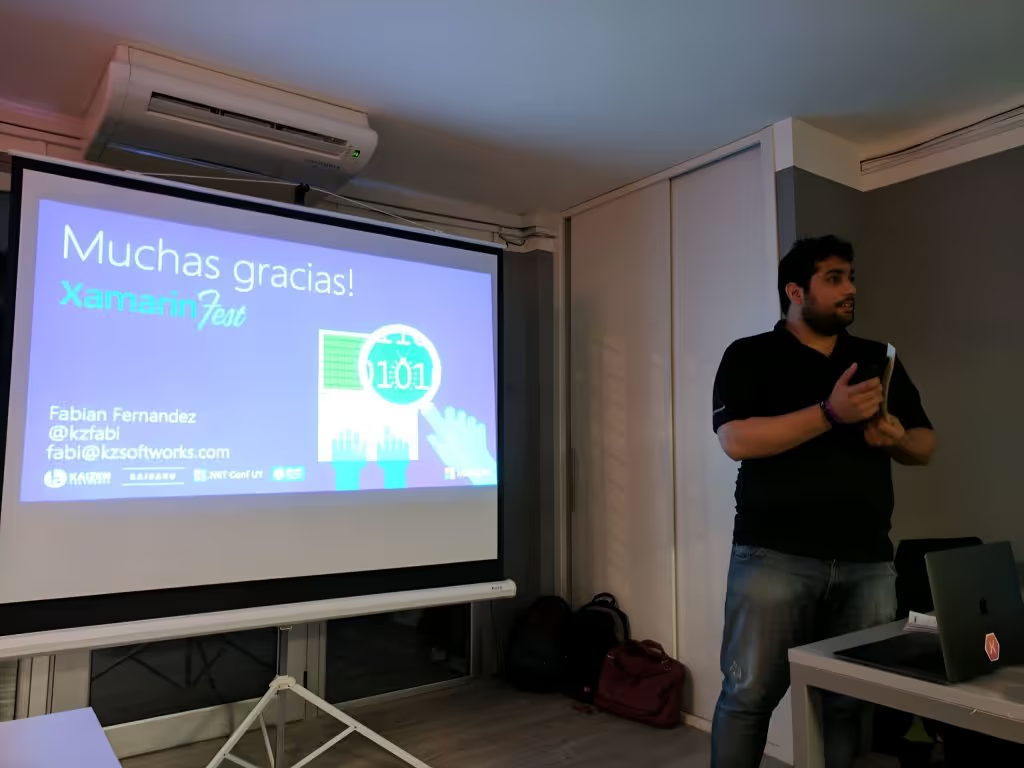
I recently had the pleasure to do the Keynote at Xamarin Fest LATAM, it was a full packed house at NetEffect Uruguay office (really cool office BTW!).
Whether you're a business owner, a developer, or simply a tech enthusiast, embracing mobile technology is crucial. This article explores the importance of going mobile and how you can save money while doing so, with a particular focus on cross-platform native app development using Xamarin.
Mobile technology has taken the world by storm. The number of global users accessing the internet via mobile devices surpassed desktop users in 2014, and the trend continues to grow.
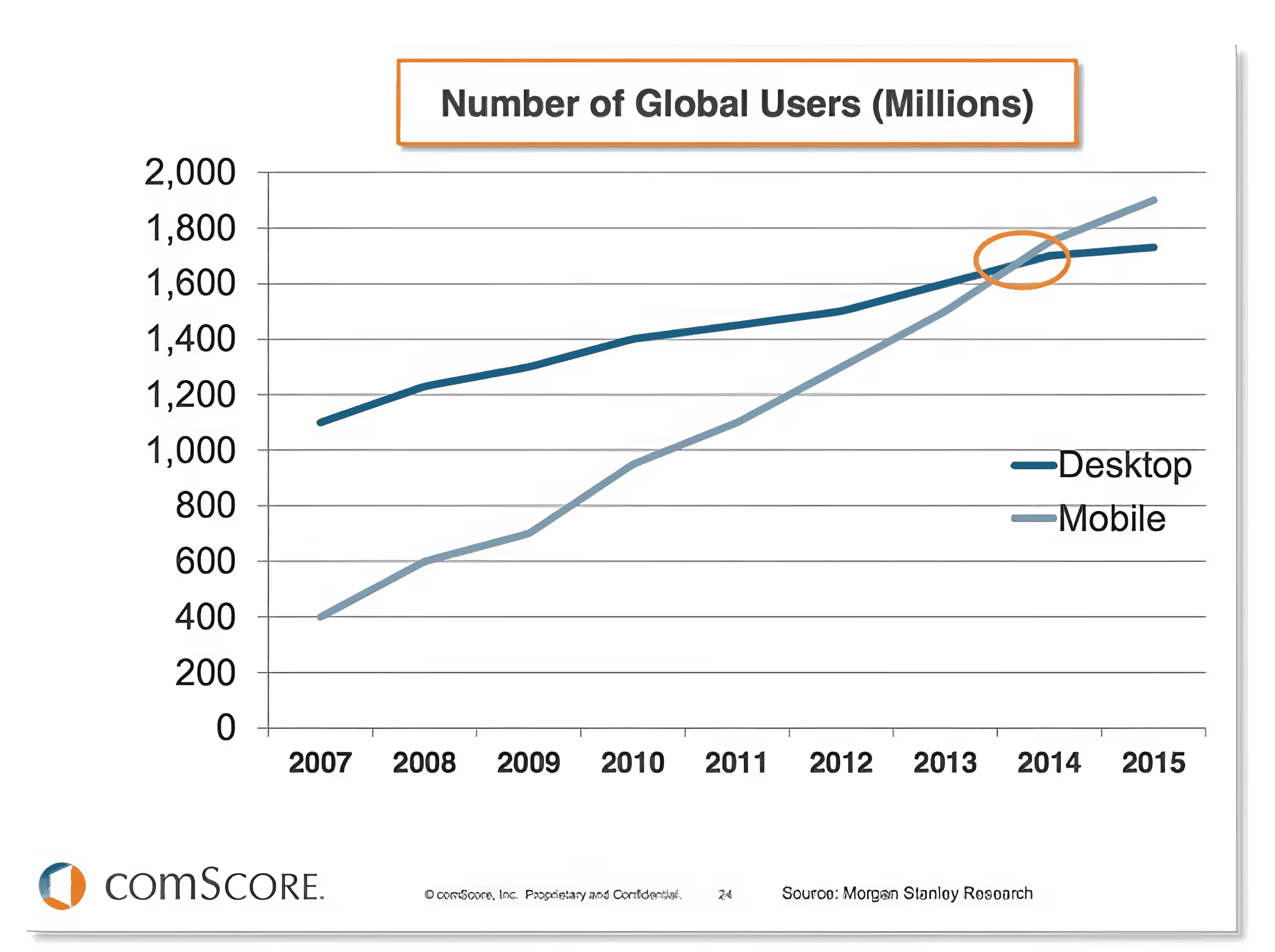
The shift towards mobile is evident in the statistics. For instance, time spent on mobile apps using smartphones witnessed an astonishing 80% growth from 2013 to 2016, demonstrating the increasing importance of mobile applications. Users are intentionally moving apps to their home screens, highlighting the preference for mobile apps over mobile browsers.
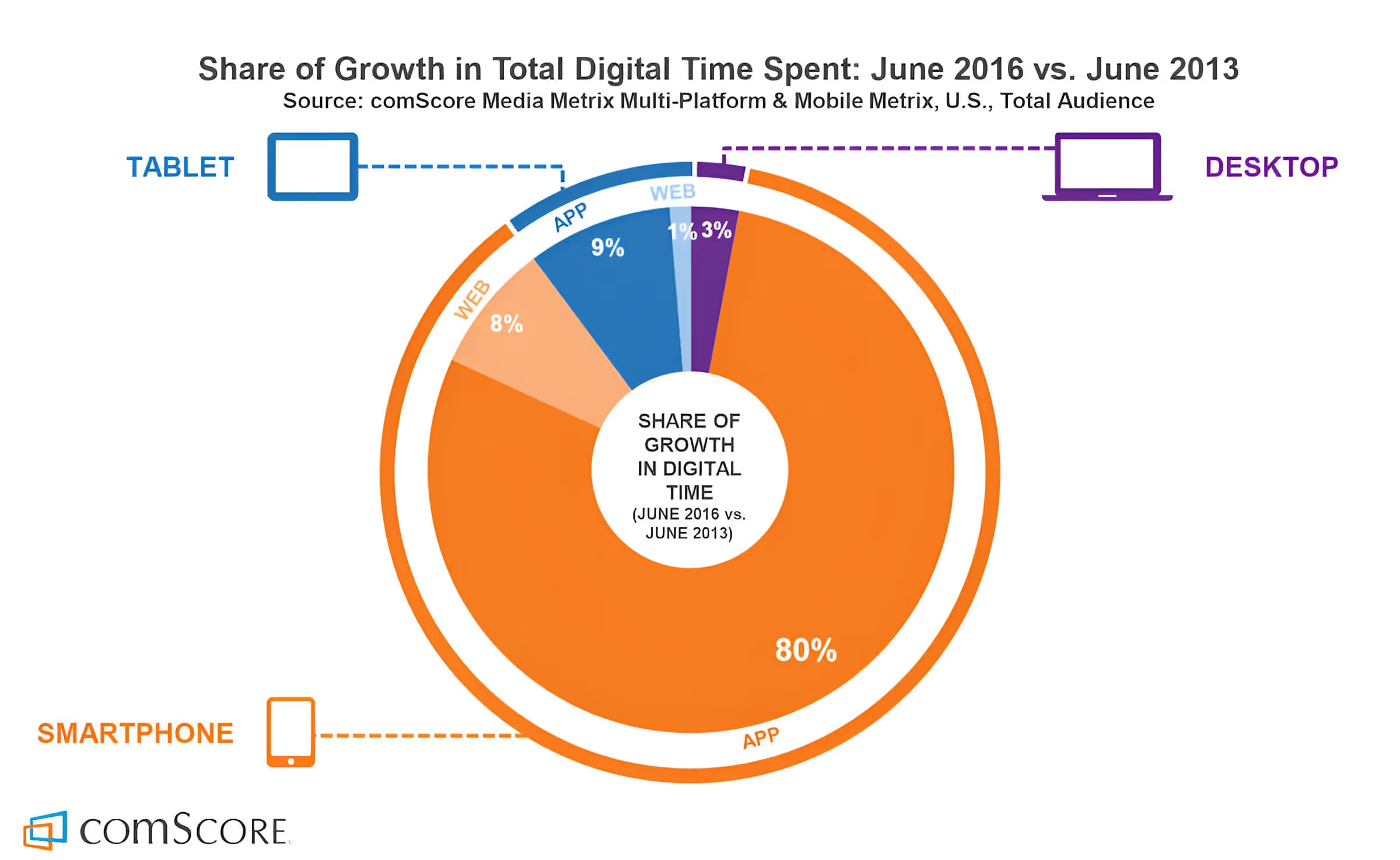
We can see here that time spent on web using a smartphone had a 8% growth from 2013 to 2016, while on a tablet was of 1%, and desktop of 3%. But here’s the deal: Time spent on mobile apps using a smartphone had 80% growth from 2013 to 2016 — WOW; and using a tablet was 9%.
Take a look at this other report, it shows that 75% of mobile users intentionally move apps to their Home Screen making it easier and faster to access their most used and favorite apps — they are not using their mobile browser, they want your app:
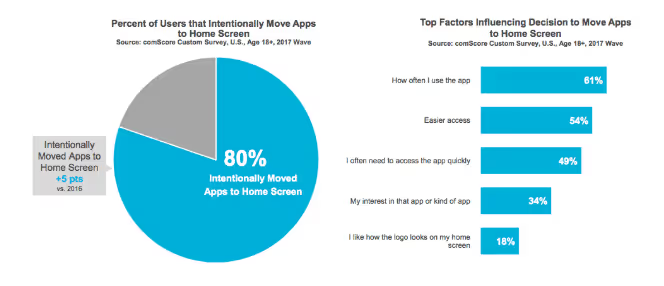
Mobile users are now accustomed to using an average of 27 different apps per month, making the mobile app market a highly competitive and promising space.
When it comes to mobile platforms, Android and iOS reign supreme. Android, in particular, has emerged as the dominant player, capturing the largest market share. To reach the widest audience, it's essential to target both of these platforms. However, building separate native apps for Android and iOS can be expensive and resource-intensive.
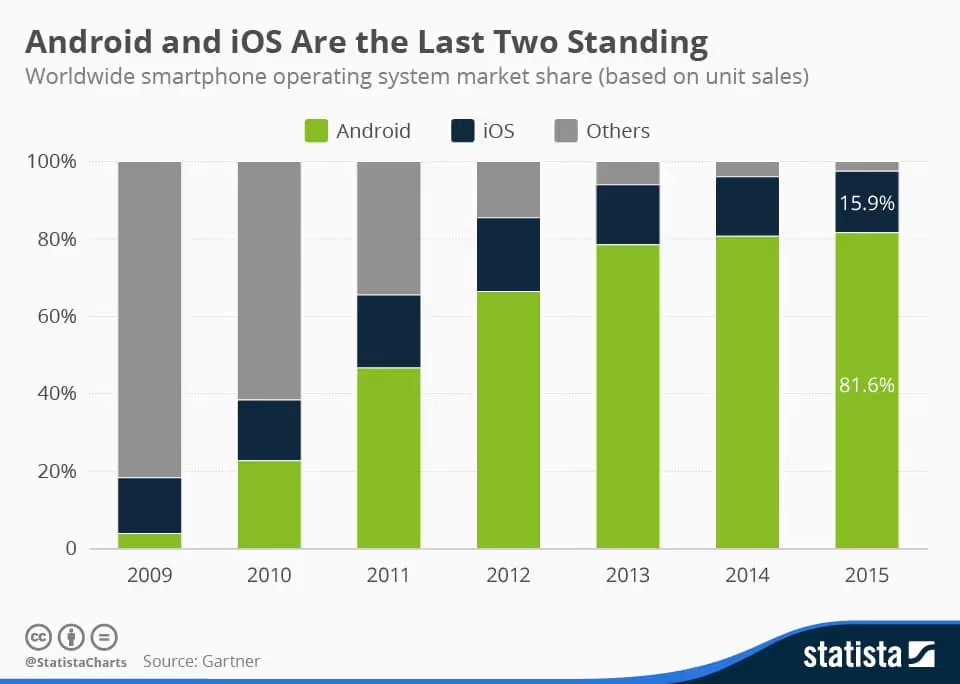
What all this means to us is that we should be at least targeting both platforms to reach the massive market out there. But for that, we have to invest a lot of money, right? You are probably thinking about two teams, one for iOS and another for Android. And you are right, I mean, you are right in start thinking about the decision of going native, that’s the way to go as you will be taking advantage of all the platform specific features, all the good performance users are used to experience and same native experience they have in all their other apps — well, the good apps.
iOS requires us to work on a Mac and we must know to code in Objective-C to work on XCode, the IDE that lets you build iOS apps. For Android, that’s a different story, you must know Java and code on Eclipse or Android Studio — which is really cool to be fair, can’t say the same about XCode. And if you don’t want Microsoft to be left behind, you must know the .NET Framework and code in C# while using Visual Studio — probably the best IDE out there, period.
If you start making numbers, you are already thinking how crazy it would be to have at least two teams building the same product.
This is where Xamarin, a Microsoft-owned tool, comes into play. Xamarin is a Visual Studio extension that you can select during installation or by modifying your Visual Studio setup. Once installed, it allows you to compile C# code into native applications. You can leverage the powerful features of Visual Studio, including debugging, IntelliSense, and more, while building apps faster through code and binary reuse.
Xamarin allows you to build cross-platform native apps using a single codebase and a unified skill set. You can use C# and .NET, along with Microsoft's Visual Studio, one of the industry's most acclaimed Integrated Development Environments (IDEs). Xamarin enables you to create apps for Windows Desktop, Windows Store, Windows Phone, iOS, and Android, all within the same development environment.
Xamarin's cost-effective approach is a game-changer. You only need to write around 20% custom code for the views of each platform you target, while sharing the remaining code and resources across platforms. This results in significant time and cost savings. Xamarin's use of XAML for designing user interfaces further simplifies the development process, eliminating the need for platform-specific languages like Objective-C or Java.
Licensing I hear? Of course, in the past it might have been a little expensive but since Microsoft acquired Xamarin, now it is free for up to 5 users or if you already have (or plan to have) Visual Studio Professional or Enterprise, then you are all set, it is included with it. What are you waiting for?
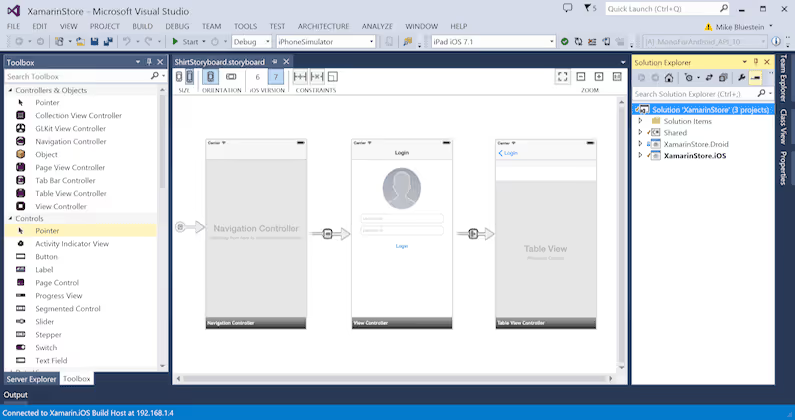
Xamarin simplifies UI design by offering a drag-and-drop interface in Visual Studio. It allows you to design for different screen sizes, resolutions, and OS versions, all from a single development environment. The Android designer in Xamarin is highly regarded, and the iOS designer is equally impressive.
Xamarin Test Cloud is a cloud-based testing environment that enables you to test your apps across a multitude of Android and iOS devices. You can perform simultaneous testing on real devices in the cloud, paying only for what you use. The platform offers performance monitoring, visual test results, and unit tests, streamlining the testing process.
In summary, the shift to mobile is undeniable, and Xamarin offers a cost-effective solution for cross-platform app development. It streamlines the development process, reduces expenses, and allows you to tap into the vast mobile app market with ease. Don't miss out on the mobile revolution; Xamarin can help you make the most of it.
If you're interested in Xamarin, resources are readily available online. You can also check the slides of the Keynote I gave at SlideShare as quick review of all this info.
If you prefer a hands-off approach, at Kaizen Softworks we can help you. We're a nearshore software development company based in Uruguay, specialized in native app development. We also incorporate the power of the Azure Cloud, Artificial Intelligence, Machine Learning, and Cognitive Services to create outstanding app experiences.
About Us
·
Mar 21, 2017
Our founder joined a podcast to talk about software and business. Here are some highlights.
12 read time
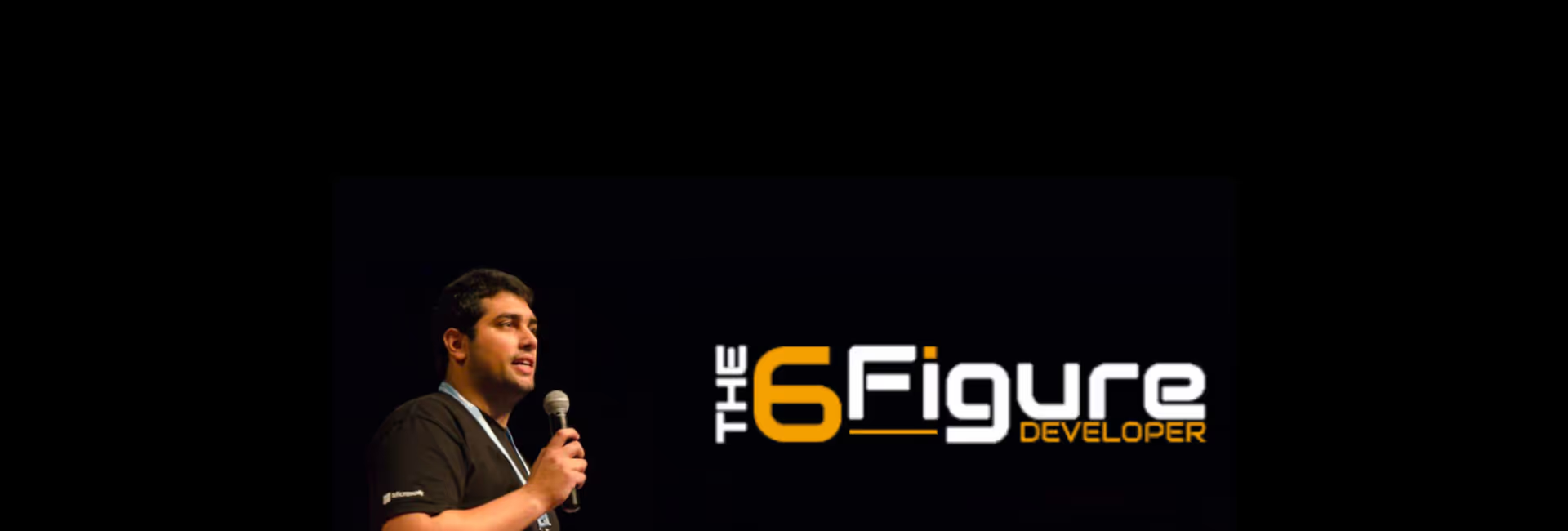
I was recently on a business trip across the U.S. and during my stay on Tampa, FL, I had the great honor of being interviewed by Clayton Hunt and John Callaway on their very first episode of the podcast they are starting at The 6 Figure Developer.
In this article, we'll explore some key takeaways from that discussion and see how they relate to the larger landscape of the tech industry.
Before we delve into the details, let's start with a brief overview of the podcast. The 6 Figure Developer Podcast, hosted by Clayton Hunt and John Callaway, is a platform dedicated to tech enthusiasts and committed to assisting developers in advancing their careers. It covers a wide range of topics, including Test Driven Development, the importance of Clean Code, professionalism, entrepreneurship, and explores the most up-to-date programming languages and cutting-edge concepts in the field.
We talked a lot about the .NET community in Uruguay, primarily focusing on two key aspects: the .NET Meetup and the .NET Conf. These events serve as valuable hubs for networking and knowledge sharing, bringing together tech enthusiasts from various backgrounds. Such communities play a significant role in fostering innovation and growth.
One of the most exciting discussions revolved around tech trends for the next five years, our opinions and preferences when coding and on software architecture, and about business and how we work at Kaizen Softworks.
Some other interesting topics surfaced during the interview:
In today's interconnected world, it's vital to collaborate with communities beyond the .NET realm. Cross-pollination of ideas and practices leads to innovation and growth.
Bringing international speakers to local tech events, like in Uruguay, is a fantastic way to expose the community to diverse perspectives and cutting-edge knowledge.
Tips were shared on how to become an effective public speaker. Clear communication is a key skill in the tech world, whether you're presenting at a conference or discussing ideas with your team.
Agility is a buzzword in tech, but it's not limited to software development. The discussion touched on how to implement agile practices even in non-agile workplaces.
The conversation also delved into business, particularly the experiences of growing Kaizen Softworks.
It wasn’t the first time I was interviewed or featured on a podcast but it was my first time to do it in English and it was a fun time. Clayton and John are really cool guys with great tech expertise and a lot to talk with.
The podcast with The 6 Figure Developer provided an opportunity to discuss essential aspects of the tech world - community, tech trends, and business. It emphasized the importance of collaboration, staying updated with industry trends, and embracing growth even in challenging circumstances. As the tech landscape continues to evolve, engaging with the community, staying agile, and being open to international perspectives will be more critical than ever.
No blogs matched this category, try applying different filters.