



Generative UI: what it is, how it works, and when to use it
Generative UI lets AI build the screen each user needs, in real time. What it is, how it works, the trade-offs, and two working demos we built.

12 min read
Read more
Insights, stories, and experiments from our team.
AI
UX Design
Generative UI lets AI build the screen each user needs, in real time. What it is, how it works, the trade-offs, and two working demos we built.

Santiago Chiappa
·

Jul 17, 2026
·
12 min read
Generative UI is a full-stack architecture that lets AI create, modify, and render user interfaces in real time, based on what each user needs at that exact moment. Instead of static, predefined screens, the interface assembles itself on the fly: a bar chart, a table, a comparison card when you're comparing things.
We've been building proofs of concept with it for the past few weeks. Most of what's written about generative UI is either too abstract or too exciting, so this is our attempt at neither: what it is, how it works, where it helps, where it doesn't, and what we learned from two demos we built.
Generative UI is a full-stack architecture: the backend talks to the LLM, decides what the answer should look like, and picks the components, while the frontend renders them and handles how the user interacts with what’s on screen.
Compare that with how interfaces have always worked. A designer decides what goes on each screen, a developer builds it, and every user sees the same thing. Forever, or until the next redesign.
Generative UI flips that. The interface becomes dynamic and personal instead of static and universal. The AI doesn't just answer your question, it designs the screen that answers your question.
Dashboards and reporting are the most common use cases, but they're far from the only one. The same pattern works for dynamic forms, onboarding flows, and customer support, as it takes input just as easily as it presents output. It can even adjust font size, contrast, or layout for users with low vision, color blindness, or cognitive load.
There are three levels of generative UI, from most constrained to most open (Google Cloud, 2026):
Most production systems today use the declarative approach, and that's what this post assumes from here on. The AI isn't writing HTML or CSS freestyle. It selects components, fills in pre-designed widgets, and composes them into the right screen.
Generative UI works by turning a user request into structured data that describes an interface, then rendering that data as real components. The flow looks like this:
To the user, the result feels like magic. Behind the scenes, it's structured data flowing through a well-defined pipeline. We prefer the second description. It's the one you can build on.
Generative UI trades real personalization and faster development for added latency, inference costs, and less predictable layouts. That's the honest version. Here are the details.
None of these are dealbreakers. There are known techniques to mitigate each one.
We built two demos. One with fictional data, one on top of a tool we use every day.
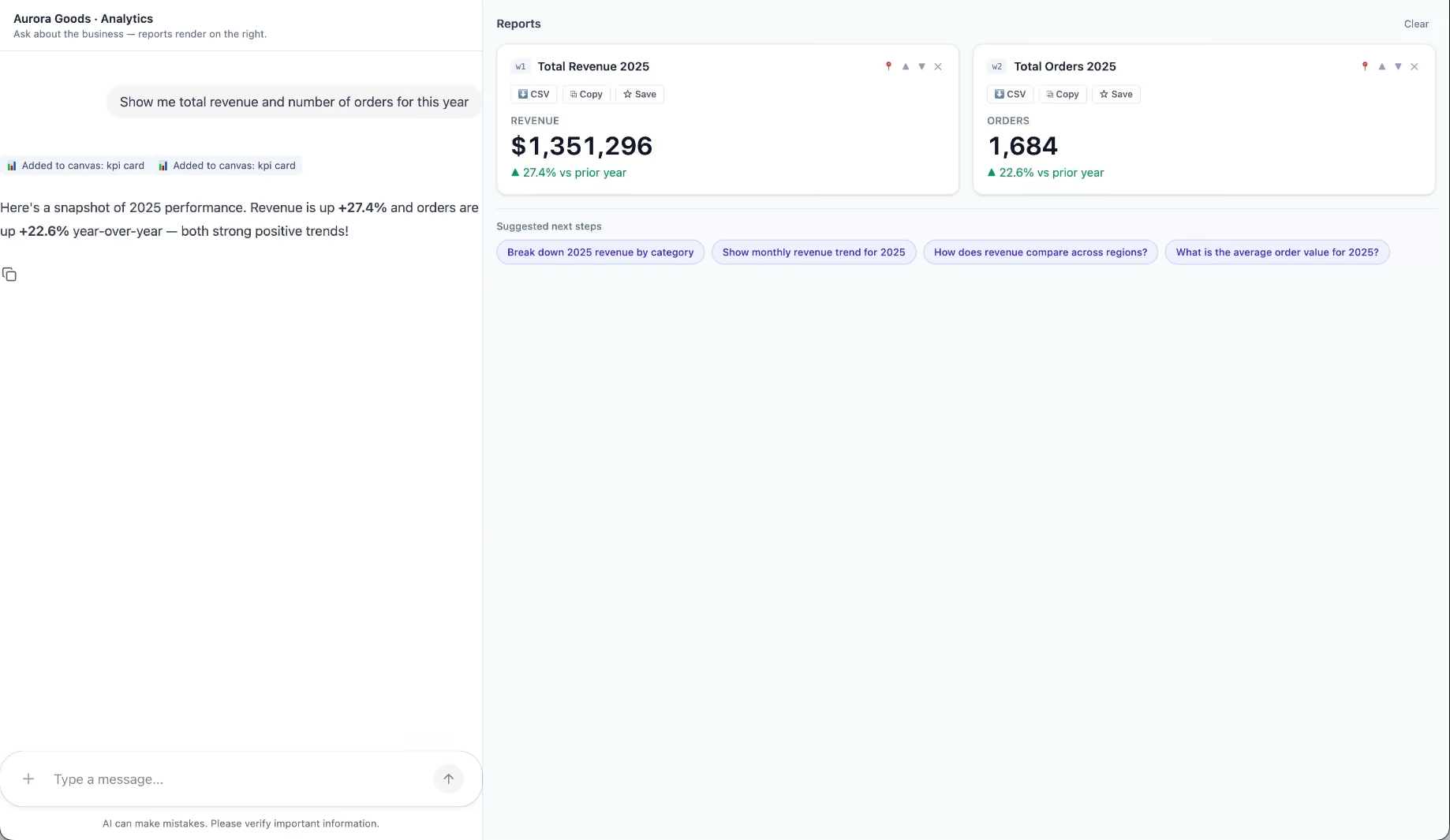
Aurora Goods is a fictional consumer e-commerce platform we created for the demo. The interface is simple: chat on the left, canvas on the right. You ask about the business, the LLM figures out what you need, pulls the data, and renders it visually.
Ask about 2025 sales and it shows the numbers on cards, with a short note on anything relevant. Ask it to break that down by region and it extends the same view instead of starting over, because it understands the second question builds on the first. This part took us a while to get right, and it's what makes the whole thing feel like a conversation rather than a search box.
The canvas isn't output-only either. You can click into any element and drill down: revenue by category, then inside electronics, then which products sold most.
You configure the widgets once. The system combines them and adds relevant commentary on the spot.
The second demo is closer to home: a generative reporting layer on top of the time-tracking tool we use every day at Kaizen. The questions in this demo are questions someone here has actually asked.
Instead of building dozens of hyper-specific reports, a small amount of code now handles virtually unlimited queries. How many hours were logged in May? Which anomalies showed up in April? How do billable and non-billable hours compare across two months? Who worked on a given project last month, and for how long? Each answer arrives as the right visualization: cards, lists, bar charts, plus a short summary that's easy to scan.
Two details won us over. The LLM suggests next steps, so exploring the data becomes a conversation. And when it's not sure, it asks instead of assuming. Ask for the hours of someone named Alex and, since we have more than one Alex on the team, it asks which one before answering.
Generative UI is a complement, not a replacement. Standard interfaces still win for stable, repetitive workflows where consistency matters. Nobody wants their checkout button to be creative. Generative UI wins where the workflow is complex and the questions are unpredictable.
It also changes what design systems are for. Beyond designing components and screens, teams will need to define semantic rules: how the AI should react to uncertainty, which interfaces match which intentions, and the guardrails that keep generated screens functional and safe.
That's a new kind of design work. And it's already starting.
We build working proofs of concept in two weeks. Your data, your workflows, a real thing you can click.
Generative UI lets AI build the screen each user needs, in real time. What it is, how it works, the trade-offs, and two working demos we built.
12 min read
Events
Business

·
Nov 7, 2025
TIA Technovations 2025 showed that AI is now the cost of entry in logistics, but custom tech is where real differentiation starts.
12 read time
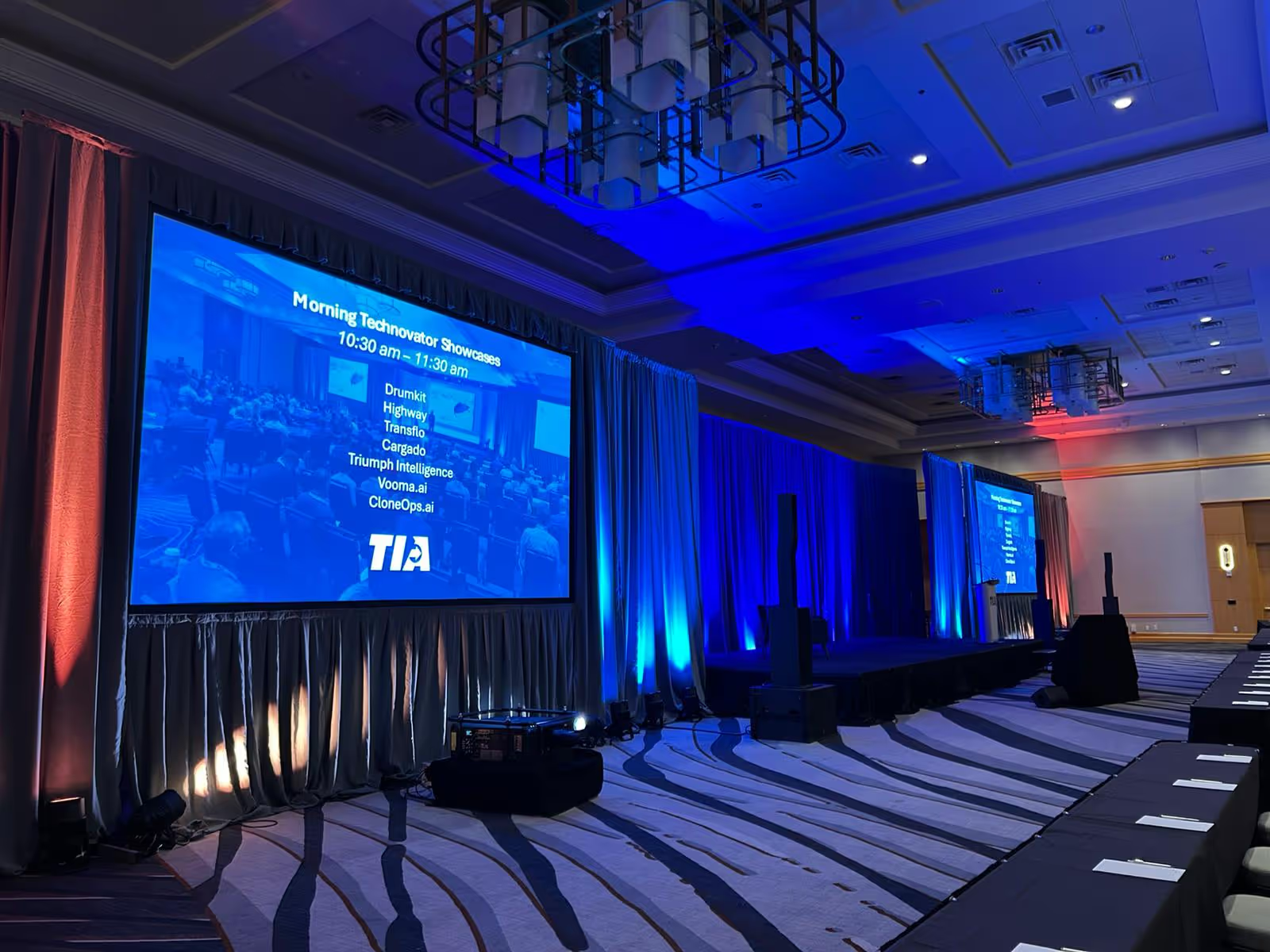
The Transportation Intermediaries Association (TIA) Technovations 2025 Conference in Phoenix, AZ, was a highly focused and valuable event. Held at the JW Marriott Phoenix Desert Ridge Resort & Spa, this gathering, while smaller and intimate with an estimate of 200 attendees, was a powerful showcase for the best of logistics technology.
The central theme was clear: Automation and AI are driving the industry forward, and the sheer volume of high-quality, off-the-shelf software available is impressive.
The conference structure was engineered for engagement, primarily through product-focused interaction:
The consensus across the keynotes and educational sessions was clear: AI and automation are the cost of entry for survival and scaling.
While the product ecosystem is robust, our conversations with leaders across the industry revealed a clear, unmet need:
This is the true next step for growth: building proprietary technology that hard-codes a competitive edge directly into the business model.
At Kaizen Softworks, we partner with logistics leaders to:
TIA Technovations 2025 confirmed that the logistics industry is healthy and focused on innovation. We look forward to working alongside our peers to help freight leaders build the tailored solutions necessary to thrive in the complex, digital landscape ahead.
UX Design

·
Oct 31, 2025
Giving feedback on design isn’t always easy. This is how we approach it as a team.
12 read time
At Kaizen, design critiques began as a simple idea for peer learning, but quickly became the most valuable part of our UX culture. Our philosophy is to build by co-building. Feedback isn’t something we fear; it’s something we train for. We prefer to face tough input at the right time rather than too late.
We use design critiques to connect, exchange perspectives, and train our critical eye. It's not about one UXer working alone; it’s about bringing diverse viewpoints together to strengthen ideas early, before they go live. We hold these sessions weekly across all projects, from small features to large redesigns.
A design critique is a structured, collaborative review where peers evaluate a design, prototype, or concept. Its main objective is to gather constructive feedback to identify strengths and weaknesses, leading to significant product improvements.
Our sessions last one hour. One person moderates while others present their work. Each presentation is about 15 minutes, split evenly between context and feedback.
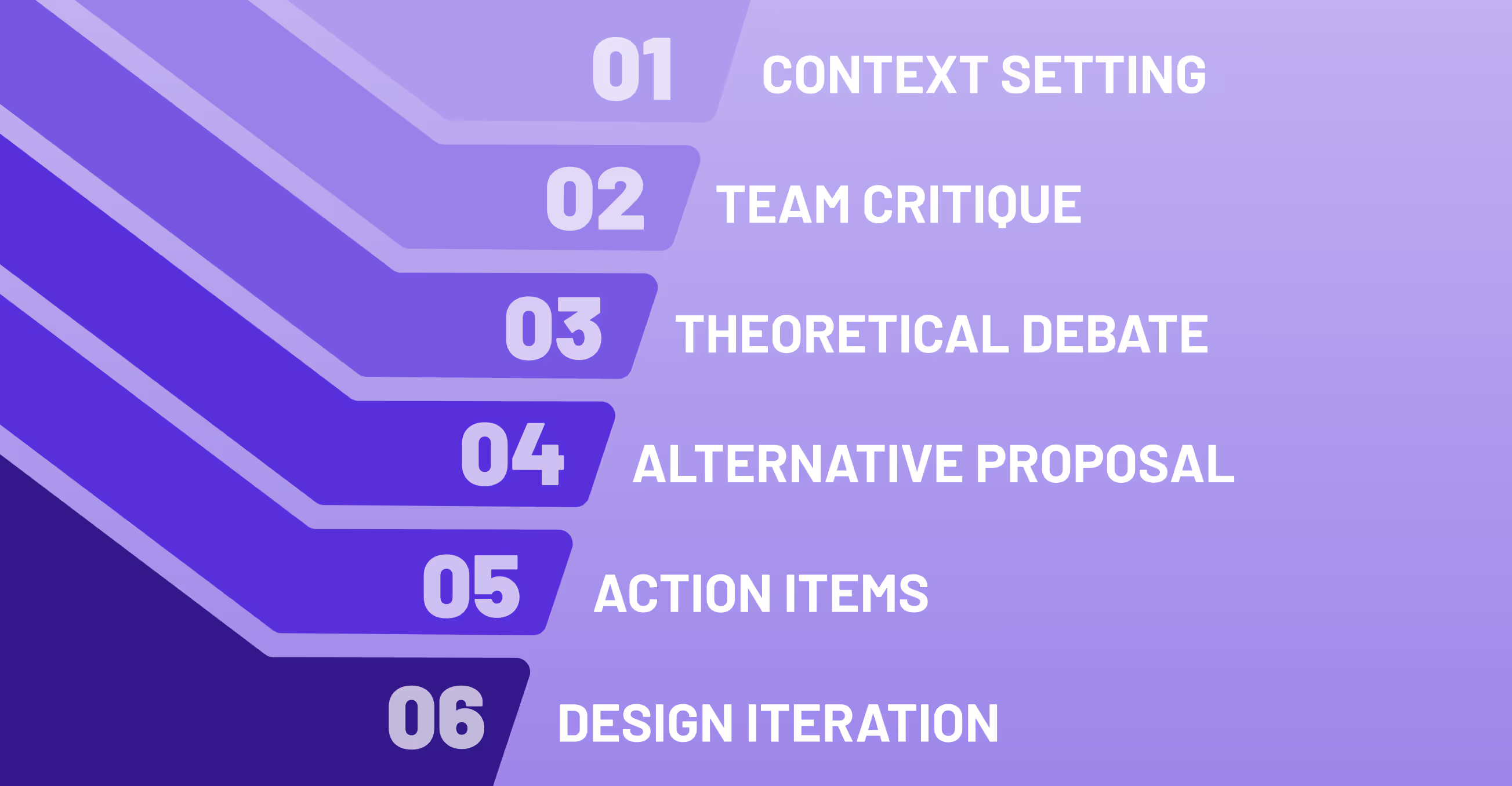
Every UX design critique follows a three-part structure. The core rule is that feedback must be objective analysis (e.g., based on user needs and UX principles) and never personal judgment:
What makes the Kaizen design critique process unique is the dual purpose it serves:
Our golden rule for giving a design critique remains simple: “Critique, explain, propose.” It’s how we stay grounded, theoretical, and solution-oriented at once.
When the critique ends, the feedback doesn't vanish, it's immediately actionable:
Every session becomes part of our collective learning system, building a repository of UX design best practices.
For us, design critiques are not mere meetings; they are a ritual of learning. They remind us that good design doesn't happen in isolation, and that growth comes from openness, respect, and shared curiosity.
When asked how Kaizen’s UX team achieves consistent quality, we point to this practice: a warm group of people, united by listening deeply, questioning respectfully, and building better designs together.
AI
Technology

·
Oct 28, 2025
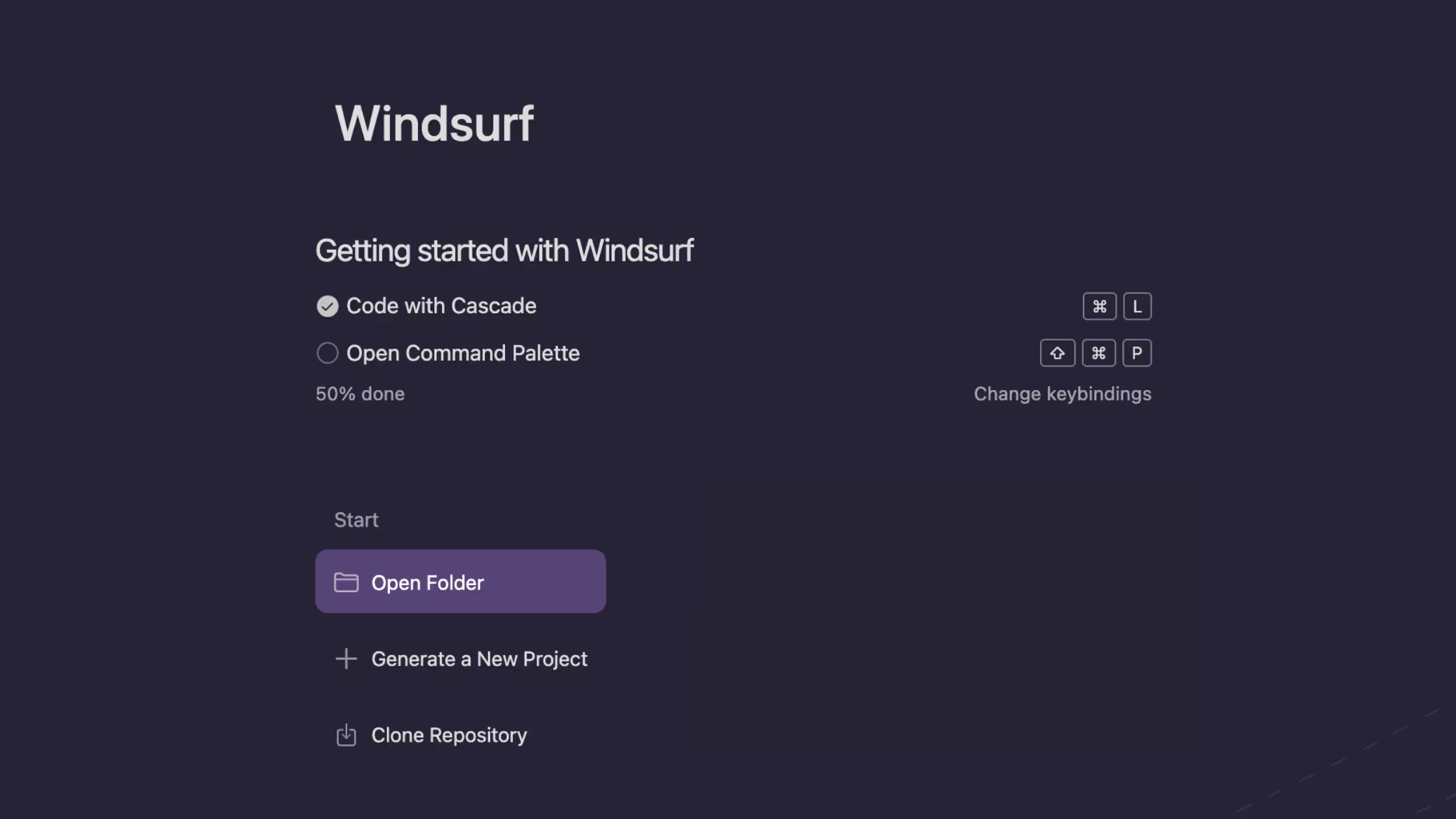
We tried going from prompt to prototype with Windsurf. Here’s how that actually played out.
12 read time
Working with AI in its default state is a manual loop: you prompt, get a result, tweak it, and repeat. The core problem is that this approach has no memory or system. A lesson learned in one prompt is forgotten by the next.
This inevitably ends in frustrating loops, where the AI goes beyond what is asked and gets stuck solving the wrong problem while we waste time and energy trying to prompt it back on track.
We learned that the agent's effectiveness skyrocketed when we stopped treating it like a single-use tool and started building a system around it by:
Initially, each developer solved this in their own way, creating custom prompts and conventions. It worked, but it didn't scale. The solution was to systematize this knowledge and turn it into shared workflows and rules using the Windsurf Editor.
Our Innovation Hub created a repository that functions as an additional workspace, providing a set of workflows and rules that standardize how we interact with the AI on development projects.
Building a workflow in Windsurf is like creating a smart recipe for your AI assistant. You're giving it the ingredients, the rules, and the step-by-step instructions separately so it can deliver a perfect result every time.
Location: .windsurf/workflows/ These are executed with slash commands and orchestrate the entire flow of a task:
Location: .windsurf/rules/
This is where you enforce quality and consistency. You create "rules" that act as non-negotiable guardrails for the AI's output.
Guidelines for architecture, TypeScript conventions, use of Tailwind + shadcn/ui, testing, performance, error handling, and the assistant's expected behavior (e.g., do not assume or invent libraries).
This file tells the AI "where" to work. It defines that process tracking and documentation are centralized in docs/development/current-task.md within the devsuite. This maintains order and traceability.
You can explore all the DevSuite guidelines and workflows directly on our GitHub repository here.
Consistency → The same rules applied across all projects.
Standardization → Clear steps and documented outcomes in each workflow.
Traceability → All decisions recorded in a single location.
Productivity → Less friction; the assistant knows what to do at each stage.
Today, we are in the middle of the adoption phase: each team at Kaizen is incorporating the workflow set into their daily routine while we gather feedback to improve it. The goal is for these workflows to evolve with use:
We want this to become a common and living foundation that empowers every dev, regardless of their seniority, and facilitates collaboration between teams.
We went from "fighting with the AI to make it understand what we want" to having a structured and reliable process where the assistant works with focus, within a common framework, and without endless prompt loops.
With Windsurf + devsuite, AI has stopped being an isolated experiment and has become a real pillar of our daily operations.
Business

·
Oct 23, 2025
Find where your logistics operation stands today and what tech steps can help you move from daily firefighting to smarter growth.
12 read time
Is your logistics operation running smoothly, or does it sometimes feel like a daily firefight? Do you make decisions based on real-time data, or do you rely on gut feelings and the expertise of a few key employees?
Every company is on a unique journey. For many, the challenges come from patchworks of disconnected systems, manual workarounds, or processes that haven’t yet scaled with growth. This isn’t a failure, it’s simply where you are today. The important thing is recognizing opportunities to grow stronger, more efficient, and better connected.
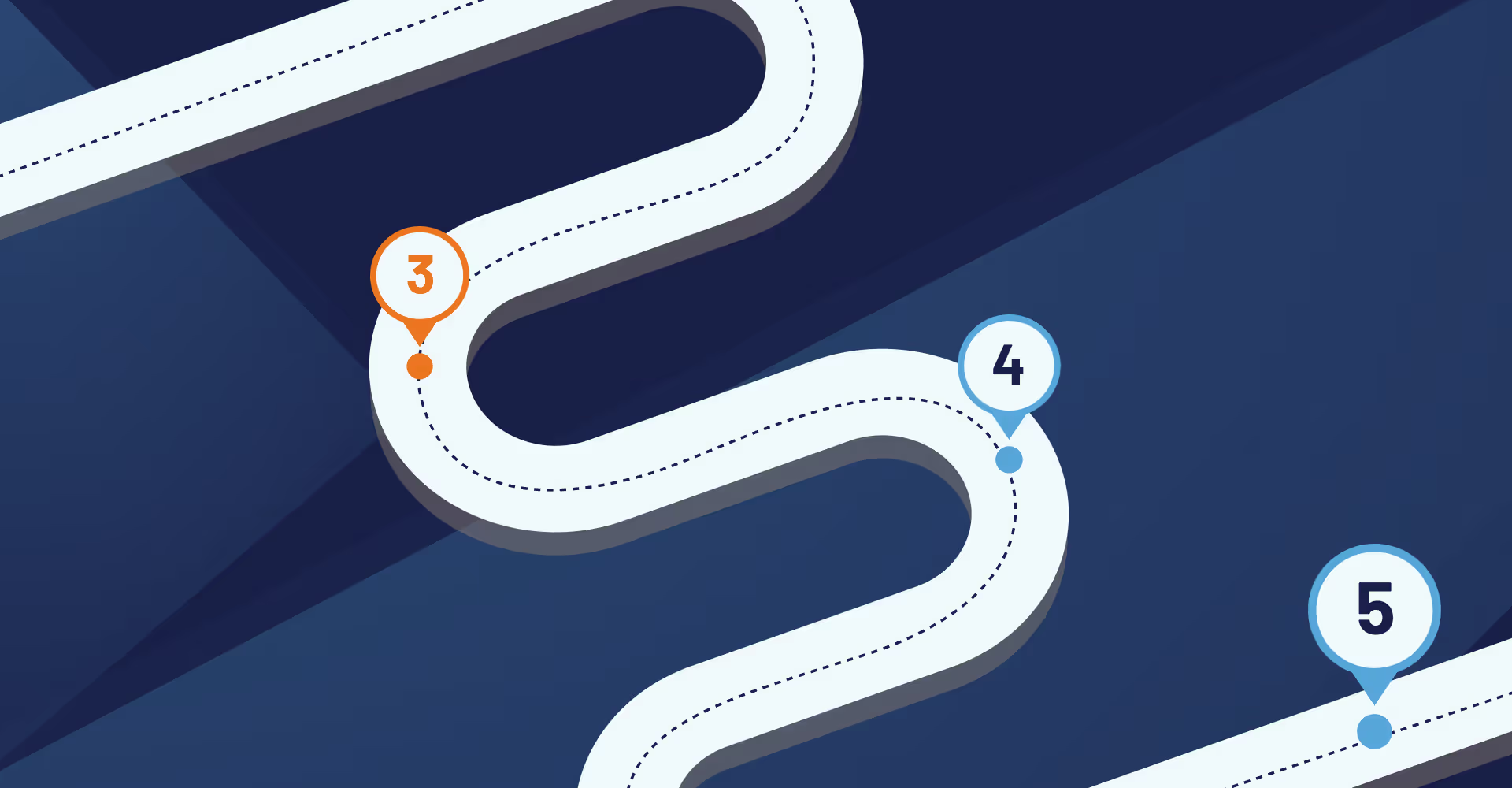
This framework is designed to help you quickly assess where you are today and what opportunities exist to unlock your next stage of growth.
You may be here if:
Opportunities to Grow: Reduce inefficiency, errors, and stress by introducing simple, repeatable processes and basic technology tools.
You may be here if:
Opportunities to Grow: Focus on connecting systems and sharing data to improve collaboration and visibility across teams.
You may be here if:
Opportunities to Grow: Build efficiency, scalability, and consistency by leveraging integrated systems and measurable results.
You may be here if:
Opportunities to Grow: Use collaboration and data insights to strengthen partnerships, anticipate challenges, and improve customer experience.
You may be here if:
Opportunities to Grow: Turn technology into a true strategic advantage by moving from reactive problem-solving to proactive, optimized decision-making.
No matter where you are currently, staying stagnant can hold back your growth. Every disconnected process, data-entry error, and missed insight make it harder to compete.
Your Competitors Are Advancing: Companies at later stages are moving faster and more efficiently.
Inefficiency Eats Profit: Manual processes and disconnected systems act like a hidden tax on your margins.
Blind Spots Limit Strategy: Without integrated data, decisions remain educated guesses.
The question isn’t if you should progress, it’s how and when. And the best time to start is now.
Let’s work together to assess your current systems and design a roadmap that fits your business goals.

About Us
·
Oct 22, 2025
See how we built a transparent salary policy around fairness, market data, purchasing power, and shared decision-making.
12 read time
A transparent, decentralized, and human approach to compensation
Let’s face it, salary decisions in most companies feel like a black box. You work hard, get good feedback… and still wonder: Am I being paid fairly? Who decides that, anyway?
At Kaizen, we decided to do things differently.
We built a transparent and collaborative salary policy, one that doesn't rely on negotiations behind closed doors, or a single person pulling the strings. Instead, it's a decentralized, data-informed system that values fairness, context, and sustainability.
Here’s how our salary policy actually works, and why we believe it reflects the culture we’re building every day at Kaizen.
In the early days, our CEO, Bruno, handled all salary reviews. His intentions were fair and well-meaning, but the process just wasn’t scalable. Reviews took time, data was hard to update, and decisions were largely centralized.
So a few Kaizeners decided to change that.
Martin (our Agile Coach), along with Nacho and Eduardo (two of our tech leads), proposed a change. They started codifying the values and principles Bruno used to make decisions and turned them into a transparent, repeatable process the whole company could see.
They focused on four main goals:
We based our salary policy on four clear, concrete pillars. Each one helps us make decisions that are fair, sustainable, and rooted in reality.
We subscribe to trusted market surveys (CPA Ferrere and Búsquedas IT) and build salary bands by role and experience.
Instead of guessing or benchmarking against vague “industry averages,” we aim to land between the 20th and 80th percentile of real-world salaries. This gives us flexibility to reward growth while staying competitive across roles.
A salary isn’t just a number, it’s what it can actually buy.
That’s why we track inflation, currency fluctuations, and cost of living. We don’t just raise salaries because it’s time; we raise them when people’s actual purchasing power is impacted. It’s about making sure people can live well, not just look good on paper.
This principle of real-world stability also applies to when you get paid. We pay salaries on the first day of each month. If that day is a holiday or weekend, you get paid on the last business day of the previous month.
We’re transparent about the fact that salaries are a big investment, and we need to manage them responsibly.
We track our Gross Margin (revenue minus direct project costs), and aim to keep it around 50% to stay healthy. Every proposed salary adjustment gets run through simulations to see if it keeps us on track.
It’s a way of saying: yes, we care about people, and we also care about keeping this company strong for the long haul.
Similar work should mean similar pay across different departments, with room to recognize impact.
We use years of experience as our starting point (it’s a reliable guide about 80% of the time), and then enrich that with input from team leads and principals. This helps us identify people who are growing fast and contributing at a higher level, even if they’re earlier in their careers.
Anyone at Kaizen can request a salary review, for themselves or a colleague. But we also run company-wide reviews twice a year (around March and September), and on every Kaizener’s yearly anniversary.
Here’s what the process looks like:
Our salary policy isn’t perfect. But it’s transparent, thoughtful, and built by the people who live it every day.
It reflects who we are as a company: collaborative, transparent, and constantly evolving. And because we value that long-term commitment, we have other ways of showing it. For example, after three years at Kaizen, your personal laptop bought with an allowance benefit, is 100% yours to keep.
So if you’re someone who values honesty, ownership, and real context behind how things work, you might feel right at home here.
Curious to learn more about life at Kaizen or how we work?
Check out our open roles or reach out to [email protected], we’re always happy to talk.

Business
·
Oct 14, 2025
Outdated logistics tech may feel “good enough,” but hidden costs in visibility, scalability, and efficiency can quietly hurt growth.
12 read time
Is your technology just another expense, or is it your greatest strategic weapon? For many logistics companies, a patchwork of legacy systems and spreadsheets feels "good enough," but this mindset comes with hidden costs that squeeze margins and hand an advantage to your competition.
This article exposes the five key pains of outdated tech and provides a modern playbook to fix them.
If you're running on legacy systems, manual processes, or systems that don’t talk to each other, these challenges probably sound familiar. They start as minor frustrations but quickly snowball into major business liabilities.
This is the most immediate pain. Manual processes, suboptimal routing, and a complete lack of automation lead to excessive transport costs, human error, and wasted time. The direct result is reduced profit margins and an inability to compete on price.
Disconnected systems create data silos, making real-time answers impossible. Internally, a lack of centralized data cripples accountability and makes real-time coaching nearly impossible. This can lead to reduced productivity, costly mistakes, and even opens the door to fraud, a massive problem in the industry today.
When a client calls for an update, can you give them a real-time answer? A lack of visibility creates a negative customer experience, loss of trust, and cripples internal decision-making.
Opportunity knocks, but your systems can't answer the door. Your tech should enable growth, not cap it.
Generic TMS or legacy software was never designed for modern growth. It struggles to keep up with advancements in shipper technology and changing federal and state regulations, which require constant updates to create synergy between systems (especially for EDI setups).
When systems fail during peak periods or require you to hire more staff just to handle a small increase in volume, you're being held back. More specifically, the hidden costs of managing off-the-shelf software become a major financial drain:
This pain comes from the outside. You watch as rivals pull ahead with slicker operations, more transparent service, and better pricing. They aren't smarter; they're just better equipped.
Your rivals are gaining an edge by investing in the logistics automation, AI, and proprietary technology that you are not.
This is the threat that should keep you up at night. Outdated systems lack the modern security protocols required in today’s digital landscape, making them prime targets for data breaches and often fail to meet modern compliance standards.
The real cost is the potential for costly fines, devastating reputational damage, and severe operational disruptions.
The solution is a unified logistics platform that serves as a single nerve center for your business. Whether built from the ground up or as a custom hub integrated with existing tools, the path involves four key steps:
Investing in modern logistics tech isn't just an upgrade; it's a fundamental business transformation. In today's market, standing still is falling behind as the race for digital leadership accelerates.
That leaves one critical question: Will you invest to lead the pack, or will you risk getting left behind?
Book a free consultation with our team, and let’s diagnose the best path forward for your logistics tech strategy.
1 ARC Advisory Group, "Transportation Management Systems Market Research Study" (recurring report).
2Descartes Systems Group, "2024 State of the Supply Chain: Taming the Bullwhip Effect" survey, conducted in partnership with FreightWaves.
.avif)
UX Design
·
Oct 10, 2025
UX Vitals is a simple way to test whether a design proposal has enough user, business, technical, and strategic value to move forward.
12 read time
After more than twenty years in design and product, I’ve seen countless proposals fail. Some were brilliant, but didn’t survive the first meeting. Others moved a little further, only to stall in a committee or lose their place in the roadmap.
At some point we realized the problem wasn’t the quality of the design itself, but how the proposal held up across different dimensions. We started looking for patterns in the ones that did succeed. That reflection eventually shaped what we now call UX Vitals.
Once we replaced a floating action button with a bottom bar. From a usability standpoint, it looked perfect, more accessible, more visible, more in line with mobile patterns.

But the new bar came packed with functionality no one had asked for. It solved problems that mattered to us as UXers, not to anyone else. We spent time in debates and presentations, selling the “big change,” while ignoring what we were actually prepared for: aligning different needs and perspectives.
In the end, it was costly to build, added debt, and from a business perspective it moved a few metrics, but nowhere near enough to justify the investment. A proposal polished in usability but weak across the dimensions, and a failure we still cite as a reminder to check UX Vitals before moving forward.
UX Vitals borrows from methods like HEART, Lean UX, and the Kano Model, but it’s also shaped by our own practice, what has worked for us and what hasn’t.
What makes it ours is simple: every proposal should stand on at least three of five dimensions, experience, feasibility, impact, cost, scalability, and be framed in the right language for the audience.
That’s why UX Vitals isn't a theory for us. It’s the filter we rely on to check substance before we commit energy.
Does this change actually improve how people use the product?
It should reduce friction, improve accessibility, and build trust. When this is missing, you may still ship something functional, but the gaps in experience surface quickly, turning usability into a real point of failure.
Will it make a measurable difference for the business?
A clearer flow that reduces support tickets, or a smoother checkout that lifts conversion, is what gives a proposal real weight. Without this, even a well-designed solution risks being sidelined, not because it lacks value, but because it fails to connect with what the business is actually driving toward.
Can it realistically be built with the stack and the team we have?
For us in UX, this means aligning early with engineering instead of designing castles in the air. If feasibility is ignored, a proposal can look promising at first but soon turns into fragile workarounds or long delays that erode confidence in the design itself.
Is the value worth the time and energy required?
Part of our job is keeping proposals realistic. That often means shaping them into versions, an MVP first, improvements later. When effort is overlooked, teams can end up chasing over-designed solutions that look impressive on paper but drain resources and push out more impactful work.
Will this solution still make sense as the product grows?
A pattern that works today should extend across contexts, align with the current design system, and stay open to what the product may need tomorrow. If scalability is overlooked, the design can look elegant in the moment but quickly turns into tomorrow’s bottleneck, creating debt that slows down future progress.
A proposal that balances at least three of these five dimensions has the substance to move forward. But substance alone isn’t enough. How you frame and communicate that proposal often decides whether it gains traction or stalls.
You can’t talk technical details with a product owner, just like you can’t talk about long-term vision in a handoff with developers. Each role listens through its own filter, and a good proposal adapts to that reality.

The same change framed in four different ways shows how intention and substance only work if they’re spoken in the language of the listener. That’s what turns a proposal from an isolated idea into something the team is ready to move on.
Here’s the way we review our proposals. A simple checklist we use every time.
User Experience (friction, accessibility, clarity, design)
Technical Feasibility (stack, dependencies, risks)
Business Impact (conversion, efficiency, timing, success metrics)
Cost and Effort (resources, time, trade-offs)
Scalability (design system, adaptability, long-term debt)
Language Fit (audience, framing, clarity)
Over the years, I’ve learned that the difference doesn’t come from how clever an idea looks on paper, but from how it holds up across multiple dimensions and how it’s framed for the people who make decisions.
Kaizen’s UX Vitals was born out of that realization: to stop pouring energy into beautiful but fragile ideas, and to focus instead on successful proposals that survive, advance, and deliver real impact.

AI
·
Oct 6, 2025
NotebookLM helps you turn your own documents into grounded answers, summaries, and insights without searching the whole internet.
12 read time
Whether you're a student juggling research papers, a professional preparing a major presentation, or a creative mind organizing a new project, the challenge is the same: how do you synthesize countless articles, videos, reports, and notes into coherent insights?
What if you had an AI assistant that only read your stuff? An expert that knows your project inside and out and can instantly answer any question you have about it.
That's NotebookLM. Built from the latest Gemini models, it’s a research and thinking partner designed to turn your digital clutter into clarity.
And before you ask: your data is private. NotebookLM does not use your documents, your questions, or its answers to train any AI models.
NotebookLM is an AI research assistant that works exclusively with the documents you provide.
Here’s the key difference: unlike general-purpose AI tools that pull answers from the entire internet, NotebookLM becomes an expert on your information and nothing else.
The secret sauce is a technique called Retrieval-Augmented Generation (RAG). In simple terms, this means before NotebookLM answers your question, it first finds the relevant facts directly from your sources. This grounding technique is why its answers are so reliable and it doesn't "hallucinate" or make things up.
NotebookLM is more than just a chatbot for your files. It’s a full suite of tools designed to help you understand, synthesize, and create new insights from your own material.
It all starts with your sources. In NotebookLM, you can upload up to 50 documents per notebook, creating a focused, private "mini-internet" for the AI to work with. By limiting the AI to only your sources, you control the context completely.
You can upload a wide variety of formats, including:
Once your sources are uploaded, you can start asking questions. The magic of NotebookLM is that every single answer comes with citations, linking you directly back to the exact passage in your source documents.
This is the ultimate fix for AI hallucinations. You never have to guess where an answer came from. You can instantly verify every fact, making it an incredibly reliable tool for researchers, students, and professionals who need accuracy above all else.
NotebookLM can synthesize your source material into professionally formatted documents, saving you hours of tedious writing. With a single click, you can generate:
For visual thinkers, this feature is a game-changer. NotebookLM can automatically generate an interactive mind map that shows the relationships between key topics, people, and ideas across all your source documents.
A mind map helps you see the bigger picture. It can reveal hidden connections and spark new lines of inquiry that you might have missed by just reading the text, making it perfect for brainstorming and strategic thinking.
Need to review your notes but can't be tied to a screen? NotebookLM can generate a custom podcast-style audio conversation or even a short, narrated video explainer based on your documents.
It can create an audio Q&A, a discussion, or a short video that walks you through the key points, complete with a voiceover. You can listen to a deep-dive on your research or watch a quick summary of your meeting notes, absorbing key information without being glued to the page.
NotebookLM isn't trying to be an all-knowing oracle that has an opinion on everything.
It’s a focused, private tool designed for a single purpose: to help you think better and work smarter with the information that matters most to you. By giving you reliable answers, powerful summaries, and new ways to see your own data, it acts as a true partner for your brain.
%20(1).avif)
Events

·
Oct 3, 2025
Nerdearla 2025 showed how AI, research, and data are reshaping tech, and why the best ideas start with real problems.
12 read time
In September, we joined Nerdearla 2025, the largest free science and technology event in Latin America. For five days—September 23–24 online and September 25–27 at Ciudad Cultural Konex in Buenos Aires—over 10,000 in-person attendees and 40,000 online participants explored the future of technology, from artificial intelligence to user experience.
Nerdearla was born with the mission of promoting learning and collaboration within the global tech and open-source community. The event mixes talks, workshops, and networking spaces, with free streaming worldwide and in-person activities.
The 2025 edition featured multiple tracks: Development, Data Science, Product, Infrastructure, Security, AI, Testing, UX, and Soft Skills. This makes it an important event for professionals looking for emerging trends, inspiration, and community connections.
Our participation in Nerdearla 2025 started as an internal proposal from the UX team. After reviewing the idea with company leaders, the delegation was shaped into a group of two designers and one developer, a mix designed to maximize value and capture insights from different perspectives.
This ensured the experience was valuable for each of us and for the team as a whole, aligning with both our company values and our professional growth goals.
Here’s a breakdown of the key conversations that dominated the sessions we attended.
Recommended talk: "Programming is dead. Long live programming!" – Miguel Ángel Durán García
Recommended talk: "Build the right product (before writing a single line of code). Validation, purpose, and focus."
One common takeaway was that AI should not be added just for the sake of it but rather used as a tool to solve a real, defined problem.
We’d love to share a few of the sessions we kept talking about long after leaving the room:
Some of what we heard confirmed our core beliefs: making decisions without data is like working in the dark; AI is here to stay as a tool to speed up processes and solve problems; and research should be present in every stage to build a successful product.
At the same time, we discovered new perspectives that broadened our view. What stood out most is that our company supports both individual and team growth, and Nerdearla gave us the space to grow together. That growth now flows back into the projects we deliver.
Nerdearla 2025 made it clear that combining research, data, and new technologies—especially AI—will continue to shape the industry. For us, it was a moment to validate our approaches, learn from others, and bring fresh ideas back to our work.
No blogs matched this category, try applying different filters.

