



Generative UI: what it is, how it works, and when to use it
Generative UI lets AI build the screen each user needs, in real time. What it is, how it works, the trade-offs, and two working demos we built.

12 min read
Read more
Insights, stories, and experiments from our team.
AI
UX Design
Generative UI lets AI build the screen each user needs, in real time. What it is, how it works, the trade-offs, and two working demos we built.

Santiago Chiappa
·

Jul 17, 2026
·
12 min read
Generative UI is a full-stack architecture that lets AI create, modify, and render user interfaces in real time, based on what each user needs at that exact moment. Instead of static, predefined screens, the interface assembles itself on the fly: a bar chart, a table, a comparison card when you're comparing things.
We've been building proofs of concept with it for the past few weeks. Most of what's written about generative UI is either too abstract or too exciting, so this is our attempt at neither: what it is, how it works, where it helps, where it doesn't, and what we learned from two demos we built.
Generative UI is a full-stack architecture: the backend talks to the LLM, decides what the answer should look like, and picks the components, while the frontend renders them and handles how the user interacts with what’s on screen.
Compare that with how interfaces have always worked. A designer decides what goes on each screen, a developer builds it, and every user sees the same thing. Forever, or until the next redesign.
Generative UI flips that. The interface becomes dynamic and personal instead of static and universal. The AI doesn't just answer your question, it designs the screen that answers your question.
Dashboards and reporting are the most common use cases, but they're far from the only one. The same pattern works for dynamic forms, onboarding flows, and customer support, as it takes input just as easily as it presents output. It can even adjust font size, contrast, or layout for users with low vision, color blindness, or cognitive load.
There are three levels of generative UI, from most constrained to most open (Google Cloud, 2026):
Most production systems today use the declarative approach, and that's what this post assumes from here on. The AI isn't writing HTML or CSS freestyle. It selects components, fills in pre-designed widgets, and composes them into the right screen.
Generative UI works by turning a user request into structured data that describes an interface, then rendering that data as real components. The flow looks like this:
To the user, the result feels like magic. Behind the scenes, it's structured data flowing through a well-defined pipeline. We prefer the second description. It's the one you can build on.
Generative UI trades real personalization and faster development for added latency, inference costs, and less predictable layouts. That's the honest version. Here are the details.
None of these are dealbreakers. There are known techniques to mitigate each one.
We built two demos. One with fictional data, one on top of a tool we use every day.
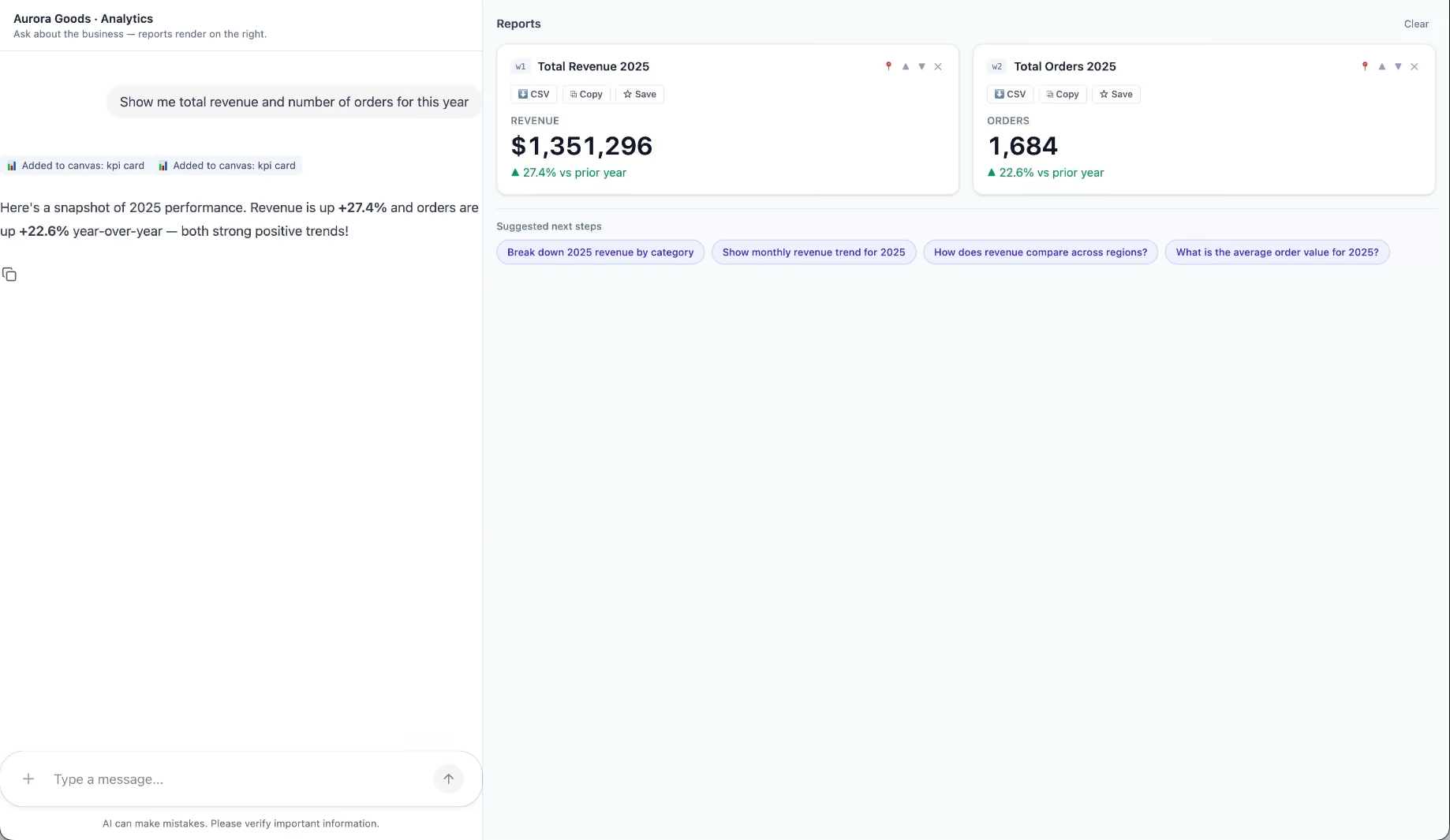
Aurora Goods is a fictional consumer e-commerce platform we created for the demo. The interface is simple: chat on the left, canvas on the right. You ask about the business, the LLM figures out what you need, pulls the data, and renders it visually.
Ask about 2025 sales and it shows the numbers on cards, with a short note on anything relevant. Ask it to break that down by region and it extends the same view instead of starting over, because it understands the second question builds on the first. This part took us a while to get right, and it's what makes the whole thing feel like a conversation rather than a search box.
The canvas isn't output-only either. You can click into any element and drill down: revenue by category, then inside electronics, then which products sold most.
You configure the widgets once. The system combines them and adds relevant commentary on the spot.
The second demo is closer to home: a generative reporting layer on top of the time-tracking tool we use every day at Kaizen. The questions in this demo are questions someone here has actually asked.
Instead of building dozens of hyper-specific reports, a small amount of code now handles virtually unlimited queries. How many hours were logged in May? Which anomalies showed up in April? How do billable and non-billable hours compare across two months? Who worked on a given project last month, and for how long? Each answer arrives as the right visualization: cards, lists, bar charts, plus a short summary that's easy to scan.
Two details won us over. The LLM suggests next steps, so exploring the data becomes a conversation. And when it's not sure, it asks instead of assuming. Ask for the hours of someone named Alex and, since we have more than one Alex on the team, it asks which one before answering.
Generative UI is a complement, not a replacement. Standard interfaces still win for stable, repetitive workflows where consistency matters. Nobody wants their checkout button to be creative. Generative UI wins where the workflow is complex and the questions are unpredictable.
It also changes what design systems are for. Beyond designing components and screens, teams will need to define semantic rules: how the AI should react to uncertainty, which interfaces match which intentions, and the guardrails that keep generated screens functional and safe.
That's a new kind of design work. And it's already starting.
We build working proofs of concept in two weeks. Your data, your workflows, a real thing you can click.
Generative UI lets AI build the screen each user needs, in real time. What it is, how it works, the trade-offs, and two working demos we built.
12 min read
About Us

·
Sep 23, 2025
See how our hiring process brings real teammates into each step to build stronger teams with care, clarity, and shared ownership.
12 read time
At Kaizen, we believe building an amazing team is everyone’s job. That’s why our hiring process isn’t siloed in one department, it's a hands-on, collaborative effort where everyone from developers and designers to project leads has a voice.
The result is a team of people who truly reflect our values and are excited to grow with us. The proof is in our stability: our annual turnover rate is just 5%, and an incredible 0% among key players.
We’ve designed our process to be thorough, not bureaucratic. From start to offer, it typically takes 3 to 6 weeks. Here’s a look at how it works.
Before we post a role publicly, we share it internally through KaizenOS, our web app built to bring transparency into our organizational structure. We’re committed to our team’s growth, so we give them the first shot, whether they’re ready for a new challenge themselves or know someone who’d be a great fit.
Only after we’ve explored internal options do our People Care team and the project lead sit down to define the role and shape a job description that reflects what we truly need.
This is a relaxed, get-to-know-you call with our People Care team. We’ll chat about:
But this is a two-way street. We want you to grill us, too. We’ll give you the inside scoop on Kaizen and answer any questions you have.
This part of the process is special. It’s not run by People Care, it’s led by fellow Kaizeners from all areas of the company: developers, designers, leads, you name it.
Anyone who wants to join in can volunteer. Why? Because our culture is our people. And they’re the best judges of who’ll thrive here.
We’re looking for teammates who:
This is where we dive into your expertise. You’ll meet with senior team members who know the role and the tech inside and out. We skip the brain teasers and "gotcha" questions, and we focus on practical, real-world problems.
For junior developers, we start with a short (1-hour tops) take-home exercise. It’s not a pass/fail test; it’s a starting point for a conversation about how you think, how you solve problems, and how you approach the work.
In this stage, you'll meet with your potential teammates for a practical conversation about the project's challenges and to assess the mutual fit.
Then, for client-facing roles, there is an optional instance with the client. Think of it as a chemistry check to make sure it’s a great fit for you, the client, and us.
To keep things fair and focused on skills, we often use a "blind" version of your resume for this stage. We remove details like your name and past employers so the focus remains 100% on your skills, experience, and talent. It’s a simple way to reduce bias and let your work speak for itself.
The final step is a one-on-one psychotechnical interview with a People Care specialist. Through a conversation that includes some competency-based questions, we get to know you on a deeper level.
We believe in a holistic view, so this chat isn't a make-or-break step; it's a valuable part of the overall evaluation. The information gives us insight into how you might behave in certain scenarios and, most importantly, helps us prepare the best possible onboarding for you, tailored to your needs.
This process is how we build the dedicated, invested teams that our clients love. It’s how we find people who don’t just work at Kaizen, but actively shape it.
If this way of working feels like a good fit, we’d love to hear from you.
👉 Explore Careers
And if you’re a company looking for a team that brings this same care, collaboration, and energy to every project, we’re here for that too.
👉 Let’s Discuss Your Project
.avif)
Project Management
Business

·
Sep 15, 2025
See how one outsourcing relationship grew from extra development support into a stable, trusted team with real shared ownership.
12 read time
What’s the hidden cost of high team turnover in software development? It’s not just missed deadlines or mounting frustration. It’s the constant re-explaining of your business. The knowledge that quietly walks out the door. And the sinking feeling that you're managing vendors, not building with partners.
This is all too common in outsourcing, where the relationship rarely goes beyond being just an “extra pair of hands.” But what’s possible when a collaboration is built to last?
This is the story of one such partnership. A journey that began in 2016 with a single developer and grew into a fully integrated team of 30. It shows what happens when a relationship is built on stability, shared ownership, and mutual trust.
Our journey with our client started with a clear goal: to merge multiple legacy systems into a single modern web platform that facilitates electronic customs and border entry filings for the US and Canada.
Our involvement began with just one developer joining our client’s team. But their first task wasn’t writing code, it was flying to our client’s headquarters. We felt it was essential to sit at the same table, to listen, and to understand the “why” before ever building the “what.”
In the early years, our relationship grew not just because of the quality of our code, but because of the quality of our questions.
Our philosophy is to invest heavily in our people’s well-being and growth. With a horizontal culture built on participatory decision-making, competitive salaries, and top-tier benefits, we’ve created an environment where high performers choose to build a career.
That translates directly into value for our clients. With just 5% annual turnover, and 0% among key roles, the team our clients start with is the team they grow with.
This is where the value of a stable team really comes into focus. When people stick around, they have the opportunity to compound business context, understanding not only how the system works, but why it matters. They start to see around corners, anticipating challenges and contributing to strategy, not just executing tasks.
We flagged problems in specs before they became blockers. We suggested simpler solutions that saved time and money. That’s when the relationship started to shift. It was the first sign of something deeper taking shape.
The strength of our partnership was proven when our collaboration grew beyond the initial project. Our client entrusted us with four more of their development initiatives, which brought us to a pivotal moment: how to scale our team to meet this new level of responsibility.
The pivotal moment wasn't a single event, but a gradual shift in mindset. In many projects, a client dictates the workflow. But as we demonstrated our deep understanding of their goals, the conversation changed. We earned the trust to not just follow a process, but to define it.
That level of trust unlocked a new level of collaboration, proven by the tangible responsibilities we began to co-own.
We gained the autonomy to negotiate technical scope with stakeholders and took charge of defining the development processes.
The most significant proof of this partnership emerged when two key, high-responsibility positions on the client’s team became vacant. First, the critical role of coordinating all production deployments, a position of immense operational responsibility, was assumed by one of our team leaders. This shifted our role from simply building software to owning its safe delivery.
Shortly after, when a veteran developer who handled complex custom work also departed, the critical tasks were not filled by a new hire. Instead, the client entrusted these responsibilities to our entire team. Stepping up to absorb those tasks together was the moment we truly became co-owners of the project, sharing a deep sense of accountability.
Eight years after that first visit, the lines between our teams have all but disappeared.
This deep connection was built on more than just good work. It grew from our commitment to face-to-face team building, organizing more trips as the team grew, and from finding common ground in the small things, like talking about the same sports, TV shows, and movies. This shared culture turned daily meetings into genuine conversations between colleagues.
The result is an integration so complete that, in the words of the team:
“We’re the same. There’s practically no difference who is who. There is no ‘us and them.’”
When you give a partnership the space to grow, you don’t just get better software, you get the stability you need to innovate and grow.
About Us
AI

·
Sep 10, 2025
Security isn’t owned by one person here. This is how we build it as a team.
12 read time
We live in an era of accelerated transformation, where AI tools are unlocking unprecedented efficiency. However, a tool that’s a game-changer one day can become a risk the next.
How do we adopt these technologies with agility and ambition without compromising the security of our clients and our own business?
Today, we want to share the creation of an internal team of Security Advocates.
Like many, we used OpenAI's tools. But the recent fallout from the New York Times lawsuit means their data policy has fundamentally changed. The "30-day data retention” guarantee is gone.
For us, that’s not just an internal issue; it’s a direct conflict with the promises we make to our clients. Every code snippet, every piece of sensitive data passed through that API could now be stored indefinitely for legal review.
The typical corporate playbook for this is simple: a few managers lock themselves in a room, make a decision, and send out a company-wide memo.
We use a different approach.
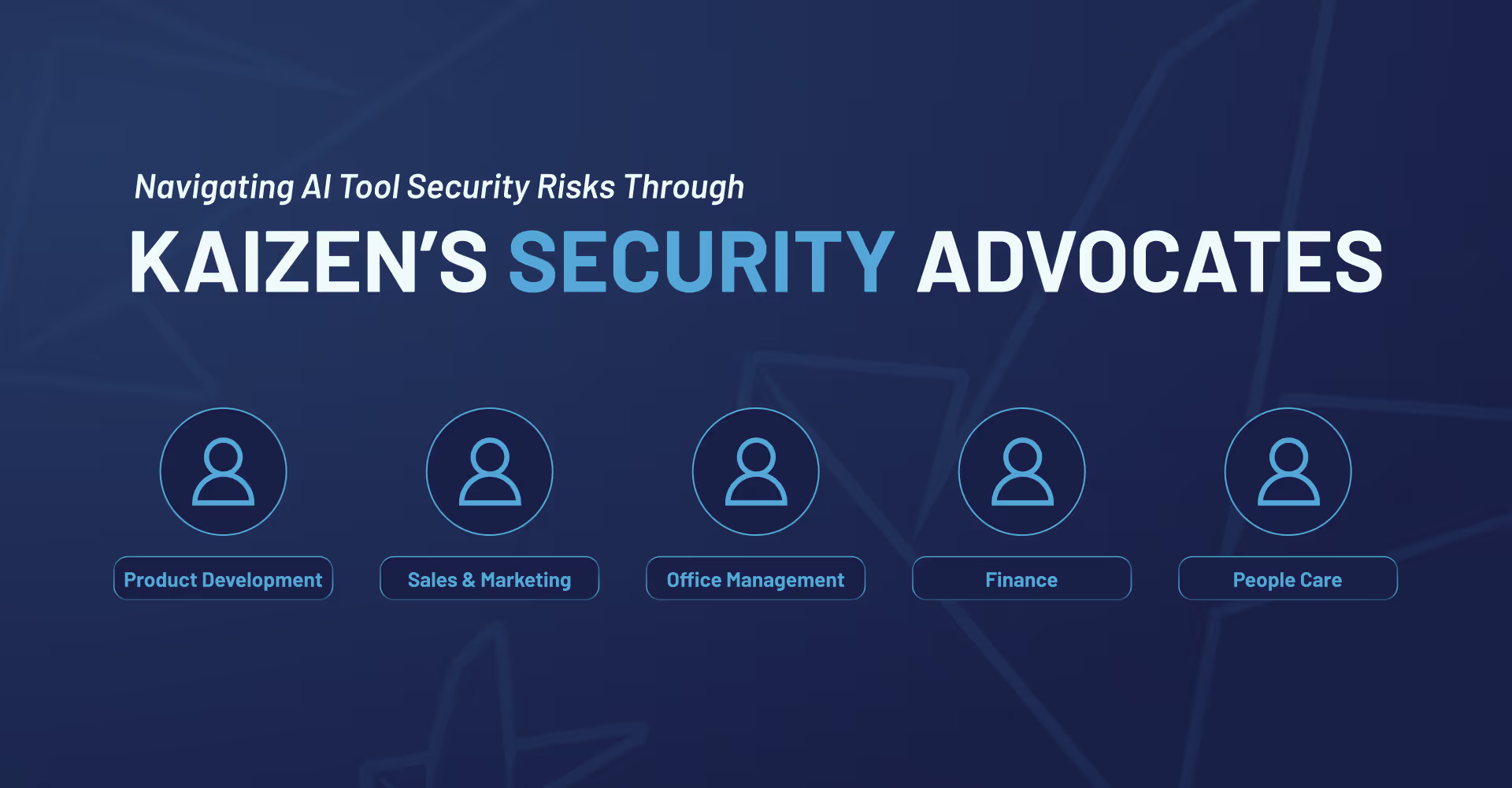
Instead of a top-down "control tower" that dictates policy, we build "bridges." For this, our bridge is the Security Advocates team.
This is a cross-functional group with a representative from every team at Kaizen, from product development, marketing, and finance to infrastructure and people care.
These advocates are facilitators and translators. Their job is a two-way street:
This isn't about consensus-driven committees; it's about a constant, high-speed dialogue that helps us build policies that actually work for the people who have to live with them.
This team was put to the test the same week it was formed, showing just how fast we need to adapt.
When the OpenAI news hit, our first move wasn't to issue a ban. It was to ask an open question through our Advocates: "This is happening. How does this actually impact your day-to-day work?"
The goal was to get an honest, ground-level picture:
Initially, we presented a clear proposal: discourage the use of OpenAI where data retention is an issue and use an alternative like Claude that better aligns with our privacy goals. We were also brutally honest about the trade-offs: the alternative is safer, but it might require different prompting and adjustments.
The final outcome wasn't a total ban. After discussions with the design team and others, we landed on a hybrid approach: we’d limit OpenAI for any work involving sensitive data but still allow its use for non-sensitive, conscientious tasks. We even built in a process to use it on specific projects if a client gives us their explicit consent.
This flexibility is the direct result of having the conversation out in the open, creating a solution we all own because we all understood the 'why' and had a hand in building it.
This approach is more than a security strategy; it’s our culture in action. In a world where the ground is constantly shifting, we believe the most robust and responsible solutions come from having every voice in the room. Our clients expect us to be adaptable and trustworthy, and this is how we deliver on that promise, not just by having the right answers, but by having the right process to find them.
AI

·
Sep 3, 2025
A simple guide to RAG, the AI approach that helps LLMs search your own knowledge base before generating more accurate answers.
12 read time
Large Language Models (LLMs) are powerful, but they come with two big limitations:
Retrieval-Augmented Generation (RAG) solves this by connecting your LLM to an external knowledge base and retrieving relevant context before generating a response. (And yes… RAG also means “rag”, but here it’s definitely more high-tech than something you use to clean the kitchen 🧽).
Think of RAG as an assistant that searches first, then answers.
Example: An HR chatbot could first retrieve the latest company policy document before answering questions about vacation days.
When it comes to finding the right information for your LLM, there are several approaches, each with its own strengths.
The most straightforward one is Keyword Search, where the system looks for exact or partial word matches in the text. This is simple, fast, and effective when you know the exact terminology to look for. For example, using BM25, you could pinpoint the exact paragraph in a technical manual that matches a user’s query.
Then there’s Semantic Search with Embeddings, which goes beyond exact matches to find text with the same meaning, even when the wording is different. This is particularly useful for cases like retrieving answers about “sick leave” even if the document calls it “medical absence.” By understanding synonyms and related concepts, semantic search adds a powerful layer of flexibility.
Finally, you can combine the best of both worlds with Hybrid Search. In this approach, the system runs both a keyword-based search (like BM25) and a semantic search (using embeddings) in parallel.
The results from each are then merged and re-ranked, often using techniques like Reciprocal Rank Fusion, so that documents highly ranked by either method can appear at the top.
This way, you capture exact matches for critical terms while also retrieving contextually relevant content that may be worded differently, making it especially powerful for cases like technical FAQs where precision and broader understanding both matter.
Even with a good retrieval strategy, not all results are equally useful. That’s where optimization techniques come in.
One of them is re-ranking with specialized models, such as cross-encoders. Instead of scoring the query and each document separately, cross-encoders process them together, allowing the model to understand fine-grained context and relationships between words. This produces more accurate relevance scores, ensuring the most useful documents appear first, even if they don’t share many exact keywords with the query.
Another useful approach is Metadata Filtering. By filtering results according to attributes like date, category, or document type, you can eliminate outdated or irrelevant information. Imagine narrowing your search to documents updated in the last six months – it’s a simple step that can drastically improve the quality of the information your system uses.
LLMs can’t process huge documents all at once. Chunking means splitting them into smaller pieces.
For example: Split a 100-page manual into 500-word sections with 10% overlap to ensure no important context gets lost.
Benefit: Improves retrieval relevance and accuracy.
You can’t improve what you don’t measure.
Here’s two key metrics for RAG:
Impact example: After optimizing, relevant documents moved from position #5 to #2, reducing search time for users.
The most exciting part is putting this knowledge into action.
We see immediate opportunities to:
Because in the end, whether it’s a rag for cleaning or RAG for AI, it’s all about wiping away the mess and delivering sharper results. 😉
About Us
AI

·
Aug 26, 2025
KaizenOS shows how a horizontal company can scale with more visibility and trust, without adding unnecessary control.
12 read time
When you’re growing fast in a decentralized structure, a simple question becomes hard to answer: Who’s doing what—and where are we stretched too thin, thriving, or missing something entirely?
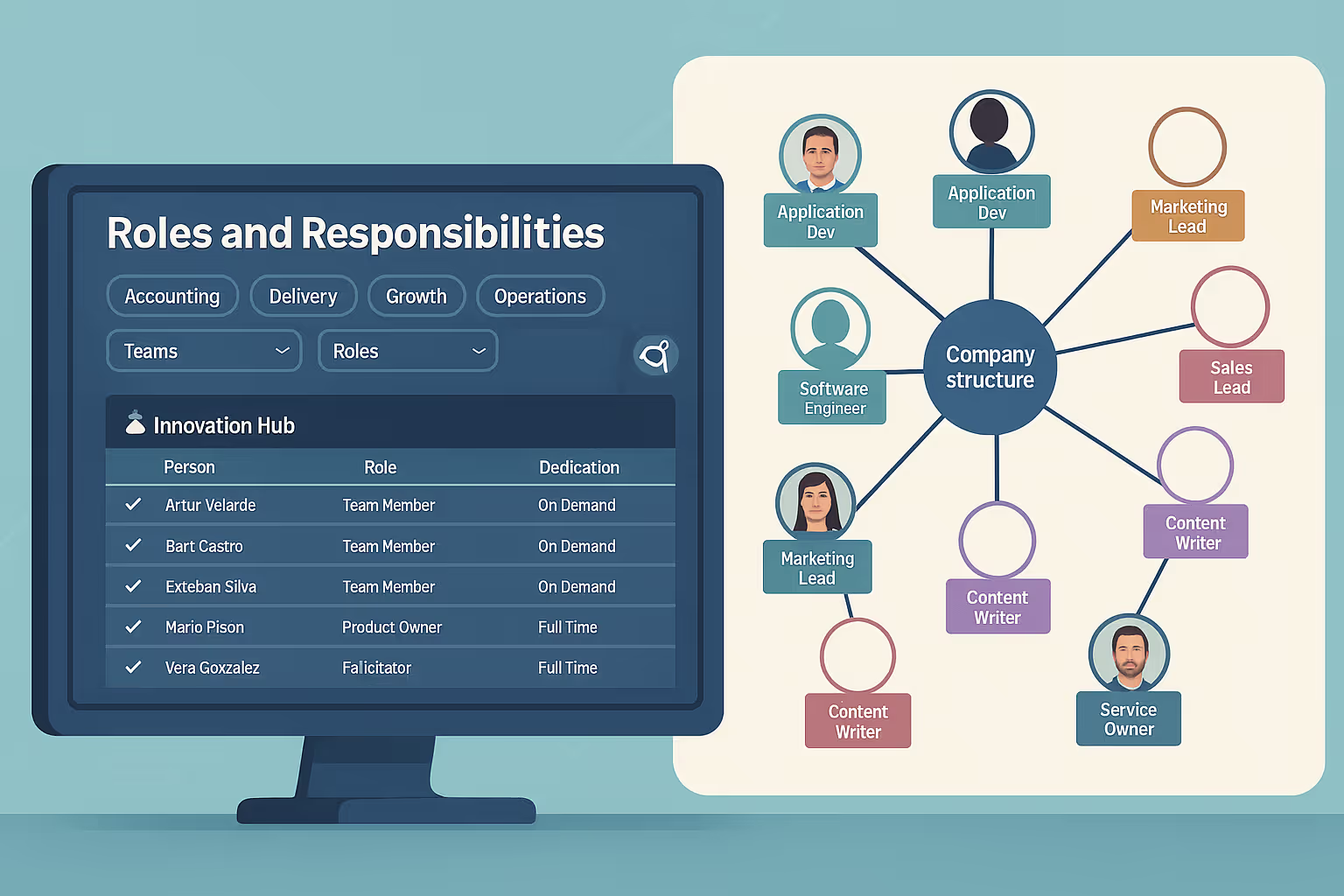
Those questions sparked the creation of KaizenOS, an internal web app built to bring transparency into our organizational structure.
At Kaizen, we’ve always embraced a horizontal structure. That means decisions aren’t handed down from the top, they’re shaped and driven by the people doing the work.
In practice, this means a lot of our people wear multiple hats. A front-end developer working on a client project might also be leading initiatives in the Innovation Hub, a space where our engineers explore ideas and experiment with new technologies to push innovation forward, both internally and for our clients.
When we were a small team, this organic way of working just worked. Everyone knew who was doing what, and it was easy to collaborate or ask for help.
But as we grew to over 80 people, things started to get blurry. Who was owning what? Where were the gaps? Who was overwhelmed, and who had space to grow?
Our way of working hadn’t changed, but the scale had, and with that, we started losing visibility.
The Innovation Hub took on the challenge. Our goal was to support how we already work, with a solution that makes things visible and easy to navigate for our team.
We imagined a tool that could:
We didn’t want this to be a long project. We wanted to build fast, validate fast, and learn fast.
So we ran it like an internal experiment, using AI tools to speed things up. We set a clear constraint: no more than one person-month of total effort.
Here’s how we broke it down:
We used Windsurf, an AI-powered IDE, to help us ship quickly. The goal was to build a working MVP in under 180 hours, and we made it.
This experiment also became about exploring what AI-assisted development can look like in practice. Could we reduce build time and cost while still producing something valuable? The answer was yes.
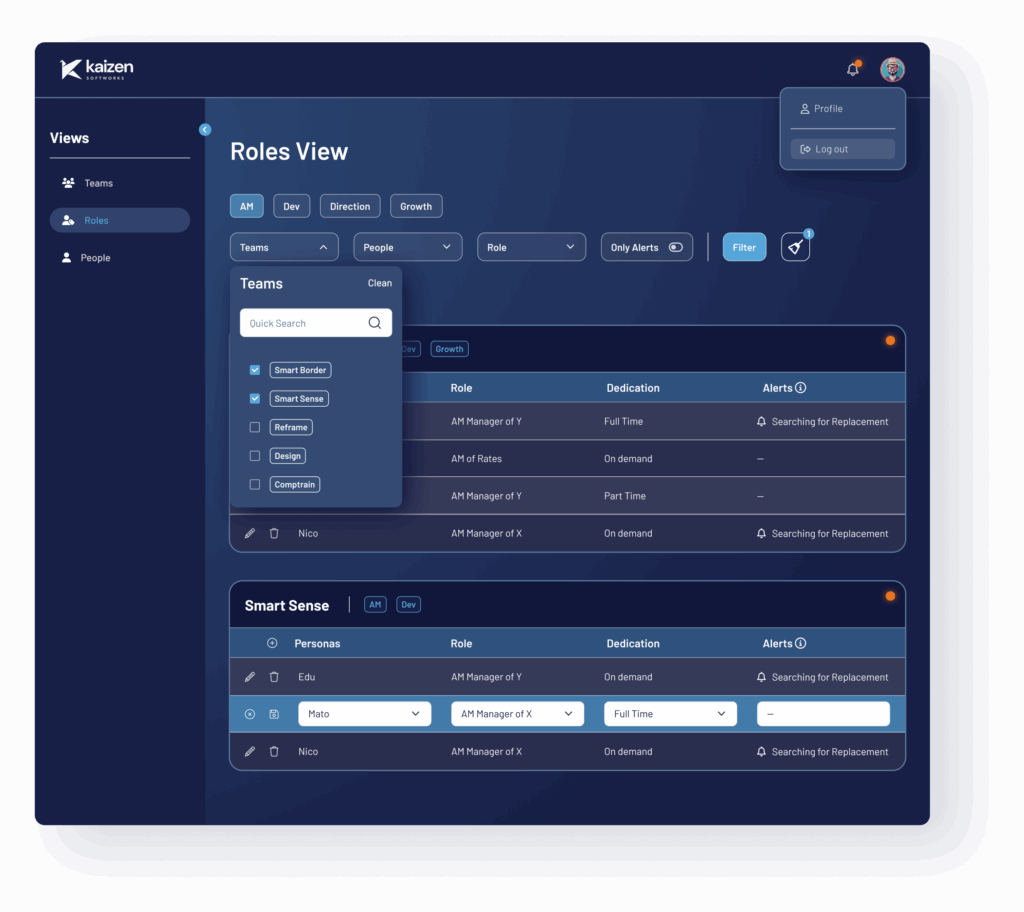
The result is KaizenOS, a web app that gives everyone at Kaizen a clear, real-time view into how responsibilities are distributed across the company. The teams themselves created the maps and roles (you only have to be a Kaizen member to modify them), which enabled conversations to clarify who does what.
And we’ve already started publishing internal vacancies.
KaizenOS supports our belief that scaling a company doesn’t have to mean adding more control. You just need visibility, trust, and a structure that enables people to step up and proactively propose solutions.
AI
·
Aug 18, 2025
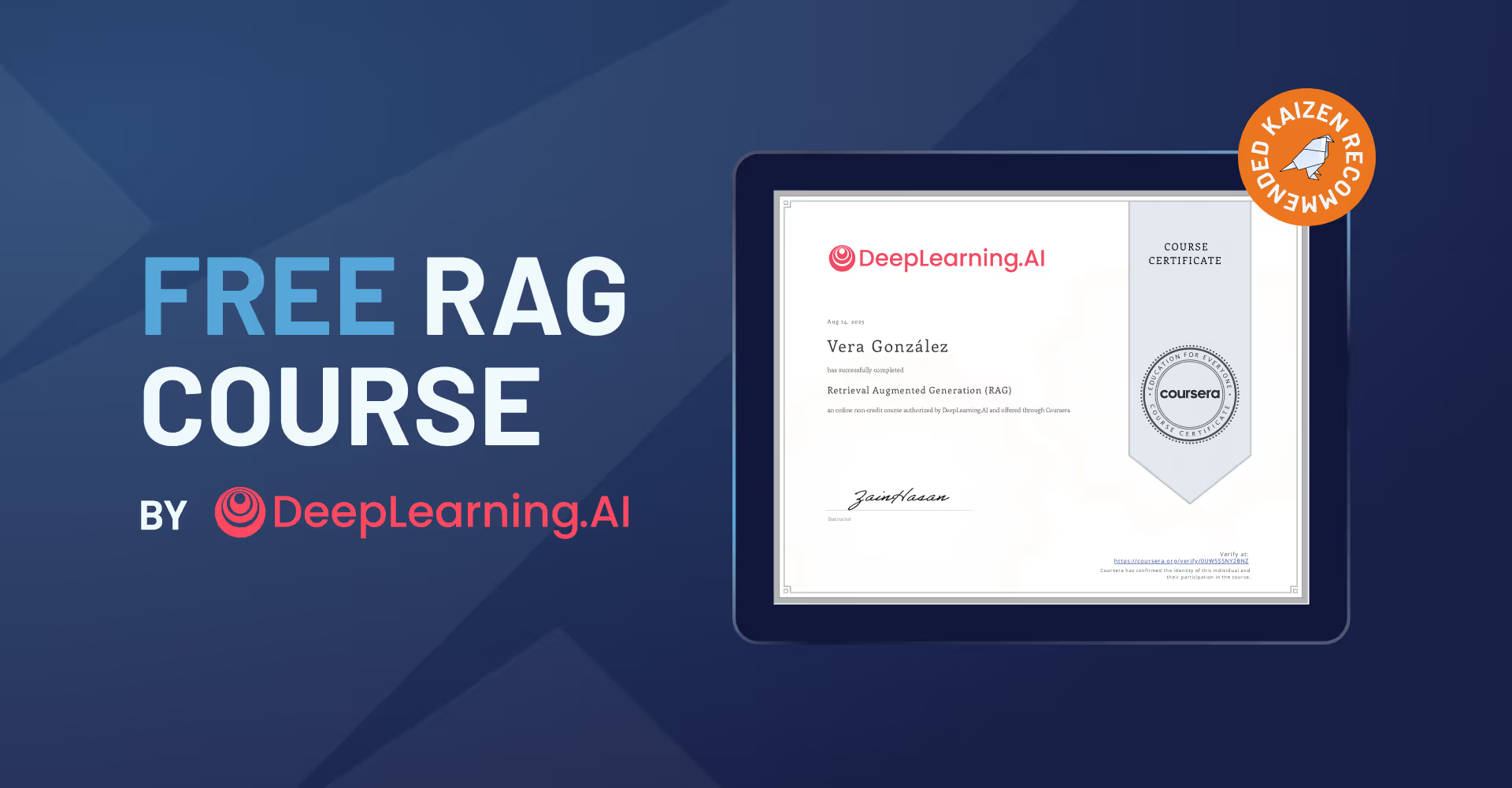
If you're starting with RAG, this free course caught our attention. Here’s why we think it’s worth it.
12 read time
I just finished a course that I have to tell you about, especially if you’re building with LLMs. You know the drill, you build something cool, but the model starts making things up (“hallucinating”) or its knowledge is stuck in 2023.
We’ve all been there. But there’s a practical fix called Retrieval Augmented Generation (RAG), and the team at DeepLearning.ai has released a course to master it, and it’s 100% free to learn.
LLMs are incredible, but they come with well-known limitations. They can make up facts, and their knowledge is limited to their training data (which is always out of date).
RAG is the elegant solution to these problems.
Instead of just using the LLM’s static knowledge, a RAG system first retrieves relevant, up-to-date information from a reliable source, like your company’s wiki, a live database, or any other source you trust. It then augments the prompt with this information, giving the LLM the exact context it needs to give a smart, accurate answer.
Long story short: it’s how you give context to an LLM to stop making stuff up and start using real, up-to-date information.
This course it’s built to take you from “What’s RAG?” to build production-ready applications. The knowledge is completely free. If you want a certificate to pop on your LinkedIn, that’ll run you about $49, but it’s totally optional.
This is definitely for engineers who already have some Python skills under their belt. You’ll be in good shape if you have:
The course is self-paced and broken into five chunks. They estimate it takes about a month if you put in around 5 hours a week.
Here’s a quick rundown of the good stuff:
Absolutely. RAG is quickly moving from a “nice-to-have” to a “must-have” skill for anyone serious about building practical AI applications.
What I love about this course is that it pushes you past the simple “hello world” examples and into the stuff that matters for real-world deployment, like evaluation and optimization.
For me, this is the most direct path to leveling up your AI skills and building applications that are genuinely more reliable and powerful. It’s a skill that will absolutely make you a more valuable developer.
I figured you might have a few questions, so here are the quick answers.
Yes. All the videos and labs are totally free. You only pay (about $49) if you want the official certificate at the end.
It’s self-paced, but plan for about 5 hours a week for a month to get through everything comfortably.
Not at all. As long as you’re solid with Python and know the basics of AI, you’ll be fine.
If you’re tired of the limitations of off-the-shelf LLMs, this is your next step. Stop letting your models guess and start giving them the facts.
Check out the free Retrieval Augmented Generation (RAG) course on DeepLearning.AI
AI
·
Aug 8, 2025
See how we moved from early AI experiments to company-wide adoption, with the tools, policies, and culture to make it work.
12 read time
I’ve been riding the AI wave from the very start here at Kaizen Softworks, with all the hype, concerns, doubts, and broad vision that come with it.
This post is about how Kaizen Softworks went from small AI experiments to full company-wide adoption, building infrastructure, policies, and culture that allowed us to enable every developer with ChatGPT-5 within hours of its release.
It began small: fewer than a handful of us asking, “What exactly is AI?” We decided to dig deeper, run some experiments, laugh at the hilariously bad outputs we got from time to time, and be amazed by the little gems we discovered along the way.
Thanks to Kaizen’s horizontal structure, we could start processes and workflows in a very autonomous way, a rare experience if you’re not used to flat organizations. We created plans, ideas, and ways to move forward, and we got going quickly.
We knew we wanted to explore many areas, without knowing which ones would pay off. We set aside modest resources for things like service licenses, learning, workshops, and even reserved a chunk for a local server.
Coming from an infrastructure background, I felt responsible for creating the tools and environments that enable people to do things. While other companies were banning AI, we were promoting it, not pushing, just enabling. Some people even expressed concern that they were using AI more for personal purposes than for work, due to unclear regulations, permissions, or acceptance, or simply because they didn’t know how to apply it. Our advice was: just do it.
Before long, we built our custom server: DonIA. Even the name came from a fun exchange with Nacho, Kaizen’s most hyped-up teammate. We spoke to finance for resources, to marketing to let them know our intentions, and to our CEO. No one fully understood where we were headed, honestly, neither did I, but everyone agreed it was worth supporting at full speed.
We presented what I still believe is some of the most professional work done, without specs, without deadlines, without a product manager, and by carving out time wherever we could, often making space where none existed. It was driven purely by interest and passion.
Just a few weeks later, Martín and Nacho had built up enough momentum to get a specific team excited about going full speed with AI for a client. It felt like a risky bet. The safer answer would have been, “No, too risky. We can’t go all in.” But Alex’s fire in his eyes told us that wasn’t an option. So we moved forward, enabling the team to use AI in a real production context: deadlines, constraints, and all.
We created security documentation, studied privacy issues, got our servers online so we could run non-cloud, on-premise versions if needed, drafted policies and workflows, and within days, the team was using AI in their workflow.
And that effort wasn’t just for one project; the frameworks were designed for the entire company. If we were going to push AI forward, we had to embrace it company-wide.
We built toy projects day after day, read forums, shared experiments, and held weekly meetings with tons of updates. Everything was shared openly for discussion.
Within a few months, we had a complete framework for almost anyone at Kaizen to make great use of AI tools. It didn’t feel fast at the time, sometimes it felt slow, but for a team with zero officially allocated hours, it was impressively steady.
Eventually, we decided to go further. We aligned with our CEO, finally allocated resources, and formed a small but dedicated team. We brought together advisors from every team in the company to gather blockers, share ideas, and make decisions for the greater good. The involvement and professionalism were incredible, it felt like everything was falling into place.
And today is the payoff. ChatGPT-5 was released just seven hours ago, and within hours (not days, not weeks, and definitely not months), we achieved something remarkable
All teams are now fully aware of the security, copyright, and privacy concerns, including, for instance, OpenAI’s lawsuit in the context of general-purpose chat tools. They also know exactly which services offer zero data retention, and which don’t.
Our infrastructure was upgraded to GPT-5 within hours of release, and we already have experiments running.
It’s 3:30am right now, tomorrow every Kaizen developer will start the day with access to state-of-the-art AI tools and the knowledge to use them effectively. From experience, I know this would normally take weeks or even months without the groundwork we’ve all put in.
Kaizen’s horizontal structure certainly helped, but it was the commitment from the people, from the hypers to the conservatives, that made this possible. Everyone added their grain of salt, some brought the whole bag, but all contributions were equally important.
I’m incredibly proud of this team. Congratulations to all, well done!

AI

·
Jul 28, 2025
AI can make software teams move faster, but this post looks at what happens when speed becomes the only metric that matters.
12 read time
We've all heard the promise: AI will revolutionize software development, making us faster and more efficient than ever. And yeah, AI can supercharge velocity. But in a recent project, we learned a lesson: unchecked speed often comes with some serious, hidden costs. This wasn't because the use of AI itself was flawed; it was a side effect of a project where speed was the only directive.
Our journey started like a lot of ambitious projects do: with a huge goal and a killer deadline. To hit that aggressive timeline, we pitched our client on something big: throwing AI-assisted development tools into our workflow.
The client was on board, but with one crucial condition: go fast. So, we dove into an intense two-week sprint. We slashed processes, cut back on team meetings, and pushed hard to see just how much we could get done, and how quickly.
We knew from the start that accelerating delivery by cutting some processes would introduce risk. But we also understood that this was the only viable path to meet the expectations and timeline. So we leaned into the challenge, intentionally adjusting our approach, and staying mindful of the trade-offs.
We jumped into a two-week sprint, reduced meeting time, trimmed ceremonies, and focused purely on output. The result? We moved fast, really fast. But not blindly. As we progressed, we actively tracked risks, noted what we were skipping, and prepared ourselves to course-correct after delivery.
Yes, speed delivered results, but it also surfaced important lessons about what’s worth protecting, even under pressure. And those lessons are shaping how we approach future fast-paced projects, especially when AI is in the mix.
Our codebase exploded, but it was a bit of a hot mess. Without solid process guardrails, our AI-fueled momentum became chaotic. We started asking ourselves some hard questions:
We quickly realized that how you use AI is just as important as whether you use it at all.
The real challenge became finding that sweet spot. Too much control, and you're not really getting the most out of AI. Too little, and you're stuck with spaghetti code that's a nightmare to maintain.
At first, expectations were through the roof. Could we really double or triple our output overnight? The reality turned out to be a lot more nuanced.
AI shines when you're starting from scratch, making independent decisions on brand new projects, even early prototypes. But as soon as we hit real-world complexity (legacy systems, tricky architectural decisions) AI started to struggle. It needed a lot more hands-on guidance and oversight.
Suddenly, we weren't just coding. We were coaching. When we ran into complex problems, our role shifted from writing code to guiding the AI and making critical architectural calls. AI needed guardrails, decisions, and context.
That dream of 20x speed, born from unrestrained experimentation, gave way to a more practical understanding. While fast, the "anything goes" approach wasn't sustainable; it quickly led to a messy, unmanageable codebase.
Our focus shifted from how each individual used AI to the quality of the final product. We started evaluating solutions not just by how fast they were delivered, but also by how well they stuck to our defined quality standards. Does the code work? Is it well-architected? Does it meet our minimum quality thresholds?
AI didn’t just speed things up. It amplified everything.
Think about a developer's core strengths: speed, code quality, problem-solving. Every developer naturally prioritizes some over others. With AI, these personal weightings become amplified.
A developer who leans towards speed will become exponentially fast with AI, while someone who prioritizes quality might seem comparatively "slower" (though still faster than pre-AI). The gap between these approaches widened, really highlighting the differences within the team.
This brought up a crucial team-level discussion:
We're actively working to nail that balance. The tricky part? The team isn't making all the decisions; there's a client calling the shots.
Once you show a client you can move three times faster, how do you then turn around and say, "Actually, we could go super fast, but we're going to slow down a bit to prioritize architectural decisions"? The client will almost always push for continued speed, without fully grasping the long-term implications or the technical debt it can create. These trade-offs, which are always a part of software development, are now even more obvious and a lot harder to navigate.
This creates internal friction. A client might see one developer moving at warp speed, because that developer prioritizes speed, and then demand that everyone else match that pace. They don't see the unseen work or the critical long-term considerations other team members are prioritizing. This can lead to a perception of uneven performance within the team. AI simply highlights all of these dynamics.
The use of AI isn't up for debate anymore. It's a tempting tool for development managers, offering the illusion of doing three times more with the same resources and budget. It feels like a massive jump in computational power just by adopting AI. This has, in turn, inflated expectations, especially in the short term.
It's no longer about being 10x faster than without AI; it's now, "Hey, why are we a little slower than last week?"
The benchmark just keeps rising. Every new speed metric shared with the client becomes the new expectation. It's a continuous upward adjustment.
It's important to remember that our experience was rooted in a high-pressure, and relentlessly fast-paced project.
We made deliberate choices to adapt to what the project needed most: speed. We knew that came with trade-offs: technical debt, uneven team pacing, and the constant pressure of rising expectations.
But instead of ignoring those challenges, we tackled them head-on. We automated where it made sense, adjusted roles, and made tough calls to preserve quality without bringing momentum to a halt.
What once felt like an impossible timeline is now within reach. The codebase is solid, the delivery date is realistic, and we’ve found a way of working that’s stable, maintainable, and far more sustainable than it was just a few months ago.
Events
·
Jul 17, 2025
Late 2025 is packed with events. These are the ones we’d keep on our radar.
12 read time
2025 is flying by, but it’s not over yet and that’s good news. There’s still time to refresh your perspective with new insights, and connections to sharpen your vision for 2026. The U.S. startup scene features high-impact conferences and summits, each providing opportunities for tactical advice, investor exposure, or peer-to-peer learning.
Below is a curated list of the most relevant startup and tech events in the U.S. from September to December 2025.
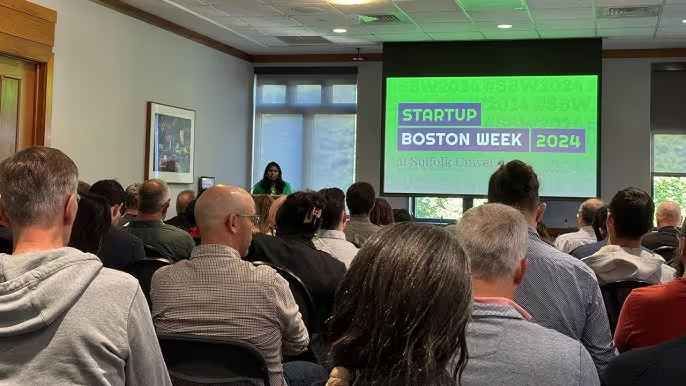
📍 Boston, MA | 🗓 September 8 - 12, 2025 | 💵 Free | 🔗 Register Now!
Startup Boston Week is a 5-day event with 100+ sessions and 300+ speakers, focused on the real work of building a startup. From product and engineering to sales and ops, there’s content for every role and stage. Whether you’re just starting or scaling, you’ll find practical advice, real stories, and people solving the same challenges you are.
📍 Orlando, FL | 🗓 September 8 - 11, 2025 | 💵 $447 – $17,997 | 🔗 Buy tickets
Focused on revenue-stage startups and scale-ups, The Vault offers access to 12,000+ attendees, including 2,000+ of CEOs leading $25M+ businesses; this three-day event delivers tactical direction to scale, hire smarter, or prepare for a successful exit.

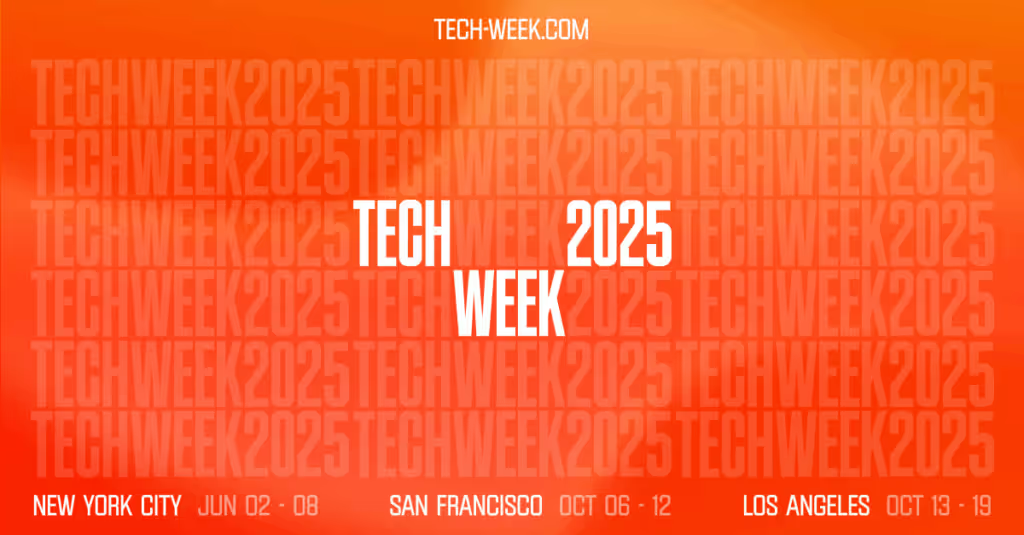
📍 San Francisco, CA | 🗓 October 6 - 12, 2025 | 💵 Free & Paid | 🔗 Register now!
SF Tech Week brings together founders, builders, and top VC from all over. It’s a full week of talks, meetups, and hands-on sessions across the city. Whether you’re looking to raise money, find talent, or just learn what’s next, this is where the tech crowd shows up.
📍 Washington, DC | 🗓 October 20–24, 2025 | 💵 $50 – $150 | 🔗 Save the date
One of the most dynamic startup hubs on the East Coast, DC Startup & Tech Week offers 150+ events and 300+ speakers covering everything from early-stage strategy to biotech, AI, and Web3. Expect hands-on workshops, founder talks, pitch competitions, and panels with real takeaways.
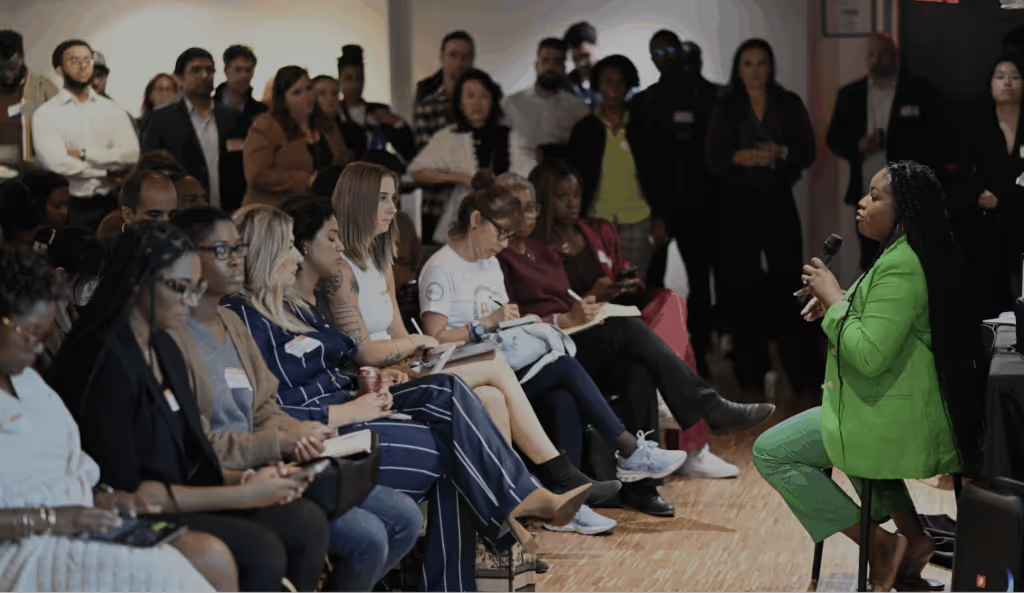
If you're curious about what to expect or want a behind-the-scenes look, here’s what we learned when we attended the 2024 edition.
📍 San Francisco, CA | 🗓 October 27–29, 2025 | 💵 $135 – $1,105 | 🔗 Buy your Ticket
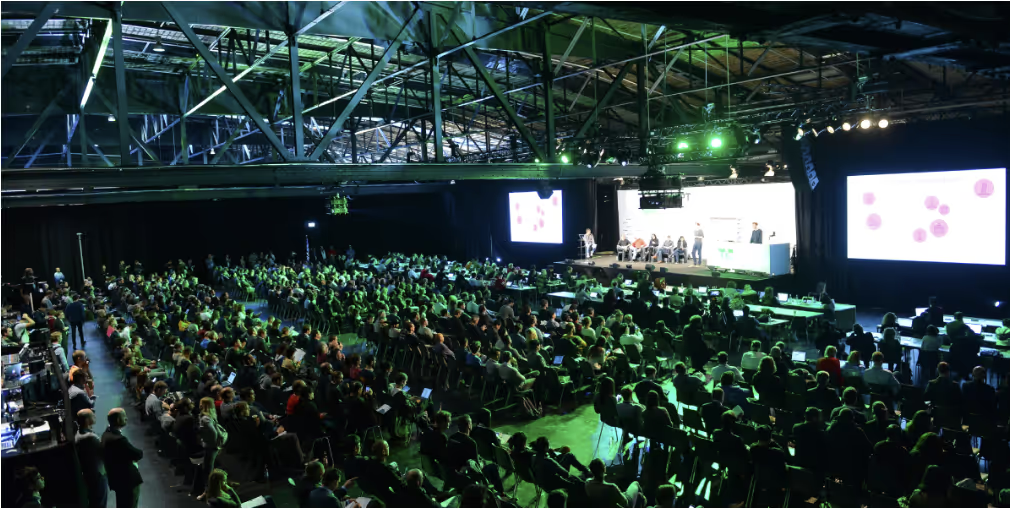
With 10,000+ attendees Disrupt is where early-stage startups and big VC money collide. The agenda covers how to raise a Series A, finding product-market fit and advice from seasoned founders. Plus, side events like pitch comps and mixers.
No blogs matched this category, try applying different filters.

