



Generative UI: what it is, how it works, and when to use it
Generative UI lets AI build the screen each user needs, in real time. What it is, how it works, the trade-offs, and two working demos we built.

12 min read
Read more
Insights, stories, and experiments from our team.
AI
UX Design
Generative UI lets AI build the screen each user needs, in real time. What it is, how it works, the trade-offs, and two working demos we built.

Santiago Chiappa
·

Jul 17, 2026
·
12 min read
Generative UI is a full-stack architecture that lets AI create, modify, and render user interfaces in real time, based on what each user needs at that exact moment. Instead of static, predefined screens, the interface assembles itself on the fly: a bar chart, a table, a comparison card when you're comparing things.
We've been building proofs of concept with it for the past few weeks. Most of what's written about generative UI is either too abstract or too exciting, so this is our attempt at neither: what it is, how it works, where it helps, where it doesn't, and what we learned from two demos we built.
Generative UI is a full-stack architecture: the backend talks to the LLM, decides what the answer should look like, and picks the components, while the frontend renders them and handles how the user interacts with what’s on screen.
Compare that with how interfaces have always worked. A designer decides what goes on each screen, a developer builds it, and every user sees the same thing. Forever, or until the next redesign.
Generative UI flips that. The interface becomes dynamic and personal instead of static and universal. The AI doesn't just answer your question, it designs the screen that answers your question.
Dashboards and reporting are the most common use cases, but they're far from the only one. The same pattern works for dynamic forms, onboarding flows, and customer support, as it takes input just as easily as it presents output. It can even adjust font size, contrast, or layout for users with low vision, color blindness, or cognitive load.
There are three levels of generative UI, from most constrained to most open (Google Cloud, 2026):
Most production systems today use the declarative approach, and that's what this post assumes from here on. The AI isn't writing HTML or CSS freestyle. It selects components, fills in pre-designed widgets, and composes them into the right screen.
Generative UI works by turning a user request into structured data that describes an interface, then rendering that data as real components. The flow looks like this:
To the user, the result feels like magic. Behind the scenes, it's structured data flowing through a well-defined pipeline. We prefer the second description. It's the one you can build on.
Generative UI trades real personalization and faster development for added latency, inference costs, and less predictable layouts. That's the honest version. Here are the details.
None of these are dealbreakers. There are known techniques to mitigate each one.
We built two demos. One with fictional data, one on top of a tool we use every day.
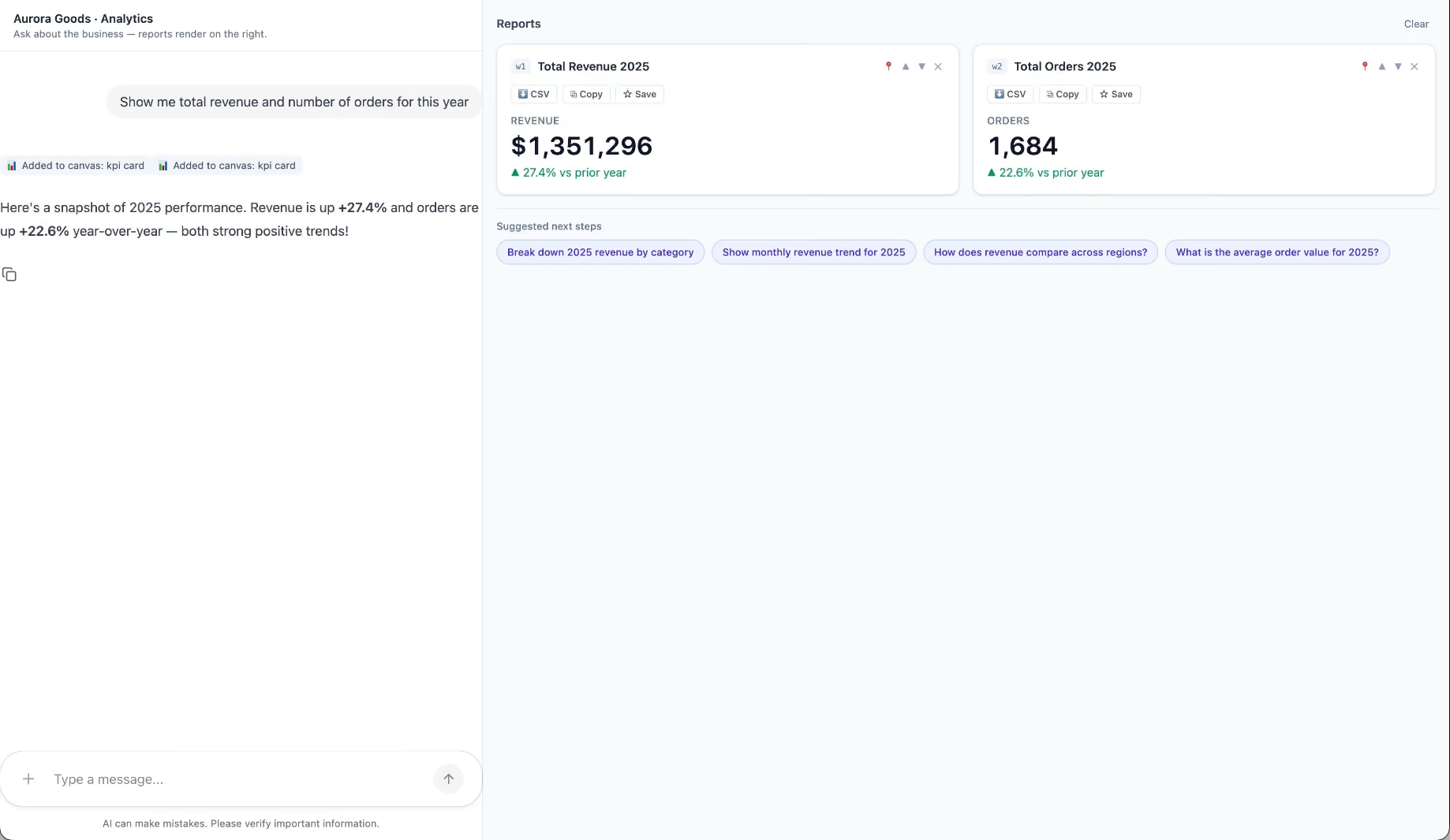
Aurora Goods is a fictional consumer e-commerce platform we created for the demo. The interface is simple: chat on the left, canvas on the right. You ask about the business, the LLM figures out what you need, pulls the data, and renders it visually.
Ask about 2025 sales and it shows the numbers on cards, with a short note on anything relevant. Ask it to break that down by region and it extends the same view instead of starting over, because it understands the second question builds on the first. This part took us a while to get right, and it's what makes the whole thing feel like a conversation rather than a search box.
The canvas isn't output-only either. You can click into any element and drill down: revenue by category, then inside electronics, then which products sold most.
You configure the widgets once. The system combines them and adds relevant commentary on the spot.
The second demo is closer to home: a generative reporting layer on top of the time-tracking tool we use every day at Kaizen. The questions in this demo are questions someone here has actually asked.
Instead of building dozens of hyper-specific reports, a small amount of code now handles virtually unlimited queries. How many hours were logged in May? Which anomalies showed up in April? How do billable and non-billable hours compare across two months? Who worked on a given project last month, and for how long? Each answer arrives as the right visualization: cards, lists, bar charts, plus a short summary that's easy to scan.
Two details won us over. The LLM suggests next steps, so exploring the data becomes a conversation. And when it's not sure, it asks instead of assuming. Ask for the hours of someone named Alex and, since we have more than one Alex on the team, it asks which one before answering.
Generative UI is a complement, not a replacement. Standard interfaces still win for stable, repetitive workflows where consistency matters. Nobody wants their checkout button to be creative. Generative UI wins where the workflow is complex and the questions are unpredictable.
It also changes what design systems are for. Beyond designing components and screens, teams will need to define semantic rules: how the AI should react to uncertainty, which interfaces match which intentions, and the guardrails that keep generated screens functional and safe.
That's a new kind of design work. And it's already starting.
We build working proofs of concept in two weeks. Your data, your workflows, a real thing you can click.
Generative UI lets AI build the screen each user needs, in real time. What it is, how it works, the trade-offs, and two working demos we built.
12 min read

AI
Technology

·
Jun 19, 2025
How we built a visual AI assistant for mobile, and what actually worked.
12 read time
As part of our Innovation Hub, a group of engineers committed to exploring emerging tech hands-on, I recently ran a small but meaningful experiment. The idea? Creating a proof of concept (PoC) that merges computer vision with AI, all within a React Native app.
Why does this matter? Well, in the world of IoT, there's often a frustrating gap: how do you get digital instructions to smoothly translate into real-world, physical actions? This experiment directly tackles that challenge.
Here's how it went.
Imagine you need to draw your name on a piece of paper. Instead of just looking at an example, your phone's camera acts as your guide, giving you live instructions straight from GPT-4o (a multimodal large language model that processes images + text).
Every three seconds, the app captures a frame from the camera, turns it into a Base64 image, and sends it off to the ChatGPT Vision API. Based on what it "sees", it then streams back real-time, step-by-step guidance right onto your screen, like:
The AI-powered visual assistant lets an app (on the user's phone) guide someone step-by-step through a physical task (like drawing or interacting with a device) in real-time, using the camera. It transforms passive instructions into an active, interactive guide.
This kind of interaction is incredibly relevant in IoT contexts, where hardware needs to bridge the gap between digital instructions and real-world actions. It’s about making complex tasks intuitive and reducing errors in the field.
We gave ourselves a tight two-week window for this experiment, with some clear ground rules:
Like any experiment, we ran into unexpected outcomes:
In our daily work with IoT companies, we build software that lives and breathes in physical spaces (think of warehouses, supermarkets, sensor installations). That’s where this kind of vision+AI combo can shine.
This particular PoC wasn't just a fun side project; it helped us:
The next iteration is already brewing. We’re exploring ways to replicate this behavior locally, no external API calls, lower latency, better privacy. Tools like TensorFlow Lite or MediaPipe are on our radar.
This experiment was just the start. But it's part of a broader strategy: build internal fluency in emerging tools that can create real value.
AI

·
Jun 10, 2025
A real project story about using AI to speed up development, meet a tough deadline, and learn why velocity still needs structure.
12 read time
AI-powered development tools are no longer curiosities, they’ve become valuable tools in high-stakes software projects. But while the promise of velocity is real, without structure it can also magnify risks.
In this post, we share a real-world story of how we used AI to meet an impossible software migration deadline. It’s a case study in trade-offs: what happens when you prioritize velocity above all else, and how we later found a more sustainable balance.
Picture this: a core business web application, used daily by thousands, built on outdated tech and riddled with security issues. That was our starting point.
This platform was massive: highly modular, deeply entangled, and heavily customized for each client. Migrating it to modern technologies wasn't just a nice-to-have; it was a necessity as technical debt was increasing. Engineers initially estimated 18 months for the job, but leadership unilaterally slashed the deadline to 12 months. No justification. Just pressure.
Our team of four Kaizen developers, working alongside two third-party vendor engineers and our client's internal product team, was asked to make it happen. From the start, it was clear: the numbers didn't add up.
Progress was steady, but the gap between effort and scope was too big. As weeks passed, pressure grew. Everyone on the ground could see what was coming: we weren't going to make it on time.
The challenge wasn’t just technical. Our client operates in a deeply hierarchical and bureaucratic environment. Technical realities that were obvious to us on the ground often had zero visibility to the top-level decision-makers.
So we started exploring every possible option: adding more developers to the team, or even shrinking the scope of the migration to launch an MVP faster.
It was clear something had to give, but getting that message through the layers of management was incredibly difficult. None were greenlit. We needed a new approach, and fast.
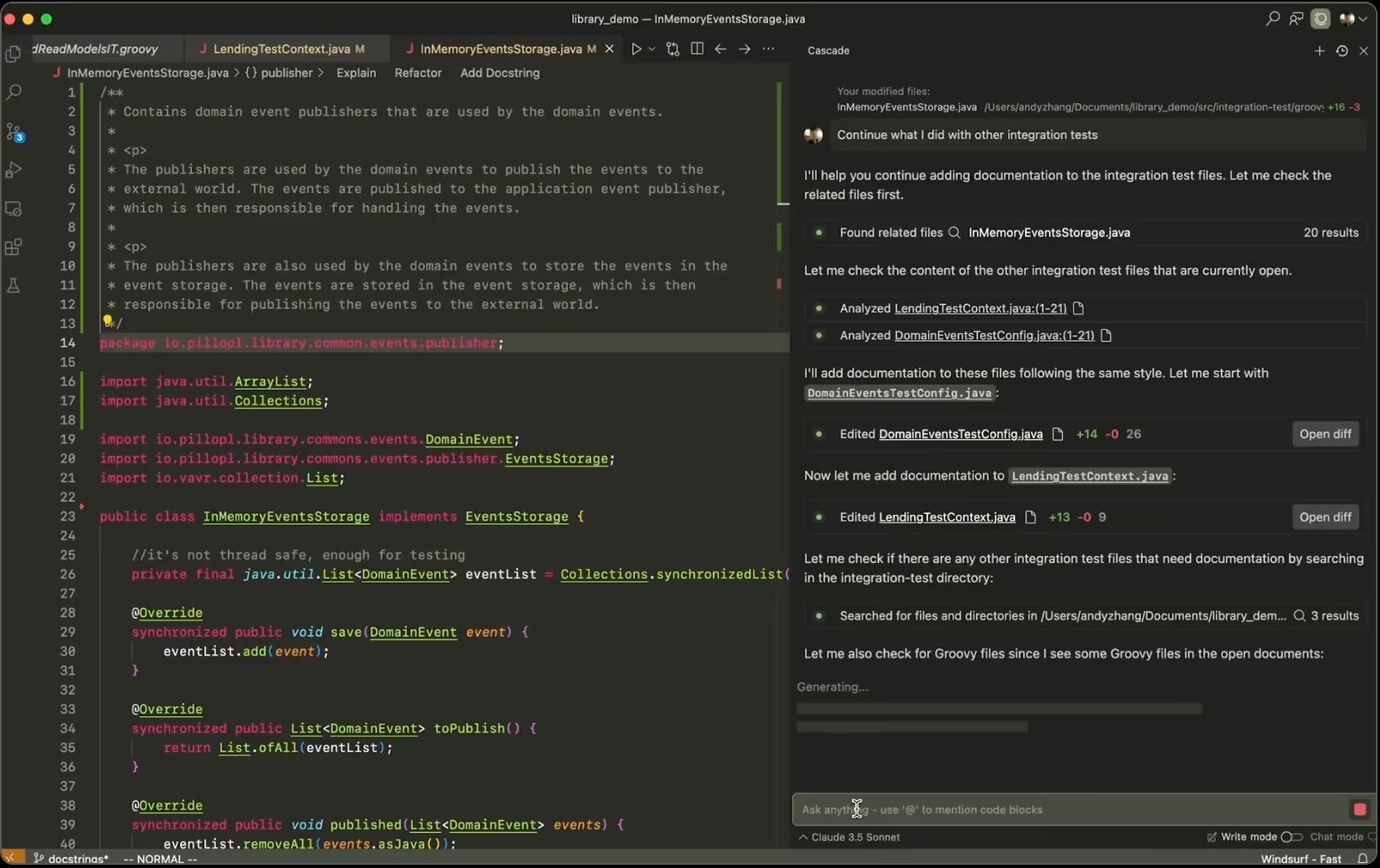
Around this time, new AI-powered code generation tools were gaining traction, like Windsurf, a fork of Visual Studio Code powered by an autonomous agent named Cascade. These tools could generate code using natural language prompts, and they could do it fast.
We saw an opportunity. Within Kaizen, our Innovation Hub—a dedicated group of engineers from various projects—had already begun experimenting with different code generation tools, including Windsurf. Their mission was to explore cutting-edge tech, drive innovation, and ultimately enhance the value we deliver to our clients.
So, we pitched it to the client. Their first reaction was a hard "no." Security and privacy were their main concerns. They feared code exposure or leaks, and worried their data might be used to train public AI models.
To address this, our team proposed a controlled experiment using an internal, locally hosted AI model, like a "KaizenGPT." This guaranteed no client data would ever leave our servers. It was slower than commercial models, but it built crucial trust.
After seeing positive early results (all on test projects, without using actual client code), our client began to soften. That's when we introduced a more robust setup: Windsurf, paired with paid access to enterprise-grade models. These licensed models offered stronger privacy controls, encryption, and data usage guarantees (backed by certifications) that free versions simply don't provide. That added layer of security and compliance made all the difference. We finally got the green light to start using AI responsibly.
Once the use of AI in their codebase was approved, what followed was a direct, almost chaotic directive: "For two weeks, no meetings, no usual processes, just code! Use AI and push as hard as you can."
At Kaizen, we knew cutting corners on processes wasn’t a sustainable approach. But we also saw the cold, hard truth: at that moment, velocity was the biggest threat to the entire project. We made a deliberate choice to dive into this experiment, fully aware of the risks, because we believed the potential gains were worth exploring.
This sprint became our real-world test: How much acceleration could AI truly bring to our workflow? Could those speed gains actually outweigh serious concerns about code quality, long-term maintainability, and even our team's well-being?
And we did it. Two weeks of intense, AI-driven code generation. We saw incredible speed, yes, but it came at the cost of many things: our team's processes, and code quality, which became poorly defined as everyone adopted AI in their own way, searching for the "optimal" method.
We made tremendous progress, but we also introduced inconsistencies in standards, code style, quality, and even team communication. Many aspects suffered in the race to move forward with AI.
But this wasn't an AI problem; it was a project context problem. The directive was simple: speed, speed, and let's see how far AI can take us to determine if it's worth continuing.
The plan was never to keep running at unsustainable speed. Once the sprint ended, we reviewed the outcomes and pivoted back to our normal processes, with one key difference: AI was now part of them.
So the challenge shifted: how should we actually use AI in a sustainable way?
We started defining standards and best practices. Over time, we discovered how to optimize our approach, bring order to the chaos, and find the right balance between AI assistance and manual work.
AI
Events

·
Jun 6, 2025
At IoT Tech Expo 2025, a few trends kept coming up. These are the ones that stuck with us.
12 read time
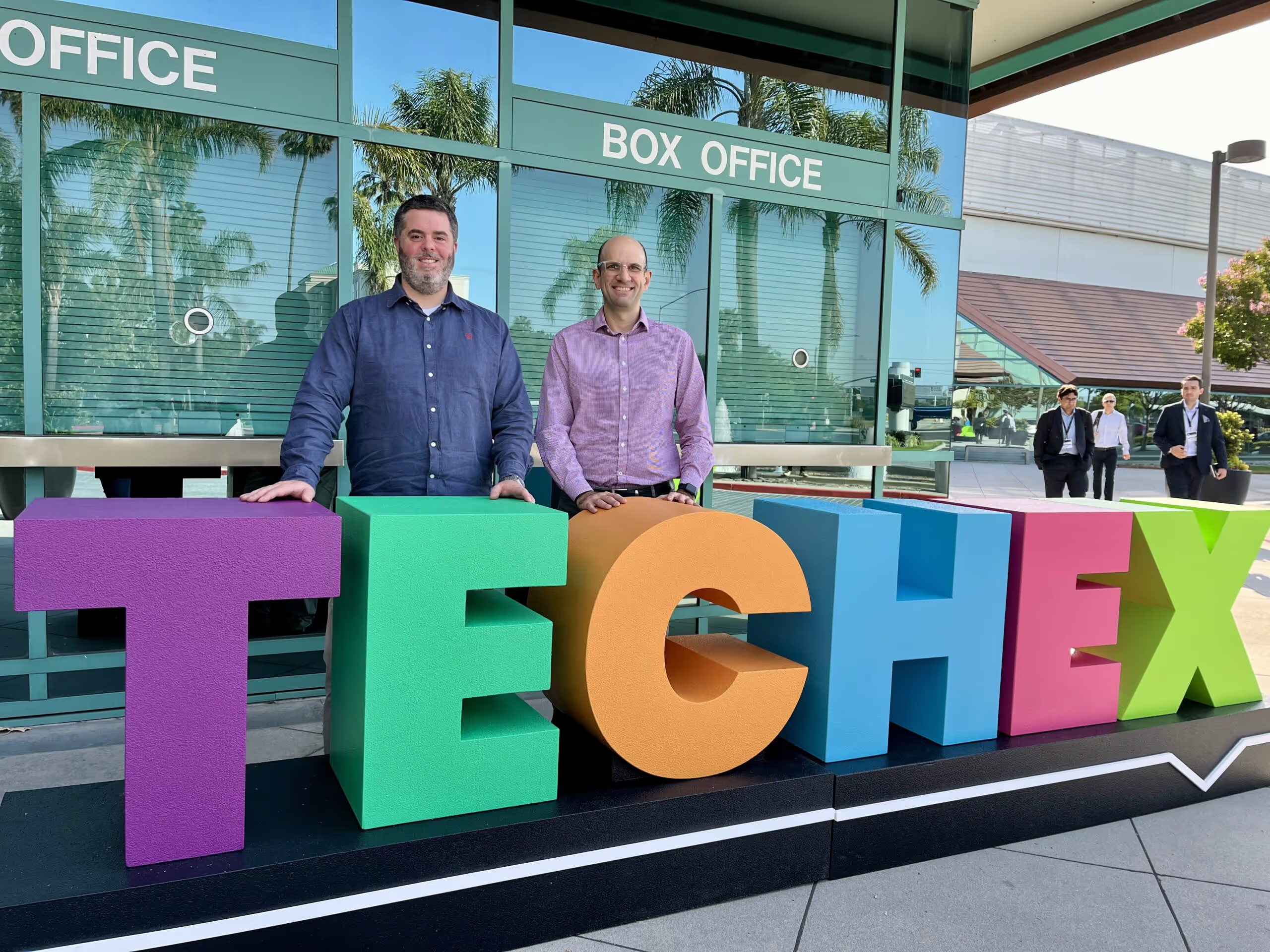
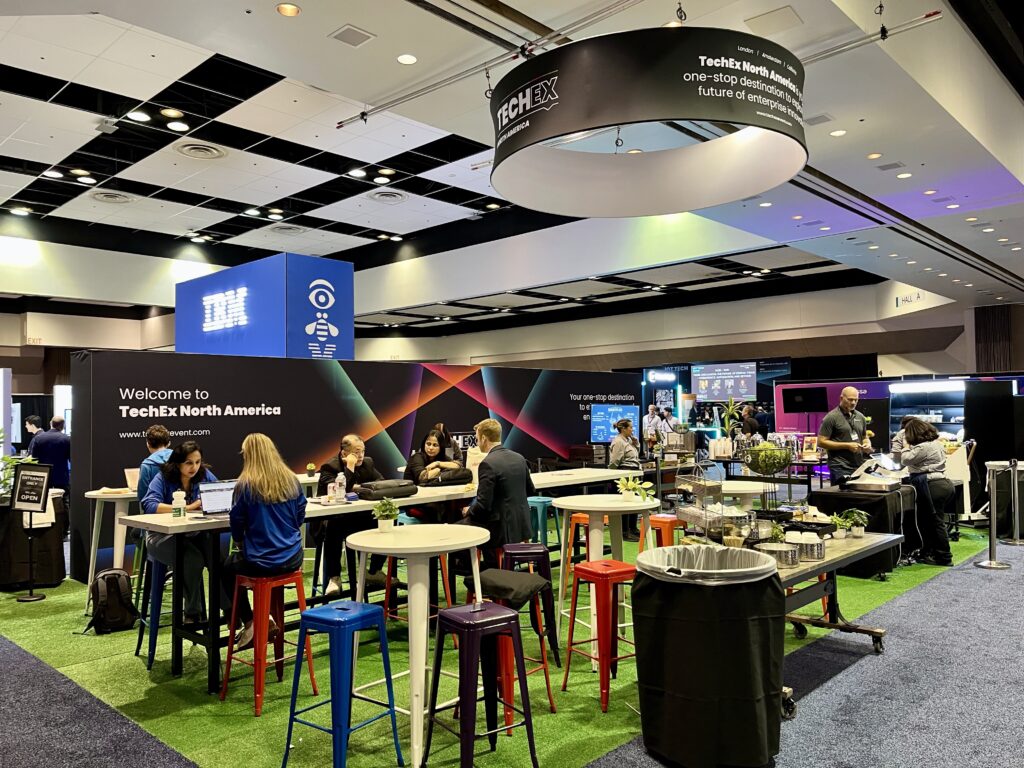
Reporting from Santa Clara, the IoT Tech Expo North America returned on June 4–5, 2025, at the Convention Center, bringing together a rich mix of IoT, AI, Big Data, Cybersecurity, Edge Computing, and Digital Transformation under one big roof. While organizers projected over 8,000 attendees, I’d estimate it was closer to 5,000–6,000.
Walking the expansive expo floor, you could clearly see the four key pillars of IoT represented across hundreds of booths:
We focused heavily on the Industrial IoT & Industry 4.0 track. Sustainability, automation, and smart factories dominated the discussion.
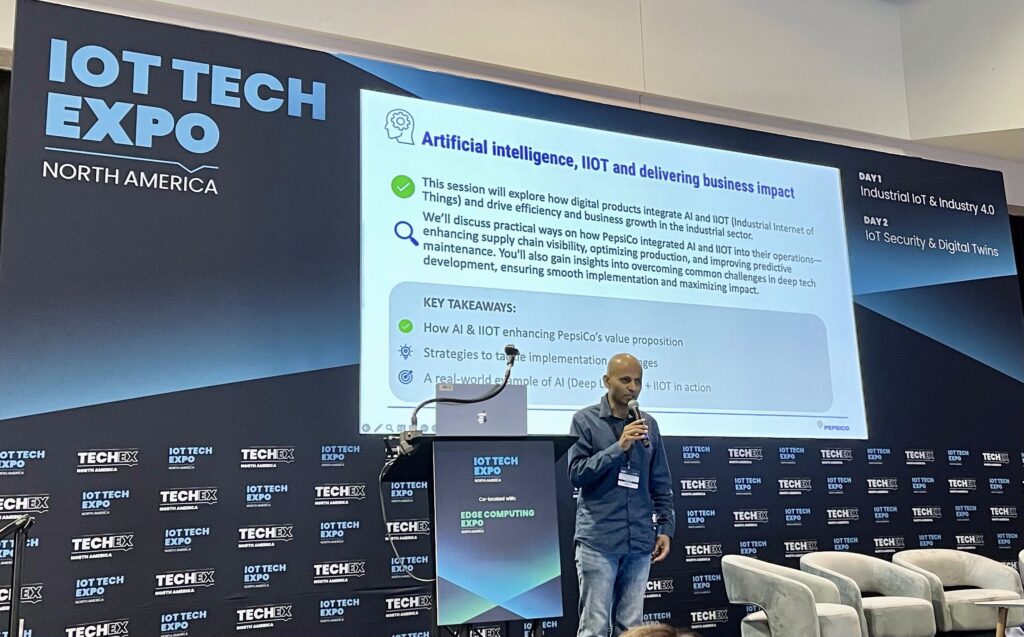
In a standout session titled "AI, IIoT and Delivering Business Impact," Prashanth Srinivasan, Head of Architecture at PepsiCo, gave a deep-dive into how they applied IoT and AI to increase chip packaging throughput by 7% at their Vallejo, Mexico plant.
It was a highly technical talk, but the business takeaway was crystal clear: when done right, AI + IoT = real operational impact.
In this session led by Prashanth Srinivasan, Head of Architect at PepsiCo, called "AI, IIoT and Delivering Business Impact." He walked us through a highly technical, yet incredibly relatable, case study. He detailed how PepsiCo leveraged AI + IoT to increase chip packaging throughput by a remarkable 7% at their Vallejo, Mexico facility. It was a concrete example of how these technologies translate directly into tangible business impact.
Another standout presentation came from Tom Clements, VP of Sales, in “Powering the Connected World in IoT.” He emphasized the critical need for IoT Best Practice Building Blocks, stressing that successful IoT solutions must be:
Another session that stuck with me featured Martin Whitlock, CTO of Telenor IoT, hosted by Sudha Jamthe, tech futurist and Principal at the Business School of AI. They made a compelling case for AIoT, the intersection of AI and IoT, as the future of connected systems.
Their core insight:
IoT produces the data; AI gives it meaning. Together, they’re reshaping everything from predictive maintenance to supply chain optimization.
AI

·
Jun 3, 2025
Getting good results from AI tools depends on context. This is how we approach it with Windsurf.
12 read time
Windsurf is an AI coding assistant that generates code based on the context you provide. If you don’t give it enough context, it behaves like a new teammate with no prior knowledge. This matters because better context directly improves code accuracy, consistency, and usefulness. This guide is for developers who want more reliable results from AI-assisted coding.
Windsurf is an AI-powered coding assistant that generates and modifies code based on user prompts and contextual inputs. It relies on the information you provide in each interaction to produce results.
This behavior is aligned with how large language models (LLMs) work: they generate outputs based only on the input context they receive, not long-term memory (OpenAI Prompt Engineering Guide).
Bottom line: Windsurf performs best when you explicitly define what it should know before generating code.
Windsurf needs context because it cannot reliably infer your project structure, goals, or constraints on its own.
Without context:
Research on generative AI systems shows that models perform better when given explicit instructions and relevant examples (Google Cloud Prompt Design Guide).
With proper context:
Conclusion: Context acts as the “memory layer” that makes AI outputs usable in real projects.
Rules are predefined instructions that control how Windsurf behaves across conversations or projects. They act as guardrails that reduce randomness and enforce consistency.
Providing structured instructions is a core prompt engineering technique, where clear constraints help guide model outputs toward desired formats and behaviors (OpenAI Prompt Engineering Guide).
Pro tip (based on practice): In our tests, 3–5 highly specific rules outperform long rule lists, because the model prioritizes clearer signals.
Bottom line: Use fewer, clearer rules to guide consistent outputs.
Memories are stored pieces of context that Windsurf uses to remember important project information over time.
They function similarly to persistent notes about your project.
“This app is a SaaS dashboard for managing subscriptions.”
Use Memories when:
Avoid overusing Memories when:
Important limitation: Memories can become outdated if your project evolves, so you must review and update them regularly.
Conclusion: Memories reduce repetition but require maintenance to stay accurate.
@mentions allow you to reference specific files, code, or documentation directly in your prompt.
This reflects a key prompt engineering principle: providing grounded context (real data or documents) reduces hallucinations and improves accuracy (OpenAI Prompt Engineering Guide).
@README → Loads project overview@server.js → References backend logic@/components/Button.tsx → Targets a specific UI fileWhy this works:
You eliminate guesswork by forcing the model to use real project data instead of assumptions.
Bottom line: @mentions are the fastest way to inject precise, relevant context.
Impersonation is a technique where Windsurf adopts a specific role or persona to guide its outputs.
This is similar to role-based prompting, a widely used technique where assigning a role improves output relevance and tone (OpenAI Prompt Engineering Guide).
This is useful for tasks that require a particular perspective, such as design, QA, or architecture.
“Impersonate a senior UX designer focused on usability.”
You can create reusable profiles (e.g., @luna.md) that define:
Then use: “Impersonate @luna”
Impersonation narrows the model’s decision space by:
Real-world workflow tip: In practice, teams use impersonation to:
Conclusion: Impersonation adds focus and expertise to AI outputs.
Use this checklist before prompting:
Fix: Always provide explicit, structured context.
To get better results from Windsurf, you need to control its context.
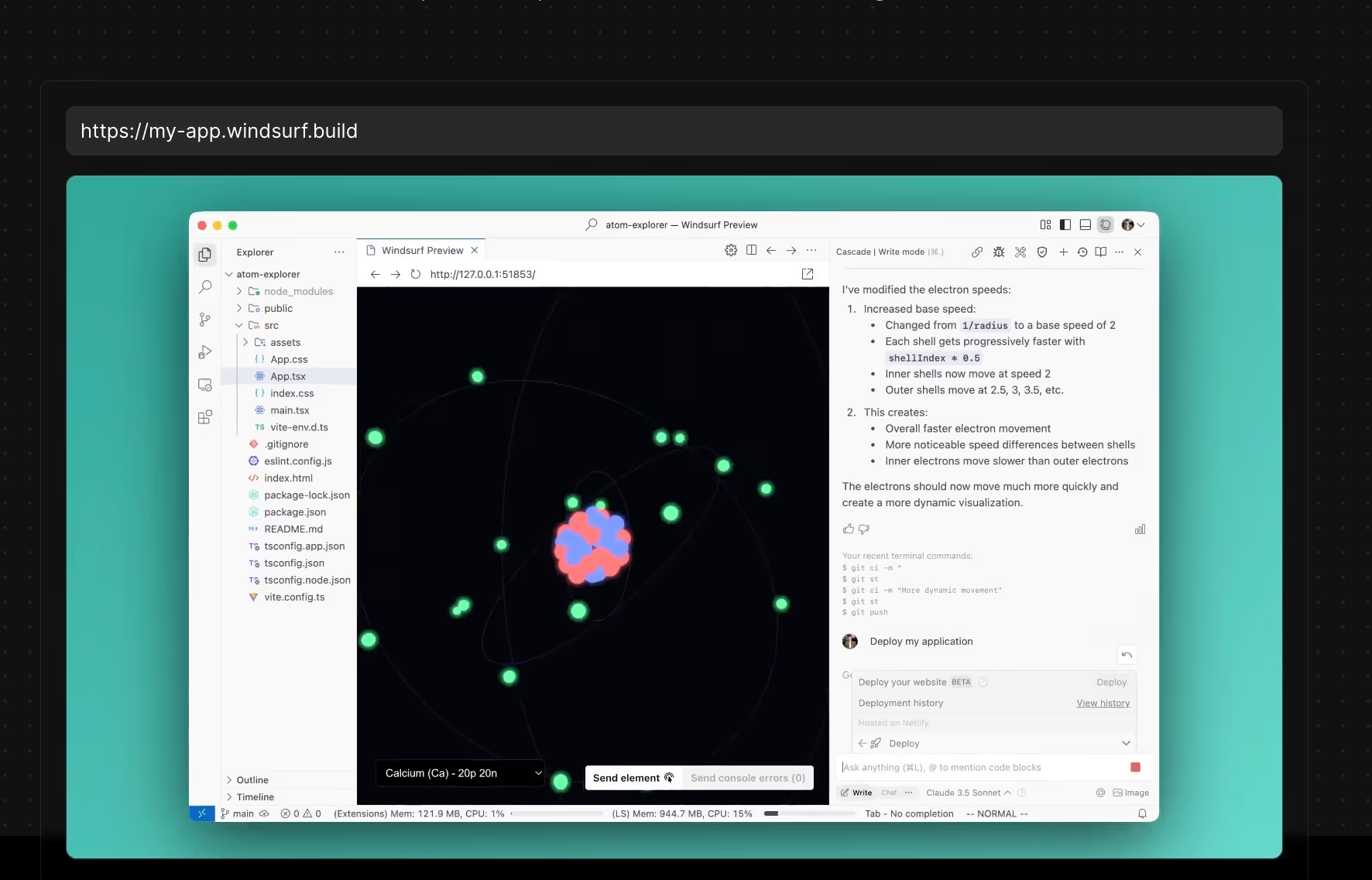
Use rules for consistency, memories for persistence, @mentions for precision, and impersonation for focus.
The clearer your context, the better your code.
AI
Technology
·
May 5, 2025
A practical guide to using Windsurf to move from prompt to prototype faster, while keeping context, code quality, and human review in the loop.
12 read time
If you're curious about where AI is headed in software development, it's time to pay attention to Windsurf: an IDE powered by artificial intelligence that feels less like a tool and more like a copilot.
In our previous blog post, we went over the basics of what’s Windsurf and how it works. Now, let’s walk through a simple, step-by-step guide to help you get started.
Before you jump into coding, take a step back and plan. This is where ChatGPT (or another conversational model) can shine. Use it to brainstorm ideas, organize your thoughts, and shape your prompt.
Let’s say you want to build a chatbot. You can ask ChatGPT to help you structure a well-defined prompt tailored for Windsurf.
🔍 Pro tip: The more complex or abstract your prompt is, the higher the chance of messy or overly generic code. If long-term maintainability matters, spend time writing a thoughtful prompt.
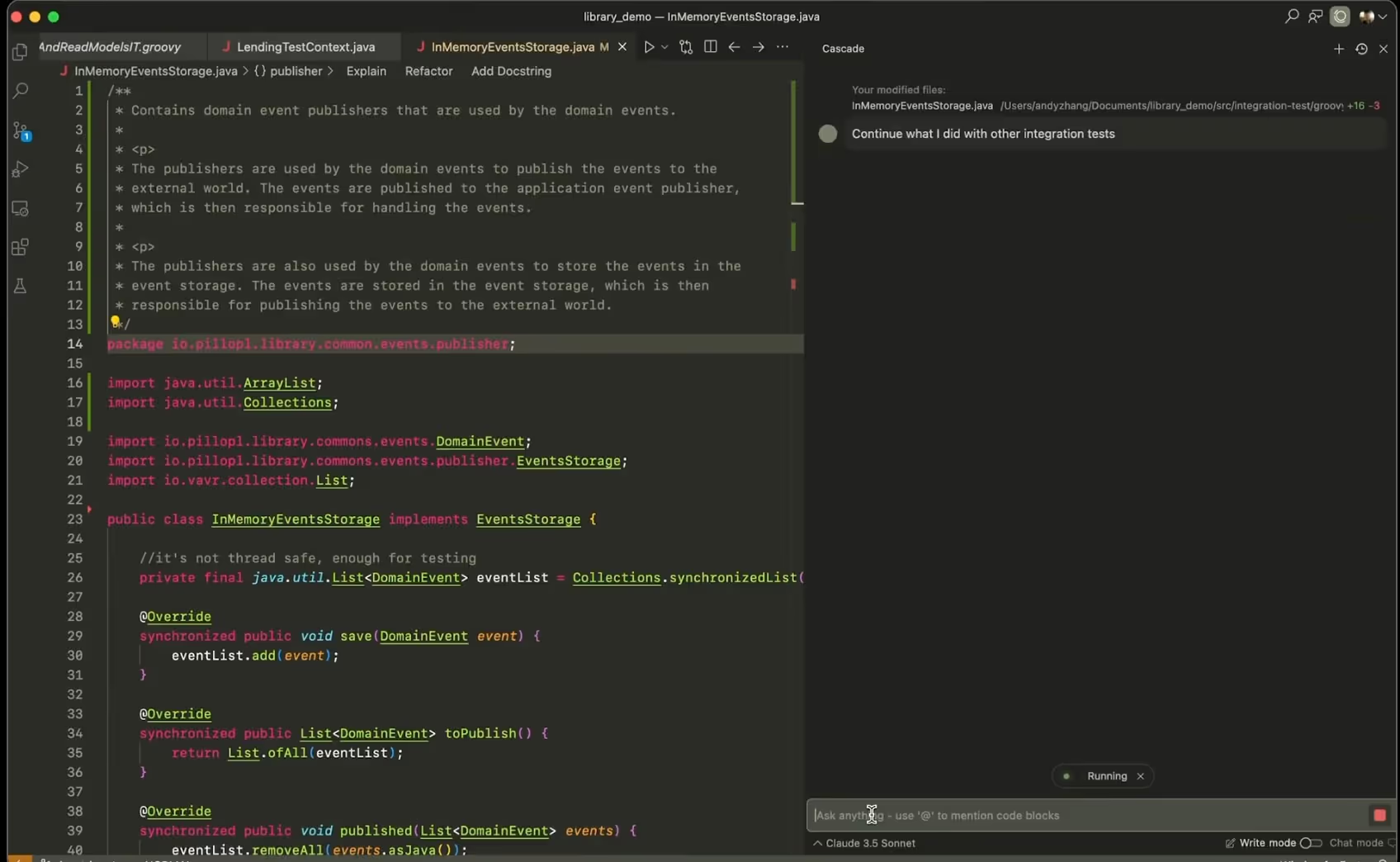
On the right side of the Windsurf interface, you’ll find Cascade, your AI copilot. Cascade can tap into several powerful foundation models:

Each of these models brings its own strengths, and you can choose which one to use based on your goals or the task complexity.
Some models, like Sonnet 3.7 (Thinking), use internal reasoning steps before generating final output. You’ll see the model “think out loud,” iterating on your prompt in real time. These “thinking” models are more resource-intensive and slightly slower, but they’re better at solving complex problems.
However, they can sometimes overcomplicate things or drift off-track. A helpful strategy is to use them for ideation and problem-solving, then switch to a faster, more direct model for implementation.
🧠 Is one model better than the others? Sometimes. But results are non-deterministic. The best way to find what works is to experiment with models and prompt variations.
Windsurf starts every session with a clean slate. This means it doesn’t remember anything you’ve said in past conversations.
Just like you would explain things to a new teammate, you’ll need to provide all the relevant information upfront before asking it to write code. For example:
If you're building a chatbot, you might begin by asking Windsurf to read a README file so it understands the system’s specs and expected behavior.
Context is everything. Without it, Windsurf can’t generate helpful code. Here’s how to provide the right context:

⚠️ Reminder: Windsurf doesn’t retain information between sessions unless you explicitly use memory or rule features. Be intentional and include all necessary context up front.
Want to go deeper? Check out our dedicated blog post on giving Windsurf proper context.
Once you’ve set the context, paste your prompt into the same conversation thread. From here, Windsurf takes over, picking the right tools, building your code step by step, and shows you its thinking along the way.
Before making any changes to the code, always present the plan and ask for confirmation.” That way, we can review it, and models don’t go ahead and make changes on their own. So that’s a rule we should always stick to.
You can ask for edits, improvements, or further explanations as you go.
One of Windsurf’s most powerful features is its ability to generate full-stack applications (frontend and backend) in just minutes. It can:
One Shot = one solid prompt → full app prototype
This is fantastic for prototyping and fast iteration. But it’s not a replacement for good software engineering practices.
💡 Important: One Shot outputs aren’t production-ready. Always review the code. AI can take you far, but great software still needs great developers behind it.
Windsurf extends beyond the chat interface by offering intelligent autocompletion within the code editor, providing contextually relevant suggestions as you type.
Plus, there's this cool shortcut: Command + L. By selecting a portion of code and using this command, you can then enter instructions such as "comment this function," and Windsurf will propose the corresponding modification.
For every change Windsurf suggests, a little window will show up where you can check out the proposed code edits and either click "Accept" or "Decline".
Now, here's the deal: If you don't like what Windsurf makes and you just keep telling it to change stuff over and over, it can start adding a bunch of extra, messy code. It will keep adding new styles without getting rid of the old ones. It can get into this weird loop where it just keeps piling on code, and you won't even know what's being used and what's just junk.
Think about it this way: when you come back to your project tomorrow, Windsurf won't remember any of your previous chats. So, it'll use its search tool, find some old style that's not even being used, and try to change that instead. Then, nothing works, and you're wondering what's going on.
Remember, Windsurf's memory is short. It's like saying "hi" and having to introduce yourself again the next time. That's why writing clean, organized code makes it way easier for Windsurf's search tools to do their job right.
So, one of the best ways to handle this is to go back a step. You can literally tell Windsurf, "Forget that," using the "truncate conversation" feature. It's pretty sweet because you can hit "Revert this step," confirm it, and Windsurf will not only forget what it just did but also undo the code changes.
Bottom line: It's usually better to tweak your original prompt and go back than to keep asking Windsurf to fix something you didn't like in the first place.
Start small. Test different models. And most importantly, don’t skip the human touch. Even with powerful AI, great software still depends on great developers.
👉 Next up: We'll walk through the best ways to give Windsurf context so you can get even more of its potential.
AI
Technology
·
Apr 30, 2025
We tried Windsurf, an AI-first IDE. Here’s what stood out.
12 read time
If you’re a software developer, you’ve probably used an Integrated Development Environment (IDE) like Visual Studio Code to write, test, and debug code.
Now imagine that same workspace, but with an intelligent assistant that does some of the work for you. That, in essence, is Windsurf. Let’s go over the essentials of this new AI tool.
To give you a quick idea, Windsurf is like a Visual Studio Code pumped up with AI on steroids. Technically, it's a fork of VS Code, which means it takes the solid, open-source foundation of VS Code and adds new AI-powered functionalities.
Windsurf’s standout feature is its autonomous AI agent, called Cascade, that can understand natural language, perform complex coding tasks, and interact with your project. Think about having a virtual programming buddy you can talk to and ask to do things.

This agent not only understands your commands but is also capable of chaining together several complex actions to achieve your goals, like:
💡This autonomous agent isn't here to replace you as a programmer. Instead, it aims for an intelligent collaboration. You NEED to give them the context and instructions, MUST review its suggestions, and HAVE TO accept or decline the results.
To carry out these complex tasks, Windsurf provides its autonomous agent with a series of specialized tools:
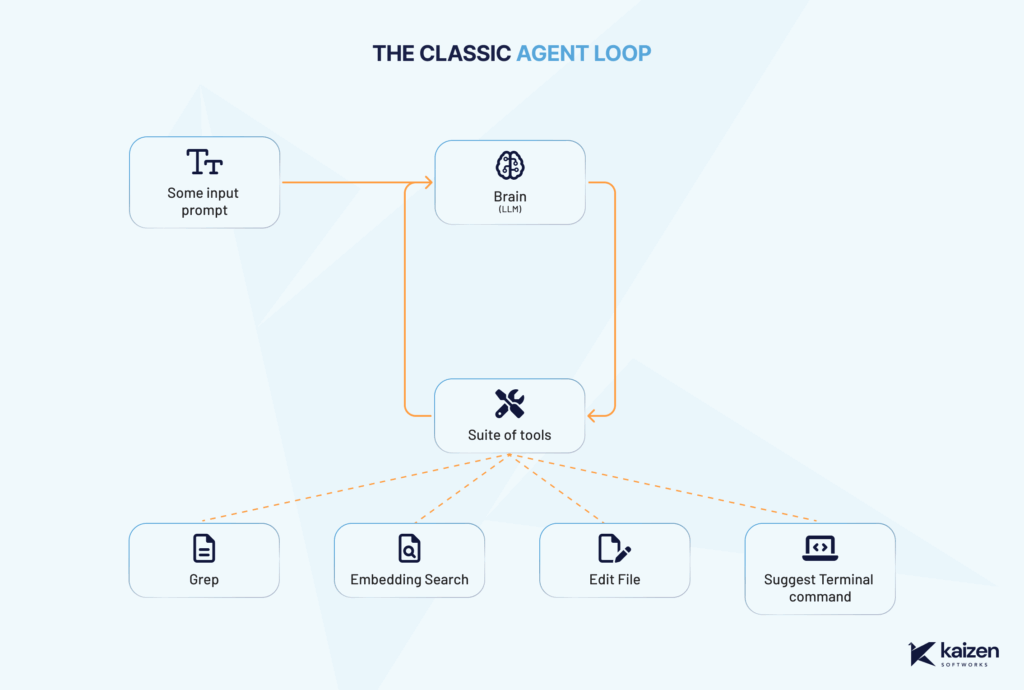
Windsurf’s workflow has three key parts:
It's important to understand that LLMs are probabilistic, meaning that given the same instruction, they won't always generate the same response.
In the context of programming, where we seek precise results, this highlights the importance of clear human guidance and careful review of what the agent proposes. If your instruction is ambiguous, the result could be either useful or completely wrong.
Windsurf runs on different large language models (LLMs), like the ones behind ChatGPT or Gemini. These are foundational models trained on massive amounts of data, giving them broad general knowledge.

Each prompt uses "credits" that get renowned each month if you have a pro or enterprise plan. Be careful as more advanced models are more expensive and cost more credits per prompt.
However, they don’t know everything. If something wasn’t part of the training data, or if it happened after the model’s cutoff date (e.g., June 2024), the model won’t know it unless you tell it. This means it wont be able to use the latest version of some libraries so always ask the model "what’s the latest version of x" to double check.
Also, no AI model fully understands the current state of your code or documents out of the box. That’s why Windsurf uses the tools mentioned above to explore your project and understand it, just like a developer would.
Windsurf relies heavily on context, meaning what you've asked before, what files it has seen, and any information you’ve shared in the session. But it doesn't "learn" new information permanently. For example, if you send it a link, it might use that content during the current conversation, but it won’t remember it afterward. It treats that as temporary context, not long-term memory.
Being among the first IDEs to fully integrate an autonomous AI agent, Windsurf offers a unique approach to coding. Used well, it can help you stay in flow, reduce context-switching, and explore solutions faster.
Ready to start programming with Windsurf? Check out our step-by-step guide and tips here.
Events
·
Apr 11, 2025
Key takeaways from TIA Capital Ideas 2025 on AI adoption, freight fraud, cybersecurity, and the tech shifts shaping logistics.
12 read time
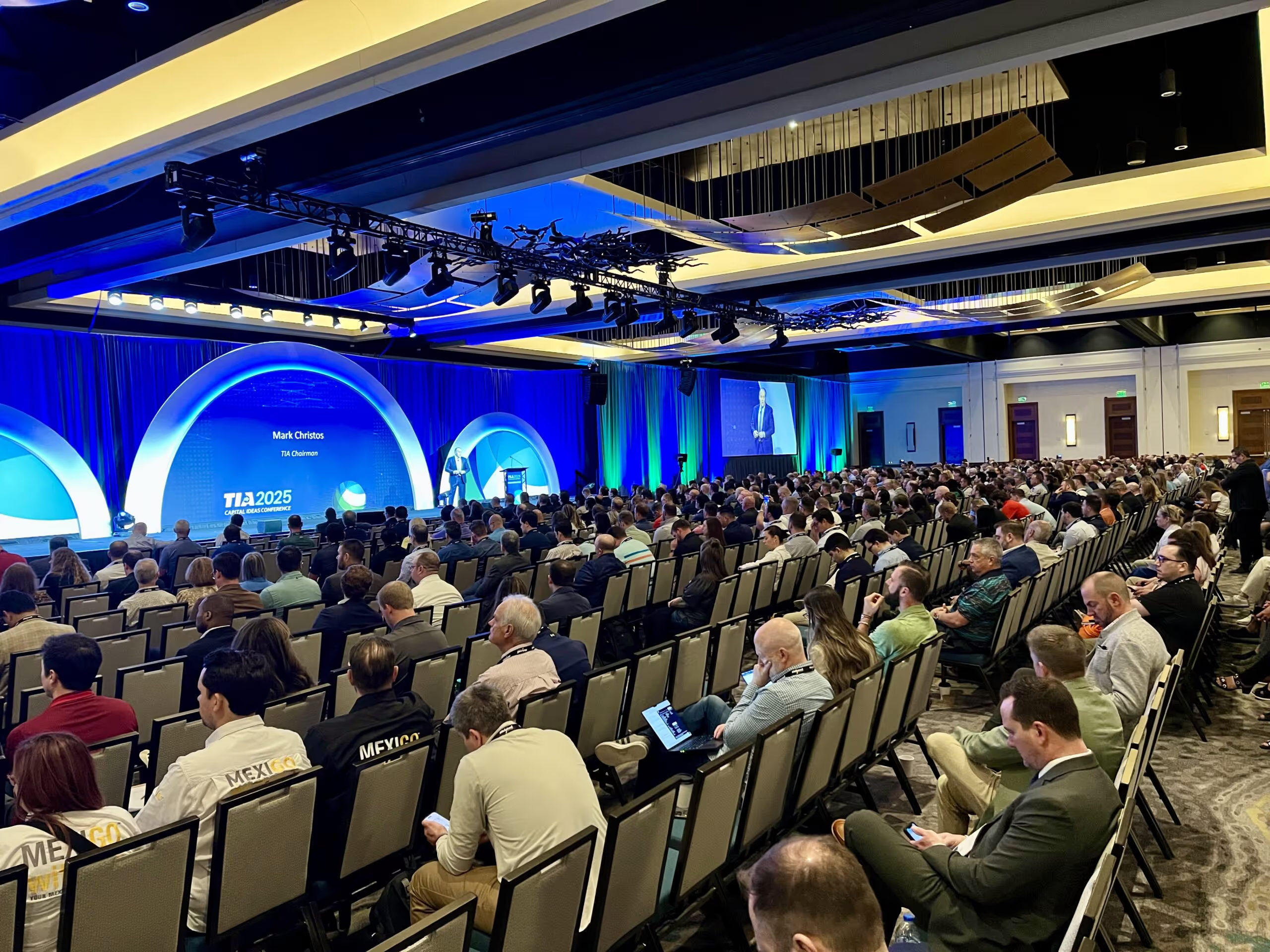
The 2025 TIA Capital Ideas Conference kicked off with powerful messages, sharp insights, and clear calls to action for the logistics industry. With over 1,500 attendees gathered, Day 1 delivered impact and inspiration, especially in a time when freight fraud, cybersecurity, and tech adoption are reshaping how 3PLs and carriers operate.
Here’s what stood out, what we’re still thinking about, and what it means for the future of freight.
TIA Chairman Mark Christos opened the event with a warm welcome, celebrating the organization’s 40+ year legacy. With over 3,500 CTB (Certified Transportation Broker) professionals certified, TIA continues to invest in education and elevate industry standards.
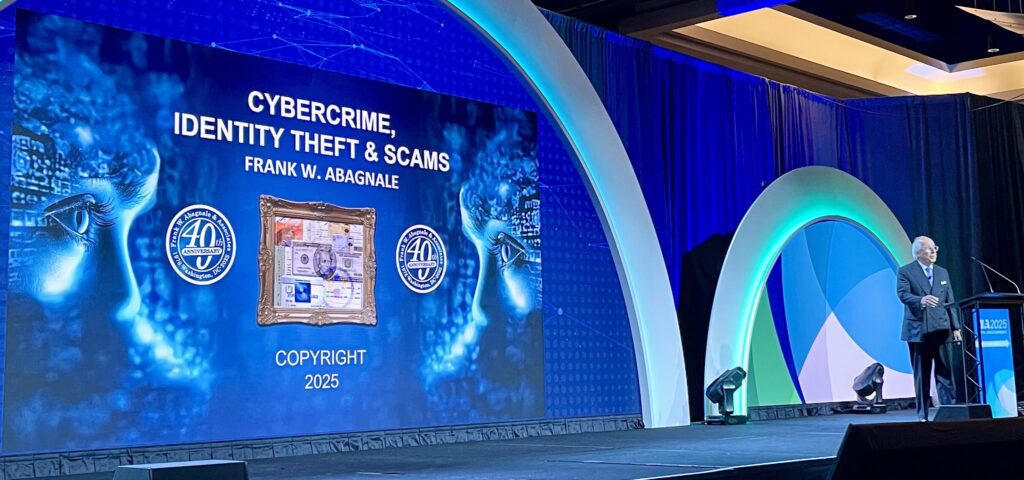
Frank Abagnale, the real-life inspiration behind Catch Me If You Can, opened the conference with a sobering keynote on cybercrime, identity theft, and scams. A bestselling author and FBI educator for over 40 years, Abagnale’s formula was simple but urgent:
Prevention. Verification. Education.
He left the room with alarming stats:
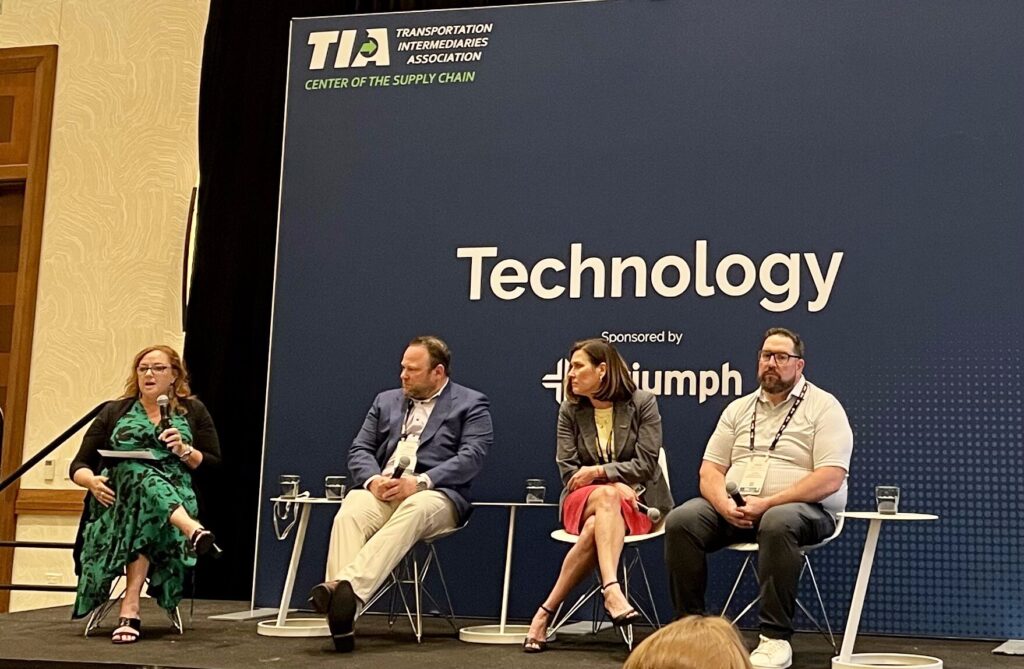
Moderated by Dawn Salvucci-Favier (CEO, Greenscreens), the panel brought together Kevin Sendre, Julia Hoult, and Greg Finnerty to tackle the real-life challenges of implementing AI in freight.
Key takeaways:
“AI is your teammate. It’s the cost of doing business—your competitors are already using it.”
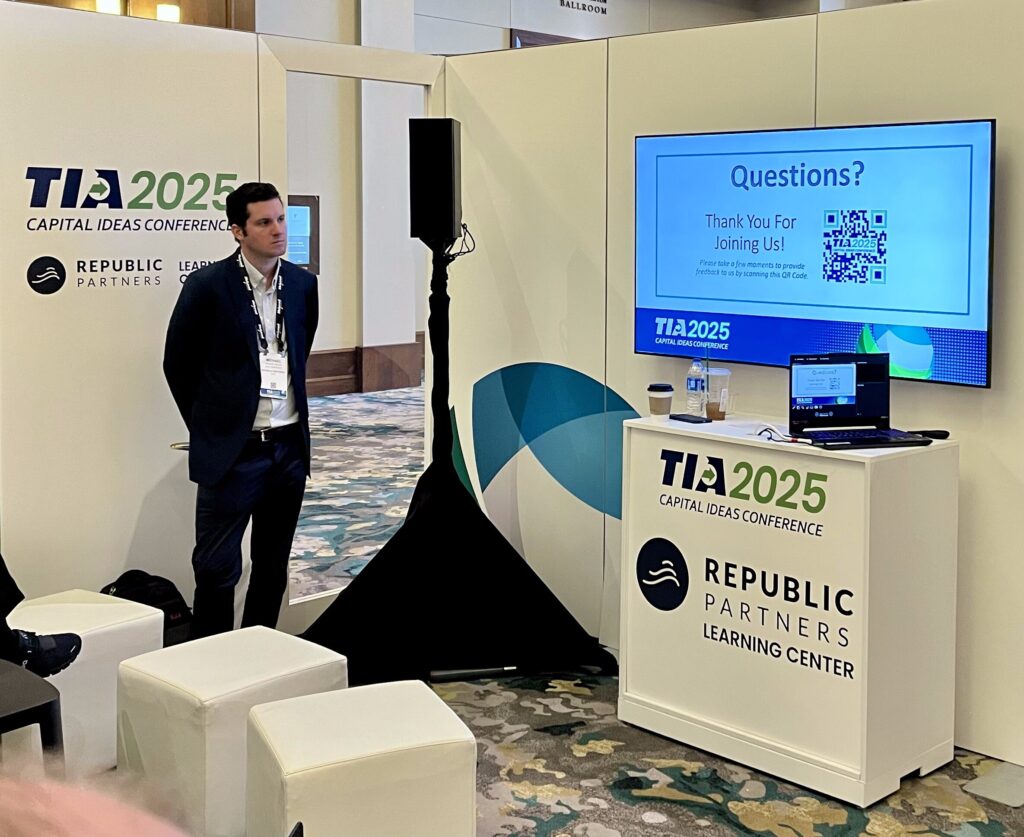
Michael Nolan from Republic Partners shared valuable insight into M&A trends in logistics—especially for family-owned firms.
Highlights:
Open questions we’re still reflecting on:
In a heated political panel, Scott Jennings (CNN), Seth Clevenger (Transport Topics), and other experts unpacked the future of global trade and domestic manufacturing.
Main takeaways:
"This is a restructuring of the world trade order that works for working Americans."
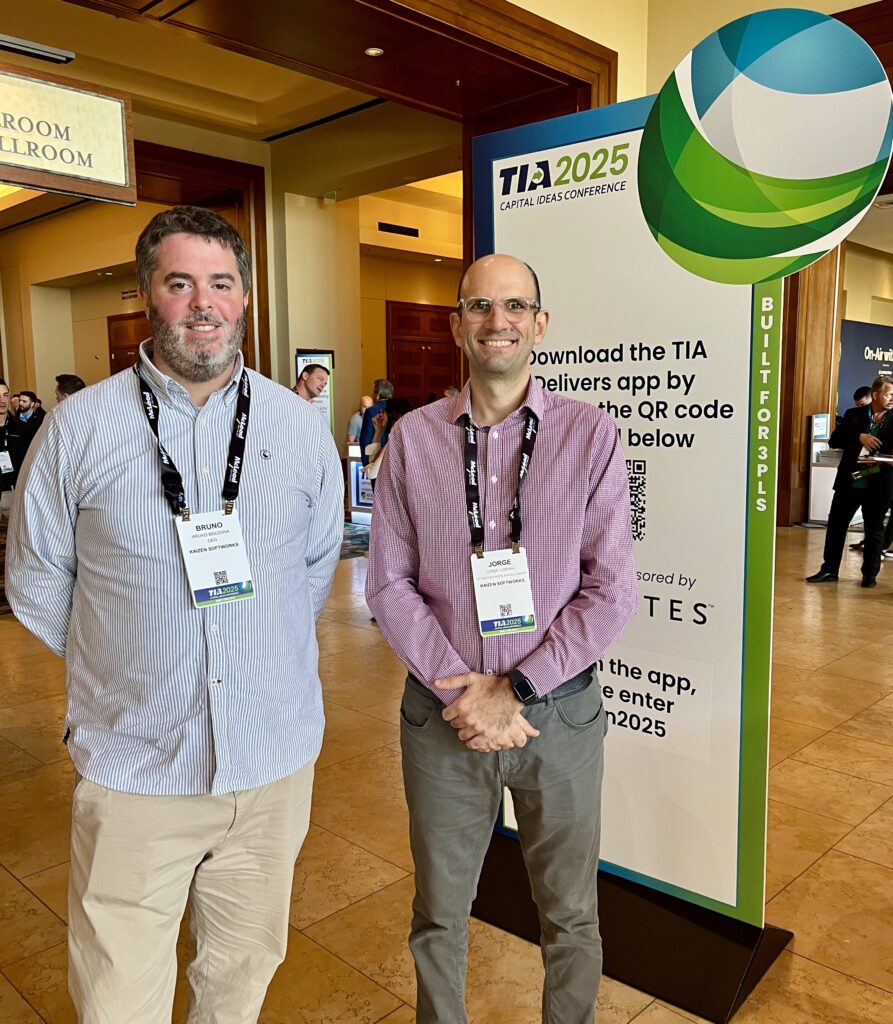
Day 1 of the TIA Capital Ideas Conference set the stage for big conversations in logistics—from cybercrime to AI, M&A to political strategy. Whether you’re a broker, a carrier, or somewhere in between, one thing is clear:
The future of logistics will be shaped by how well we adapt, protect, and innovate—together.
Technology
·
Mar 31, 2025
If your logistics ops feel messy, your software might be the problem.
12 read time
If you’re still dealing with disconnected systems, outdated tech, and manual workarounds, you already know the pain. Missed deadlines, frustrated customers, and unnecessary costs stack up fast. What you might not know? There’s a better way.
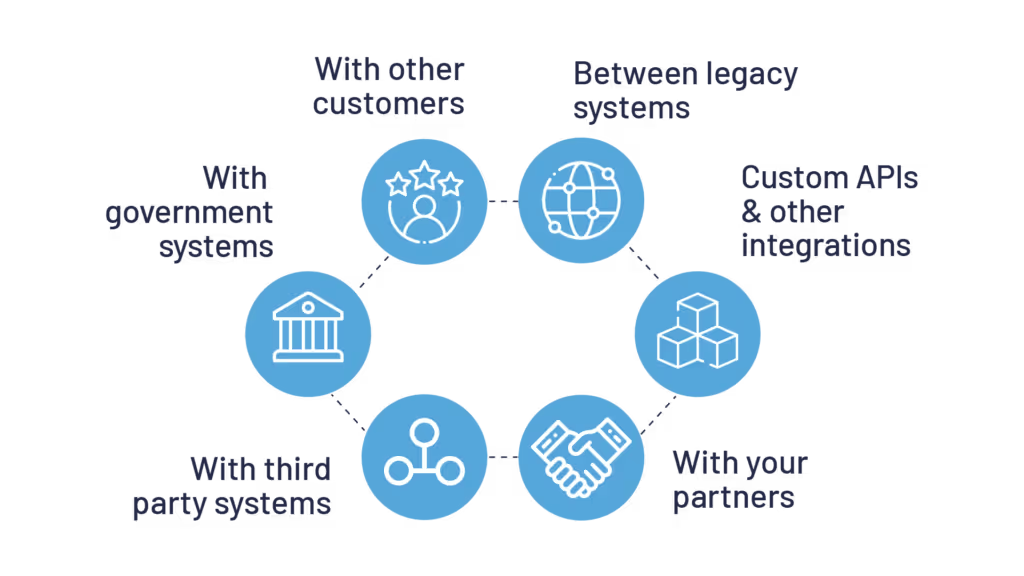
Jumping between platforms, copying and pasting data, dealing with errors, it’s a nightmare. Your WMS, TMS, CRM, and ERP should work together, not fight against each other. When systems don’t communicate, shipments get delayed, customer inquiries take longer to resolve, and decision-making suffers.
We integrate your systems so your data flows automatically. No more repetitive tasks, no more hunting for the right information. Just real-time visibility, and faster decisions, so you can stay ahead of demand and keep your customers happy.
Repetitive tasks like data entry, tracking shipments, or fixing billing issues waste time and cause errors. They also keep your team from focusing on real priorities—optimizing operations and improving customer relationships.
We automate processes that slow you down. From AI-powered customer service bots that handle routine inquiries to cost optimization models that continuously adjust for the best setup, we build solutions that deliver real impact.
Faster workflows, fewer mistakes, and no wasted time. Your team focuses on what matters. Customers get accurate updates without the back-and-forth.
Generic software can be too rigid or too broad, and may not support the specific workflows or integrations that your operations require. Adapting to rigid systems often means clunky workarounds, inefficiencies, and missed opportunities.
We take the time to understand how you operate before building anything. Our free, no-commitment assessment includes three consultation calls:
Legacy systems are slow, expensive to maintain, and full of security risks. They limit your ability to scale, increase operational costs, and put you at risk of compliance violations. Meanwhile, your competitors are upgrading, innovating, and pulling ahead.
We help you migrate to modern, secure, cost-efficient technology. That means:
At Kaizen Softworks, we’ve been partnering with logistics companies, guiding them through digital transformations.
Not sure if your software is helping or holding you back? We’ll give you an honest, expert assessment before you spend a dime.
Let’s make your logistics operation work for you, not against you.

AI

·
Mar 26, 2025
Adopting GenAI isn’t trivial. Here’s how we approach it with clients.
12 read time
Seeing the benefits of GenAI in software development without actively exploring how to implement them in our processes feels like ignoring the obvious.

For this reason, starting this year, Kaizen is investing in developing this competency and understanding how we can apply GenAI in our day-to-day operations and leverage its benefits within software development.
We see two key ways GenAI impacts our discipline:
In short we want to:
To be clear: This exploration focuses specifically on GenAI, excluding other areas like Machine Learning, Computer Vision, Natural Language Processing, and Robotics.
This is not a post about the benefits of GenAI applied to software development, so I won't delve into that. I'll take it as obvious that the impact is expected to be massive and inevitable.
Faced with this large-scale transformation, it's natural that both the people who make up our teams and our clients feel curious, question its scope, and actively seek ways to incorporate this technology into their daily work.
This drive has two key engines: on one hand, the sheer magnitude of the technological disruption we are witnessing and, on the other, people's innate curiosity to explore its potential. We want to channel this energy in a structured way, ensuring that the adoption of generative AI is carried out with an organized and sustainable long-term approach within Kaizen.
Our commitment is to guide this revolution responsibly, protecting the privacy of data and the security of our clients and collaborators. The key is not just to integrate the technology, but to do so in a way that enhances human capabilities and generates a real and positive impact in our industry.
One challenge in adopting this technology is that its process is completely different from cloud solutions, specific frameworks, or programming paradigm changes that we are already familiar with.
A priori, the difference mainly lies in that:
Therefore, we understand that adopting GenAI cannot be done in a deterministic way. Instead, it's better to see it as a wicked problem (complex problem, without a clear or definitive solution), because there is no clear process for achieving adoption and we don't know what needs to happen or should have happened to affirm that we have adopted GenAI and that we are using it in an appropriate and productive way.
To carry out this adoption process in an organized and effective way, we are leveraging a company area called Innovation Hub. In this space, projects are developed and teams are formed to work on different initiatives. The goal of this group is to help us expand our offerings, support the technical pre-sales team, take advantage of opportunities to improve the company's administrative and operational efficiency, and simultaneously acquire knowledge about new technologies.
This group seeks elasticity, where different people from various teams can work on a common project. It proactively encourages participation from different people, which promotes cross-pollination and a culture of innovation.
Additionally, to address the AI adoption project given the characteristics of this technology, inspiration was drawn from Henrik Kniberg's book "Generative AI in a Nutshell", especially the chapter referring to "Leading the Change."
We found in this approach a mechanism that tackles the complexity of adopting something as disruptive as AI, promotes experimentation, responsible use, and is quite compatible with our culture and organizational structure. A key characteristic is that it is bottom-up and top-down approach, seeking to viralize adoption through demonstrations of what can be done while making formal mechanisms available to make time and tools available to learn how to use it.
Generative artificial intelligence is transforming the software industry, and at Kaizen we are not passive spectators: we are actively exploring how to apply it in concrete, useful, and responsible ways.
As a client, this means that:
We will create spaces for dialogue to discover together how GenAI can bring real value to your business. The future is inevitable, but we can choose how to build it. And at Kaizen, we want to build it together with you.
No blogs matched this category, try applying different filters.