





.avif)

%20(1).avif)
How We Make Decisions Without Managers
We don’t have traditional managers. This is how we make decisions and keep things moving.

12 min read
Read more

![Illustration of expert content creation for the [Your Company Name] blog, featuring articles on software development and technology insights.](https://cdn.prod.website-files.com/6846d4fc5449e72dcdad7d99/6883e43726396202465e6dce_IMG.svg)

No blogs matched this category, try applying different filters.

Insights, stories, and experiments from our team.

About Us
We don’t have traditional managers. This is how we make decisions and keep things moving.

·

Mar 13, 2026
·
12 min read

There's a myth that in flat organizations, everyone decides on everything.
That's not how it works. At least not at Kaizen.
When people hear "no managers," they often picture one of two extremes: either total chaos where nobody is accountable, or endless meetings where 80 people vote on which coffee to buy. The reality is neither.
Not everyone decides on everything. Not everyone votes. What we do have is a clear set of decision-making methods that we choose based on context.
Before choosing how to decide, we ask ourselves a few questions:
These dimensions help us pick the right method. Not every decision deserves the same process.
Over the years, we've landed on a few methods that we use depending on the situation:
Some decisions belong to a specific role. If someone owns a responsibility, say, office logistics or hiring for a team, they decide within that domain. No committee needed. The key is that roles are transparent: everyone knows who owns what, and the scope of each role's authority is clear.
When a decision doesn't clearly belong to one role, or when it crosses boundaries, we use the advice process. Here's how it works:
The decision-maker is not a committee. It's one person (or a small group) who takes responsibility. But they don't decide in isolation, they bring in the perspectives that matter.
We sometimes call this "Team Advice" when a working group forms around an issue that doesn't naturally fall into anyone's area, and "Area Advice" when a team opens up a topic that exceeds their own scope.
Consent is not "everyone agrees." Consent means "no one has a strong enough objection to block this." We do use a poll, but not to count votes — we use a 1-to-5 scale to measure the level of agreement and surface objections, not to let the majority rule.
We use it in two flavors:
Not everything needs participation. When a decision has already been made through a legitimate process, the right move is to inform, not to fake-consult. One of the fastest ways to kill self-management is to ask for feedback and then ignore it. If you're not going to change course based on input, don't ask for it, just be transparent about the decision and the reasons behind it.
We didn't adopt these methods because they're trendy. We adopted them because they solve real problems:
Transparency is the foundation. Every method we use, from role-based decisions to high-participation consent, works because information flows openly. People know what's being decided, who's deciding it, and how they can participate.
Horizontal doesn't mean structureless. It means fewer hierarchical levels, clearer roles, and intentional decision-making processes that match the weight of each decision.
Not everyone decides on everything. But everyone knows how things get decided.
About Us
We don’t have traditional managers. This is how we make decisions and keep things moving.
12 min read
About Us
AI

·
Sep 10, 2025
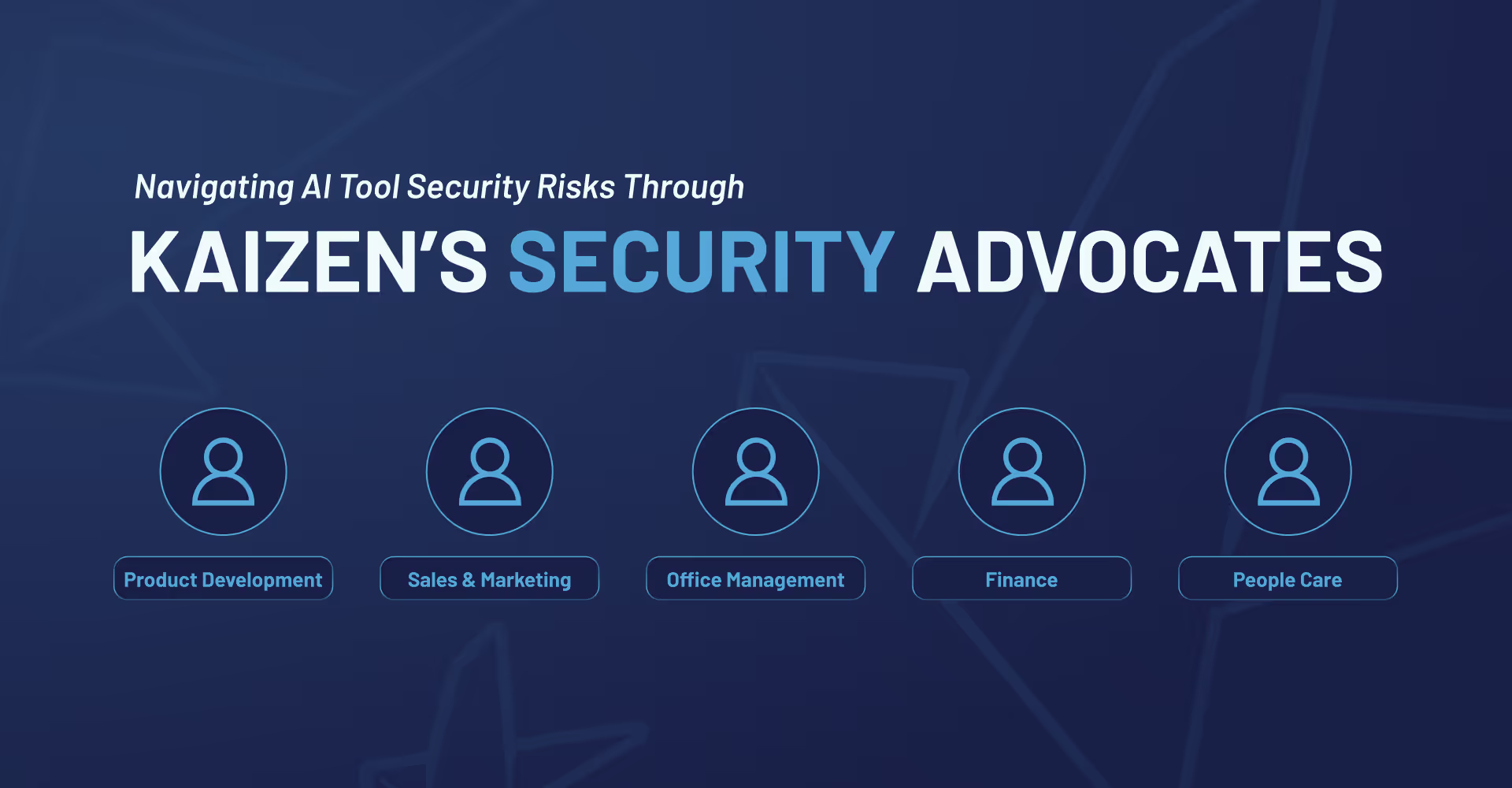
Security isn’t owned by one person here. This is how we build it as a team.
12 read time
We live in an era of accelerated transformation, where AI tools are unlocking unprecedented efficiency. However, a tool that’s a game-changer one day can become a risk the next.
How do we adopt these technologies with agility and ambition without compromising the security of our clients and our own business?
Today, we want to share the creation of an internal team of Security Advocates.
Like many, we used OpenAI's tools. But the recent fallout from the New York Times lawsuit means their data policy has fundamentally changed. The "30-day data retention” guarantee is gone.
For us, that’s not just an internal issue; it’s a direct conflict with the promises we make to our clients. Every code snippet, every piece of sensitive data passed through that API could now be stored indefinitely for legal review.
The typical corporate playbook for this is simple: a few managers lock themselves in a room, make a decision, and send out a company-wide memo.
We use a different approach.
Instead of a top-down "control tower" that dictates policy, we build "bridges." For this, our bridge is the Security Advocates team.
This is a cross-functional group with a representative from every team at Kaizen, from product development, marketing, and finance to infrastructure and people care.
These advocates are facilitators and translators. Their job is a two-way street:
This isn't about consensus-driven committees; it's about a constant, high-speed dialogue that helps us build policies that actually work for the people who have to live with them.
This team was put to the test the same week it was formed, showing just how fast we need to adapt.
When the OpenAI news hit, our first move wasn't to issue a ban. It was to ask an open question through our Advocates: "This is happening. How does this actually impact your day-to-day work?"
The goal was to get an honest, ground-level picture:
Initially, we presented a clear proposal: discourage the use of OpenAI where data retention is an issue and use an alternative like Claude that better aligns with our privacy goals. We were also brutally honest about the trade-offs: the alternative is safer, but it might require different prompting and adjustments.
The final outcome wasn't a total ban. After discussions with the design team and others, we landed on a hybrid approach: we’d limit OpenAI for any work involving sensitive data but still allow its use for non-sensitive, conscientious tasks. We even built in a process to use it on specific projects if a client gives us their explicit consent.
This flexibility is the direct result of having the conversation out in the open, creating a solution we all own because we all understood the 'why' and had a hand in building it.
This approach is more than a security strategy; it’s our culture in action. In a world where the ground is constantly shifting, we believe the most robust and responsible solutions come from having every voice in the room. Our clients expect us to be adaptable and trustworthy, and this is how we deliver on that promise, not just by having the right answers, but by having the right process to find them.
AI

·
Sep 3, 2025
A simple guide to RAG, the AI approach that helps LLMs search your own knowledge base before generating more accurate answers.
12 read time
Large Language Models (LLMs) are powerful, but they come with two big limitations:
Retrieval-Augmented Generation (RAG) solves this by connecting your LLM to an external knowledge base and retrieving relevant context before generating a response. (And yes… RAG also means “rag”, but here it’s definitely more high-tech than something you use to clean the kitchen 🧽).
Think of RAG as an assistant that searches first, then answers.
Example: An HR chatbot could first retrieve the latest company policy document before answering questions about vacation days.
When it comes to finding the right information for your LLM, there are several approaches, each with its own strengths.
The most straightforward one is Keyword Search, where the system looks for exact or partial word matches in the text. This is simple, fast, and effective when you know the exact terminology to look for. For example, using BM25, you could pinpoint the exact paragraph in a technical manual that matches a user’s query.
Then there’s Semantic Search with Embeddings, which goes beyond exact matches to find text with the same meaning, even when the wording is different. This is particularly useful for cases like retrieving answers about “sick leave” even if the document calls it “medical absence.” By understanding synonyms and related concepts, semantic search adds a powerful layer of flexibility.
Finally, you can combine the best of both worlds with Hybrid Search. In this approach, the system runs both a keyword-based search (like BM25) and a semantic search (using embeddings) in parallel.
The results from each are then merged and re-ranked, often using techniques like Reciprocal Rank Fusion, so that documents highly ranked by either method can appear at the top.
This way, you capture exact matches for critical terms while also retrieving contextually relevant content that may be worded differently, making it especially powerful for cases like technical FAQs where precision and broader understanding both matter.
Even with a good retrieval strategy, not all results are equally useful. That’s where optimization techniques come in.
One of them is re-ranking with specialized models, such as cross-encoders. Instead of scoring the query and each document separately, cross-encoders process them together, allowing the model to understand fine-grained context and relationships between words. This produces more accurate relevance scores, ensuring the most useful documents appear first, even if they don’t share many exact keywords with the query.
Another useful approach is Metadata Filtering. By filtering results according to attributes like date, category, or document type, you can eliminate outdated or irrelevant information. Imagine narrowing your search to documents updated in the last six months – it’s a simple step that can drastically improve the quality of the information your system uses.
LLMs can’t process huge documents all at once. Chunking means splitting them into smaller pieces.
For example: Split a 100-page manual into 500-word sections with 10% overlap to ensure no important context gets lost.
Benefit: Improves retrieval relevance and accuracy.
You can’t improve what you don’t measure.
Here’s two key metrics for RAG:
Impact example: After optimizing, relevant documents moved from position #5 to #2, reducing search time for users.
The most exciting part is putting this knowledge into action.
We see immediate opportunities to:
Because in the end, whether it’s a rag for cleaning or RAG for AI, it’s all about wiping away the mess and delivering sharper results. 😉
About Us
AI

·
Aug 26, 2025
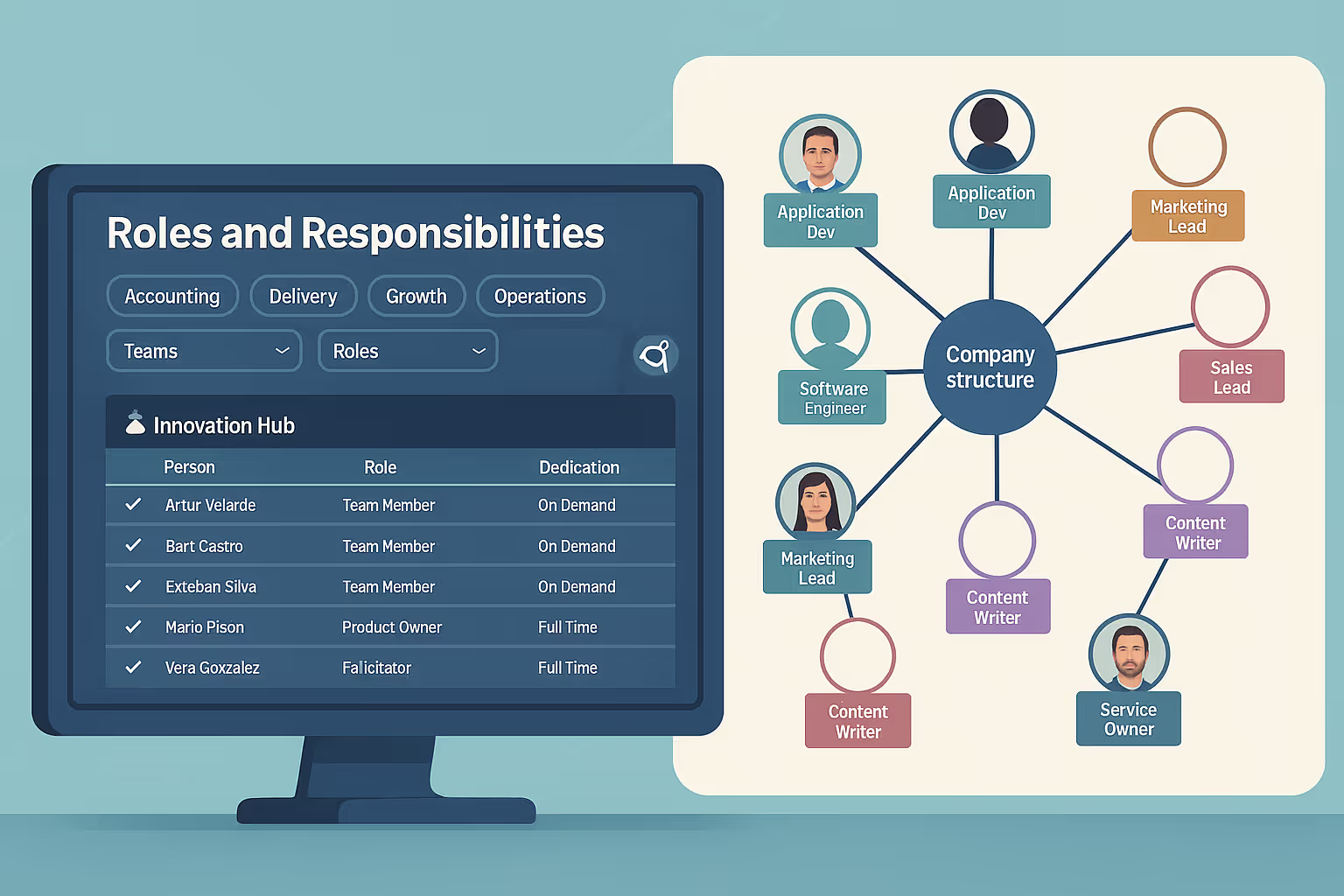
KaizenOS shows how a horizontal company can scale with more visibility and trust, without adding unnecessary control.
12 read time
When you’re growing fast in a decentralized structure, a simple question becomes hard to answer: Who’s doing what—and where are we stretched too thin, thriving, or missing something entirely?
Those questions sparked the creation of KaizenOS, an internal web app built to bring transparency into our organizational structure.
At Kaizen, we’ve always embraced a horizontal structure. That means decisions aren’t handed down from the top, they’re shaped and driven by the people doing the work.
In practice, this means a lot of our people wear multiple hats. A front-end developer working on a client project might also be leading initiatives in the Innovation Hub, a space where our engineers explore ideas and experiment with new technologies to push innovation forward, both internally and for our clients.
When we were a small team, this organic way of working just worked. Everyone knew who was doing what, and it was easy to collaborate or ask for help.
But as we grew to over 80 people, things started to get blurry. Who was owning what? Where were the gaps? Who was overwhelmed, and who had space to grow?
Our way of working hadn’t changed, but the scale had, and with that, we started losing visibility.
The Innovation Hub took on the challenge. Our goal was to support how we already work, with a solution that makes things visible and easy to navigate for our team.
We imagined a tool that could:
We didn’t want this to be a long project. We wanted to build fast, validate fast, and learn fast.
So we ran it like an internal experiment, using AI tools to speed things up. We set a clear constraint: no more than one person-month of total effort.
Here’s how we broke it down:
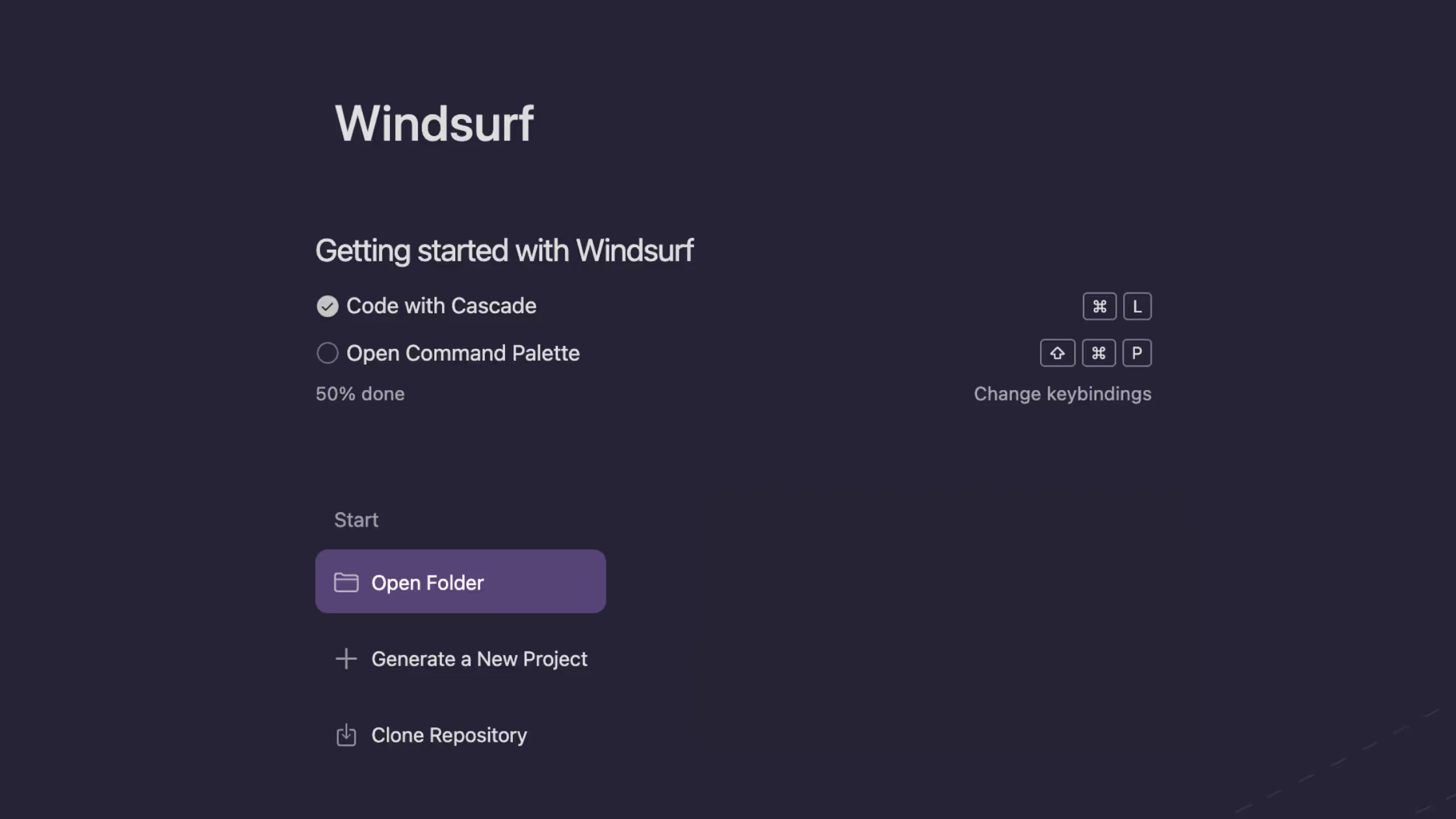
We used Windsurf, an AI-powered IDE, to help us ship quickly. The goal was to build a working MVP in under 180 hours, and we made it.
This experiment also became about exploring what AI-assisted development can look like in practice. Could we reduce build time and cost while still producing something valuable? The answer was yes.
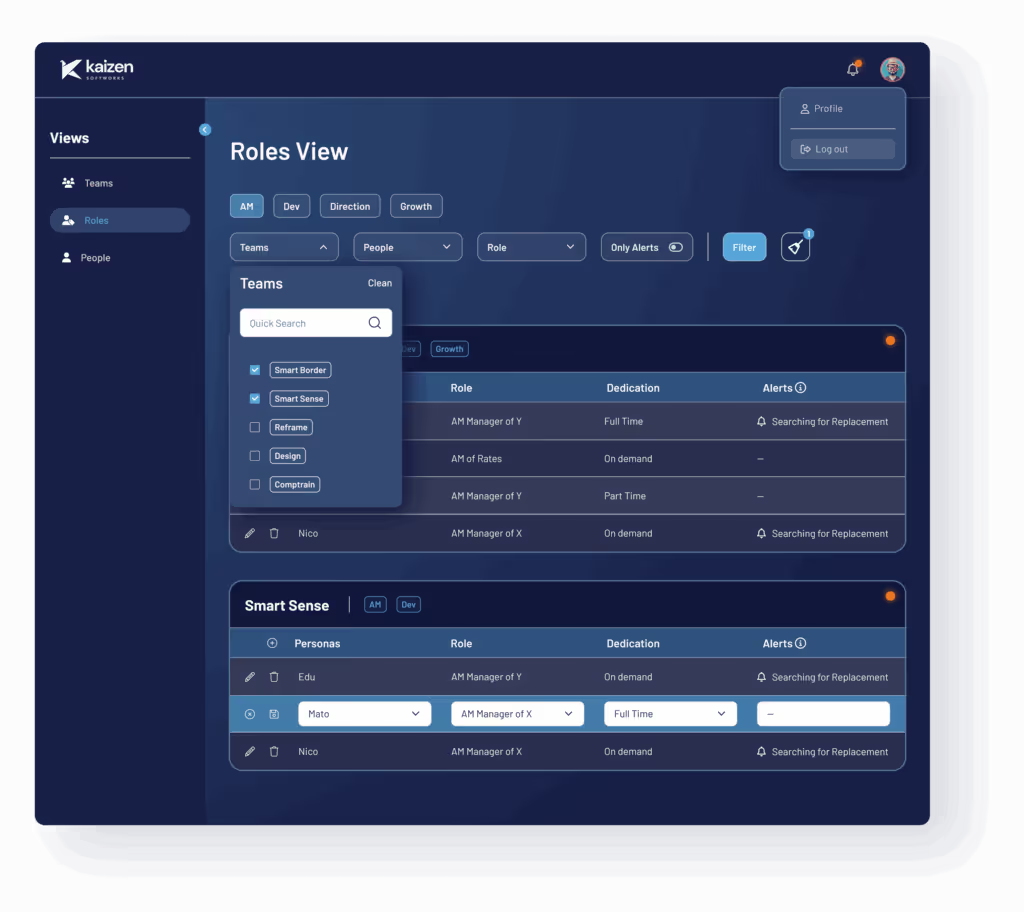
The result is KaizenOS, a web app that gives everyone at Kaizen a clear, real-time view into how responsibilities are distributed across the company. The teams themselves created the maps and roles (you only have to be a Kaizen member to modify them), which enabled conversations to clarify who does what.
And we’ve already started publishing internal vacancies.
KaizenOS supports our belief that scaling a company doesn’t have to mean adding more control. You just need visibility, trust, and a structure that enables people to step up and proactively propose solutions.
AI
·
Aug 18, 2025
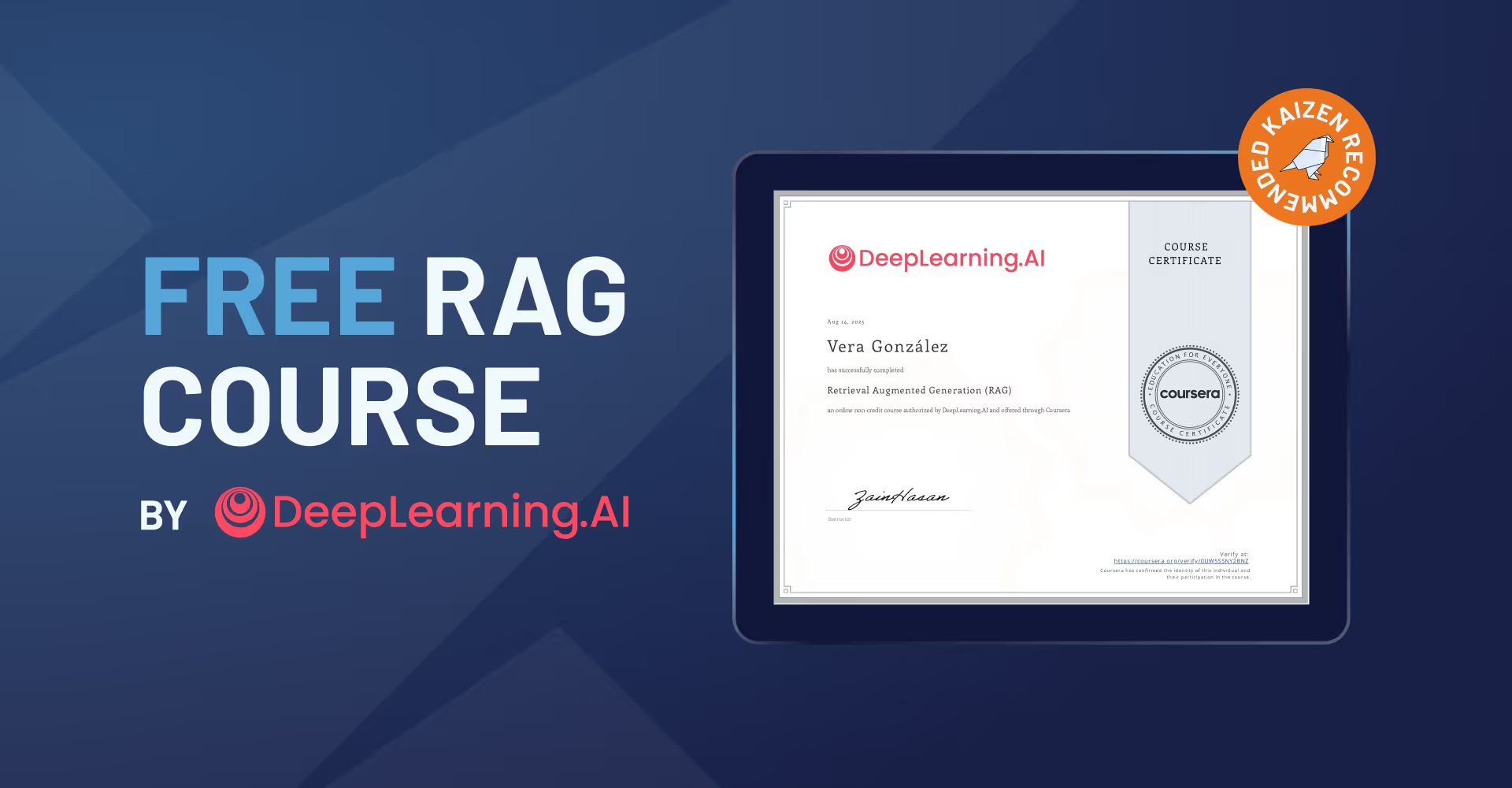
If you're starting with RAG, this free course caught our attention. Here’s why we think it’s worth it.
12 read time
I just finished a course that I have to tell you about, especially if you’re building with LLMs. You know the drill, you build something cool, but the model starts making things up (“hallucinating”) or its knowledge is stuck in 2023.
We’ve all been there. But there’s a practical fix called Retrieval Augmented Generation (RAG), and the team at DeepLearning.ai has released a course to master it, and it’s 100% free to learn.
LLMs are incredible, but they come with well-known limitations. They can make up facts, and their knowledge is limited to their training data (which is always out of date).
RAG is the elegant solution to these problems.
Instead of just using the LLM’s static knowledge, a RAG system first retrieves relevant, up-to-date information from a reliable source, like your company’s wiki, a live database, or any other source you trust. It then augments the prompt with this information, giving the LLM the exact context it needs to give a smart, accurate answer.
Long story short: it’s how you give context to an LLM to stop making stuff up and start using real, up-to-date information.
This course it’s built to take you from “What’s RAG?” to build production-ready applications. The knowledge is completely free. If you want a certificate to pop on your LinkedIn, that’ll run you about $49, but it’s totally optional.
This is definitely for engineers who already have some Python skills under their belt. You’ll be in good shape if you have:
The course is self-paced and broken into five chunks. They estimate it takes about a month if you put in around 5 hours a week.
Here’s a quick rundown of the good stuff:
Absolutely. RAG is quickly moving from a “nice-to-have” to a “must-have” skill for anyone serious about building practical AI applications.
What I love about this course is that it pushes you past the simple “hello world” examples and into the stuff that matters for real-world deployment, like evaluation and optimization.
For me, this is the most direct path to leveling up your AI skills and building applications that are genuinely more reliable and powerful. It’s a skill that will absolutely make you a more valuable developer.
I figured you might have a few questions, so here are the quick answers.
Yes. All the videos and labs are totally free. You only pay (about $49) if you want the official certificate at the end.
It’s self-paced, but plan for about 5 hours a week for a month to get through everything comfortably.
Not at all. As long as you’re solid with Python and know the basics of AI, you’ll be fine.
If you’re tired of the limitations of off-the-shelf LLMs, this is your next step. Stop letting your models guess and start giving them the facts.
Check out the free Retrieval Augmented Generation (RAG) course on DeepLearning.AI

AI
·
Aug 8, 2025
See how we moved from early AI experiments to company-wide adoption, with the tools, policies, and culture to make it work.
12 read time
I’ve been riding the AI wave from the very start here at Kaizen Softworks, with all the hype, concerns, doubts, and broad vision that come with it.
This post is about how Kaizen Softworks went from small AI experiments to full company-wide adoption, building infrastructure, policies, and culture that allowed us to enable every developer with ChatGPT-5 within hours of its release.
It began small: fewer than a handful of us asking, “What exactly is AI?” We decided to dig deeper, run some experiments, laugh at the hilariously bad outputs we got from time to time, and be amazed by the little gems we discovered along the way.
Thanks to Kaizen’s horizontal structure, we could start processes and workflows in a very autonomous way, a rare experience if you’re not used to flat organizations. We created plans, ideas, and ways to move forward, and we got going quickly.
We knew we wanted to explore many areas, without knowing which ones would pay off. We set aside modest resources for things like service licenses, learning, workshops, and even reserved a chunk for a local server.
Coming from an infrastructure background, I felt responsible for creating the tools and environments that enable people to do things. While other companies were banning AI, we were promoting it, not pushing, just enabling. Some people even expressed concern that they were using AI more for personal purposes than for work, due to unclear regulations, permissions, or acceptance, or simply because they didn’t know how to apply it. Our advice was: just do it.
Before long, we built our custom server: DonIA. Even the name came from a fun exchange with Nacho, Kaizen’s most hyped-up teammate. We spoke to finance for resources, to marketing to let them know our intentions, and to our CEO. No one fully understood where we were headed, honestly, neither did I, but everyone agreed it was worth supporting at full speed.
We presented what I still believe is some of the most professional work done, without specs, without deadlines, without a product manager, and by carving out time wherever we could, often making space where none existed. It was driven purely by interest and passion.
Just a few weeks later, Martín and Nacho had built up enough momentum to get a specific team excited about going full speed with AI for a client. It felt like a risky bet. The safer answer would have been, “No, too risky. We can’t go all in.” But Alex’s fire in his eyes told us that wasn’t an option. So we moved forward, enabling the team to use AI in a real production context: deadlines, constraints, and all.
We created security documentation, studied privacy issues, got our servers online so we could run non-cloud, on-premise versions if needed, drafted policies and workflows, and within days, the team was using AI in their workflow.
And that effort wasn’t just for one project; the frameworks were designed for the entire company. If we were going to push AI forward, we had to embrace it company-wide.
We built toy projects day after day, read forums, shared experiments, and held weekly meetings with tons of updates. Everything was shared openly for discussion.
Within a few months, we had a complete framework for almost anyone at Kaizen to make great use of AI tools. It didn’t feel fast at the time, sometimes it felt slow, but for a team with zero officially allocated hours, it was impressively steady.
Eventually, we decided to go further. We aligned with our CEO, finally allocated resources, and formed a small but dedicated team. We brought together advisors from every team in the company to gather blockers, share ideas, and make decisions for the greater good. The involvement and professionalism were incredible, it felt like everything was falling into place.
And today is the payoff. ChatGPT-5 was released just seven hours ago, and within hours (not days, not weeks, and definitely not months), we achieved something remarkable
All teams are now fully aware of the security, copyright, and privacy concerns, including, for instance, OpenAI’s lawsuit in the context of general-purpose chat tools. They also know exactly which services offer zero data retention, and which don’t.
Our infrastructure was upgraded to GPT-5 within hours of release, and we already have experiments running.
It’s 3:30am right now, tomorrow every Kaizen developer will start the day with access to state-of-the-art AI tools and the knowledge to use them effectively. From experience, I know this would normally take weeks or even months without the groundwork we’ve all put in.
Kaizen’s horizontal structure certainly helped, but it was the commitment from the people, from the hypers to the conservatives, that made this possible. Everyone added their grain of salt, some brought the whole bag, but all contributions were equally important.
I’m incredibly proud of this team. Congratulations to all, well done!

AI

·
Jul 28, 2025
AI can make software teams move faster, but this post looks at what happens when speed becomes the only metric that matters.
12 read time
We've all heard the promise: AI will revolutionize software development, making us faster and more efficient than ever. And yeah, AI can supercharge velocity. But in a recent project, we learned a lesson: unchecked speed often comes with some serious, hidden costs. This wasn't because the use of AI itself was flawed; it was a side effect of a project where speed was the only directive.
Our journey started like a lot of ambitious projects do: with a huge goal and a killer deadline. To hit that aggressive timeline, we pitched our client on something big: throwing AI-assisted development tools into our workflow.
The client was on board, but with one crucial condition: go fast. So, we dove into an intense two-week sprint. We slashed processes, cut back on team meetings, and pushed hard to see just how much we could get done, and how quickly.
We knew from the start that accelerating delivery by cutting some processes would introduce risk. But we also understood that this was the only viable path to meet the expectations and timeline. So we leaned into the challenge, intentionally adjusting our approach, and staying mindful of the trade-offs.
We jumped into a two-week sprint, reduced meeting time, trimmed ceremonies, and focused purely on output. The result? We moved fast, really fast. But not blindly. As we progressed, we actively tracked risks, noted what we were skipping, and prepared ourselves to course-correct after delivery.
Yes, speed delivered results, but it also surfaced important lessons about what’s worth protecting, even under pressure. And those lessons are shaping how we approach future fast-paced projects, especially when AI is in the mix.
Our codebase exploded, but it was a bit of a hot mess. Without solid process guardrails, our AI-fueled momentum became chaotic. We started asking ourselves some hard questions:
We quickly realized that how you use AI is just as important as whether you use it at all.
The real challenge became finding that sweet spot. Too much control, and you're not really getting the most out of AI. Too little, and you're stuck with spaghetti code that's a nightmare to maintain.
At first, expectations were through the roof. Could we really double or triple our output overnight? The reality turned out to be a lot more nuanced.
AI shines when you're starting from scratch, making independent decisions on brand new projects, even early prototypes. But as soon as we hit real-world complexity (legacy systems, tricky architectural decisions) AI started to struggle. It needed a lot more hands-on guidance and oversight.
Suddenly, we weren't just coding. We were coaching. When we ran into complex problems, our role shifted from writing code to guiding the AI and making critical architectural calls. AI needed guardrails, decisions, and context.
That dream of 20x speed, born from unrestrained experimentation, gave way to a more practical understanding. While fast, the "anything goes" approach wasn't sustainable; it quickly led to a messy, unmanageable codebase.
Our focus shifted from how each individual used AI to the quality of the final product. We started evaluating solutions not just by how fast they were delivered, but also by how well they stuck to our defined quality standards. Does the code work? Is it well-architected? Does it meet our minimum quality thresholds?
AI didn’t just speed things up. It amplified everything.
Think about a developer's core strengths: speed, code quality, problem-solving. Every developer naturally prioritizes some over others. With AI, these personal weightings become amplified.
A developer who leans towards speed will become exponentially fast with AI, while someone who prioritizes quality might seem comparatively "slower" (though still faster than pre-AI). The gap between these approaches widened, really highlighting the differences within the team.
This brought up a crucial team-level discussion:
We're actively working to nail that balance. The tricky part? The team isn't making all the decisions; there's a client calling the shots.
Once you show a client you can move three times faster, how do you then turn around and say, "Actually, we could go super fast, but we're going to slow down a bit to prioritize architectural decisions"? The client will almost always push for continued speed, without fully grasping the long-term implications or the technical debt it can create. These trade-offs, which are always a part of software development, are now even more obvious and a lot harder to navigate.
This creates internal friction. A client might see one developer moving at warp speed, because that developer prioritizes speed, and then demand that everyone else match that pace. They don't see the unseen work or the critical long-term considerations other team members are prioritizing. This can lead to a perception of uneven performance within the team. AI simply highlights all of these dynamics.
The use of AI isn't up for debate anymore. It's a tempting tool for development managers, offering the illusion of doing three times more with the same resources and budget. It feels like a massive jump in computational power just by adopting AI. This has, in turn, inflated expectations, especially in the short term.
It's no longer about being 10x faster than without AI; it's now, "Hey, why are we a little slower than last week?"
The benchmark just keeps rising. Every new speed metric shared with the client becomes the new expectation. It's a continuous upward adjustment.
It's important to remember that our experience was rooted in a high-pressure, and relentlessly fast-paced project.
We made deliberate choices to adapt to what the project needed most: speed. We knew that came with trade-offs: technical debt, uneven team pacing, and the constant pressure of rising expectations.
But instead of ignoring those challenges, we tackled them head-on. We automated where it made sense, adjusted roles, and made tough calls to preserve quality without bringing momentum to a halt.
What once felt like an impossible timeline is now within reach. The codebase is solid, the delivery date is realistic, and we’ve found a way of working that’s stable, maintainable, and far more sustainable than it was just a few months ago.
Events
·
Jul 17, 2025
Late 2025 is packed with events. These are the ones we’d keep on our radar.
12 read time
2025 is flying by, but it’s not over yet and that’s good news. There’s still time to refresh your perspective with new insights, and connections to sharpen your vision for 2026. The U.S. startup scene features high-impact conferences and summits, each providing opportunities for tactical advice, investor exposure, or peer-to-peer learning.
Below is a curated list of the most relevant startup and tech events in the U.S. from September to December 2025.
📍 Boston, MA | 🗓 September 8 - 12, 2025 | 💵 Free | 🔗 Register Now!
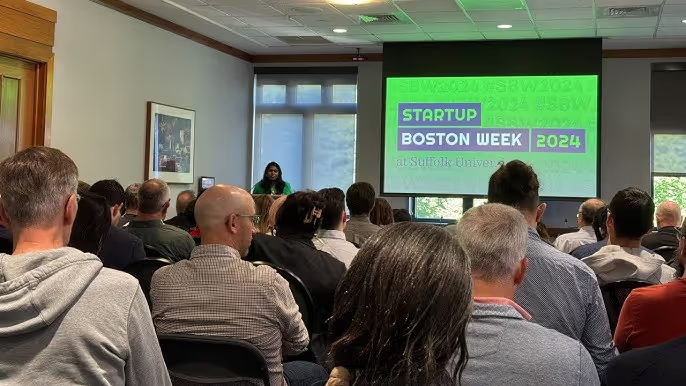
Startup Boston Week is a 5-day event with 100+ sessions and 300+ speakers, focused on the real work of building a startup. From product and engineering to sales and ops, there’s content for every role and stage. Whether you’re just starting or scaling, you’ll find practical advice, real stories, and people solving the same challenges you are.
📍 Orlando, FL | 🗓 September 8 - 11, 2025 | 💵 $447 – $17,997 | 🔗 Buy tickets
Focused on revenue-stage startups and scale-ups, The Vault offers access to 12,000+ attendees, including 2,000+ of CEOs leading $25M+ businesses; this three-day event delivers tactical direction to scale, hire smarter, or prepare for a successful exit.

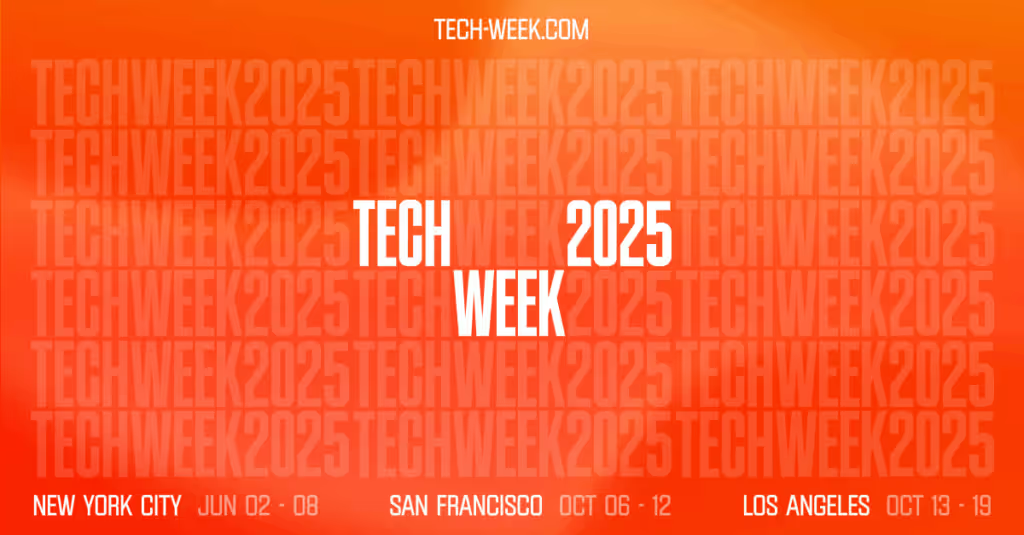
📍 San Francisco, CA | 🗓 October 6 - 12, 2025 | 💵 Free & Paid | 🔗 Register now!
SF Tech Week brings together founders, builders, and top VC from all over. It’s a full week of talks, meetups, and hands-on sessions across the city. Whether you’re looking to raise money, find talent, or just learn what’s next, this is where the tech crowd shows up.
📍 Washington, DC | 🗓 October 20–24, 2025 | 💵 $50 – $150 | 🔗 Save the date
One of the most dynamic startup hubs on the East Coast, DC Startup & Tech Week offers 150+ events and 300+ speakers covering everything from early-stage strategy to biotech, AI, and Web3. Expect hands-on workshops, founder talks, pitch competitions, and panels with real takeaways.
If you're curious about what to expect or want a behind-the-scenes look, here’s what we learned when we attended the 2024 edition.
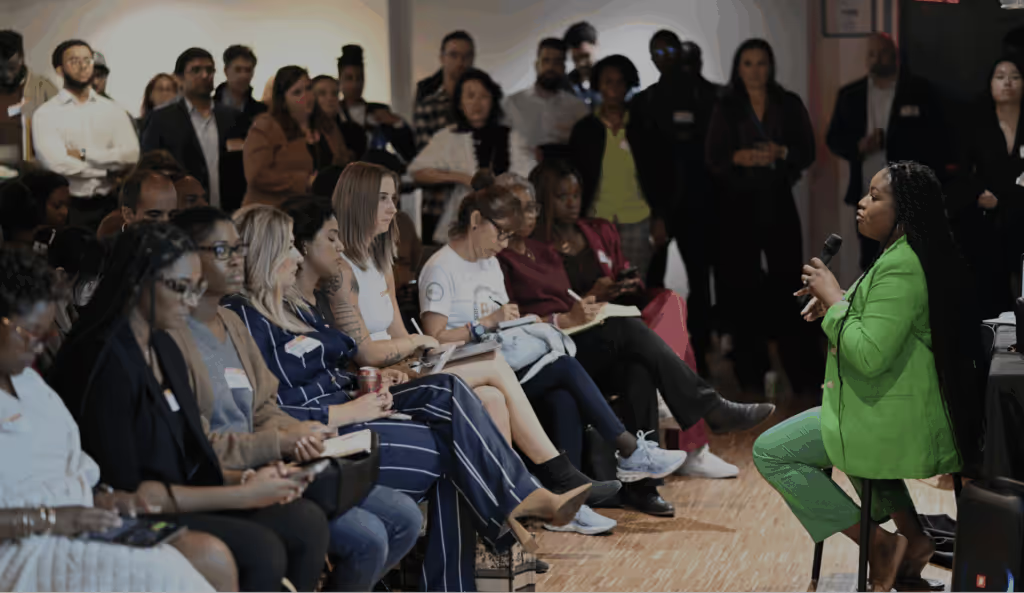
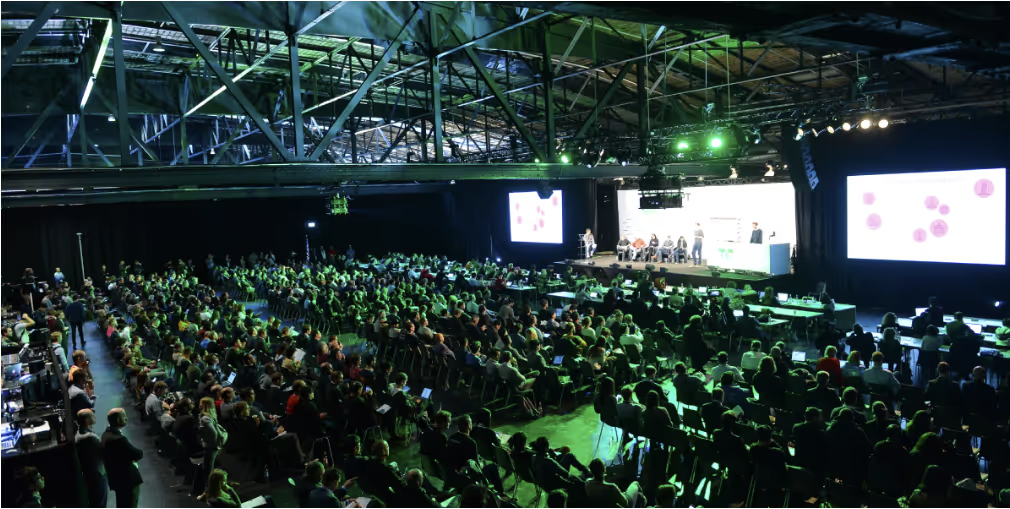
📍 San Francisco, CA | 🗓 October 27–29, 2025 | 💵 $135 – $1,105 | 🔗 Buy your Ticket
With 10,000+ attendees Disrupt is where early-stage startups and big VC money collide. The agenda covers how to raise a Series A, finding product-market fit and advice from seasoned founders. Plus, side events like pitch comps and mixers.

AI
Technology
·
Jun 19, 2025
How we built a visual AI assistant for mobile, and what actually worked.
12 read time
As part of our Innovation Hub, a group of engineers committed to exploring emerging tech hands-on, I recently ran a small but meaningful experiment. The idea? Creating a proof of concept (PoC) that merges computer vision with AI, all within a React Native app.
Why does this matter? Well, in the world of IoT, there's often a frustrating gap: how do you get digital instructions to smoothly translate into real-world, physical actions? This experiment directly tackles that challenge.
Here's how it went.
Imagine you need to draw your name on a piece of paper. Instead of just looking at an example, your phone's camera acts as your guide, giving you live instructions straight from GPT-4o (a multimodal large language model that processes images + text).
Every three seconds, the app captures a frame from the camera, turns it into a Base64 image, and sends it off to the ChatGPT Vision API. Based on what it "sees", it then streams back real-time, step-by-step guidance right onto your screen, like:
The AI-powered visual assistant lets an app (on the user's phone) guide someone step-by-step through a physical task (like drawing or interacting with a device) in real-time, using the camera. It transforms passive instructions into an active, interactive guide.
This kind of interaction is incredibly relevant in IoT contexts, where hardware needs to bridge the gap between digital instructions and real-world actions. It’s about making complex tasks intuitive and reducing errors in the field.
We gave ourselves a tight two-week window for this experiment, with some clear ground rules:
Like any experiment, we ran into unexpected outcomes:
In our daily work with IoT companies, we build software that lives and breathes in physical spaces (think of warehouses, supermarkets, sensor installations). That’s where this kind of vision+AI combo can shine.
This particular PoC wasn't just a fun side project; it helped us:
The next iteration is already brewing. We’re exploring ways to replicate this behavior locally, no external API calls, lower latency, better privacy. Tools like TensorFlow Lite or MediaPipe are on our radar.
This experiment was just the start. But it's part of a broader strategy: build internal fluency in emerging tools that can create real value.
AI
·
Jun 10, 2025
A real project story about using AI to speed up development, meet a tough deadline, and learn why velocity still needs structure.
12 read time
AI-powered development tools are no longer curiosities, they’ve become valuable tools in high-stakes software projects. But while the promise of velocity is real, without structure it can also magnify risks.
In this post, we share a real-world story of how we used AI to meet an impossible software migration deadline. It’s a case study in trade-offs: what happens when you prioritize velocity above all else, and how we later found a more sustainable balance.
Picture this: a core business web application, used daily by thousands, built on outdated tech and riddled with security issues. That was our starting point.
This platform was massive: highly modular, deeply entangled, and heavily customized for each client. Migrating it to modern technologies wasn't just a nice-to-have; it was a necessity as technical debt was increasing. Engineers initially estimated 18 months for the job, but leadership unilaterally slashed the deadline to 12 months. No justification. Just pressure.
Our team of four Kaizen developers, working alongside two third-party vendor engineers and our client's internal product team, was asked to make it happen. From the start, it was clear: the numbers didn't add up.
Progress was steady, but the gap between effort and scope was too big. As weeks passed, pressure grew. Everyone on the ground could see what was coming: we weren't going to make it on time.
The challenge wasn’t just technical. Our client operates in a deeply hierarchical and bureaucratic environment. Technical realities that were obvious to us on the ground often had zero visibility to the top-level decision-makers.
So we started exploring every possible option: adding more developers to the team, or even shrinking the scope of the migration to launch an MVP faster.
It was clear something had to give, but getting that message through the layers of management was incredibly difficult. None were greenlit. We needed a new approach, and fast.
Around this time, new AI-powered code generation tools were gaining traction, like Windsurf, a fork of Visual Studio Code powered by an autonomous agent named Cascade. These tools could generate code using natural language prompts, and they could do it fast.
We saw an opportunity. Within Kaizen, our Innovation Hub—a dedicated group of engineers from various projects—had already begun experimenting with different code generation tools, including Windsurf. Their mission was to explore cutting-edge tech, drive innovation, and ultimately enhance the value we deliver to our clients.
So, we pitched it to the client. Their first reaction was a hard "no." Security and privacy were their main concerns. They feared code exposure or leaks, and worried their data might be used to train public AI models.
To address this, our team proposed a controlled experiment using an internal, locally hosted AI model, like a "KaizenGPT." This guaranteed no client data would ever leave our servers. It was slower than commercial models, but it built crucial trust.
After seeing positive early results (all on test projects, without using actual client code), our client began to soften. That's when we introduced a more robust setup: Windsurf, paired with paid access to enterprise-grade models. These licensed models offered stronger privacy controls, encryption, and data usage guarantees (backed by certifications) that free versions simply don't provide. That added layer of security and compliance made all the difference. We finally got the green light to start using AI responsibly.
Once the use of AI in their codebase was approved, what followed was a direct, almost chaotic directive: "For two weeks, no meetings, no usual processes, just code! Use AI and push as hard as you can."
At Kaizen, we knew cutting corners on processes wasn’t a sustainable approach. But we also saw the cold, hard truth: at that moment, velocity was the biggest threat to the entire project. We made a deliberate choice to dive into this experiment, fully aware of the risks, because we believed the potential gains were worth exploring.
This sprint became our real-world test: How much acceleration could AI truly bring to our workflow? Could those speed gains actually outweigh serious concerns about code quality, long-term maintainability, and even our team's well-being?
And we did it. Two weeks of intense, AI-driven code generation. We saw incredible speed, yes, but it came at the cost of many things: our team's processes, and code quality, which became poorly defined as everyone adopted AI in their own way, searching for the "optimal" method.
We made tremendous progress, but we also introduced inconsistencies in standards, code style, quality, and even team communication. Many aspects suffered in the race to move forward with AI.
But this wasn't an AI problem; it was a project context problem. The directive was simple: speed, speed, and let's see how far AI can take us to determine if it's worth continuing.
The plan was never to keep running at unsustainable speed. Once the sprint ended, we reviewed the outcomes and pivoted back to our normal processes, with one key difference: AI was now part of them.
So the challenge shifted: how should we actually use AI in a sustainable way?
We started defining standards and best practices. Over time, we discovered how to optimize our approach, bring order to the chaos, and find the right balance between AI assistance and manual work.
No blogs matched this category, try applying different filters.