






Kaizen Teams

Dropdown
Dropdown arrow for the table of contents.

Table of Contents

Clock icon for reading time.
Time to read

·

12

Calendar icon for the publish date.
Published on

·

June 29, 2026

Refresh icon for the last updated date.
Last updated on

·

July 15, 2026

Pablo Manzoni, UX Lead & Product Designer at Kaizen Softworks

Pablo Manzoni

LinkedIn icon.

Professional non-conformist

UX Lead & Product Designer

About Us

About Us

The wheel proposes, the oracle decides

Calendar icon for the publish date.
Published on

·

July 16, 2026

Refresh icon for the last updated date.
Last updated on

·

July 15, 2026

Clock icon for reading time.
Time to read

·

12

Pablo Manzoni, UX Lead & Product Designer at Kaizen Softworks

Pablo Manzoni

LinkedIn icon.

UX Lead & Product Designer

A while ago we noticed something pretty common: everyone wanted to share more knowledge internally, but nobody wanted another heavy corporate ritual.

Internal talks usually start with good intentions and slowly disappear. They take time, preparation, and energy. And at some point people start feeling like they need to be experts before presenting anything.

So we tried the opposite.

15 minute talks.

Small topics.

Low pressure.

And one important rule: every session had to leave something useful behind. A tool, a workflow, an idea, a shortcut, a new way to approach a problem. Something people could actually use after the talk ended.

We didn’t want theory that went nowhere.

Somehow, that ended up working much better than we expected.

The idea was to reduce friction

Screenshot of the shared topic pool

Tiny Knowledge Bytes is intentionally simple:

  • anyone can suggest topics
  • anyone can end up presenting
  • you don’t need to master the topic
  • talks can come from experiments, client problems, tools or random discoveries
  • sessions should leave something practical behind
  • if nobody volunteers, the system picks someone for us

The goal was making knowledge sharing feel lightweight instead of exhausting.

Some of the best talks start with:

“I tried this yesterday and it was weird.”

The topic pool started growing on its own

Over time, topics started coming from everywhere.

Sometimes someone took a course and used a Tiny Knowledge Byte as a way to give something back to the team. Other times, a client problem triggered research into new tools, workflows or AI approaches.

A lot of sessions start from curiosity or necessity more than planning.

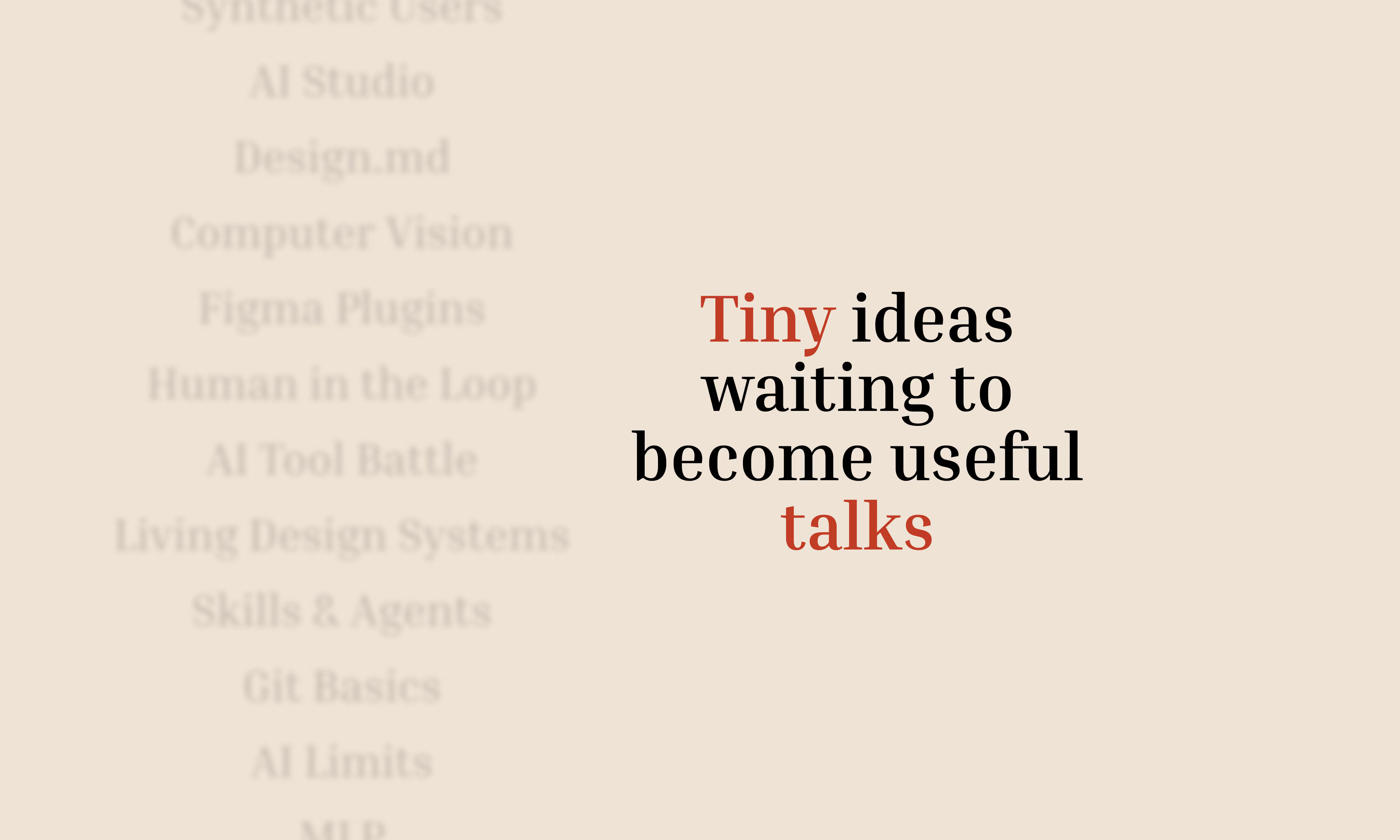
The pool slowly filled up with things like:

  • Synthetic Users
  • Google AI Studio
  • Design.md
  • Computer Vision
  • MCP + Figma
  • V0 workflows
  • AI orchestration
  • Figma plugins
  • comparing AI tools using the same prompt

And honestly, the mix is part of what makes it interesting.

Sometimes a UX session drifts into Computer Vision. Sometimes someone technical shares a visual workflow that half the design team ends up adopting later.

There’s not much curation. It behaves more like a constant exploration system.

Then another problem appeared: choosing who presents

And this is where things became unnecessarily dramatic.

Nobody wanted to be “the person who chooses”. So we started adding absurd layers of randomness until we somehow ended up building a full internal app called 2FS.

Two Factor Sorteo.

Yes, it’s real.

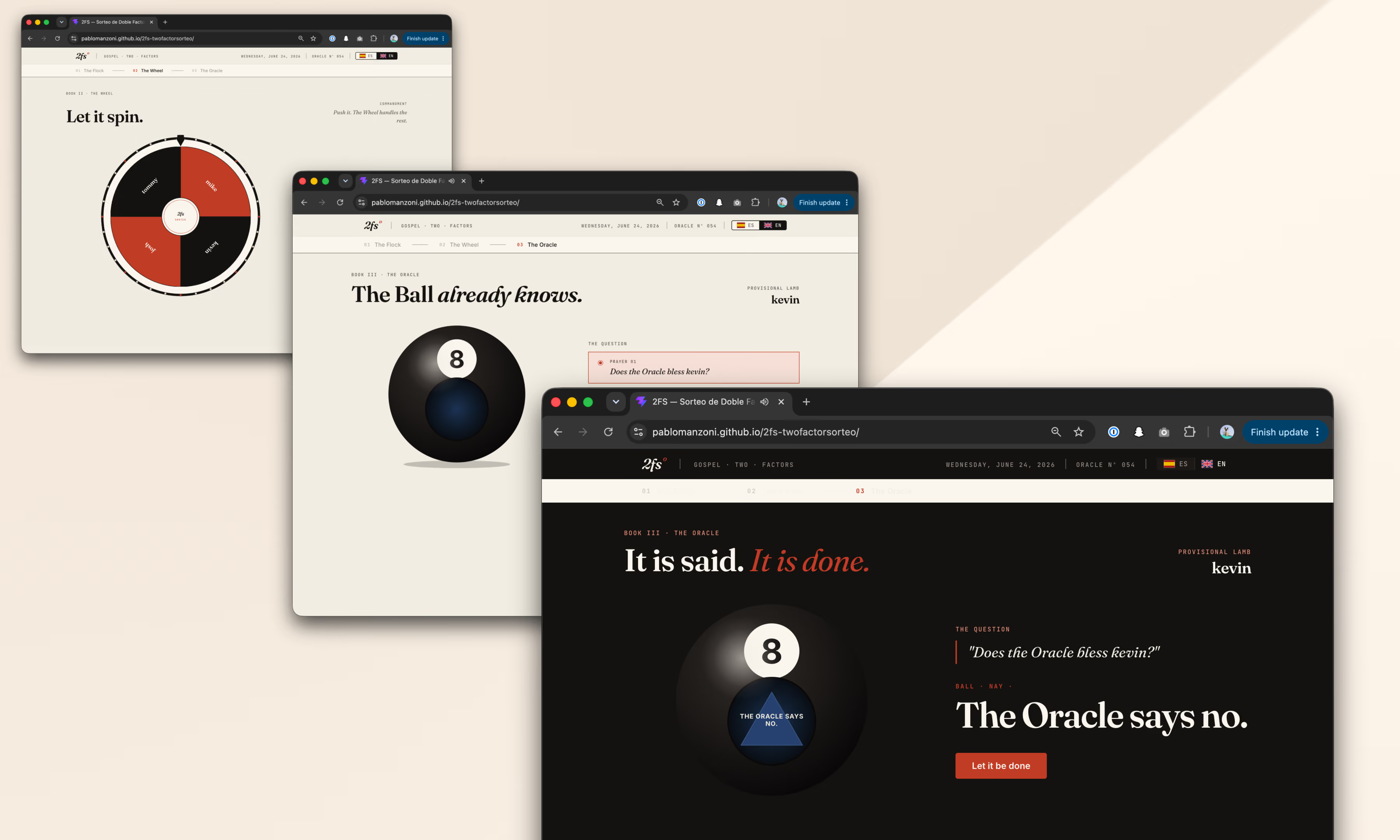
The wheel proposes. The oracle decides.

The logic is simple.

First, a wheel picks someone.

Then a Magic 8 Ball decides whether destiny approves the selection.

If the oracle rejects the person, the process starts again.

That’s it.

The app accidentally became part of the learning loop too

Apps developed for the Tiny Knowledge Bytes.

2FS originally started as an excuse to experiment with:

  • Claude Code
  • Claude Design
  • design systems
  • editorial interfaces
  • motion and microinteractions

Eventually those same explorations turned into future Tiny Knowledge Bytes.

The tool we used to select speakers started generating new topics itself.

The system started feeding itself

One of the most interesting side effects is that people started building things outside their usual role because of previous Tiny Knowledge Bytes.

2FS itself is a good example. A designer saw sessions about Claude tooling and AI workflows and thought:

“Maybe I can actually build this.”

What started as a ridiculous speaker selection tool became a real product experiment involving Claude Code, interface systems and interaction design.

Then it came back into the Tiny Knowledge Bytes circuit as a new talk.

That loop became surprisingly valuable:

someone learns something,

tries it,

builds something with it,

and eventually inspires someone else to do the same.

What ended up mattering most

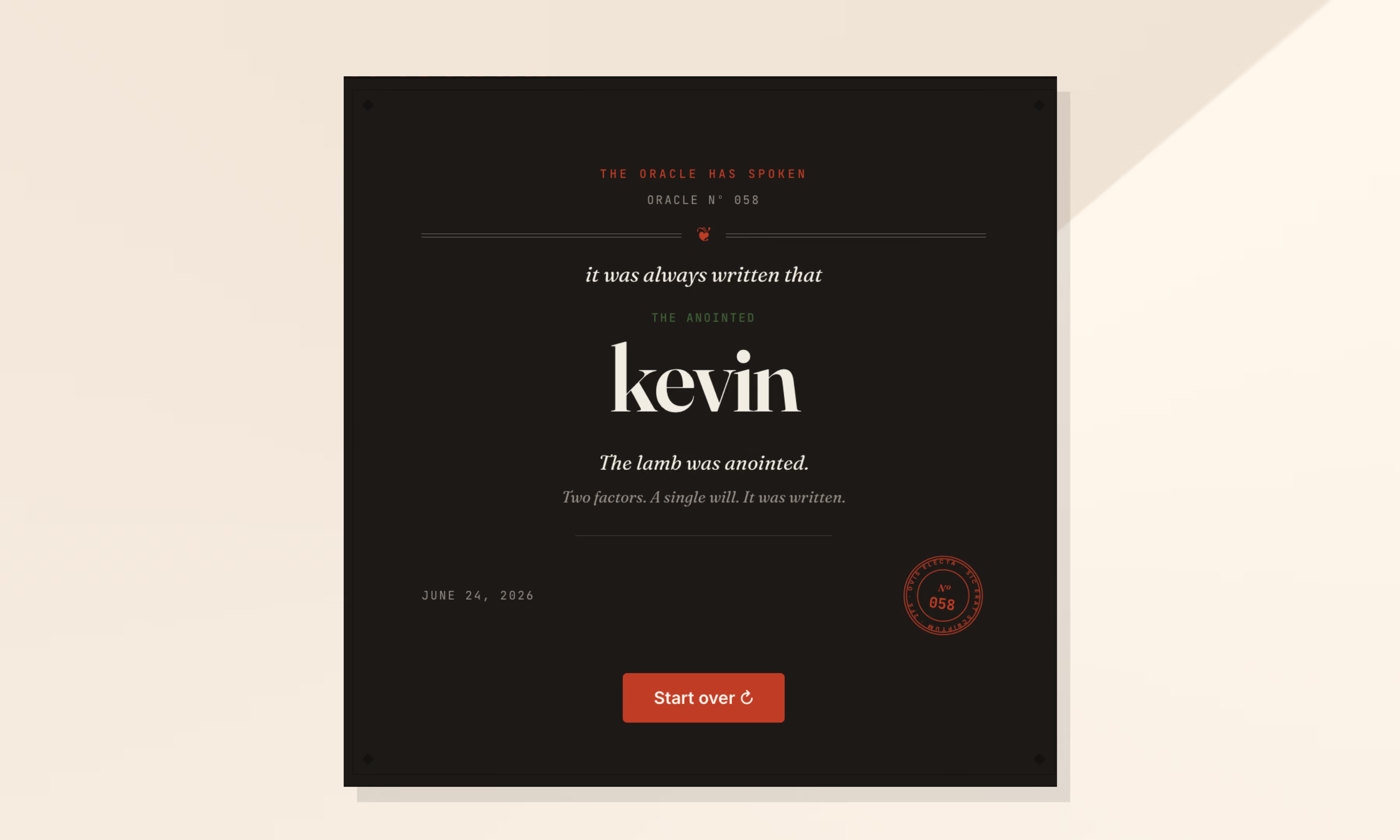
Final Oracle Certificate.

Over time we realized knowledge sharing works much better when:

  • it doesn’t require huge preparation
  • it’s allowed to be imperfect
  • it mixes different disciplines
  • it leaves something practical behind
  • and somehow involves a mystical wheel connected to a Magic 8 Ball

At that point, it stops feeling like another internal obligation and starts feeling like something people genuinely want to keep alive.

A while ago we noticed something pretty common: everyone wanted to share more knowledge internally, but nobody wanted another heavy corporate ritual.

Internal talks usually start with good intentions and slowly disappear. They take time, preparation, and energy. And at some point people start feeling like they need to be experts before presenting anything.

So we tried the opposite.

15 minute talks.

Small topics.

Low pressure.

And one important rule: every session had to leave something useful behind. A tool, a workflow, an idea, a shortcut, a new way to approach a problem. Something people could actually use after the talk ended.

We didn’t want theory that went nowhere.

Somehow, that ended up working much better than we expected.

The idea was to reduce friction

Screenshot of the shared topic pool

Tiny Knowledge Bytes is intentionally simple:

  • anyone can suggest topics
  • anyone can end up presenting
  • you don’t need to master the topic
  • talks can come from experiments, client problems, tools or random discoveries
  • sessions should leave something practical behind
  • if nobody volunteers, the system picks someone for us

The goal was making knowledge sharing feel lightweight instead of exhausting.

Some of the best talks start with:

“I tried this yesterday and it was weird.”

The topic pool started growing on its own

Over time, topics started coming from everywhere.

Sometimes someone took a course and used a Tiny Knowledge Byte as a way to give something back to the team. Other times, a client problem triggered research into new tools, workflows or AI approaches.

A lot of sessions start from curiosity or necessity more than planning.

The pool slowly filled up with things like:

  • Synthetic Users
  • Google AI Studio
  • Design.md
  • Computer Vision
  • MCP + Figma
  • V0 workflows
  • AI orchestration
  • Figma plugins
  • comparing AI tools using the same prompt

And honestly, the mix is part of what makes it interesting.

Sometimes a UX session drifts into Computer Vision. Sometimes someone technical shares a visual workflow that half the design team ends up adopting later.

There’s not much curation. It behaves more like a constant exploration system.

Then another problem appeared: choosing who presents

And this is where things became unnecessarily dramatic.

Nobody wanted to be “the person who chooses”. So we started adding absurd layers of randomness until we somehow ended up building a full internal app called 2FS.

Two Factor Sorteo.

Yes, it’s real.

The wheel proposes. The oracle decides.

The logic is simple.

First, a wheel picks someone.

Then a Magic 8 Ball decides whether destiny approves the selection.

If the oracle rejects the person, the process starts again.

That’s it.

The app accidentally became part of the learning loop too

Apps developed for the Tiny Knowledge Bytes.

2FS originally started as an excuse to experiment with:

  • Claude Code
  • Claude Design
  • design systems
  • editorial interfaces
  • motion and microinteractions

Eventually those same explorations turned into future Tiny Knowledge Bytes.

The tool we used to select speakers started generating new topics itself.

The system started feeding itself

One of the most interesting side effects is that people started building things outside their usual role because of previous Tiny Knowledge Bytes.

2FS itself is a good example. A designer saw sessions about Claude tooling and AI workflows and thought:

“Maybe I can actually build this.”

What started as a ridiculous speaker selection tool became a real product experiment involving Claude Code, interface systems and interaction design.

Then it came back into the Tiny Knowledge Bytes circuit as a new talk.

That loop became surprisingly valuable:

someone learns something,

tries it,

builds something with it,

and eventually inspires someone else to do the same.

What ended up mattering most

Final Oracle Certificate.

Over time we realized knowledge sharing works much better when:

  • it doesn’t require huge preparation
  • it’s allowed to be imperfect
  • it mixes different disciplines
  • it leaves something practical behind
  • and somehow involves a mystical wheel connected to a Magic 8 Ball

At that point, it stops feeling like another internal obligation and starts feeling like something people genuinely want to keep alive.

Related Articles

View all articles

·

Nov 4, 2026

SmartSense Live 2026 | Food Safety Summit

SmartSense LIVE26 recap: SmartSense ONE’s launch, the Disruptive Technologies acquisition, AI assistant KAI, and what it means for food safety and compliance teams.

Clock icon for reading time.

12 read time

Read more

SmartSense LIVE26 recap & takeaways

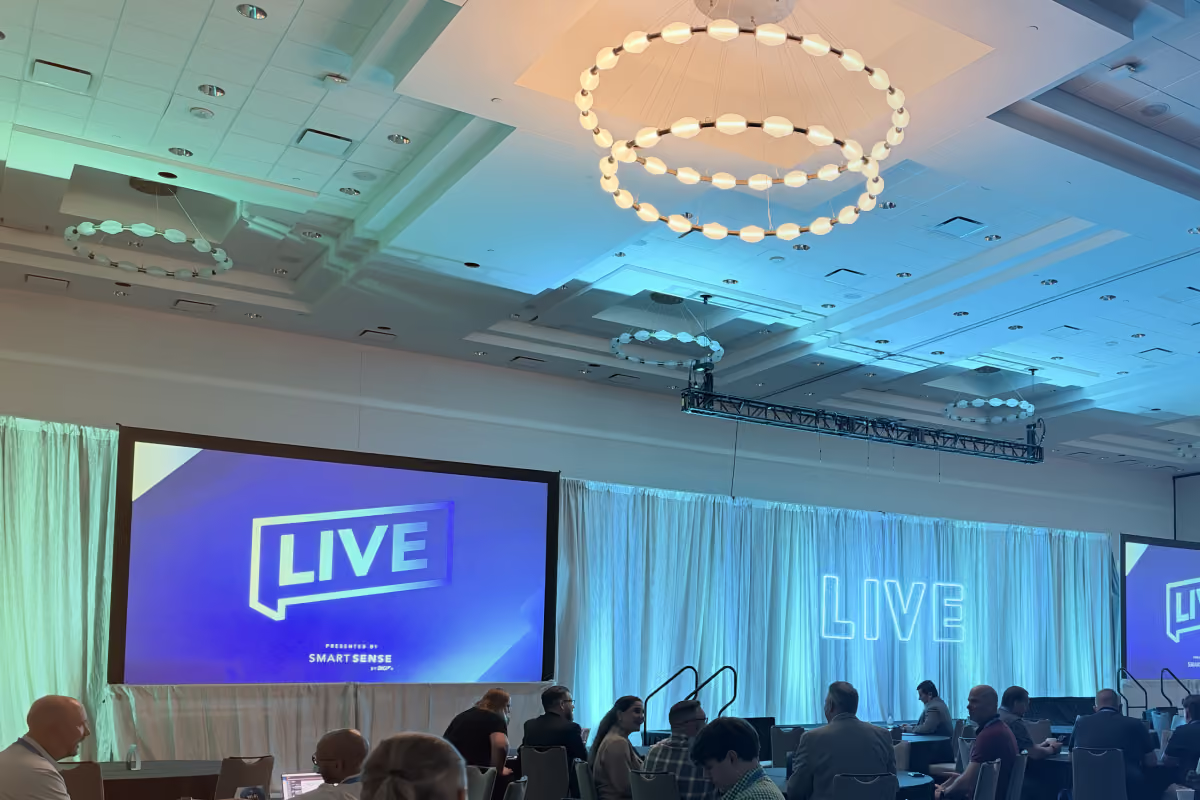
SmartSense LIVE26 took place October 7-9, 2026, at the Hyatt Regency Austin in Austin, Texas. The conference focused on food safety, compliance, and the role of connected technology in daily operations.

It was our first time attending LIVE, in the first year the conference opened to the wider industry. For us, it was also an opportunity to sponsor and support SmartSense, a company we’ve worked with since 2019.

Event details
Dates October 7–9, 2026
Venue Hyatt Regency Austin, Austin, Texas
Organizer SmartSense by Digi
Access October 7–9 for SmartSense customers; October 8–9 for industry attendees
Price $215.42 for industry attendees

Who SmartSense LIVE26 is for

SmartSense LIVE is designed for people responsible for safety, compliance, and operational performance. Its audience spans food service, healthcare, logistics, and other industries where monitoring physical conditions is part of everyday work.

That makes it relevant to operations and food safety leaders, as well as the technology teams supporting them. A monitoring system has to fit how people check conditions, respond to issues, and document what happened.

SmartSense LIVE26’s attendees spanned retail, healthcare, food service, and education, including Costco, CVS Health, and honeygrow. Speakers brought perspectives from operations, food safety, compliance, IT, and procurement.

What SmartSense LIVE26 was like

The main focus of the event were the SmartSense ONE presentation and the acquisition of Disruptive Technologies, which gave us a clearer picture of the company’s direction: connecting what happens in physical environments with the decisions and tasks that follow.

SmartSense ONE
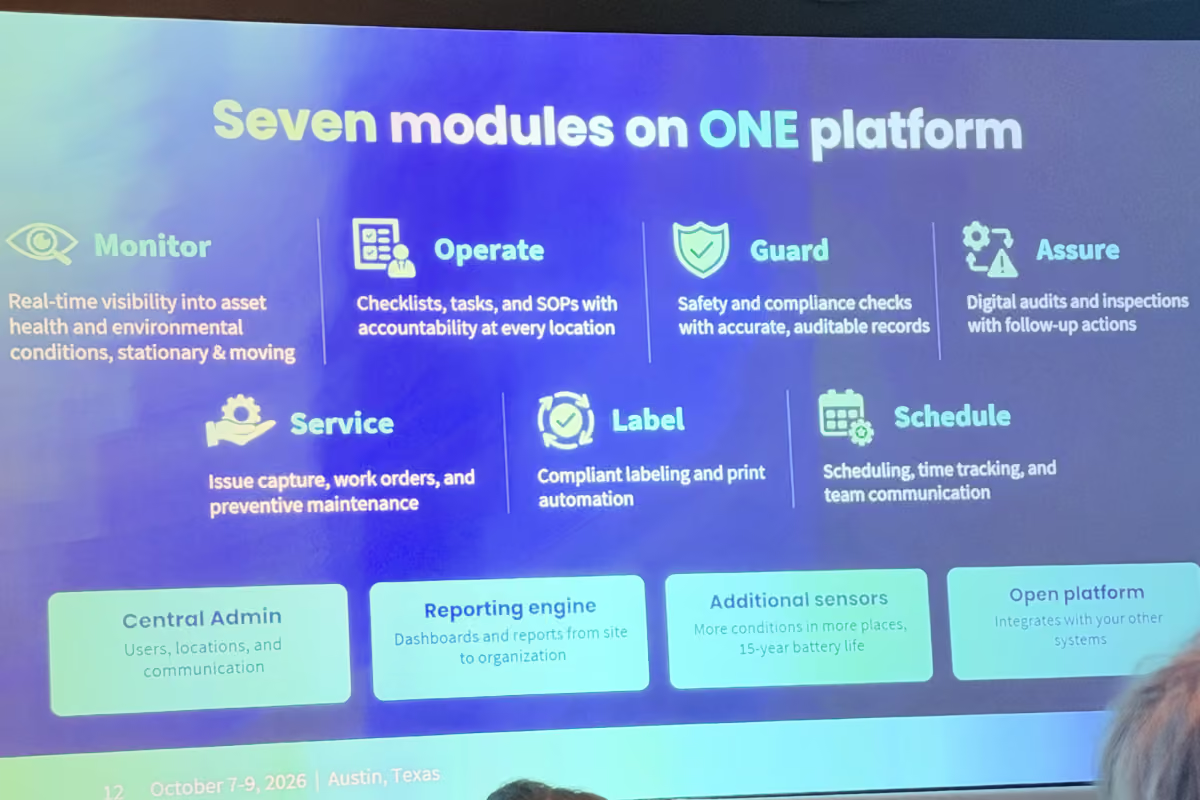
SmartSense ONE brings SmartSense and Jolt capabilities into a modular platform with shared data and a common web and mobile experience, including offline support. Its seven modules cover monitoring, daily tasks, food safety, audits, maintenance, labeling, and staff scheduling. Customers can choose the capabilities they need and combine them as their requirements grow.

The focus extends from collecting data to acting on it

SmartSense describes its approach in three stages: Sense, Understand, and Act. Sensors capture conditions in the physical world, analytics and AI interpret the data, and digital workflows help teams respond.

The DT acquisition will strengthen sensing and expand SmartSense’s reach

On October 1, Digi announced an agreement to acquire Disruptive Technologies for $130 million. DT brings proprietary sensor technology, more than 250,000 deployed sensors, and devices designed to operate for up to 15 years. The acquisition would bring that technology into SmartSense, establish a stronger commercial presence in Europe, and expand opportunities in building automation and space occupancy.

Seven years of working with SmartSense
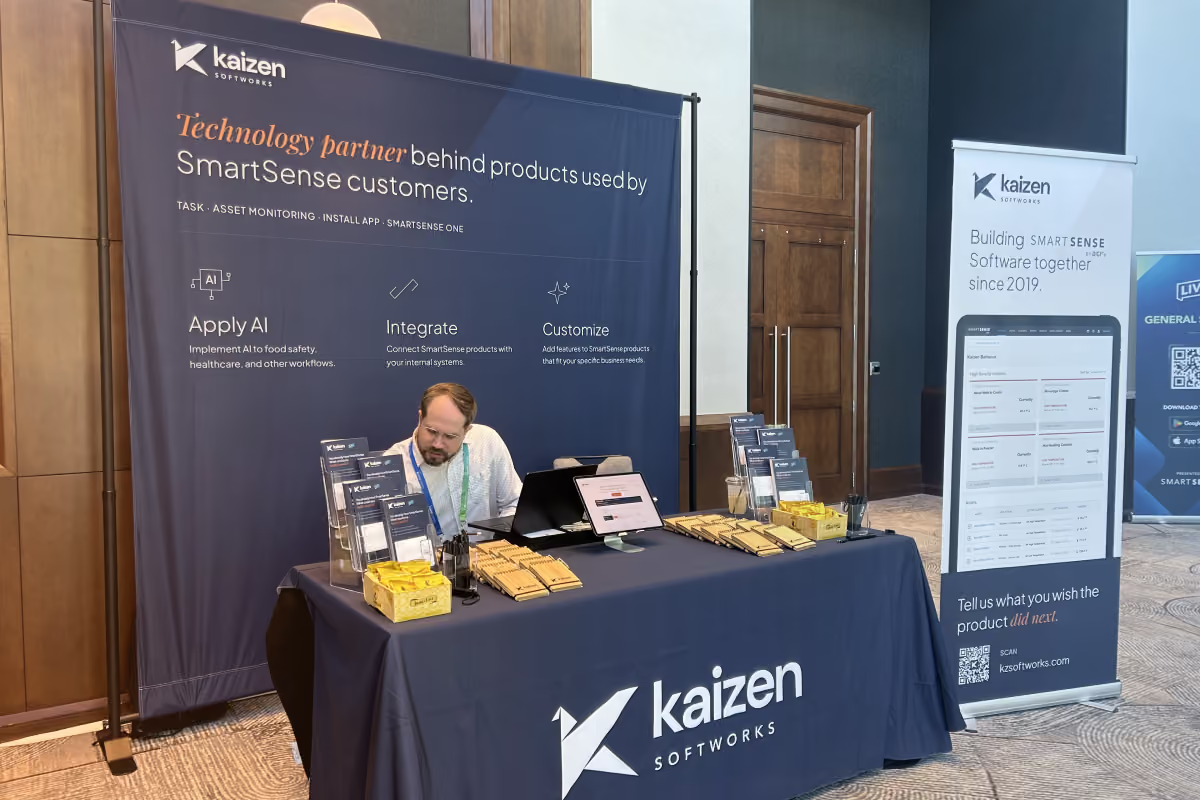
Our relationship with SmartSense began in 2019. Since then, we’ve worked together on product development and modernization as the company has grown and brought acquired products into its ecosystem.

One part of that work involved modernizing a remote monitoring app while incorporating features from other legacy products. The decisions went beyond rebuilding screens: we had to understand which workflows to keep, improve, combine, or retire. The resulting application serves more than 10,000 supply chain teams.

We’ve also worked on the process behind sensor deployments. A mobile installation app brought scanning, assignment, validation, and data synchronization into a guided workflow, helping technicians complete more deployments without adding headcount.

That work gave us a specific reason to be at LIVE: to hear from the people whose routines these systems support, and understand where software could make their work easier.

At our booth, we shared a demo showing how connected systems can work together in practice, along with our AI Adoption Handbook and some swag.

After Austin

Thank you to the SmartSense team for having us as sponsors and for the work we’ve shared across products and teams since 2019. Being part of LIVE added a new setting to that relationship: spending time with the people and organizations those products support.

And thank you to everyone who stopped by our booth, tried the demo, or took the time to tell us about their work.

If there’s a workflow you’d like to explore further, get in touch with us. We can help you clarify the problem and decide what would be useful to test first.

‍

·

Oct 23, 2026

How to build high-fidelity prototypes with AI

How a design system lets Marketing and Product teams use AI to build on-brand prototypes, based on Kaizen’s own experience and turnaround numbers.

Clock icon for reading time.

12 read time

Read more

AI makes it easier for more people across a company to create a first visual version without relying on Design for every step.

Marketing can generate campaign assets. Product managers can turn ideas into prototypes. Teams can make an idea visible earlier in the process.

That creates a new design problem.

If more people can create, how do you make sure the output still reflects the decisions Design has already made about hierarchy, typography, spacing, composition, and brand?

A design system can help.

When its rules, components, templates, and examples are available to AI tools, other teams can create within boundaries Design has already defined.

Design does not have to build every first version. It can focus on reviewing important decisions and improving the system when recurring problems appear.

A design system can carry judgment beyond the Design team

A design system gives teams shared rules for creating consistent work.

It can define:

  • Color, typography, spacing, and composition.
  • Components and how they behave.
  • Templates for recurring layouts.
  • Examples that show how those decisions work together.

That context is useful for AI too.

Without it, someone creating a page, presentation, or social post has to explain what “on brand” or “well designed” means in a prompt.

With a design system, many of those decisions are already documented. AI has a reference for how content should be structured, which components belong together, and what kinds of compositions fit the brand.

Teams get a starting point that is closer to the company’s existing visual language without having to describe it from scratch.

What this can look like across teams

Marketing can create recurring assets with less production dependency

Marketing often works with recurring formats such as social posts, campaign pages, and event assets.

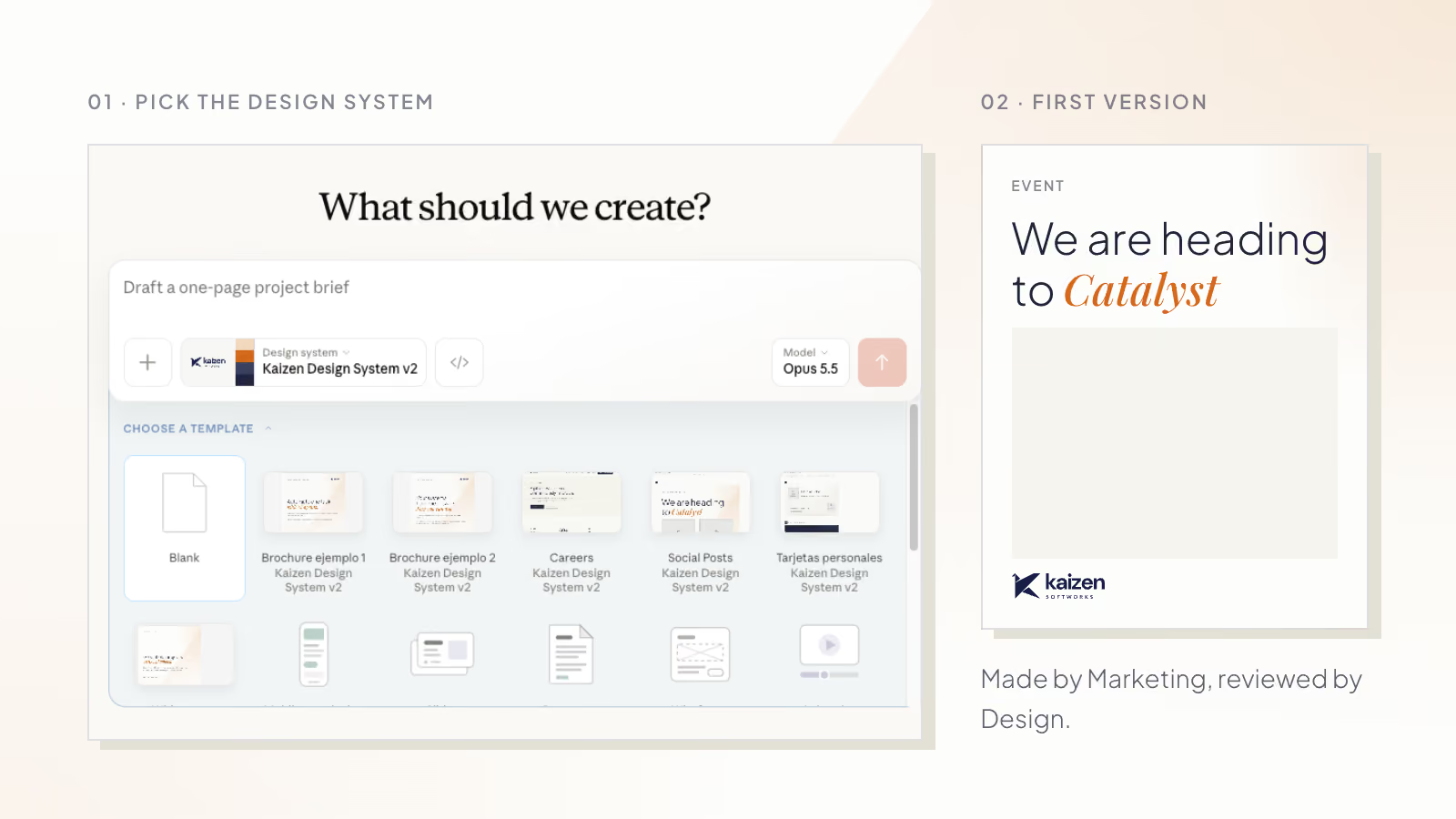
Templates can give the team enough structure to create a usable first version independently. A social template, for example, can define typography, spacing, image treatment, and composition while leaving room for the content to change.

Design can then focus its review on the decisions that need attention.

Product teams can make ideas visible earlier

Product managers often need something visual before they need production-ready design.

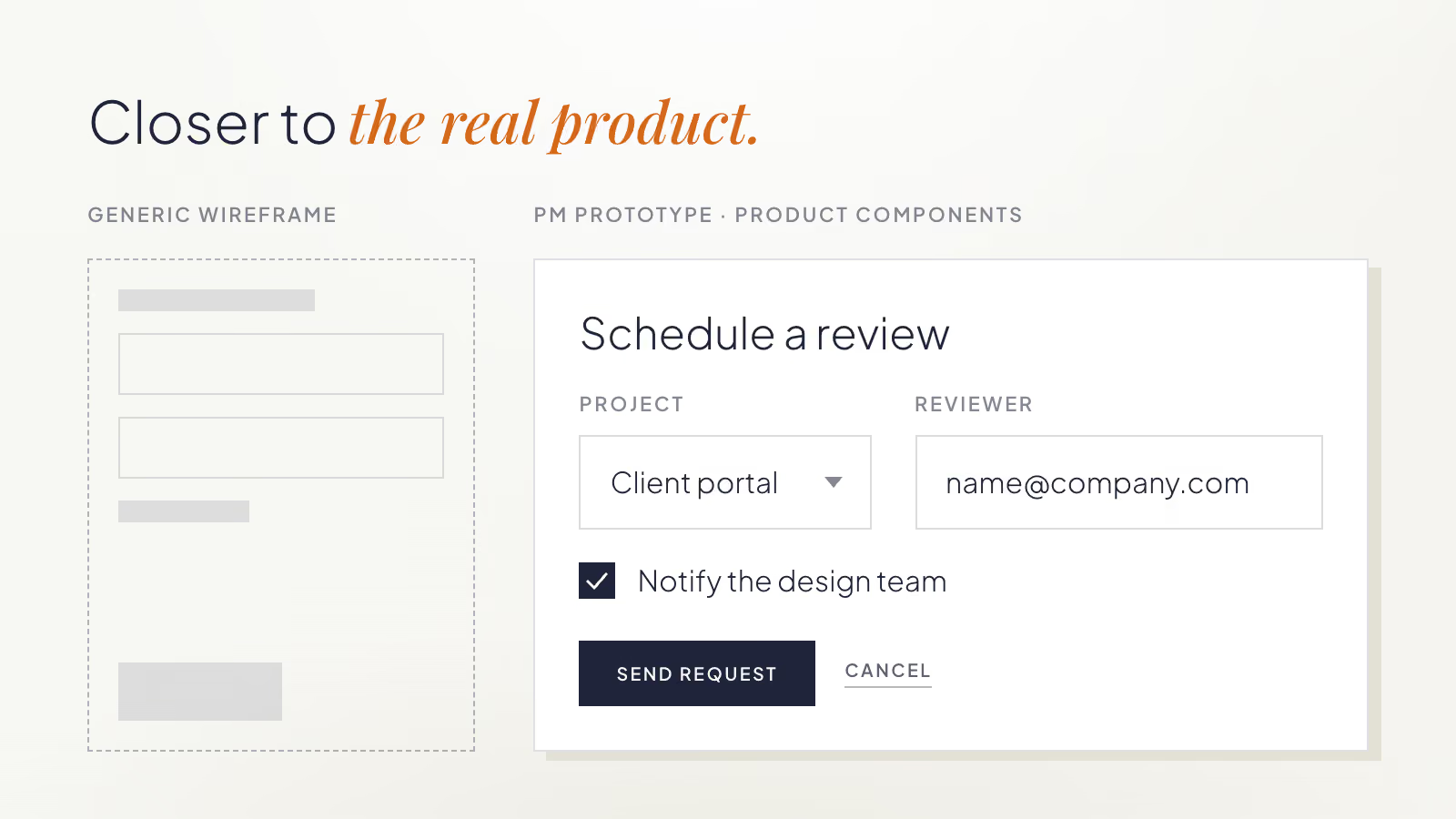
If an AI tool has access to the same components and rules the product already uses, a PM can create a rough prototype that is closer to the real product than a generic wireframe.

The prototype is not a design direction by itself. It gives Product and Design something concrete to discuss.

Instead of spending time explaining what an idea might look like, they can focus on whether the flow makes sense, what needs to change, and where deeper design work is needed.

Generated work can show where the system is weak

AI does not only use the design system. Its output can also reveal where the system needs more guidance.

We saw this while using our own design system with AI at Kaizen.

Our Design team created the system while redesigning the Kaizen website. It documented the site’s colors, typography, composition rules, components, and templates. Marketing later began using that same system with AI to create website prototypes and social content.

One pattern kept appearing.

The AI put almost everything inside boxes.

Text, images, and entire sections appeared inside containers, even when a more open composition would have worked better.

Design reviewed the source material and found that many of the examples and rules leaned toward contained compositions. The AI was reproducing the patterns it had been given.

The team added guidance and examples for other layout approaches. The generated work became more varied and used more open compositions.

Instead of correcting the same problem in each new asset, the team improved the guidance that influenced future outputs.

That is one of the useful side effects of this process: recurring corrections can point to gaps in the system itself.

Autonomy still needs boundaries

Giving more people the ability to create does not mean every deliverable should follow the same workflow.

A recurring social post built from an established template may only need a quick review. A new product workflow may need much more involvement from Product and Design before anyone treats the prototype as a direction.

Teams can start by agreeing on three things:

What can teams create independently?

Identify recurring formats where the main design decisions are already understood.

What needs Design review?

Decide which outputs need a light check and which need deeper involvement.

What should go back into the system?

When the same correction happens repeatedly, update the shared rule, component, template, or example.

These boundaries make it clear where teams can move independently and where Design’s judgment is still needed.

What this changed for us at Kaizen

Before introducing this process, a LinkedIn visual could take more than two weeks from request to delivery once other priorities, coordination, review, and revisions were included.

We now estimate that a similar piece can move from copy to something ready to publish in about one afternoon.

For website work, a process that previously took around two weeks can now start with a Marketing-generated prototype in about two days, followed by roughly two days of Design refinement and production.

These are elapsed turnaround estimates, not active design hours. Reusable templates, the design system, clearer responsibilities, and the review process all contribute to the difference.

The biggest change is where the work starts.

Marketing can reach a concrete first version sooner. Design can spend more time refining important decisions and improving the system that will influence the next piece too.

For teams exploring this approach, start with one repeatable format.

Define the rules, examples, and templates needed to create a reasonable first version. Agree on where Design should enter the process. Then pay attention to recurring corrections.

If the same typography, layout, or composition problem keeps appearing, improve the shared guidance instead of fixing the same issue every time.

The goal is to make Design’s decisions reusable while keeping Design involved where its judgment matters most.

If you are working through the same questions, we can help you turn your existing design decisions into practical rules, templates, and review workflows your teams can use with AI.

‍

llms.txt