
·
Nov 23, 2026
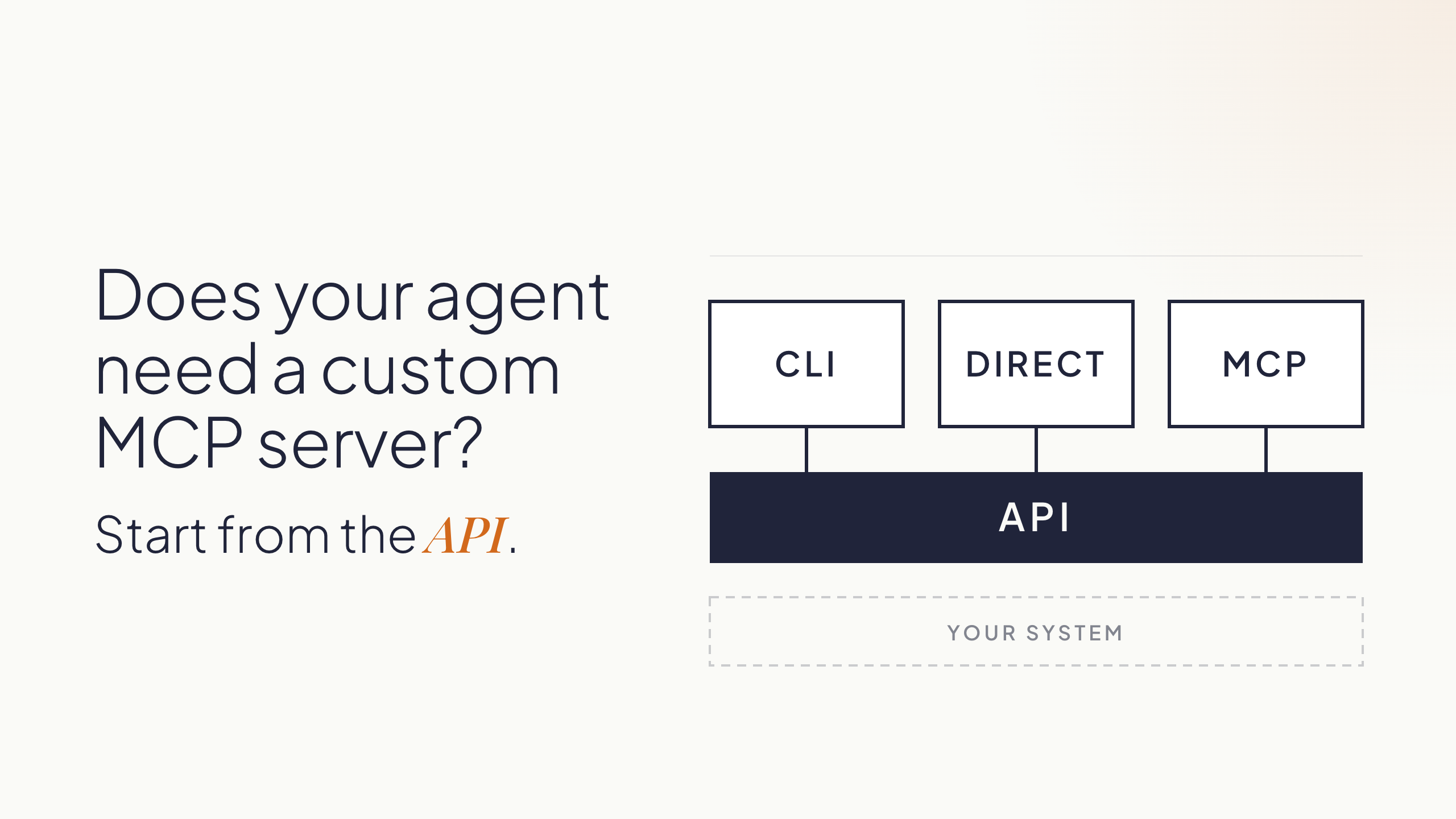
Does your AI agent need a custom MCP server? CLI vs. API vs. MCP explained
Do you need a custom MCP server for your AI agent? Compare CLI, API, and MCP integrations to understand when each approach makes sense.

8
min read
Read more
Kaizen Teams


·
8
min

·
November 27, 2026

·
November 27, 2026



Bart Calixto
AI
AI
AI

·
November 27, 2026
·
November 27, 2026
·
8
min read
Bart Calixto
Picture a customer dashboard. An AI agent builds the feature that retrieves a customer's records and never checks whether the person asking is allowed to see them. The feature works. The tests pass. And any customer can read another customer's data. This is an example of broken access control, one of the security risks identified in the OWASP Top 10.
A human could make the same mistake, so I wouldn't blame the AI. But three things have changed. Finding vulnerabilities that were already there is getting faster and cheaper. We produce far more code, with fewer eyes on each line. And with approaches like vibe-coding, AI is turning people who were never developers into developers.
AI sounds confident even when it's wrong. It rarely asks questions unless you tell it to. And many of the people now building production apps never ask whether what they built is secure.
The way I approach AI code security is to put checks into the development process itself, so people don't have to remember to ask for them.
Does a window need bars? If you want to make it harder to get in, yes. But what if it's on the fifteenth floor? What if the bars cost more than what you’re trying to protect?
That is security: what you spend against what you can lose. No system is invulnerable. The goal is to make the attack cost more than it's worth to the attacker, without spending more than what you're protecting is worth to you.
A bank and a charity both need security. The charity shouldn't leak its donors' data, and the bank shouldn't have its accounts emptied. How much each organization should spend on security is very different. So the first thing to define on any project is what "secure" means there.
Four things I'd have in place before a team starts building with agents.
Enable, don't forbid. People who find AI useful will look for ways to use it anyway.. If security is part of the process, they'll do it in a safer way. If security says "no", the work still happens, and you've lost your chance to guide it.
Decide what is high risk. Customer data, money, access to production. Write it down for your project. Anything that touches those gets reviewed by a person who can read the code before it ships. If that person isn't you, pay someone to do that review, or hold that part back.
Know where your secrets are. Secrets are passwords, API keys, anything that opens a door. As you connect more agents and tools, those credentials can end up scattered across configuration files, applications, and services. That's what's known as secrets sprawl. They used to be held by people. Now they're held by things you installed, configured once and forgot about. You won't know where all of them are.
Pick one place for secrets. When one turns up somewhere else, move it there and change it, so fewer and fewer stay out of sight. An imperfect system is fine to begin with, just have one before the project grows, and AI projects grow fast. Best case: the agent does its job without ever holding the secret.
Give only the permissions you meant to give. If you decide to give an agent permission to do everything, that's fine if it’s your decision. The problem is when you want it to read your email and it can also write, reply and delete. Getting this right is easy with one agent and hard with hundreds, especially when a system only offers two or three roles and "read" comes with other things attached.
Giving the agent security instructions helps. It guarantees nothing. Of everything you can secure, the AI model is where you have the fewest guarantees. Code, platforms, secrets and identities have controls you can test, so put the effort there.
Here is one way we did that at Kaizen. Internally, anyone can deploy an app without touching infrastructure configuration.
IT defined the options in advance and the deploy itself is deterministic: it works the same way every time. Those fixed options are the control, and what they cover is infrastructure: with them, an app is reachable only internally until someone deliberately exposes it, and gets its secrets from environment variables instead of having them written in the code. It is also served over HTTPS whether or not it's ever exposed to the public, because internal apps tend to end up exposed later, and it's good hygiene anyway.
All of that is handled on the infrastructure side, where the person deploying never sees it. The AI only helps you choose among the options, in plain language.
On top of that there is a review: before anything is published, a separate AI reviewer looks at what is about to go out. It is not the agent that wrote the code. We ask it to focus on the things someone who isn't a developer wouldn't think to do, like encoding user input before showing it, or not building SQL queries by gluing text together. Its job is to tell the person and their agent what to change or improve.
One real case: one of our developers set up a system to accept connections only from our proxy and run maintenance tasks on it. A proxy is the intermediary through which outside traffic reaches a system.
That sounds reasonable: only one trusted machine gets in. But the review pointed out a gap while that access was still being set up, before anything reached production. The system could see that a request came from the proxy, not who was behind it, so someone else coming through that same proxy could have reached it too. The reviewer suggested requiring a token on top of the proxy's address.
The AI review isn't a strict control. It's extra awareness that costs the person deploying almost nothing, and it can miss things. For that person, developer or not, it's nearly invisible. They don't have to know they need to ask for a review.
Security usually costs convenience. Here deploying got easier, and deploys now get a review they didn't get before.
An agent has one mission: the one you give it. Ask it to build something and it will find a way to get it done. On that mission, security is an obstacle between the agent and "done".
So give security its own mission, as a separate step. When the job is to check the code instead of to build it, the trade-offs are different, and so is the output. It's a second look, not an independent one: the reviewer shares many of the builder's blind spots.
If you build alone, the cheap version is a second agent that didn't write the code. Ask who can see each piece of data, and where that is checked. That's the question nobody asked about the dashboard at the top.
I'd put review agents to work on code and infrastructure: reviewing changes, writing tests, and probing a test copy of the system for known weaknesses.
How often to test depends on what changed. A login system that was tested and hasn't changed doesn't need testing as often as one that changed yesterday. It still needs it, because unchanged code ages: new vulnerabilities are found in its dependencies.
For fixes, a common setup is that the agent opens an issue, writes the fix on a branch and opens a pull request, a proposed change waiting for approval. It proposes, it doesn't apply. The catch: your bottleneck is now reviewing pull requests. Three a week is fine. A hundred a day is more than a team can review, so you cap them, sort them by severity and group the duplicates.
False alarms make it worse. Open-source maintainers have complained about being flooded with AI-generated reports, many of them wrong, and the real ones get buried. A finding is only useful if it says where the problem is, how someone would exploit it and how to reproduce it.
None of this is a workflow set in stone. It's a pattern that keeps evolving and varies from team to team. These are only the generic parts. From there, each project's context and requirements call for their own measures.
You stop when you feel safe enough. That's a technical decision based on an emotion, which is uncomfortable. A better question is whether the next check costs more than the loss it's likely to prevent.
If you already build with agents, start here:
I won't tell you we're the most secure company. Nobody is. You can be safer, and a big part of it is putting the check where nobody has to remember to ask for it.
AI-generated code can contain many of the same vulnerabilities as human-written code. AI also introduces additional risks through agent permissions, access to credentials, and the speed at which teams can produce changes. Security depends on how the code is developed, tested, and reviewed.
Use an approved secrets management system, track which identities and applications can access credentials, and grant only the permissions required for each task. Avoid exposing raw credentials to agents when the underlying tools or infrastructure can handle them securely.
AI agents can review code for potential vulnerabilities, but their findings are not guaranteed to be complete or accurate. A separate security reviewer can provide another perspective, while conventional security checks and qualified human review remain important.

AI
·
Nov 23, 2026
Do you need a custom MCP server for your AI agent? Compare CLI, API, and MCP integrations to understand when each approach makes sense.
8
min read

AI
About Us

·
Nov 20, 2026
Learn how we built KzBuddy, an AI assistant for HR that helps employees find information, request time off, and manage everyday tasks at Kaizen Softworks.
5
min read